View Full Version : TUTORIAL: Non-Default Skin Colors and More (a.k.a. TONE Files)
Rez Delnava
26th Dec 2009, 11:46 AM
Update 6FEB2010:
Much of the information in this fist post has been outmoded by advances in the knowledge in the functions of tone file. For the most updated please refer to the tutorial by Missy Harries (http://modthesims.info/showthread.php?t=390230).
_________________________________________________________________
First let me tell a little story about how this discovery was made:
Twas the night before Christmas, and out on the web,
Rez was still browsing, just before bed;
He was composing replys, trying not to tl;dr
When all of a sudden, a new post did appear
A question of UI, a subject he knew;
New skintones it asked, not replacing core's blue,
Replys were at first of skeptical nature;
UI was one thing, the core a new creature.
But when Rez got bored (its a mental disorder)
He knew a trip to Reflector was in order.
An what to his wandering eyes did appear,
a little reference to a file so queer.
He flew to the editor, taxing his cache
Tore open the package, and looked up the hash.
And there he beheld a file so awesome
it made CASP files look like trash blossoms.
Without delay he took it to hex,
non-default skins could be produced next!
Ok, silliness aside:
What this Tutorial Will Do
The objective of this tutorial is to teach modders how to retrieve and edit the TONE files with the intent to make non-replacement skin colors. Additional objectives may be added in subsequent updates, as more research is done.
What the Tutorial Will NOT Do
This will not teach you how to make new skin color gradient files.
This will not teach you how to make new skin tone files, for those look to this tutorial by Aikea Guinea here (http://www.modthesims.info/showthread.php?t=351328).
This will not teach you how to mod the UI.
This will not teach you how to operate your programs.
This will not teach you advanced hex editing.
This will not teach you how to install mods or framework.
What You Need
Your package editor of choice
Some method of Hex editing, if you don't already have a Hex Editor program, a Google search, or a quick browse through CNet would provide many good options.
A UI mod to allow for more TONE files to appear in-game (for the time being one will be uploaded here, consider it a beta version)
New Skin Gradient files (ToneRamp) are recommended for Part 1 (but not required, you will just end up with multiple copies of base-game colors if you don't have one)
Part One: Non-Default Skin Color Gradients
1) Open your copy of FullBuild0.package, making sure that tags and names are turned on. Sort either by Tag or type, we are looking for TONE 0x0354796A files. Seven of these files will appear there, six are the default skin colors and one is an 'unused' tone called mannequin. Pick one of the default TONEs (this example will be using 'Alien Skin') and extract the file to a working directory.
*NOTE* There is also another TONE file with the type 0x03555BA8 for the default hair tone; we will not be concerned with it here in the tutorial.
2) Give your extracted file a new name and Instance ID. For the Instance ID, its usually best to use an FNV64 hash of the name. My new name will be 'Alien Skin Custom' which hashes out to 0x62C7BCE9DD24BDEA
3) If you have a Skin Gradient, skip this step. If you don't have a Skin gradient, then you need to extract the two files. The first is in FullBuild0 and is a IMAG 0x2F7D0004 file and has a similar name as the TONE file you previously extracted. The second file is in FullBuild2.package. It has the same name (with the addition of the Instance) as the first file in this step, but is a _IMG 0x00B2D882 file. These are the Tone Ramp Files; they are what the game looks at when you move the sliders. It is important to note that both of these file have the same Instance ID. So, in this example the two file are AlienSkinToneRamp (IMAG) and AlienSkinToneRamp_0x20ee0a9e9a7186fd (_IMG). Screenshot 1 shows the files needed in S3PE
3a)It will be helpful now to write down some of the instance numbers from the ToneRamp files, you don't need to write the whole thing, but just enough to recognize the number when we go to hex edit, the first four and the last four should be enough. So for the example, we should remember 20EE........86FD
4) The tone ramp files now need new names and instances; again, use FNV64 hash, keeping both of the files the same instance number. My new tone ramps I'm gonna call CustomToneRamp1 which hashes to 0x1C670D4285A0CC7D
5) Now, its the time to do the somewhat intimidating hex changes. Lucky for this part, we are only going to be changing one reference to an Instance ID. Now for hex editing, the TGI information is not straightforward, hex will list the information in reversed pairs.
For Example: if the Instance number on our resource was 0x0123456789ABCDEF
then converting that to hex would be EF CD AB 89 67 45 23 01
Open the TONE file in your Hex Editor. We need to look for the TGI entry for the original ToneRamp, and update that with the new TGI; but we only changed the instance numbers, so we are only concerned with changing the instance, the rest stay the same. Recalling the numbers (you wrote it down right?) we need to look for the last two numbers first, etc. So, in the example, we are looking for FD 86 .. .. .. .. EE 20 So, you are telling me you forgot to write down your Instance, or the instance of your ToneRamp is not from the the same set as the TONE file you extracted? Well, not to worry, because the TGI we are looking for (unlike droids on Tatooine) is the first TGI set we come across; and is about a third of the way down.
In screenshot 2, the highlighted portion is our TGI value, and it is also the beginning of the TGI list. The red is the Type, the blue is the Group, and the yellow is the Instance (we are only concerned about this highlighted string). Now as you can tell from the image, it is not the very first thing in the file, but is the first entry in the TGI list (note how everything beginning with that entry is a set of 32 characters, each with the same Type and Group), and anything before that is file data. It is very important nothing but the TGI entries change.
:alarm: DO NOT EDIT ANYTHING ABOVE THE TGI LIST. YOU WILL BREAK YOUR FILE. :alarm:
Reversing our pairs of numbers in the new instance of the ToneRamp from step 4 (1C670D4285A0CC7D :: 7D CC A0 85 42 0D 67 1C), change the instance in the hex editor. Make sure you put the Instance of the ToneRamp (step 4), NOT the instance of the TONE file(step 2), and NOT the old instance of the ToneRamp. Double-check for errors, then save and exit.
6) Package your newly hex-edited TONE file, and the two ToneRamp files.
7) Download the UI mod package (beta) in the attachments of this post, and install to your mods. I will remove the beta version after more testing and upload to the moderator queue. Afterward, you should be able to find it in the downloads section.
8) Put your packaged TONE/ToneRamps in your mods; test.
Trouble-Shooting:
double check that you followed every direction
make sure you have two ToneRamp files in your package (they should have the same Instance, but differ in Group)
make sure the UI mod is installed properly (Once installed, the color picker will look like the one in screenshot 3)
Your game crashing when you click the new color?::you changed something above the TGI list while hex editing--Don't do that.
Didn't have any problems? Great! Congratulations, you just made a non-default replacement skin color.
Now some of you may be going "Wait just a sec... a new skin color is not as awesome as advertised in the peom" and the more experienced modders who know that the TGI lists appear last in Hex may be going "hey, wait, whats in that bottom two-thirds?"--well, that is part 2.
Part 2
Part 2 is short in description, but exceptionally large in implications and possibilities.
That last two-thirds of the hex has in the TGI list, a reference to every Skin texture, every facial texture, and every scalp texture.
I will let you ponder that for a moment... no, go ahead, I'll wait.
... If the TONE Files control both the color and the skin texture...
... and the TONE buttons are saved per sim...
... :!: :!: :!: :!: :!:
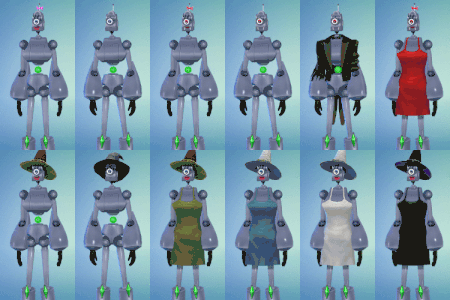
And you should have came to the conclusion that we can now assign Body/Face/Scalp texture INDIVIDUALLY, without overriding the global textures. Proof is in screens 3&4.
The tutorial for that is as follows:
Step 1: make new skin details
Step 2: assign them unique Instances
Step 3: edit the TONE file
Step 4: Prosper
Ok, so thats simplified, and a lot of work (there are somewhere around 100 skin detail files referenced in the TONE file), but it is possible, and I'm sure some ambitious modder will make everyone very happy.
See also:
That thread mentioned in the peom (http://www.modthesims.info/showthread.php?t=383327)
Duo Tones Default replacements by Missy Harries (http://modthesims.info/member.php?u=787930) -- a big help figuring out what was needed as far as the ToneRamp files, thanks for the lovely examples.
A Note About the Included UI Mod
This mod is in beta--however, UI (LAYO) mods are exceptionally stable and will not cause crashing.
It is a default replacement of the CASBasics.LAYO found in the UI.package file; it is not a core mod and has been tested for compatibility with both Inteen3 and Awesome. The UI has been expanded to enable additional TONE files to appear. Previously, the TONE picker (the pop-out box) was limited to 6 TONE selections, in a 2x3 grid; I have expanded the grid to 25 TONE selections in a 5x5. Screenshots 3&4 both show the the expanded region. Only the six core selection icons (the colored circles) will appear unless additional TONE files have been added.
jonha
27th Dec 2009, 7:47 PM
Awesome.
Araenna
28th Dec 2009, 12:40 AM
Quick question: Is the mod a core mod?
Rez Delnava
28th Dec 2009, 4:56 AM
Nope, not a core mod. As long as you give the indicated files a unique Instance ID, nothing will be replaced.
If you are asking about the UI mod, its not core either; it is a default replacement of one of the LAYO files found in the UI.package file.
BloomsBase
28th Dec 2009, 8:06 AM
It is definatly a nice find but isn't it easier to use a bodyoverlay?
Or is it possible to eliminate the colors and use the particular tone only for hair/freckles/scars or any other body addon?
Rez Delnava
28th Dec 2009, 9:33 AM
Overlays are easy since they are assigned as part of a CASP, and we have excellent tools that produce CASP files easily.
Please correct me if anything of the following is incorrect, I don't use overlays frequently, and I've never made one; so I'm going off of what I remember from reading threads a while back.
But there are significant disadvantages to using overlays, versus the TONE. The first is that the overlays are assigned per outfit, either as part of the clothes or by accessory as a tattoo layer--this puts constraints on your options for layering clothes. Second, is that the overlay is not shower-proof without the aid of either a copy outfit utility, or using NeverNude with a nude swimsuit. The third issue is that the overlays for body, face, and scalp are separate, and each assigned to different CAS Parts (body overlays are clothing, face overlays are makeup, and scalp overlays are hair). The fourth, is that overlays are not inheritable.
The disadvantages to TONE files, are that they would be way less customizable for individual details--since the body tones are tied deep into the TGI list--like body hair, scars, tattoos, freckles. It would also be harder to mix-and-match body and face replacements. As we do now, we can pick a different face/body for male/female, child/teen/adult/elder as defulat replacements, and just take the best of each. With the TONE file (until a utility is made) you would have to hex edit the TONE file for each change, or change the the file the TONE is looking for (which this second method is not so different than default-replacement, but becomes much more complex with the addition of more and more TONE files). In an ideal world, I would have just made a utility for TONE editing, instead of making a tutorial, but I'm no programmer--so until someone becomes interested in making a utility (or until I learn programming--its a race to see which takes longer), we can only rely on hex editing the TONE files.
While my example in the screenshots showed the addition of body hair and airbrushed abs, this is definitely not the best use of the find--I just used an extra set of Male default replacements with high contrast to the base. Better uses of the find would be, if some artists/creators be willing, would be to make entire new sets of scalp, face and body to create radically different breed of sims--robots, werewolves, vampires, plant-people, zombies, (and my favorite possibility: a color slider that goes from bronze-tan to paint green, with way too much muscle tone; I call it Lou Ferrigno) all of which would be inheritable.
On a related note, I believe that the TONE file may have a tunable that would allow random generated sims to spawn with non-default colors; so far in base-game it only allows npc sims to spawn with two of the six possible colors.
As you mentioned freckles and scars, I think its important to note that facial freckles, beauty marks and moles, have also received a UI update to allow more of them (see the link to the thread in the first post). As far as scars go, it may be possible to make them using the same concept as beauty marks--old scars would be easy as they tend to be flesh-tone with with some highlight; fresh scars are more difficult, but may be possible. I tried doing colorized moles awhile back (with the UI update, it may be a good time to revisit it... putting it on the to-do list), and some colors did appear, although adjusted 40-60degrees in hue, and desaturated. For body details, after I finish work on some body sliders (14-18 sliders, far more advanced than some bone-morphs, and might be found on the adult site in early January), I will look at the methods in the core for freckles/moles, and see if I can't replicate them for the whole body.
BloomsBase
28th Dec 2009, 11:04 AM
Thank you
It would be cool to use the green for like more hair and the blue for freckles.
I now use the scalp(moved to the beard category) to make these overlays, wich are showerproof btw
missy harries
28th Dec 2009, 1:28 PM
OMG, I wish I knew this when I was doing my replacements.......... I have no idea about hex though but I'm definatly going to give this a go. Thanks. :up:
missy harries
28th Dec 2009, 1:40 PM
Actually after a proper read through you've just made my day. :lovestruc
jmtmom
28th Dec 2009, 3:36 PM
Wow! The possibilities are endless....I'll have to reread this many more times before I can digest enough to try it. With missy harries tones, I have almost every color I need, but it would be great to have further variations.
ETA: I'd also like to know how missy harries was able to get two tones on one slider.
missy harries
28th Dec 2009, 7:23 PM
Wow! The possibilities are endless....I'll have to reread this many more times before I can digest enough to try it. With missy harries tones, I have almost every color I need, but it would be great to have further variations.
ETA: I'd also like to know how missy harries was able to get two tones on one slider.
LOl, Its only the same slider, I just got the dead centre of EA's ramp and poped a gradient on each half, then there was a lot of tweaking to get the colours look how wanted. :lol:
missy harries
28th Dec 2009, 8:10 PM
I've been experimenting like mad. I'm not sure how you changed the sliders themselves to reflect things, but I've managed to make duo-tone naturals: http://murrinwold.yuku.com/topic/398
I also did a bit of tweaking on yours: http://murrinwold.yuku.com/topic/397
Let me know if you have any objections to my mad experiementation.
Thats Ok sweetie. Is that a new site you've put up? I love fantasy too. :D
But a note to the thread.
Do you think it's possible to get the colour wheel to work for the TONE file????
I'm trying that now but I'm not litirate in ANY kind of coding I'm learning as I go along so any heads up would be great.
jmtmom
28th Dec 2009, 8:15 PM
It's just where I plunk things I don't want to lose. I'm too lazy to jump through hoops to post things and too cheap to set up a proper site.
I agree about the color wheel. It would solve everything. I can't imagine why they didn't do things that way from the start. Sadly, I haven't the vaguest idea how to make it happen either.
missy harries
29th Dec 2009, 3:00 AM
This does not seem to be working for me at all, it just seems to swap my colours around on the UI....... I've been though it a couple of times now and there's nothing I seem to be doing wrong (at least I don't think so).
Your UI mod doesn't seem to be showing up either. Is your game patched to date?
Rez Delnava
29th Dec 2009, 5:15 AM
Admittedly, my game is not patched to 1.8/2.3 due to the issues of that patch known to break CC downloaded in Sims3Pack format, so I was waiting until EA issued a fix, or at least admitted that they broke something (my guess is that the patch will come long before EA admits to any wrong-doing).
However, I don't think the most recent patch would have broken UI mods like it did to core mods and Sims3Pack CC. But just to be sure, could someone please check the 'Date Modified' column on Sims3/Game/bin/UI/UI.package. The date of the UI.Package file I used to make the mod is Nov-17-2009, so if there is anything newer than that, then I will need to grab the update and remake the mod.
This appears to be a problem with the package uploaded above. I tried downloading that one, removed all my other mods, cleared my caches, then tried loading CAS, and the mod didn't appear.
So, lets try again with this one. Anyone that grabbed the above one should re-download.
missy harries
30th Dec 2009, 3:01 PM
However, I don't think the most recent patch would have broken UI mods like it did to core mods and Sims3Pack CC. But just to be sure, could someone please check the 'Date Modified' column on Sims3/Game/bin/UI/UI.package. The date of the UI.Package file I used to make the mod is Nov-17-2009, so if there is anything newer than that, then I will need to grab the update and remake the mod.
Cecked the date for ya and it's 15/12/09.
Your new package doesn't want to work for me either........
I de-patched my game (reinstall) to see if that would work but there's still no joy, it's just the same thing. Either it just doesn't like me or I'm doing something wrong.
Anyone else having problems????
I've been going over it so many times and I'm starting to lose heart....... :rolleyes:
Could you upload the skintone you got working here please? At least then I can check for sure.
Rez Delnava
31st Dec 2009, 12:15 AM
I was afraid of that... so my mod will only be good for 1.7/2.2 installations.
I will patch up (or force my brother to patch up, since he uses less CC than I do...) and work out a new LAYO mod before this weekend.
Also, you mentioned that when you followed the tutorial, all it did was move the colors around. That means you probably did it right, since adding new TONE files will place the color-pick circle in a different order (i.e. adding new TONEs won't add to the end of the list, it sometimes puts them in the middle, etc.)
missy harries
31st Dec 2009, 12:43 AM
Thanks babe, you've given me some hope.
jmtmom
31st Dec 2009, 2:55 PM
I have to hone some basic skills before I can tackle making skintones, but I would be more than willing to test the mod and any skintones. My game is patched through 1.8/2.3 though.
Boy_Wonder
5th Jan 2010, 5:54 PM
Okay I have the altered thing that shows the skin tones - they're currently showing as black - I used the blue skin tone as a base
So I was wondering if anyone could explain it in 'newb talk' as I'm new at this, how I could then add in a custom skin tone 'images' as it were?
Also is it meant to show up as black? O_o?
missy harries
5th Jan 2010, 10:52 PM
Okay I have the altered thing that shows the skin tones - they're currently showing as black - I used the blue skin tone as a base
So I was wondering if anyone could explain it in 'newb talk' as I'm new at this, how I could then add in a custom skin tone 'images' as it were?
Also is it meant to show up as black? O_o?
It's showing up as black probally because it was saved wrongly.
Heres a check list
- Uncheack load mipmaps upon loading image
- make sure image is flattened before saving
- make sure image size is 64 x 64
- make sure it's saved in DXT5 format with Genarate mipmaps checked
Import and save :)
Hope that helped. Just retrace your steps.
Boy_Wonder
6th Jan 2010, 6:43 AM
no I mean it was showing black before I thought of adding in the skin files to create the Na'vi markings.
But let me get this straight
Load the DDS files that I've recoloured saved as DXT3 making sure I uncheck the mipmaps
Make sure image is flattened
Adjust image size for the image files to 64 x 64
Save as a DXT5 with mipmaps checked
then Import and Save?
What about the hex editing still to do to the TONE file so it registers these?
missy harries
6th Jan 2010, 9:32 AM
You should only need to do the hex editing once (asuming you 've done it corectly). In my experience I've gotten the black skin because I forgot something while saving (usually flatten......). Its a good idea to do the hex editing first that way once you know the hex change has worked and is looking good in game, go back to your package to change the ramp files. I sugest that order because the hex is the more complicated.
You can also save as DXT3 (I only say 5 because it's what I tend to stick to).
missybrina
6th Jan 2010, 2:30 PM
I'm having trouble understanding some parts. So please forgive me if I ask stupid questions.
1) Open your copy of FullBuild0.package, making sure that tags and names are turned on. Sort either by Tag or type, we are looking for TONE 0x03555BA8 files. Seven of these files will appear there, one is the TONE file for the hair, the other six are the default skin colors. Pick one of these (this example will be using 'Alien Skin') and extract the file to a working directory.
So this I assume you mean to open it with s3pe?
2) Give your extracted file a new name and Instance ID. For the Instance ID, its usually best to use an FNV64 hash of the name. My new name will be 'Alien Skin Custom' which hashes out to 0x62C7BCE9DD24BDEA
How do you do this? Can you do this inside of s3pe, or do you need to do it within the hex editor program?
4) The tone ramp files now need new names and instances; again, use FNV64 hash, keeping both of the files the same instance number. My new tone ramps I'm gonna call CustomToneRamp1 which hashes to 0x1C670D4285A0CC7D
I'm confused by when you say "keeping both of the files..." and then changing it. Does it have to be changed in the hex program, and are we changing the instance ID?
missy harries
6th Jan 2010, 3:26 PM
missybrina
All of that is done using S3PE
1 - Fire up S3PE, File - Open - navigate to whereever your game files are located and open up FullBuild0. Once you've located the file you want right click it and then click on Export to package. Save it to a folder location thats easy to find for yourself.
2 - When you save your exported package name it whatever suits you and open it up in S3PE.
On the tab bar at the top click on Tools - FNV Hash. This'll bring up a dialogue box, type in the name of your package where it says Text to hash and click calculate then just copy the FNV64 hash string it genarates for you.
3 - Double click your package file which will bring up another dialogue box and just paste your copied Instance where it says.... well.... instance. Hit OK and then save. Don't worry if your instance doesn't change right away, mine tend not to change till I save. :D
Rinse and repeat for the ramp files once you've added them to your package.
BTW I'm using the latest S3PE. If yours is an older one then it may differ a little so make sure you've got the latest.
Boy_Wonder
6th Jan 2010, 5:42 PM
Well I took another glance at my skin tone and it seems the ramp isn't being picked up @_@ ARGH -confused-
Any chance someone could take a look at my file see what went wrong?
missy harries
6th Jan 2010, 7:28 PM
Batqueen23
Hmmmm, when you say isn't being picked up what exactly do you mean????? Is it still showing black? or isn't your tone apearing in game at all?
Re-run through the check list I gave you. Just replace a default tone for the time being till you know your ramp works then change the hex for it.
Rez Delnava
7th Jan 2010, 2:28 AM
Hi all, sorry for a lack of replys from me on this, but I've been busy with the start of a new term at college, so I haven't had much chance to sit down and thoroughly check these issues; but I will have time this evening and tomorrow.
So the things I will be looking at--and let me know if anything should be added or removed from the list--(1)Issues with the UI Layout mod not appearing in 1.8/2.3 installs; (2)Black skin appearing in some cases of new Tone Ramps when applied to the TONE; (3)Clarifications to the tutorial to indicate when to use a package editor/hex editor, how to access FNV hash tools from common package editors, and a better interpretation of 'keeping both of the files the same instance number'.
Further, I would to thank Missy Harries for being so kind as to give support in a thread where she was not obligated to: Thank You Very Much.
And some quick answers:
1) I got WA recently, and updated to 2.3; in my brief tests, the UI mod has some minor adjustment issues with the addition of that annoying glowing shop button, but the expanded TONE-pick area appeared for me; I will check the XML to see if there are any changes from 1.7 to 2.3.
2) With the black skin appearing, as missy harries said, try a default-replacement tone-ramp (don't change the instance ID, and don't edit the TONE) to make sure your tone-ramp is working. Then, if your ramp is working, then work on editing the TONE file--first try just changing the TONE file's instance to see if your game is registering new TONE files properly; if it works, then try hex editing to include the new ramp--be careful when hex editing, its probably better/easier to convert the instance to hex before going into the editor just so you can check for mistakes. Another issue, since the tone-ramps share a Type ID with other images and textures, you may have stumbled on an Instance ID that is already used. When two image files have the same TGI, but are intended for different uses--i.e. a tone ramp versus a CASIcon, neither texture displays properly; if this is the case (and it is rare if it is), then try a new Instance.
3) I'm confused by when you say "keeping both of the files..." and then changing it. Does it have to be changed in the hex program, and are we changing the instance ID? What I mean there--and I'm sorry for lack of clarity in the Tutorial--is that there are two tone-ramp files (one _img, and one IMAG) and these two files must have the same Instance as each-other; so if you change one, the other must be changed to match.
Boy_Wonder
7th Jan 2010, 7:53 AM
Okay I will do ^.^
Then I probably will be asking someone for a basic step by step about how I can get the image files I've created to show up for this skin xD (namely stripes and glowy dots xD)
missybrina
7th Jan 2010, 2:13 PM
Thank you miss harries and Rez for your help. With just one more question about the hex editing...
1. The beginning of the string I'm looking for starts off the same, but the rest of the line is different. Just for practice I was using the same alien skin that Rez used in your tut. Is it supposed to be different that yours?
2. How would I go about changing that line? I see where in the program where it says overwrite, but no matter which line I put it into, it tells me it's invalid.
The hex editing program I am using is this one. (http://www.chmaas.handshake.de/delphi/freeware/xvi32/xvi32.htm)
Thank you guys again!
Boy_Wonder
8th Jan 2010, 10:03 AM
Okay it seems to be picking up two tone files - is changing the instance names a nessecity for the skin tone ramp because really all I need on that skin tone now is the overlays added to create the stripes and glowy dots?
The actual ramp as it stands now is fine for the blue skin
So if I don't need to hex edit anything how would I add in the tone overlays -experiment-
missy harries
8th Jan 2010, 11:14 AM
Batqueen23 - If you want to keep it as a default then it should all be done now! If however you want to add it as a new skin then you will have to hex edit.
Boy_Wonder
8th Jan 2010, 11:45 AM
I'mma confused again now xD
Boy_Wonder
9th Jan 2010, 7:23 AM
Can I ask where I'd find the right hex's to edit for making a skin tone overlay only use for one skin? Just so I know
Fawkes
10th Jan 2010, 7:51 PM
Open the TONE file in your Hex Editor. We need to look for the TGI entry for the original ToneRamp, and update that with the new TGI; but we only changed the instance numbers, so we are only concerned with changing the instance, the rest stay the same. Recalling the numbers (you wrote it down right?) we need to look for the last two numbers first, etc. So, in the example, we are looking for FD 86 .. .. .. .. EE 20 So, you are telling me you forgot to write down your Instance, or the instance of your ToneRamp is not from the the same set as the TONE file you extracted? Well, not to worry, because the TGI we are looking for (unlike droids on Tatooine) is the first TGI set we come across; and is about a third of the way down.
In screenshot 2, the highlighted portion is our TGI value, and it is also the beginning of the TGI list. The red is the Type, the blue is the Group, and the yellow is the Instance (we are only concerned about this highlighted string). Now as you can tell from the image, it is not the very first thing in the file, but is the first entry in the TGI list (note how everything beginning with that entry is a set of 32 characters, each with the same Type and Group), and anything before that is file data. It is very important nothing but the TGI entries change.
Could someone please elaborate on this? Im sort of a noob, and have gotten this far with out my computer killing me. However Right when i get to this part and open it in my hex editor, the same values as yours do not show up? I used all the same Names/Instances as yours and therefore i do not see what could be the issue.
Also can you say or post a link to the hex editor that you used? Yours shows the lines in between that i think would be very useful.
Please help! :blink:
missy harries
10th Jan 2010, 9:34 PM
What Tone file are you using? You shouldn't search for what Rez has used in this tut. You should write down the original instance of the ramps you used before giving them a new one.
Put a search in for the original instance using your hex editor, it should have a search function. Personally I'm using Cygnus free edition. It does the job.
Fawkes
10th Jan 2010, 9:42 PM
Thanks Missy harries, but i was only looking for certain examples that Rez used because everything was the same; all the instances, file names etc. I will try out your suggestions and your program. Thanks for the help, Ill update soon!
EDIT: I used the Alien file just like in the tut.
missy harries
10th Jan 2010, 9:59 PM
Then the instance should be 0x20EE0A9E9A7186FD. Remember that hex works backward but forward so you should be looking for FD 86 71 9A 9E 0A EE 20 though if you just use FD 86 71 in your search then you should find it.
Fawkes
10th Jan 2010, 10:02 PM
Will do. im about to try out Cygnus, as my old hex editors search was over-complicated.
missy harries
10th Jan 2010, 10:06 PM
Don't worry, that ones nice and easy. All the hex numbers just make it look complicated but when you know what your looking for its plain sailing.
Fawkes
10th Jan 2010, 10:16 PM
It was!! Thank you soo much for your help missy harries!!! I am about to go test in game now, but everything worked fine! My other (4) hex editors i tried did not find the instance when i searched for them, but now ill definitely use Cygnus now!! Thanks so much! After this ill move on to the actual new skintone!!
Cant thank yo enough, Missy and Rez!!!!
Fawkes
10th Jan 2010, 10:22 PM
And now Im stumped. I got all up and running and then its not there in the panel of choices. looks like Im heading to the troubleshooting section!
EDIT; Oh my gosh... I forgot to put the package in Mods/Packages. It works fine now. Thanks so much everyone! Can someone please quickly inform me on how to change the Skin itself to a custom one?
Rez Delnava
11th Jan 2010, 12:05 AM
First off, my hex editor is a program suite called Gizmo Village (http://arainia.com/software/gizmo/). Its a free set of tools (quick launch dock, script editor, ISO virtual drive, hex editor, and hash tools--don't use these hash tool for Sims3, it does not support FNV32) that I've been using since it was in beta. It does not integrate into S3PE, so its not the ideal editor.
The hex editor that was recommended to me previously for use with Sims3 modding is XVI32 (http://www.chmaas.handshake.de/delphi/freeware/xvi32/xvi32.htm); it integrates perfectly with S3PE, is a very light program, and has useful search features that allow you jump right to a string. To add the hex editor to S3PE, after installing XVI32 to a directory, in S3PE go to Settings: 'External Programs...' In the window that opened, click the check-box next to 'Use an external hex editor' then browse for XVI32.exe; leave the other check-boxes unchecked, and hit OK. Take a moment to familiarize yourself with XVI32. I suggest making the window fairly small, so that it only displays 16 columns (32 characters) as this is the standard size of TGI strings in Sims3, and is also the size layout shown in S3PE. The line numbers here-out assume that XVI32 is displaying only 16 columns (else the line numbers are different).
In this addendum to the tutorial, I will use 'TGI:' notation where if I list a full TGI string it will look something like this: TGI:xxxxxxxx:yyyyyyyy:zzzzzzzzzzzzzzzz, or T:xxxxxxxx, etc.
These are the TGI values as they appear in S3PE, NOT the Hex values.
The conversion from TGI to hex is the same as mentioned in Step 5 of the tutorial.
So from here, I will refer to XVI32, and assume that you are in S3PE with a TONE file in its own package.
Select the TONE file, and hit 'Hex Editor', it will open XVI32. You should see the hex displayed. The first part (about a third) of the hex is the file table and data flags and contains a lot of zeroes--we are not concerned with this section. The part we are looking for is called the TGI list, and in Sims3 files the TGI list is always at the bottom--but knowing that is not helpful in this case, as the TGI list is some 100 entries long. For the TONE file, all the entries in the TGI list are _IMG files (T:00B2D882). As a standard for all TONE files, the tone-ramp is the first TGI entry.
So, we are going to search for the first TGI entry; in XVI32 open the search tool (the magnifying-glass button, or 'Search'->'Find...') and we want to look for a hex string, direction down, scope from beginning. This tells the search that we are looking for the first entry that matches our query. So the hex we are looking for is going to be the hex of the _IMG file's type--so T:00B2D882 :: 82 D8 B2 00--our serch is for '82 D8 B2 00'. Type that in, or just copy/paste, then hit OK. The search (if done correctly) should be displaying the first TGI entry (line 280).
Note, that if you have the XVI32 window set to 16 columns, that the '82 D8 B2 00' is repeated every line. Each '82 D8 B2 00' is a new TGI entry. For tone-ramps (skin colors) we are only concerned with the first entry.
Now we need to edit the Instance portion of the TGI entry to the new Instance of the tone-ramps we made in Step 4. With the XVI32 window displaying 16 columns, the Instance begins in the third column of line 290 (alternately, you can go to 'Address'->'Goto...' select hexadecimal, absolute, and our address is $292. This address is constant for all TONE files, and is the Instance location of the first TGI). Next, make sure XVI32 is in Overwrite mode by clicking 'Tools' and looking to see that Overwrite is checked. Now, as I recommended in an above post, it is easier to convert your new instance to hex before trying to put it in the editor, so open notepad, grab some scratch paper, etc. and convert the instance you made in Step 4 to hex using the pattern shown in Step 5; check for errors. Now in XVI32 begin replacing the Instance, be sure you stop before the next '82 D8 B2 00' entry.
After you have completed the hex editing (Check for Errors!), hit save and exit XVI32 (or just exit, and it will prompt you to save). S3PE should now come back and give you a pop-up asking to Commit Changes, click yes; then save your package. Remember when saving your package: its good to have a back-up point to before you started editing in case anything goes wrong.
Test the package in game to see it works--make sure the UI mod is also installed; if not, then try following the troubleshooting methods explained in my previous post.
I hope this helps, and let me know if anything can be explained further.
Rez Delnava
11th Jan 2010, 12:29 AM
Changing the TONE file to use a custom skin is very similar to the directions for changing the tone-ramps. You will need to search for the default skin's instances (there are at least three for each skin--light, dark, and specular) in the hex. Then with your new skins (Aikea Guinea's tutorial, if you don't have them already) you need to give each one a new instance, also converting the new instances to hex.
Then, and this is the tricky part because the order matters in the TGI list, you have to replace one-for-one the instances; matching light-to-light dark-to-dark, and specular-to-specular.
I wish I could provide more specific location to the locations of each skin, but as I said before, there are about 100 TGIs listed; so making a nice list would take more time than I can allot at the moment--school has been keeping me very busy.
Fawkes
11th Jan 2010, 1:15 AM
Thanks so much for all of this Rez, I got your PM. You elaborated very well!!! Everything was extremely helpful! This will make so much more sense when i come back to create more. Also this mini-tut for specific skin is very useful, and will be good to good use. Thanks so much for putting your time and effort into such a quality discovery that is sure to be used a lot more once it gets put out there. Great work!
Boy_Wonder
11th Jan 2010, 8:01 AM
Rez - how could I find the default skin's instances? I'm not sure what you mean with that ^.^;;;;
Rez Delnava
11th Jan 2010, 9:31 AM
In the Aikea Guinea default replacement skin tutorial, there is a link to download a set of the original skintones. In the file names of that set, are the default instances. When you create your new skins, just keep a list of the original instances (keeping in mind that instances have to correspond female pale with female pale, etc.).
Then once you have all the files you want/need, give the skins new instances. Translate the instances to hex, then hex edit the TONE file. To find the instance to replace, just refer back to the instances found from the files in AG's tutorial, search for their hexes using the your hex editor.
Just a note about the Aikea's file set, it does not include the skin specular; but for most skins changing the specular is not necessary.
Boy_Wonder
11th Jan 2010, 12:18 PM
Okay thanks for that Rez ^.^ sorry if I keep asking newb questions I'm just trying to get head around something that for me (a graphics designer more then a coder/programmer) is just O_O
CmarNYC
26th Jan 2010, 8:00 PM
I'm almost ashamed to say I'm only catching up with this exciting development now. Has anyone actually made non-default replacement skins in addition to the modded and added tone sliders? I definitely want to experiment with it, and since I'm more of a programmer than an artist I'd like to work on a tool to set up the tone and skin linking so hex editing won't be necessary. If no one else has started on that, anyway.
missy harries
26th Jan 2010, 8:03 PM
Yep, I've been playing around on and off to see just WHAT I can do with it. It work's like a dream.
I'm no programer though, I'm more of an artist (an ok artist at least....).
CmarNYC
26th Jan 2010, 9:07 PM
Cool - those who can, do the art - those (like me) who suck at art, make the tools!
Rez Delnava
26th Jan 2010, 10:58 PM
A tool would be awesome Cmar! I love your MM tool and I was going to make a tool myself for the TONE files modeled after your interface, but then I realized I don't know how to code an application, lol.
If I wasn't so busy with school work this week (boo, midterms!) I would go through and post a full list of the TGI contents of the TONE file to expedite the work; but at the earliest, I could only hope to start that Thursday.
Also, in the TONE's data flags section, I believe there is a flag that controls whether the TONE can be selected randomly for NPC spawns; more research is needed though.
Also, after this project gets underway, the wiki entry for TONE files could use some annotation. I've never edited a wiki, so if anyone would like to take that up (or show me how to edit a wiki properly), that would be greatly appreciated.
CmarNYC
26th Jan 2010, 11:15 PM
You supplying info on the file contents and me coding an app seems like a good division of labor! :) I can start on reading and writing the TGIs and an interface to import and package image files, and you can post or pm me your list whenever you have time. Midterms come first of course! I don't have a whole lot of extra time during the workweek myself so no rush.
I've done an update on the Wiki for BGEO files - you basically just set up an account and then edit the entry using the wiki formatting codes, which I usually just copy from the same or another entry since I don't have patience to read the help like a normal person. I could do the entry at some point if you want but it's really pretty easy.
CmarNYC
27th Jan 2010, 1:18 AM
Rez - one nitpicky question. Your tut says the tone files are type 0x03555ba8, with one being a hair tone. In Fullbuild0 I see 7 skin tone files with type 0x0354796a, and 1 hair tone with type 0x03555ba8. Typo? Or am I hallucinating?
Rez Delnava
27th Jan 2010, 3:48 AM
The Tut was written before I updated to 1.8/2.3, so the new file type and the additional file may have been added. I will check my archive of the 1.7 dump to make sure.
Anyways, the tutorial info was compiled from the six base-game skin colors (Blue, Red, Alien, Default, Red Tone, and Yellow Tone). Those all have the 0x0354796a type. The mannequin skin is not used by the game in the tone pick section, though it may have other uses.
And taking a quick look at the Default Hair's hex shows that it is completely dissimilar from the other tone files.
And to get started on the TGI list:
So far, all files have been found in Fullbuild2
TGI 000: 00B2D882:00000000:XXXXXXXXXXXXXXXX ; Tone Ramp Unique per TONE
TGI 001: 00B2D882:00000000:DDD1D5C670ADA653 ; SkinSubSRamp
TGI 002: 00B2D882:00000000:6A00EC677E971DBC ; buBody_s
TGI 003: 00B2D882:00000000:B780860913C152E6 ; buBodyDark_m
TGI 004: 00B2D882:00000000:6A00EC677E971DA2 ; buBody_m
TGI 005: 00B2D882:00000000:6A00EC677E971DA1 ; buBody_n
TGI 006: 00000000:00000000:0000000000000000 ; Empty TGI
I noticed that in the buBody files there is an additional file for the ambient, but I don't see it used in the TONE file.
Edit: The 1.7 dump did have the hair tone as the different type; so that would be a 'my bad' in the tut. I will update the info in the original post.
Rez Delnava
27th Jan 2010, 10:45 AM
I hate double posting as much as the next guy, but this is a lot of extra info, so I think it needs to be noticed. Sorry in advance if it offends anyone.
I hit a patch of insomnia, so I just went ahead and tore through the TGI list in the tone file.
The six base game tones all have the same TGI entries (85% certain, but at this stage of sleeplessness, who knows) with the exception of the lead entry.
The oddity is that mannequin tone. Not only is its header data different (I was expecting that since there would be a flag set so that the game wouldn't populate it like the other tones), but its TGI info is different too. The Mannequin Tone only has 37 entries in its TGI data, as opposed to the 74 entries in all the other tone files. It appears that the mannequin tone only contains specular(_s) and normal?(_n) entries. However, none of the the normal entries I tried would open in viewDDS from within S3PE, so I suspect that they are blank.
The final bit of info is that the Scalp Tone file appears to have no TGI entries at all. And we can probably assume that we will not need to do anything more with it for this endeavor--but maybe later someone can take it apart, since its wiki entry also needs work.
Attached is the full TGI list according to the six game tones (I only actually checked against 3.5 of them--2 full files, and the the remaining 4 partially)
Edit: I've been been wanting to comment on this all day but forgot... lol :
Cool - those who can, do the art - those (like me) who suck at art, make the tools! And those who can do neither (like me) do the digital equivalent of hitting things with a stick until they get lucky. Lol @ self-depreciation; actually wouldn't have found what I did if it wasn't for my knack for reading/comprehending written language/code.
CmarNYC
27th Jan 2010, 1:53 PM
Yikes, fast work! Thanks! Hopefully in the next few days I'll have a first draft-y app. Can't wait to test this. I assume the same CAS LAYO hack you posted earlier in the thread is good for 1.8/2.3?
The thought occurs that the mannequin tone might be used somehow for CAS - we know sims look somewhat different in CAS than in the game. Or they may have been created during development and then abandoned - there's a lot of files in the build packages that aren't used at all, as far as I can tell, everything from test sliders to all the morph meshes and VPXYs.
I can't seem to find any real info about the scalp - may need to figure out how it's textured.
And lol, reading the code and figuring out how all this works, not to mention the CAS hacking, is what's put all this in motion! :D
missy harries
27th Jan 2010, 2:58 PM
EA called the vampire skin 'mannequin' in TS2 so I think it may be like the weather files, hidden untill they need it for an expansion.
[QUOTE=And those who can do neither (like me) do the digital equivalent of hitting things with a stick until they get lucky.[/QUOTE]
This really made me laugh! I feel like that too sometimes......
missy harries
27th Jan 2010, 3:03 PM
BTW Rez it was rick and Delphy's body slider hack that was the culprit. I almost forgot!
velocity3d
27th Jan 2010, 3:45 PM
Hate to post a dumb question in the middle of this exciting development but...I have one.
I need to know what "ramp" is defined as. As much as I understand it, tone is the actual texture - so ramp is what? My best guess is the color gradient???
I'm actually not too incredibly interested in PLAYING TS3. I purchased the game with the intention of creating mods for it (Primarily skins). This is what I do professionally and I have been on hiatus from work basically due to loss of inspiration - TS2 gave me a great amount of inspiration and modding that helped me tons in my real work - so I'm hoping creating these skin textures for TS3 will as well.
Anyhow. I am NOT proficient at the technical side at all, and these tutorials may make my brain explode. I do however have advanced programs and experience for creating the texture files. I work in C4D with Bodypaint, as well as photoshop cs2. My skills are in modeling, mapping and texturing for 3d rendering. This is my resume LOL.
I posted this in a couple other threads by I might as well here now too::::: - I'd love to do 100+ textures.
The purpose of saying that is if anyone would like to get together, handle the technical side of creating these NDSTs, I would love help create some of these 100+ textures needed. I also have a plethora of resource material from 3dsk and other sources. I could probably get them done in a couple of weeks, less if I had help...I usually work in a team of 3-5...
So PM whatever, let me know - :deal: - in the mean time I will be attempting to start the work (although I don't have 100 bases and don't know if I'm capable of getting them yet lol)
CmarNYC
27th Jan 2010, 4:34 PM
I'm afraid I'm far from an expert skinner and can only tell you what little I think I know.
My understanding of a skin tone in Sims 3 is that it's a set of textures making up a set of skins for all ages/genders, with a dark and light texture for each. The TONE file defines that set by linking to the textures. You're right, the ramp is a gradient that applies an overlay to the skin, determined by the setting of the skin color slider in CAS for each basic color. (default, redtone (pink??), yellowtone, red, blue, alien)
The community always needs good skinners. I'm working on a tool to make it easy to link and package the skin textures, so you creative guys can concentrate on the artistic side. :)
Rez Delnava
27th Jan 2010, 6:38 PM
BTW Rez it was rick and Delphy's body slider hack that was the culprit. I almost forgot!
That's very interesting... I'm curious to see what was in that package that would cause a conflict with a Layout mod; too bad the download for it has been sealed off.
EA called the vampire skin 'mannequin' in TS2 so I think it may be like the weather files, hidden untill they need it for an expansion.
The thought occurs that the mannequin tone might be used somehow for CAS - we know sims look somewhat different in CAS than in the game. Or they may have been created during development and then abandoned - there's a lot of files in the build packages that aren't used at all, as far as I can tell, everything from test sliders to all the morph meshes and VPXYs.
Those are interesting theorys, but one would think even vampires would have some variation in skin color (the ramp is pure white); and if it were used in CAS, there again, the white ramp would pose a problem as all the skin colors would remain static if you moved the slider. My theory, after more consideration after some sleep, is that it is the tone for ghosts. Without a mask texture, the mesh would (in theory) remain invisible, while leaving the specular texture would give the mesh a soft glow around it. The pure white ramp would not be considered, as (and I'm only postulating here) the tone-ramps only affect the mask textures. The specular textures have a separate tone ramp (the second TGI entry), and that default ramp is sub-divided into 6 chromatic scales, which could correspond to the 6 ghost colors (actually 5 ghost colors, plus the default specular (old-age ghosts use the default specular)).
Hate to post a dumb question in the middle of this exciting development but...I have one.
I need to know what "ramp" is defined as. As much as I understand it, tone is the actual texture - so ramp is what? My best guess is the color gradient???
...
I posted this in a couple other threads by I might as well here now too::::: - I'd love to do 100+ textures.
The purpose of saying that is if anyone would like to get together, handle the technical side of creating these NDSTs, I would love help create some of these 100+ textures needed. I also have a plethora of resource material from 3dsk and other sources. I could probably get them done in a couple of weeks, less if I had help...I usually work in a team of 3-5...
So PM whatever, let me know - :deal: - in the mean time I will be attempting to start the work (although I don't have 100 bases and don't know if I'm capable of getting them yet lol)
There is no such thing as a dumb question on a modding forum, just dumb people who don't know how to use the search (and so far you have not fallen into this category).
'Ramp' is in fact the color gradient; by default, the game has 6 of them to pick from, but others (Check out Missy Harries' stuff!) have made new ramps to replace the base ones, or with this development make new ones.
And the reference to there being 100 files in the tone's tgi list from the tut was my enthusiasm getting the better of me, there are actually 74 entries in the TGI, but realistically, you only need to work on less than half of them.
Taking a look at the TGI list I posted will be helpful as I explain:
For normal skins, you wouldn't need to bother changing the scalp textures (its covered by hair most of the time), the normal maps (textures with the _n) for body textures are blank, and (for all but the most radical changes) the default specular maps (_s) are suitable. So, in reality you only need to modify the mask textures (_m) (light and dark) and maybe the overlay maps (_o)--for the overlay just copy the rgb channel from your modified mask, then edit the alpha channel.
Yikes, fast work! Thanks! Hopefully in the next few days I'll have a first draft-y app. Can't wait to test this. I assume the same CAS LAYO hack you posted earlier in the thread is good for 1.8/2.3?
...
I can't seem to find any real info about the scalp - may need to figure out how it's textured.
And lol, reading the code and figuring out how all this works, not to mention the CAS hacking, is what's put all this in motion! :D
Yep, the CAS UI Layout thats posted should work fine for almost every install. As noted above, there is a conflict with Rick and Delphy's old slider hack (which there is a new one by Drakah that I should check for conflicts), and also a glitch with an obscure mod I got from an Asian site (oddly, the Blue-Lot fixer broke the mod while attempting to repair it, so I just tossed it). These two were the last major hold-ups on me releasing my UI mods to the moderator queue; but pending any serious conflict with Drakah's mod... and I also wanted to do two more flavors for the Tone-pick box, the 5x5 layout would be ok for most CC users, but I can see where having more would be advantageous for the people making the skins; so before I upload to moderator queue, I'm going to make 10x10, and 15x20 sized tone-pick boxes.
As an aside, I kinda want to be able to have something to showcase what the UI layout change enables before putting it out for DL; so...
Missy Harries, may I convert your duo-tones to new tone files to include with the UI layout? (or maybe you want to convert them yourself and update the existing DL posts, that way I can link to them?)
-or-
Velocity, if you have a set of skins ready to go, I would be happy to assemble them into a new tone (a NDST as you put it--took me a bit to figure out the acronym, lol) for you; this would give both of us an opportunity to showcase our work (and our first uploads) in the best possible way.
EDIT:
To go a little OT,
Missy, you mentioned you were working on a super-tutorial for complete tone creation; how's the progress? Need any help?
EDIT2:
Cmar, when we (and by we, I mean your wonderful coding with my encouragement) get closer to finishing the app for making tone files, can we give it an awesome acronym like DABOOBS has?
One comes to mind:
Cmar and Rez' Acronymed Poly-Skin Hyper Original Output Tone :rofl:
CmarNYC
27th Jan 2010, 9:26 PM
CRAPSHOOT??? LOLZ!!!!
Seriously, I also like my own working name for it - the Skininator - but no reason it can't have both names!
I was going to ask you to increase the number of tone slots. Great minds. :)
Depending on how things go I could try to do a mock-up set of skins with stripes or polka dots or something, just as a demo. Also want to see if the smaller image that goes with the tones is used for the 'thumbnail' - maybe you know? If so, we need to emphasize to skinners that they should make it distinctive so users can identify what's what in the tone picker.
missy harries
27th Jan 2010, 9:46 PM
Hay Rez. I have been very busy latley plus I've really been playing around with skintones so that I at least know a little of what I'm talking about! I just need to run through it, tidy it up and add screenshots. It's more of a 100% beginers guide with tips and advice based on what I've found out. Give it a couple O days and I'll post a draft up for you to run through. You can edit, criticize and add then.
I was thinking of giving it it's own thread with first two post's reserved for FAQ and update info, we can also update it once 'CRAPSHOOT/Skininator is done......
This would have been finished way back but I only get a couple of hours freetime in the evening.
CRAPSHOOT??? LOLZ!!!!
Depending on how things go I could try to do a mock-up set of skins with stripes or polka dots or something, just as a demo. Also want to see if the smaller image that goes with the tones is used for the 'thumbnail' - maybe you know? If so, we need to emphasize to skinners that they should make it distinctive so users can identify what's what in the tone picker.
I'm working on an asian skintone slider to have its own textures for a nice bit of ethnic diversity in my game, there is still a lot to do on it but you can always use that.
missy harries
27th Jan 2010, 9:52 PM
BTW, anyone know what the _a extension stands for in the skintone files and also what does it do because I seriously can't tell and I've really done some playing around with it...
CmarNYC
27th Jan 2010, 11:10 PM
_a might mean ambient? But I don't see any ambient links in the list Rez posted.
missy harries
27th Jan 2010, 11:13 PM
Thats what everyone else thinks but I've tried editing it, extreming the contrast, filling it with black/white, just splodging all over it and it doesn't change anything at all in game!!!! i really want to know what it's for!
CmarNYC
28th Jan 2010, 1:24 AM
I know the feeling! Like Rez I've done my share of hitting things (like my head against a wall) until some bit of knowledge falls out. Anyway - maybe the -a files just actually don't do anything? Lots of files seem to do nothing in the game.
Rez - am I right that ALL the tone files link to the exact same set of DDS files except for the ramp? Makes things easier. :) Also your listing is of great help since I'll have to have that list of defaults built in.
Rez Delnava
28th Jan 2010, 2:26 AM
The _a does in fact mean ambient, but because its not referenced anywhere in the tone file, changing it won't (shouldn't) do anything to the skintone. The only place I know where changes to an ambient map are reflected, is in a piece of clothing with transparency; even then the ambient isn't guaranteed to show (depending on the depth of the transparency). I also suspect the ambient has something to with reflections on water (not mirrors), but thats a different issue.
Depending on how things go I could try to do a mock-up set of skins with stripes or polka dots or something, just as a demo. Also want to see if the smaller image that goes with the tones is used for the 'thumbnail' - maybe you know? If so, we need to emphasize to skinners that they should make it distinctive so users can identify what's what in the tone picker. I was also thinking about doing a mock-up. I was looking at some fur patterns for Photoshop (tiger-stripes?), it would be relatively easy to just bucket-fill a fur pattern over the default skins (flatten, rinse, repeat), then just change the ramp to a duo orange/white.
I was also thinking about the smaller ramp image... I'm fairly sure that it's part of the button, but changing to show custom items could prove to be a problem. The issue lies with the way the button itself changes color as you change the slider. If you paint text or something in the icon image, then only a small sliver would appear at a time. The most likely option would be to paint a solid horizontal line through it; but because the button is a circle, paint the line too low or too high and it might as well not be there; paint the line across the middle and you risk obscuring the color.
(Great minds do think alike; what are we like 3-for-3 now?)
Another option for recognizing custom tones, could be in the package header. Most other things in CAS that are collected via a 'populate' call (CASP files, sliders) have a float value (sortPriority) somewhere in their header that controls display order in CAS. We could change it so that all the custom tones display first or last. Unfortunately, I don't know how to fully read DBPF code yet (I'm learning as fast as my eyes and short attention span will allow).
Anyways, I'm at the start of my weekend now (I suffer through a hell of a Monday-Wednesday schedule, so don't go being envious of my 4 day weekends), so I will work out those different sized UI mods, work out a mock-up skin, do some testing on the icon file, and some testing on the package header.
EDIT:
Rez - am I right that ALL the tone files link to the exact same set of DDS files except for the ramp? Makes things easier. :) Also your listing is of great help since I'll have to have that list of defaults built in. With the exception of the tone ramp, the TGI list is the same for all tones (except the mannequin).
The header data is also very similar, but I can't say if it is exact or not since I've only looked at two of the headers.
The differences with the mannequin tone is probably a good place for me to start deciphering whats what in the header; but asides from that, the TGI differences are pretty simple. Aside from a stray TGI to a flat white fill in the section for babies, the TGI list the same, just remove everything but specular and normal maps.
EDIT2:
The CRAPSHOOT acronym was a joke (maybe a bad example?), but why should Delphy have all the fun when naming his apps?
EDIT3:
I just noticed something funny in the TGI list while comparing it to the mannequin tone: there is no specular for elder female. I just checked all the tone files to make sure, and its missing in all 7 files.
I wonder why the omission?
EDIT4:
Uploading the Mannequin TGI List.
Also, another observation, all seven (including mannequin) of the tone files have headers of the exact same length.
Rez Delnava
28th Jan 2010, 12:30 PM
Alrighty, one last post for the night, and I'm gonna double post again (sorry) since I have new files to upload
First up, I made a zip file that contains every file referenced in the tone TGI Lists, the additional ramp-icon files, and the tone files themselves. This should be helpful for anyone wanting to quickly start the process of making NDST's without having to hunt files in S3PE; also could be used for including in the app. *woops* the zip is larger than 10MB, gonna have to use my dropbox: direct download link (http://tinyurl.com/yas9xtk)
Second up, is the two versions of the UI layout mod. I decided to go with two (instead of the three I mentioned earlier) because I finally managed to get the dang scroll-bar to show up properly. So the two sizes I ended up with are: the original 5x5 without scroll-bar (it may show up if you add more than 25 tones, but it wasn't designed for it, so it may be clipped off), and a 7x10 with a pretty scroll-bar and properly aligned boarders.
Included in the 7x10 zip is a stress-testing file, designed to test the limit on the number of tone files the game can handle at once. Sad to say (sad for my stamina, good for the mod), the game has me beat--I got to 262 tones in the box before I got tired of adding new copies of the tone. A word of caution though, the stress file contains 256 tone entries; adding it to the mods folder caused a slight, but noticeable increase in loading time on my play rig.
It should go without saying, but I'm gonna say it anyway:
These files are posted here for tutorial aid and testing only--Do Not Distribute.
Notes about the UI Mod:
These are default replacement layout mods. They specifically contain the CASBasics.layo (0x97DB9E9DDA2D2671) file. It is not a core mod. Layout mods will not cause your game to crash.
Known conflicts: Drakah's Slider limit increase mod; Rick & Delphy's Slider Hack(depreciated).
Version Info: these mods are known to be compatible with 1.7/2.2 and have been tested and confirmed to run with 1.8/2.3
Install directions: Pick ONE (either the 5x5, or 7x10. NOT BOTH) and place the package file in your mods folder. If you are feeling brave, you may opt to use the stress file (also place in your mods folder).
CmarNYC
28th Jan 2010, 12:39 PM
I suspect most of the header info is age/gender flags and indexes into the TGI list. Later I can post my list of age/gender flags used in the faceblend files.
Hey, I like CRAPSHOOT as an aka name. :)
Still working on the file import interface for the Skininator. 74 is a lotta files.
And if you have questions about DBPF format, I learned to read and write packages for MorphMaker so would be glad to help if I can.
velocity3d
28th Jan 2010, 4:06 PM
Velocity, if you have a set of skins ready to go, I would be happy to assemble them into a new tone (a NDST as you put it--took me a bit to figure out the acronym, lol) for you; this would give both of us an opportunity to showcase our work (and our first uploads) in the best possible way.
First up, I made a zip file that contains every file referenced in the tone TGI Lists, the additional ramp-icon files, and the tone files themselves. This should be helpful for anyone wanting to quickly start the process of making NDST's without having to hunt files in S3PE; also could be used for including in the app. *woops* the zip is larger than 10MB, gonna have to use my dropbox: direct download link
Whooo hoooo :Pint: You have officially made my day!! Unfortunately I was so busy trying incredibly hard and unsuccessfully to follow the tutorial and comprehend the process that I have not actually touched textures in a couple days. (I did get as far as the hex editing part, but there I lost my mind :P ) Anyway I have downloaded your new file and today my workday will be spent creating textures for the tone files you included. I probably wont have this done as fast as you are ready to release your program/utility though as fast as it looks like you guys are working. Hopefully when I do finish them all I get someone to assist me in making sure they are all packaged properly for your utility.
Missy, if that is a newb tutorial you are working on, I have been creating one as I went along in this learning process myself. I would be happy to share with you the information I found myself needing as a complete newb to this process - you could use it as you like since I probably would never have uploaded it here. I will send you the four pages via PM today if I can, of course just never mind it if it isn't what you were talking about at all - this thread was my morning read before the first cup of coffee ;)
I am VERY excited to just get back to doing the work I do best - textures lol.
velocity3d
28th Jan 2010, 5:53 PM
Included in the 7x10 zip is a stress-testing file, designed to test the limit on the number of tone files the game can handle at once. Sad to say (sad for my stamina, good for the mod), the game has me beat--I got to 262 tones in the box before I got tired of adding new copies of the tone. A word of caution though, the stress file contains 256 tone entries; adding it to the mods folder caused a slight, but noticeable increase in loading time on my play rig.
These all showed up in my CAS just fine, didn't cause any problems that I noticed except:
The last three rows of color are unusable because they fall behind other icons on the bottom of the CAS screen. (accept check mark, cancel X, sim icon and others)
Is there a way to move the tone selection screen to the right hand side of the screen or make it moveable at all? Otherwise these last three rows are always going to be unusable.
One solution would be to make sure blanks were in the last three rows, or only create 7 rows of the circle tones. (That's my count anyway).
I am thinking monitor resolution or size might effect this as well? Or maybe not since it would all resize accordingly.
Anyway as it stands those last three rows can't be selected, so I'd suggest some kind of work around.
Fawkes
28th Jan 2010, 5:54 PM
OOO MY GOSHH!! I should check this thread more often! here i am about to restart my set to be uplaoded ( check in the nearish future for my rainbow of sliders) And here we are doing amazing things! AHHHH! *faints*
*wakes up*
I am soo excited for this guys! And Cmar working on a program!! Guys this is amazing! I happily volunteer my game for ANY testing anyone needs for this! I want to help now more so than before!
I was just getting extraction and everything down to a science to! Making new sliders in 8 minutes each was seeming pretty good ;)
Also, I agree about the last 3 rows thing. That could pose an issue.
velocity3d
28th Jan 2010, 7:34 PM
I would have just edited but there is another post after mine, so please excuse the extra post - BUT I am having some troubles and some questions.
First and of the MOST importance: I am in dire need of the female sim .obj as well as the male sim .obj. My version of s3po keeps crashing at 76% of loading the fullbuild.0 package - and I think the sim bodies are in there. Anyway in order to use Bodypaint I need the .obj as well as the original UVMAP
Does anyone have this - that they are able to possibly zip up for me?? Honestly I'm not even 10% sure of the process on extracting these models from the sims and converting to .obj format.
Next - what in the heck are the BU files for? Not sure about those or PU or CU actually.
Next - I don't assume it would be politically correct in this arena to give the children-baby sims anatomically correct bodies??
That being the case should they just be given a better skin texture, or not messed with at all?
As I understand it, teen and elders use the adult skins, which I assume is why they don't have body files attributed to them. However - would it be of merit to give the elder sims different skins? Is that possible with this process? I do have aged skin resources that I could use on these. I can also make the teen skin different, but they grow to adults - would they then always carry the "teen" texture with them? Or should they continue to use the same "adult" texture?
I know that was a lot of questions at once, but they come up in the process of making these textures.
In the meantime, I am at a standstill until I can retrieve those .obj files and UVmaps - so please any help with that will be immensely valuable.
Rez Delnava
28th Jan 2010, 9:20 PM
These all showed up in my CAS just fine, didn't cause any problems that I noticed except:
The last three rows of color are unusable because they fall behind other icons on the bottom of the CAS screen. (accept check mark, cancel X, sim icon and others)
Is there a way to move the tone selection screen to the right hand side of the screen or make it moveable at all? Otherwise these last three rows are always going to be unusable.
One solution would be to make sure blanks were in the last three rows, or only create 7 rows of the circle tones. (That's my count anyway).
I am thinking monitor resolution or size might effect this as well? Or maybe not since it would all resize accordingly.
Anyway as it stands those last three rows can't be selected, so I'd suggest some kind of work around. Ack! that was stupid of me for not considering other monitor resolutions. Knowing what resolution you are using would be really helpful to me for making a fix.
I would have just edited but there is another post after mine, so please excuse the extra post - BUT I am having some troubles and some questions.
First and of the MOST importance: I am in dire need of the female sim .obj as well as the male sim .obj. My version of s3po keeps crashing at 76% of loading the fullbuild.0 package - and I think the sim bodies are in there. Anyway in order to use Bodypaint I need the .obj as well as the original UVMAP
Does anyone have this - that they are able to possibly zip up for me?? Honestly I'm not even 10% sure of the process on extracting these models from the sims and converting to .obj format.
Next - what in the heck are the BU files for? Not sure about those or PU or CU actually.
Next - I don't assume it would be politically correct in this arena to give the children-baby sims anatomically correct bodies??
That being the case should they just be given a better skin texture, or not messed with at all?
As I understand it, teen and elders use the adult skins, which I assume is why they don't have body files attributed to them. However - would it be of merit to give the elder sims different skins? Is that possible with this process? I do have aged skin resources that I could use on these. I can also make the teen skin different, but they grow to adults - would they then always carry the "teen" texture with them? Or should they continue to use the same "adult" texture?
I know that was a lot of questions at once, but they come up in the process of making these textures.
In the meantime, I am at a standstill until I can retrieve those .obj files and UVmaps - so please any help with that will be immensely valuable.The body models issue is sort of complex with Sims3; First, the face, scalp, body top, and body bottom are split into several different files; so it will take some time to compile these into .obj. Next, is that Sims3 uses a format called GEOM that has its UVmap interlaced (someone should correct me if I'm wrong, since I try to avoid messing with the UVmaps), so the uvmap would also be in separate pieces. Lastly, (and it should't be an issue for you, since you would only be using the .ojbs for textures) is that the GEOM files carry an extra data table used for morphs that sometimes gets lost when saving as .obj.
The bu, pu, and cu thing can be easily understood with some background info on the naming convention for sims3 files. For any file dealing with the mesh of the sim itself, it uses a 5-part name system. The first letter indicates what age group it belongs to-- b for baby, p for toddler, c for child, t for teem, y for young adult, a for adult, and e for elder. The second letter indicates what gender uses the file-- f = female, m = male, u = unisex. The third part indicates what part of the mesh (Body, Face, Scalp are seen here but there are others including Top, Bottom, Shoes, etc) The fourth part of the name usually gives a specific name, but for these files it is omitted. The fifth part of the name is always preceded by an underscore, and indicates a subtype (subtypes for the skins files are: a = ambient, d = diffuse, m = mask, n = normal, o = overlay, s = specular; however a/d files are not used.)
Because both male and female children use the same skin files, it is inappropriate for genital details. Others that have done skins for child sims usually just try for better physiological looks (i.e. details on the collar bones, better knee-caps, etc).
While on the subject of anatomically correct sims, it may be beneficial to your effort to go over to the adult site (link at top right, separate registration required) and look for the DBCAB recolorable male anatomy. These have an additional UVmapping for the parts, and DBCAB has given a map file in one of his posts showing where.
Your understanding is correct, sims teen through elder all use the same skin files for the body. Elder sims get an extra layer added to their skin (called weathering) that is separate from the skin files. As it is now, making body skins specifically for teen or elder would not be of any use. Face skins is different though; Teens use the y faces and elders use their own faces.
Fawkes
28th Jan 2010, 9:44 PM
Just an observation. I recall you talking about how the mannequin skin might refer to the ghosts? I believe it does, it seems no matter which skin defaults i use, my ghosts all look like the default skin. So i believe thats some proof that youre right.
missy harries
28th Jan 2010, 9:57 PM
Just an observation. I recall you talking about how the mannequin skin might refer to the ghosts? I believe it does, it seems no matter which skin defaults i use, my ghosts all look like the default skin. So i believe thats some proof that youre right.
Now that I think about it I think your right too, since white on the ramp gradient represents transparency and the mannequin ramp is ALL white.......
Stop those ghosts from getting un-ghostly nasty flesh colour's.
Fawkes
28th Jan 2010, 10:06 PM
Agreed. But doesnt a default skin affect all tone ramps? Forgive me if im wrong, but shouldnt it also affect the ghosts??
missy harries
28th Jan 2010, 10:44 PM
There is probably a flag in the programing for the state change into ghost that will change it. I can't really say though it's just my speculation.
Fawkes
29th Jan 2010, 1:01 AM
Oops Guys. Nother Observation. Although you probably already know this one.
Depending on how things go I could try to do a mock-up set of skins with stripes or polka dots or something, just as a demo. Also want to see if the smaller image that goes with the tones is used for the 'thumbnail' - maybe you know? If so, we need to emphasize to skinners that they should make it distinctive so users can identify what's what in the tone picker.
The smaller image that i believe you are referring to is the thumbnail. For example, If you look at the Alien Tone Ramps in file format, you'll notice that it is actually darker than its actual tone ramp. I guess EA wanted us to believe something else ;)
CmarNYC
29th Jan 2010, 2:24 AM
Here's my take on the structure of the tone files. Incomplete, of course.
dword version (4)
dword offset to TGI
dword ?? (close to TGI size)
dword repetion count (5)
--count:
----dword universal age/gender mask
----3 bytes flags?
----dword ?? unknown (255)
----6 bytes unknown (FF 00 00 80 40 00)
dword 0
dword 1
dword repetition count (19)
--count:
----dword age/gender flags
----dword type (2=scalp, 4=face, 8=body)
----repeat 5 dword index into TGI list (zero-based)
(Baby face and body refer to the same TGIs. TGI #6, which is blank, appears to be used as a filler.
Child face and body have separate entries for female and male but both point to the same TGIs. (Interesting possibility of separate male/female child skins!)
Ages teen-elder use the mask value 0x78 in the age/gender flags; teen & YA mask to 0x18.)
byte 0
dword TGI count (74)
--repeat count:
----TGI
Skininator is making progress. Tomorrow I'll finish the code to write packages and start testing.
Fawkes
29th Jan 2010, 2:29 AM
I am no coder, so most of that post didnt make any sense to me. Hah!
As I said before, if you are looking for other people to begin testing, I am very willing Cmar!!
Rez Delnava
29th Jan 2010, 3:22 AM
Agreed. But doesnt a default skin affect all tone ramps? Forgive me if im wrong, but shouldnt it also affect the ghosts?? Most of the default replacement skins that have been release so far have only changed the _m files. The mannequin tone doesnt have any _m and only uses the specular; so that would be why you havent seen any changes on ghosts.
Here's my take on the structure of the tone files. Incomplete, of course.
dword version (4)
dword offset to TGI
dword ?? (close to TGI size)
dword repetion count (5)
--count:
----dword universal age/gender mask
----3 bytes flags?
----dword ?? unknown (255)
----6 bytes unknown (FF 00 00 80 40 00)
dword 0
dword 1
dword repetition count (19)
--count:
----dword age/gender flags
----dword type (2=scalp, 4=face, 8=body)
----repeat 5 dword index into TGI list (zero-based)
(Baby face and body refer to the same TGIs. TGI #6, which is blank, appears to be used as a filler.
Child face and body have separate entries for female and male but both point to the same TGIs. (Interesting possibility of separate male/female child skins!)
Ages teen-elder use the mask value 0x78 in the age/gender flags; teen & YA mask to 0x18.)
byte 0
dword TGI count (74)
--repeat count:
----TGI
Skininator is making progress. Tomorrow I'll finish the code to write packages and start testing.From my understanding, the third dword should always be the TGI size; if it appears smaller than you think it should, its probably not counting the empty TGI, if its larger it may be counting the size for the non-existing cm/cf.
For the three flags, I think I can account for two of them; one should be for 'usable in CAS' (can be checked by comparing to mannequin), and the other would be 'valid for random' (check against blue/alien/red)
The 255 value might be a float; there should be at least one float value since the game sorts the tones in an order that doesn't match the instance values of the tone files.
The unknown byte looks familiar to me, 0x00408000 seems like I should know it from somewhere...
Which tone did you pull the info from?
EDIT: I checked the TGI size and offset, it's correct. The offset places the size start at adr:286 (the start of the TGI count). So the count given in the third dword is 1188, so we get:
[74(#of TGI)x16(size of each tgi)]+4(the size of the TGI count) = 1188
Fawkes
29th Jan 2010, 12:12 PM
I see what you mean about the ghosts, Rez. Suprisingly, it actually made sense! So technically, someone could make a ghost default replacement, just by a different way of going about it?
I cant wait for more updates! This is coming along great.
CmarNYC
29th Jan 2010, 12:49 PM
From my understanding, the third dword should always be the TGI size; if it appears smaller than you think it should, its probably not counting the empty TGI, if its larger it may be counting the size for the non-existing cm/cf.
You're right - for some reason my hex editor wasn't showing the last line of 11 bytes in the file. Yep, TGI size.
For the three flags, I think I can account for two of them; one should be for 'usable in CAS' (can be checked by comparing to mannequin), and the other would be 'valid for random' (check against blue/alien/red)
For what it's worth, normal, redtone, and yellowtone all have the same set of flags, while red, blue, alien, and mannequin all have the same set of (different) flags. So I don't know about 'usable in CAS' but 'valid for random' makes sense. Possibly there's values for inheritance?
The 255 value might be a float; there should be at least one float value since the game sorts the tones in an order that doesn't match the instance values of the tone files.
The unknown byte looks familiar to me, 0x00408000 seems like I should know it from somewhere...
Which tone did you pull the info from?
I doubt the 255 is a float since the value (3.57331e-043) doesn't seem meaningful, but I think the 00 00 40 80 (which seemed familiar to me too, and there's a similar float of 1.0 in the blend files) is your float:
dword repetion count (5)
--count:
----dword universal age/gender mask
----3 bytes flags?
----dword unknown (255)
----byte unknown (255)
----float amount (4.0)
----byte (0)
Certainly worth seeing if changing that 4.0 does anything.
I got this from the normal tone, but except for the flags the others seem identical. Even for the mannequin the headers look the same. On the other hand I'm looking at this early in the morning on about six hours sleep. :)
The thought occured while I was trying to avoid getting out of bed, that by writing out a different set of age/gender flags and TGI indexes it may be possible also to have separate skins for teens and elders. Something to try at some point, anyway.
Fawkes: I hope to take advantage of your offer by tomorrow, soon as I have code that writes a usable package!
Fawkes
29th Jan 2010, 2:40 PM
Thats great Cmar! Im reading through this and things are making *slight* sense. And Im so happy that this will be soo soon!! Kep up the good work!
velocity3d
29th Jan 2010, 3:40 PM
Rez, Thanks so much for answering my questions about the body files....Unfortunately I guess that's not quite enough (it's NEVER simple lol). I spent all night last night searching out af top and bottom geoms and figuring out how to convert them to .obj - but alas - I find no UVmapping in those files.
I have a couple more guesses I'm going to try at today. It seems there is no meshing tutorial involving the actual sim bodies - which are far different than objects you can just clone and remap. BUT people have edited them (I've seen bigger boobs downloads) so it is possible.
Anyway this doesn't really stop me, it just limits me from using a better program for making the textures, and MUCH FASTER. I had the desire to actually make this set very high quality, but after today if I haven't gotten anywhere on getting these UVmapped meshes out of the game then I am going to have to do the plain ol generic edit in photoshop on the M map.
I guess anymore this only relates to this thread in that I do plan to make the entire set and link it to this utility somehow. After this unless it is directly related I will probably create a new thread.
Again thanks for all the help - and if anyone does come across the info I need or knows someone who may have the info I need PLEASE let me know :!!:
CmarNYC
29th Jan 2010, 5:03 PM
Rez, Thanks so much for answering my questions about the body files....Unfortunately I guess that's not quite enough (it's NEVER simple lol). I spent all night last night searching out af top and bottom geoms and figuring out how to convert them to .obj - but alas - I find no UVmapping in those files.
I have a couple more guesses I'm going to try at today. It seems there is no meshing tutorial involving the actual sim bodies - which are far different than objects you can just clone and remap. BUT people have edited them (I've seen bigger boobs downloads) so it is possible.
Anyway this doesn't really stop me, it just limits me from using a better program for making the textures, and MUCH FASTER. I had the desire to actually make this set very high quality, but after today if I haven't gotten anywhere on getting these UVmapped meshes out of the game then I am going to have to do the plain ol generic edit in photoshop on the M map.
I guess anymore this only relates to this thread in that I do plan to make the entire set and link it to this utility somehow. After this unless it is directly related I will probably create a new thread.
Again thanks for all the help - and if anyone does come across the info I need or knows someone who may have the info I need PLEASE let me know :!!:
The best advice I can give you is to get Milkshape. It's not free, but it's cheap, and I believe it'll convert to obj format. Don't know if that process preserves the mapping, though. Possibly more important, it'll show you and let you edit the UV map, and will texture the mesh. Milkshape is what the majority of Sims meshers use so more people would be able to help you, too. On the downside, you may not want to learn a whole new meshing program.
BTW, the bigger boobs isn't a mesh change per se, it's a bone delta morph. There are plenty of people working with meshes, though. Unfortunately the excellent tutorial Wes wrote for beginner body meshing for Sims 3 seems to not be available anymore.
velocity3d
29th Jan 2010, 6:06 PM
The best advice I can give you is to get Milkshape. It's not free, but it's cheap, and I believe it'll convert to obj format. Don't know if that process preserves the mapping, though. Possibly more important, it'll show you and let you edit the UV map, and will texture the mesh. Milkshape is what the majority of Sims meshers use so more people would be able to help you, too. On the downside, you may not want to learn a whole new meshing program.
Actually converting to .obj wasn't the problem. The utility "Postal" does that for the .geom files. I use a program much better for these purposes than "Milkshape". I am familiar with Milkshape but I use C4D and Bodypaint. The reason I was wanting to find the Uvmapped .obj files is because in C4D+Bodypaint I can paint right on the 3d figure which works out excellently for body textures because it removes the problem of seams. If Milkshape is able to load the .obj and uvmap of the original items than the programs I use should be doing the same. I can get the .obj to load, but it loads in unmapped. From what I understand from Wes tutorial is another type of file modl contains the mapping information. I just need to find those files now and see what I can get. Right now I do have the .obj files for both aftopnude and afbottomnude. I just need that dang ol uvmap.
BTW, the bigger boobs isn't a mesh change per se, it's a bone delta morph. There are plenty of people working with meshes, though. Unfortunately the excellent tutorial Wes wrote for beginner body meshing for Sims 3 seems to not be available anymore.
I did read through all of the tutorials for sims meshing that I could find. Including Wes's but they all seem to deal with object meshing and exports and then what they do is create a new UVMAP for the object (or it appears this way) and then import it into the game. The problem I have with that is that I am not wanting to create a new UVMAP - I want to work with the current ones. I need the sim body so that I can see the changes I make to the texture in real time, instead of having to reload the sims each time I make a change to see if that looks good. I WILL eventually figure this out - just a matter of finding the right people to ask lol.
And thank you so much for taking your time to try to help me with my problem. I really appreciate the effort.
CmarNYC
29th Jan 2010, 10:30 PM
One of the few things I do know about Sims 3 meshing is that the UV coordinates are definitely included in the geom files. (This depends on the exact format of the file - morph meshes have no mapping; I imagine a few others don't also.) If UV is missing from Postal's obj exports, presumably the program doesn't convert all the data. I think it's worth a try to convert them using Milkshape. In fact, when I get home tonight I'll grab the afnude top and bottom, convert them with Milkshape, and post them here for you.
velocity3d
29th Jan 2010, 11:27 PM
Wow that is a REALLY nice gesture on your part - but another kind person did offer me the files already :D Hystericalparoxysm was very helpful and zipped up all of the files for me that she/he already had. One thing I am still missing though is the feet file. EA has it listed as shoenude, which can kinda throw you for a loop. So if you happen to have that file I do still need it.
Yeah the file export process was obviously messing up somehow because the files that I got from Hysterical had UV attached just fine. I don't understand what was going on with the others. Very frustrating process to say the least. As least I can rest easy knowing once it is done once than it never has to be repeated Halleluia!!!
**and now for a nap :lol: my 8 hour workday was officially over 2 hours ago** I'll be back at it again this evening though. :turtle:
HystericalParoxysm
29th Jan 2010, 11:38 PM
velocity, the files I uploaded that had the bodies included the feet - the parts are considered separate mesh-wise but there's no difference, skintone-wise, putting the mesh together or splitting it apart since the uv map is seamless between the parts. I actually exported those originally for skintone making - I use Milkshape to preview rather than wotsitthingie you use - it's not as good since you can't paint right on, but it does allow me to see near-enough-instant updates in 3D.
cwurts00
30th Jan 2010, 12:51 AM
I see in the tutorial screenshot that you've made the slider represent hue rather than brightness. You also mentioned that the color ramp is just an overlay over the skin texture. Does this mean one can make the slider represent something other than color? For example, what if I wanted to make the slider change the muscle tone of the sim. Could I put a regular EA texture on the left end of the slider and a muscular texture on the right?
CmarNYC
30th Jan 2010, 4:09 AM
Okay, here's the first test version of the Skininator. Unzip both files in the same folder and run Skininator.exe. The help and the project open and save aren't done yet, so those choices do nothing.
To use: Fill in a name for your skintone and use the buttons along the left side to pull up screens to let you import the different kinds of texture files. Use the top button in the list to load the ramp files. If you load a new ramp you have to also load the png ramp thumbnail. Then click the button to create a package, stick the package in your game, and if you've also installed Rez's CAS skin tone expander you should get a new skintone button.
The order of files in each screen needs work, and I need testing to see if I got all the files in the right places. The skintones don't seem to be in any particular order - we need to experiment with that and with making the thumbnails more recognizable. Oh, and the checkbox for 'non-standard' will make a tone file with the flags used for the red, blue, alien, and mannequin skins - presumably there's some difference. Maybe those skins don't show up on townies and NPCs.
You see my quickie test in the pics below - a new skin and by contrast HP's skin which is my default replacement. And now I'm totally pooped and off to get some rest. Let me know your results/problems/bugs you find!
** Edit to add: Only import the textures you want changed in your new skin. Anything you don't supply a new texture for will use the default.
** Edit again: I've had a little luck making the new skin identifiable. By printing my name across the gradient from top to bottom and stretching the text to cover the 64x64 png image, it shows up sort of legibly in the slider bar.
** Yet another edit: Skininator is updated; please get it from reply 106 on the next page.
missy harries
30th Jan 2010, 9:06 AM
I see in the tutorial screenshot that you've made the slider represent hue rather than brightness. You also mentioned that the color ramp is just an overlay over the skin texture. Does this mean one can make the slider represent something other than color? For example, what if I wanted to make the slider change the muscle tone of the sim. Could I put a regular EA texture on the left end of the slider and a muscular texture on the right?
You could definatly do that since there are texture files for light and dark keep the light end for normal and dark end for muscle, if you were to do that and you also wanted to keep light dark variations then it would probably be best to do something simirar to my duo tones but with added textures. It might be a bit odd if only dark sims were toned.
missy harries
30th Jan 2010, 10:32 AM
Only just tried your stress test Rez and it was fine in my game, my resolution is up full though.
Rez Delnava
30th Jan 2010, 12:14 PM
Excellent! Skininator is out so fast for an alpha test; its amazing how fast you've worked Cmar. Now I just have to make some skins so I can try it out.
Anyways, I got a new version of the UI mod. I think everyone will like this better. Instead of just expanding it, I completely moved it instead. This one is 5x10 and expandable with a scroll-bar and, has been relocated to the immediate right of the CASBasics window and up about 250 pixels up from its previous location. Resolutions of 1024x768 or smaller will have a slight issue with the box overlapping the sim, but the box closes, so.... meh.
I'm gonna be updating the old 5x5 mod in the morning so it will have a nice scroll-bar, in case anyone has any serious complaints about the relocated one.
Also, if anyone has any ideas on how to make the UI mod even better, I'm open to ideas. The more stuff I try in the UI modding the better I get at it, so I'm willing to consider trying anything.
Again, the same rules apply for this file--testing only, no distributing, not a core mod, won't crash your game, remove any old one before putting this one in, and you know what mods conflict with it.
Have fun making new NDST's everyone!
Edit: Welcome anyone coming here from Fawke's skins DL. To clarify, (as was mentioned in an earlier post) This is a testing file; please do not distribute. The final versions will be uploaded to the moderator queue later this evening; at which time when they are available on the DL page, please re-download (or at the very least, post a thanks). These are default replacement layout mods. They specifically contain the CASBasics.layo (0x97DB9E9DDA2D2671) file. It is not a core mod. Layout mods will not cause your game to crash.
Known Compatibility: Awesomemod and EGC both work with this mod.
Known Conflicts: Drakah's Slider limit increase mod; Rick & Delphy's Slider Hack(depreciated).
Version Info: these mods are known to be compatible with 1.7/2.2 and have been tested and confirmed to run with 1.8/2.3
If anyone does run into additional conflicts, please let me know by sending me a PM.
Edit2: The UI mod has been removed from this thread. It is now available in the downloads section here. (http://www.modthesims.info/download.php?t=389680) Thanks everyone for testing.
CmarNYC
30th Jan 2010, 1:49 PM
Excellent! Skininator is out so fast for an alpha test; its amazing how fast you've worked Cmar.
I'm kind of surprised myself! :D Didn't expect my first skin attempt to actually work. Anyway, all the really hard stuff was already written for MorphMaker. Now comes the tedious part - testing that every one of those 74 TGIs is being written correctly.
I also had the issue of the tones box being too big, so can't wait to try out your new version.
jmtmom
30th Jan 2010, 3:13 PM
Wow things are really moving along here. I'm still trying to sort out how to do things, but if I'm understanding it right, Cmar's tool should really help.
The stress test worked in my game, I have the highest possible resolution.
I'll continue to be a happy guinea pig while all you clever people figure out the hard stuff.
CmarNYC
30th Jan 2010, 3:51 PM
I made a colorless skin, and here it is in-game along with the golden stripey one and HP's default replacement. Rez, your new tone picker layout is excellent. I'm playing in a window at 1024x768, and it works very nicely.
missy harries
30th Jan 2010, 7:50 PM
Just tested out skininator and OMG that was too easy! Thats some great work you've done there and fast too. I seriously doubt it would need a tut now!
Are you going to add skin tone and ramp files with it? It would eliminate rhe need for S3PE since I needed to use it to pull the files.
CmarNYC
31st Jan 2010, 12:20 AM
Just tested out skininator and OMG that was too easy! Thats some great work you've done there and fast too. I seriously doubt it would need a tut now!
Are you going to add skin tone and ramp files with it? It would eliminate rhe need for S3PE since I needed to use it to pull the files.
Packaging the skins and ramps would certainly be helpful, and Rez has thoughtfully provided them. It may be too big to put in the download section but I can ask the mods and just provide a link if necessary.
*Edit: I really liked your tutorial - all still needed except for the part about hex editing. :)
CmarNYC
31st Jan 2010, 3:02 AM
Sorry about the double post but I'm putting up a new version of Skininator. Saving and loading of projects has been added, the help screen is done (turned out to be pretty simple!) and I added the ability to pick any one of the game tone ramps (except mannequin) if you're not importing your own. If everything works this is probably close to being ready for downloads submission.
Please report anything not working!
** 12/31 12:25 EDT - uploaded new version to fix png thumbnail filename not being saved and restored in projects.
*** 2/8: Removed download due to bug causing a greenish glow effect in some skins. Get the updated version here: http://www.modthesims.info/download.php?t=389488
Rez Delnava
31st Jan 2010, 7:33 AM
I made some leopard print body skins for my first trial with Skininator. So far so good, only had a minor hiccup while using the app for the first time; it was hanging when I loaded one skin, then hit the button to load the next--but that was my fault, the skin I first loaded was still open in Photoshop. It fixed when I closed Photoshop.
Edit:
Alright, that worked! I need to make some adjustments, but skininator worked like a charm. My text is upside-down in the slider and I need some work on the texture around the shoulders but, overall, I consider it a good first try at a body texture.
missy harries
31st Jan 2010, 8:54 AM
I'll revise the tut for use with skininator but I have to ask what is SkinSubSRamp?
I am in the process of moving though so it may take a while again but I'll try to get it done as soon as I can.
I just have to say 'Thank You guy's'. You two will have made a lot of happy people.
9b8ll
31st Jan 2010, 9:15 AM
I just like to say I tried it and you two just made the game alive again!!! I didn't see any problems with it so far, so far so good this is going to make a hell of a lot of people happy! this is very innovative like, breaking the law of physics! :)
I hate to get off topic but are you going to make it apply to non-default eyes ,etc too, buy using the same method like the skinator too? just being curious.
Rez Delnava
31st Jan 2010, 9:43 AM
I'll revise the tut for use with skininator but I have to ask what is SkinSubSRamp?
I am in the process of moving though so it may take a while again but I'll try to get it done as soon as I can.
I just have to say 'Thank You guy's'. You two will have made a lot of happy people.All I can do is speculate on what SkinSubSRamp does right now, since I haven't tested it. I think it controls the specular color, especially in the case of ghost sims. As you probably saw, it's divided into 6 differents colors, which vaguely corresponds to the colors of ghosts.
I unfortunately don't have any ghosts made at the moment; so I will have to DL treeag's SimTransformer and make some before I can test anything.
velocity3d
31st Jan 2010, 4:53 PM
WOW Excellent progress on that!!! I can't believe that all this was able to be done so fast... Just blown away.
I hate to get off topic but are you going to make it apply to non-default eyes ,etc too, buy using the same method like the skinator too? just being curious.
That is really On topic imo - adding this would be incredibly useful although I don't know how often someone really looks at sim eyes but I certainly have had the desire to create new maps.
Bah I can't see the post from Rez anymore in order to quote it, but said something about "You know what other mods conflict with it" referring to the new UI. I'm sorry I really am a newb at the game lol and I only have a few mods - and I don't know which ones conflict. Is this something that I am just not understanding? lol I feel foolish.
Well anyway in the course of just a few days Rez and Cmar - you guys have made astonishing progress. You've made it possible for people like me (texture artists) to just do what we do and not have to blow our brains up trying to do what you obviously do so well. Honestly - hats off.
and Missy - that tutorial was SORELY needed. It is very much appreciated from my newbish perspective. My only suggestion would be, if you do find yourself falling off and not involved with the community anymore, to pass it on to someone else - so it too does not become one of those atiquated old fossils not receiving needed updates.
as for me, I decided my first set would simply be 5 adult female bodies. Next will be 5 males. Thanks to a few very helpful people I managed to get the .obj bodies I needed in order to start making proper textures. Might start a new thread to post up on the progress. So far they are looking quite good and thanks to this utility it will be VERY easy for me to just preview them in game.
Huge thanks again to all who worked on these utilities. I'm very greatful!
CmarNYC
31st Jan 2010, 5:10 PM
I hate to get off topic but are you going to make it apply to non-default eyes ,etc too, buy using the same method like the skinator too? just being curious.
I don't know what links the eyes for each sim, but it might be possible depending on the mechanism. I imagine it's not the same as the skins. People seem to be happy using default replacements and contacts, though.
Velocity: So glad to be able to help out the creative people! Honestly, hex editing up to 74 TGI links would be enough to make my head explode, too.
As for what mods conflict - so far only the ones that increase the slider limits to make the changes more extreme. Since Rez's hack is not a core mod, I suspect those slider mods are changing the same CAS layout file that his hack changes. If so, it would be simple enough to merge the two when someone gets around to it.
** Edit: I replaced the Skininator upload a few posts up, for a minor bugfix in the project save.
btw, Rez, I love the leopard skin!
Fawkes
31st Jan 2010, 8:13 PM
AAAAHHHH!!!!! Cmar I am amazed!! Off to do some more tests right now!!!
jmtmom
31st Jan 2010, 9:14 PM
I almost think I can do this, one quick question though, where can I find the "specular" files? I think I have everything else I need.
Fawkes
31st Jan 2010, 9:20 PM
I might be able to answer this. As you might know jmtmom, speculars are only the shine applied overall. Therefore, unless you want a new uber-shiny skintone, speculars arent really required, if i understand right. :)
EDIT: Thanks cmar! It worked great on my trial run!
http://i926.photobucket.com/albums/ad105/FawkesSims/Sims%20Projects/ITworksgreat.jpg :!:
EDIT 2: Thanks to you everyone who contributed, because I have finished my 12 New Skin Colour Sliders!! Oh, Im so happy. They'll be uplaoded at MTS In no time!!! ;)
Rez Delnava
31st Jan 2010, 10:41 PM
I almost think I can do this, one quick question though, where can I find the "specular" files? I think I have everything else I need. I included the specular files in the pack linked on page 3, but its sufficiently buried to warrant me re-linking here: Direct Downlod Link (http://tinyurl.com/yas9xtk)
Some updates about previous info:
I did some testing with the SkinSubSRamp last night, and can say it has nothing to do with ghosts. Turning it completely black did nothing to the ghosts color or luminosity. It did however turn the bandages on my mummies black and make all my other skintones look dark.
The mannequin tone is used on mummies. Taking a mummy into cas showed that its tone-pick circle was completely white, yet the tone still didn't appear in the pick box.
missy harries
31st Jan 2010, 10:45 PM
and Missy - that tutorial was SORELY needed. It is very much appreciated from my newbish perspective. My only suggestion would be, if you do find yourself falling off and not involved with the community anymore, to pass it on to someone else - so it too does not become one of those atiquated old fossils not receiving needed updates.
Ok so I'm starting to revise now so any suggestions on improvements are very welcome.
Don't worry velocity I'm still working on it I just won't have as much time as I'd like this week :P
Claeric
31st Jan 2010, 10:47 PM
Holy cow, an instant extra-skin-color tool? Damn @_@
Its probably posted way earlier on, but where do you get the default skins to change them?
jmtmom
31st Jan 2010, 11:17 PM
I included the specular files in the pack linked on page 3, but its sufficiently buried to warrant me re-linking here: Direct Downlod Link (http://tinyurl.com/yas9xtk)
Sorry to be so very dense, but is it the file that contains the words "flatWhite?"
I've looked at all the files and it's the only one I think it could be. I think I may be able to manage this using cmar's tool, but there are crater sized gaps in my understanding.
If I do nothing at all, will the tool apply the default specular?
CmarNYC
31st Jan 2010, 11:32 PM
Sorry to be so very dense, but is it the file that contains the words "flatWhite?"
I've looked at all the files and it's the only one I think it could be. I think I may be able to manage this using cmar's tool, but there are crater sized gaps in my understanding.
The speculars are in among the other skin files in Rez's set, in the 'Skins' folder. Look for files with an "_s_" after the age-gender/bodypart tag. The ones with s are specular, the 'n' means normal, the 'o' means overlay.
jmtmom
1st Feb 2010, 12:36 AM
The speculars are in among the other skin files in Rez's set, in the 'Skins' folder. Look for files with an "_s_" after the age-gender/bodypart tag. The ones with s are specular, the 'n' means normal, the 'o' means overlay.
Now I see! I told you I was pretty dense! :rofl: Thanks so much.
velocity3d
1st Feb 2010, 12:46 AM
Its probably posted way earlier on, but where do you get the default skins to change them?
I actually don't know if that was in this thread or not but a link to them is in this thread right in the first post:
Thread with link to skins (http://www.modthesims.info/showthread.php?t=351328)
Anyway as for me I can't figure out what's working and whats not.
How many tone files are suppose to be showing by default in Rez new UI? I had 6. So then I assume if I add a new one using Cmars utility then there should be 7?
There wasn't. I don't know what I did wrong - I picked to use one of the games ramp files since I don't know how to make them for the sims yet, but I did see something about it in Missys tutorial so I am going to look further into that.
Then it just says to save. But doesn't say to save where - I know that probably sounds really dumb, but I just don't know - is it suppose to go in the mods/packages folder or is it suppose to go in the games packages folder.
Anyway I did get my skin into the game, but I think it was just a default over-ride. I hope someone adds a step by step for using this LOL because I just don't know, I read somewhere someone saying S3pe was still needed, and I'm not sure in what regard. Tomorrow I will re-read everything again and start over, maybe I'll get different results + plus I need to learn that ramp making business :|
Don't worry velocity I'm still working on it I just won't have as much time as I'd like this week :P
Ooooh no - I didn't mean 'now' - you have been working so much at it I hope you didn't think I meant that. I just meant in the future if you lose interest in the game.
jmtmom
1st Feb 2010, 1:55 AM
Well I tried my first, I made a few mistakes (assigned the wrong textures) but the process works! I think after a few tries, I'll actually get it.
CmarNYC
1st Feb 2010, 1:56 AM
Here's a quickie step-by-step. Run Skininator and select your modified files. (I think you got that far!) You can either use a game color ramp or make your own. Save the package file anywhere you want, but in order to see it in your game it has to go in your mods\packages folder just like any other mod. Then you should see a seventh color in Rez's CAS tone picker expansion.
Did you package all your modified skins using s3pe or whatever with the original TGI identifiers? Because that's the only way you would have gotten a default replacement. Remember, if you used a game tone ramp, the color in the tone picker will be exactly the same as one of the game colors and it can be hard to tell what you're looking at.
Edit for jmtmom: Yes, if you don't do anything with the speculars, the game ones will be used. That's true for everything - any file you don't import into Skininator will revert to the game default.
missy harries
1st Feb 2010, 1:59 PM
Does skininator directly produce and edit TONE files?
Fawkes
1st Feb 2010, 4:37 PM
Okay ! My new skin colours are up here!!! (http://www.modthesims.info/download.php?t=389486) SO EXCITED.
^^ Hate to advertise here but I had to. I want to thank you guys soooooo much For all you hard work that got put into this discovery!! This is gonna be soo useful once people find out more about it. like celebrity skins that only use the face of the celebrity, but draw from your defualt bodie textures! Ahh! Congrats! :king: :giggler:
CmarNYC
1st Feb 2010, 4:54 PM
Does skininator directly produce and edit TONE files?
Yes, when you hit the 'Make Package' button it creates a new TONE file with links to whichever skins and/or tone ramps you've selected, and links back to the game default files for any you've left blank.
Okay ! My new skin colours are up here!!! (http://www.modthesims.info/download.php?t=389486) SO EXCITED.
^^ Hate to advertise here but I had to. I want to thank you guys soooooo much For all you hard work that got put into this discovery!! This is gonna be soo useful once people find out more about it. Congrats!
I just saw! The mods approved it in record time - congrats to you too!
Fawkes
1st Feb 2010, 5:00 PM
Thanks so much to you Cmar, you're program is soo easy and simple to use! Rez is so smart to even think of this in the first place! Couldnt have done any of this nearly as fast as I did without you guys! In fact, I probably couldnt have done it at all! Thanks again! and look out for some new celebrity sims using custom faces! Thanks to you guys!
9b8ll
1st Feb 2010, 5:50 PM
I don't know what links the eyes for each sim, but it might be possible depending on the mechanism. I imagine it's not the same as the skins. People seem to be happy using default replacements and contacts, though. don't worry about it eventually you will get it just like you did with the skins, and everything will be mulit-linkable like the sims2 :)
Fawkes: nice skins btw. :)
Fawkes
1st Feb 2010, 9:28 PM
Thanks 9b8ll!
Just a quick question, but with the overlays Section in the Skininator, would that be like tattoos and such? Things that arent affected by the tone ramps?
missy harries
1st Feb 2010, 10:05 PM
Thanks 9b8ll!
Just a quick question, but with the overlays Section in the Skininator, would that be like tattoos and such? Things that arent affected by the tone ramps?
Yep. EA use them for palms but I've been thinking tattoos too.
Much better than using poxy gloves, plus they'll be showerproof.
velocity3d
1st Feb 2010, 10:07 PM
Here's a quickie step-by-step. Run Skininator and select your modified files. (I think you got that far!) You can either use a game color ramp or make your own. Save the package file anywhere you want, but in order to see it in your game it has to go in your mods\packages folder just like any other mod. Then you should see a seventh color in Rez's CAS tone picker expansion.
Man I tell you, I'm startin to feel a little stupid, everyone else seems to be getting this to work just fine - however, it sure isn't the first time I've felt stupid and wont be the last :turtle:
So now I have finally managed to get my custom ramp bubble to show up in the CAS - but no matter what I do I can't seem to get my texture to show up with it. Now when using the skininator - the ONLY files I added were those for the ramp and ONE Bodies>af light. I didn't add any face / Normals / speculars or anything else. And I do not see my texture on the sim in CAS when selecting that tone, or any other for that matter - it's just not there.
Now do I need to add it into the "Normals" field? I'm going to test that next.
Does naming matter? Can I call the skin texture .dds file any thing I want? What about the others for specular - overlay whatever, can I name them all blah blah blah if I want and have them show up in the game? Because maybe that's what I'm doing wrong, maybe the naming has to be precise. I'm pretty lost.
Also I wanted to add if this utility is still in the beta stage and feedback is acceptable I would suggest adding another label over Bodies and Scalps. I mean it's pretty self explainatory, so it would just add to clarity, but everything else has it's own label - this is listed under faces.
Did you package all your modified skins using s3pe or whatever with the original TGI identifiers? Because that's the only way you would have gotten a default replacement. Remember, if you used a game tone ramp, the color in the tone picker will be exactly the same as one of the game colors and it can be hard to tell what you're looking at.
missy harries
1st Feb 2010, 10:08 PM
velocity3d - I don't understand why you can't see your texture. Run me through what your doing from start to finish.
Winterhart
1st Feb 2010, 10:14 PM
Thank you to Fawkes for making the sliders and thank you to Rez Delnava for making them totally usable.
9b8ll
1st Feb 2010, 10:30 PM
Fawkes:you're welcome :)
btw Did anyone find out what the heck does the SkinSubramp do?
Fawkes
1st Feb 2010, 10:34 PM
9b8ll - :D
Yep. EA use them for palms but I've been thinking tattoos too.
Much better than using poxy gloves, plus they'll be showerproof.
YAY!!! IM so excited ven more now! Im thinking a TS2 - TS3 Rihanna SIm! AHHHH!!!!!!!
missy harries
1st Feb 2010, 10:43 PM
9b8ll - :D
YAY!!! IM so excited ven more now! Im thinking a TS2 - TS3 Rihanna SIm! AHHHH!!!!!!!
I'm glad I'm not the only one getting overly excited! BTW I really like your avi, is that you?
Fawkes
1st Feb 2010, 10:48 PM
Oh yes it is me, hahaa! And no You are definitely not the only one! There are 17 viewers on this page!!! Haha.
I think we should open a discussion thread so that comments like these dont start to clog up the Tutorial thread ;)
velocity3d
1st Feb 2010, 11:34 PM
velocity3d - I don't understand why you can't see your texture. Run me through what your doing from start to finish.
well first create files.
I followed your tutorial for creating the ramp files needed
then I open up skininator
and I load the .png and tone ramp .dds into the fields for tone ramp and .png
for the heck of it I loaded the .dds into the skinsubs field too
then I click the bodies button and in the af light field I browse to my edited texture map for the adult female body - saved in .dds format (I'm positive the save is correct)
then because this is only a test to see if I could get it to work I add nothing else and put in the skintone name field V3dTesttone - I make sure I check "non-standardflags"
and I click make package - I save it as V3DTesttone.package.
I then right click on that package and select copy / then navigate to my c/programfiles(x86)/electronicarts/thesims3/mods/packages and paste the file in there.
I load the game, and viola - there is a new ramp circleicon, but there is no new texture on the adult female sim when I select it.
My next attempt will be to add the edited texture map.dds into the normals field as well - then maybe overlays if necessary. And if I go nuts enough, I'll just add the darn thing into every field and see if anything works lol :jest:
CmarNYC
1st Feb 2010, 11:45 PM
Fawkes: I've also been thinking of the overlay as an easy way of adding anatomically correct details.
Velocity: I also don't understand what your problem could be. Is Rez's CAS modification showing up as in the screenshots here? Do you see additional tone dots? What happens when you click on them? Using only one texture and the tone ramp are perfectly fine. Did you add both the DDS tone ramp and the png thumbnail ramp? BTW, while testing an easy way to make your skin identifiable would be to color the entire png image black or purple or something different from the game tones.
If you've used Skininator correctly and got your new skin package in the mods/packages folder correctly, possibly you didn't save the af texture in the right format - I think it has to be DXT1 or DXT5 compression. Although, if the file won't read I think the skin would be black.
Would you be willing to post your test skin package here so I could take a look?
And your suggestion for the interface is a good one. I'll see if there's room for headers for all the categories, and if not maybe I can divide the buttons with lines or something.
Edit: You've already answered my questions! Still would like you to post your package and I can look when I get home, in about an hour. The only thing in your procedure I find questionable is putting your texture in the Subs field too - we don't really know what that file does.
missy harries
1st Feb 2010, 11:47 PM
That all sounds right to me......... Leave the normals and overlays for now since you really don't need to save your texture onto them, Is your skintone subtle? If so you may not notice without a good hard look. All I can suggest is to fill the body texture with something really noticable like spots and try it then.
Also make sure your DDS image is flattened or layers merged.
missy harries
1st Feb 2010, 11:49 PM
I think it has to be DXT1 or DXT5 compression. Although, if the file won't read I think the skin would be black.
I tend to stick with DXT5 since that works for me :)
jmtmom
2nd Feb 2010, 12:33 AM
Let me make sure I understand this correctly. I only have to put in the textures I want to replace, I don't need to link to anything, if I'm using the EA defaults for say the speculars or overlays?
Love your sliders, Fawkes!
Fawkes
2nd Feb 2010, 12:37 AM
Correct jmtmom. It will automatically draw ftom the default (or any default replacements you have) if you dont put in a file.
For example, you could only put in a Celebrities face on all the face textures, and only put those textures in, then the skin will use you defaults for everything else. :D
Abbey12388
2nd Feb 2010, 2:44 AM
I really don't get it, but then again I'm just stupid so I'll wait for missy's revised tutorial. This is a really great discovery though :D
jmtmom
2nd Feb 2010, 2:56 AM
Well I did it! I made Peggy's skintone (male hairy version) non-default! Next I think I'll tackle freckles.
velocity3d
2nd Feb 2010, 3:09 AM
Would you be willing to post your test skin package here so I could take a look?
I don't mind posting it but it is a MAJOR WIP - also I don't know how to post it, and I'm not sure since there is nudity in it, if I am allowed to post it.
Yes I am sure I saved in the correct format dxt5 - and yes the layers are flattened.
No it is not subtle, there are very obvious differences between it and the default. Yes I have Rez UI mod, so I do see the screen for extra ramp files. The ramp is showing up, with it's visible .png label. Just not the texture.
** I'm still concerned about file naming, is there something specific that I have to name the texture file if I am creating a Non default replacement skintone?
Well I am going to try without adding it to that skinsubs field.
*****EDIT****
SUCCESS. Maybe it was adding it to that skinsubs field? That and naming were all I changed. I was using the same name as the default adult female texture name (thinking naming may be important) so I changed that slightly. And I deleted the file from the skinsubs field.
I also messed up slightly with the toneramp - Made it dark to light instead of light to dark - I can fix that. Anyway hopefully I can repeat successful results. Then I will really be happy lol
***oh PS - sorry for the late reply
CmarNYC
2nd Feb 2010, 3:24 AM
I can answer one question - it doesn't matter what the files are named. The file contents are copied and assigned a TGI in the package.
I'll pm you.
velocity3d
2nd Feb 2010, 8:07 PM
Of course it seems perverted - but - does anyone know of some kind of nudity patch other than the no-mosiac for the sims. It's very difficult to preview my skins entirely without one. I have to put them to the shower and then pause the game at just the right instant - it would be much easier if there was a dresser like there used to be for the sims 2 where you could just dress in the nude.
As I understand there are nude skins that act like clothing, but I need to see my own skin. This is greatly needed for detailed skin modding IMO
Is there perhaps a script or something I can run to make my nude skin into clothing that they will wear?
That would be an excellent utility if it doesn't already exist - giving the ability to assign skins to different object functions (ie dresser or clothing).
Any help here is greatly appreciated. In the mean time, I guess my sim will be SQUEAKY clean LOL
missy harries
2nd Feb 2010, 8:34 PM
This is what I use http://www.sexysims2.com/showthread.php?t=172318, Its just nude clothing
Edit: Be warned, the sister site features mature content.......
missy harries
2nd Feb 2010, 8:42 PM
It's no clothes so your skin will show fine. A 100% nude sim. Like I said it's what I use to check my skins in and out of cas.
velocity3d
2nd Feb 2010, 8:42 PM
If it's just nude clothing than it wouldn't show my skin would it? or does it refer to the skin texture?
CmarNYC
2nd Feb 2010, 11:05 PM
As Missy says, your skin will be what you see. Clothes are applied as a mask over the skin tone, and nude clothes are made transparent everywhere.
velocity3d
3rd Feb 2010, 12:30 AM
ahaaaah 'I see says the blind woman' I misunderstood. Thank you very much.
jmtmom
3rd Feb 2010, 3:31 AM
Woot! I finished a ghostly pale skintone and uploaded it here (http://www.digitalperversion.net/gardenofshadows/index.php?topic=16912.0)
cwurts00
3rd Feb 2010, 4:10 AM
A new thought occurred to me. How do the non-default skintones translate when the sim ages up? Can you link skins together across age groups? For example, if you made a werewolf face for teens, and another one for young adults, you would want your teen werewolf to age into a young adult werewolf....
Edit: Also, is anyone else having trouble entering CAS after adding a skininator file where JUST the face normal was changed. I can't figure out what I did wrong.
Rez Delnava
3rd Feb 2010, 4:39 AM
A new thought occurred to me. How do the non-default skintones translate when the sim ages up? Can you link skins together across age groups? For example, if you made a werewolf face for teens, and another one for young adults, you would want your teen werewolf to age into a young adult werewolf....Thats the advantage of the tone file over making werewolf faces as a costume makeup/overlay. Were the costume makeup uses a CASP file with links to only one texture, the tone file has multiple links. To put this in perspective, if you made a werewolf costume make for teens, and then your teen aged up, at best the costume makeup would look distorted on the YA face. With the Tone file, you can make a werewolf face for teen, then make another werewolf face for YA; when the teen ages up, it will automatically start using the YA face.
Further, the tone file is inheritable. So if you have a YA werewolf parent, then there is a chance that the child will get the werewolf tone; if both parents use the same werewolf tone, then the child will almost always inherit the werewolf tone.
Edit:
Edit: Also, is anyone else having trouble entering CAS after adding a skininator file where JUST the face normal was changed. I can't figure out what I did wrong.Where exactly are you are experiencing the problem? Is it just when you are loading a specific tab in CAS, or is it CAS in general? Have you tried any steps to pinpoint which mod is causing the issue?
cwurts00
3rd Feb 2010, 5:02 AM
I edited the ymface texture_m in gimp, then saved it under a new DDS file name. In skininator, I first attempted to use it as the ymface_n file, but CAS will not load with the package in the game folder (it worked with 9 other skintones where I changed just the body texture). Next I redid the skininator package, this time making my DDS file both the ymlight AND the ymDark (thinking the normal was incorrect). I chose the two toneramps for default skintone, and left all other fields blank. I then moved the new package to the mods folder, and when I load the game, CAS will not load - it hangs for several minutes.
Edit: It turns out AwesomeMod was causing the CAS hang....but changing the ymface file seems to do nothing to the face by itself. Instead, it creates a yellowish glow over the entire sim. Does the file not do what I expected or what? I wanted to edit the texture of the face. What should I be looking for?
Rez Delnava
3rd Feb 2010, 7:47 AM
The yellow-greenish glow over the entire sim is something weird I've experienced too when I was making the leopard body texture. For me, it went away when I exited CAS mode. I'm not sure what causes it, but it may have something to do with the lighting in CAS.
missy harries
3rd Feb 2010, 9:13 AM
Beginers tutorial
OK so finished the revised draft. Sorry bout taking so long guy's but when your busy........
It'll stay here till the UI and Skininator are up properly.
Hope you guys get use out of it.
Edit:If there's anything I've left out let me know.
Spookty
3rd Feb 2010, 9:43 AM
I'll definitely be giving that tutorial a look, Missy. I need a specific skintone that seems like it doesn't exist yet. Hopefully I'll be able to comprehend the task of making one myself.
Fawkes
3rd Feb 2010, 12:05 PM
Thanks so much for that skintone jmtmom!
I have not heard of this yellowish glow? I have replaced both body and skin textures several times completely, and i havent had anything like this happen?
CmarNYC
3rd Feb 2010, 12:56 PM
I've also done several test skins and not seen a yellowish glow. What I've seen is what I think is a yellow-greenish tone in light reflected from the skin - at certain angles the shadowed part of the skin will look greenish, especially very pale skin.
jmtmom: I also did a colorless/white skin for testing, but using the EA texture which I don't really care for - your skin is very attractive!
velocity3d
3rd Feb 2010, 3:26 PM
Beginers tutorial OK so finished the revised draft. Sorry bout taking so long guy's but when your busy........
Moving is one of the 7 levels of hell :P
I sure do hope all the feedback is helpful - because I have more:
In this revised draft I don't see where you tell one where to put the saved package at so that it will show up in game. It's early - maybe I missed it, but I looked a few times.
The rest looks great. Adding the file names at each section does look more clear. You've done a really great job with this, new people will really appreciate your effort - I certainly do. :up:
jmtmom
4th Feb 2010, 1:29 PM
I've posted more skintones (http://murrinwold.yuku.com/forums/71) Thanks for everyone's kind words. I just fiddle around with files and colors though, the original skintone creators did the hard part.
I have another question. Is there a facial overlay? I'd like to do freckles from head to toe. I can add them directly to the facial skin I suppose.
missy harries
4th Feb 2010, 1:35 PM
I'm working on lots more skintones, I have another question. Is there a facial overlay? I'd like to do freckles from head to toe. I can add them directly to the facial skin I suppose.
The facial overlay will affect all skintones. It doesnt seem to be seperate like the body overlays. Why not use the CTU to add more freckles to cas.
jmtmom
4th Feb 2010, 2:13 PM
There are some great CAS freckles already, I'm wanting a skintone that is always freckled. No big deal, I'll either put them on the facial skin or just have body freckles.
What got me wondering was that I used the same facial texture for YF, AF & EF on my skintones. Yet in CAS, the EF had wrinkles, AF had some facial lines. That's why I thought there might be facial overlays.
missy harries
4th Feb 2010, 3:51 PM
The normal maps responsible for the wrinkles not the overlays.
Edit. Thought I'd better add that the overlay controls the pink lip tinge, eye whites tounge and teeth. That could be why its not linked :P
jmtmom
4th Feb 2010, 3:59 PM
OK, makes sense now. Is that how to get rid of that stupid female lip?
missy harries
4th Feb 2010, 4:05 PM
Overlay? Yeah, in S3PE. I have done it and also eye whites to allow for smaller eyes. I just need screens before its uploaded. I'm waiting till weekend once I've moved and I'll have a nice new hi-res monitor. It's one of those things I've had for ages.......
CmarNYC
4th Feb 2010, 4:53 PM
I have another question. Is there a facial overlay? I'd like to do freckles from head to toe. I can add them directly to the facial skin I suppose.
You could try the overlay textures for the skintone - the ones that have just the palms now. The "_o_" files that can be added to Skininator using the Overlay button. Those go over the skin and are good for adding details.
jmtmom
4th Feb 2010, 7:58 PM
I just decided to put the freckles on the skintone textures. It turned out pretty well if I do say so myself.
9b8ll
4th Feb 2010, 10:22 PM
I just like to know about the skininator when you see the hash generator and type in the text or whatever to create new skin file do I have to so to S3pe also I'm not sure?
missy harries thanks for the splendid tutorial :)
missy harries
4th Feb 2010, 10:34 PM
I just like to know about the skininator when you see the hash generator and type in the text or whatever to create new skin file do I have to so to S3pe also I'm not sure?
missy harries thanks for the splendid tutorial :)
You don't need to use the hash generator or S3PE at all!
Just name your package, load your images and hit Make Package! Job done. It really is that easy :anime:
9b8ll
4th Feb 2010, 10:39 PM
Sweet, thanks a lot
Rez Delnava
4th Feb 2010, 11:15 PM
I'm pulling all the UI mod dl's off this thread since its now available in the main downloads section. Thank you everyone for testing the mod.
CmarNYC
4th Feb 2010, 11:37 PM
Sheesh, I submitted Skininator on Sunday night, almost 4 days ago. Starting to wonder what's wrong.
cwurts00
5th Feb 2010, 4:03 AM
What does the overlay do? It looks like it just comes with hands, but you can faintly see the rest if you look closely.
missy harries
5th Feb 2010, 8:15 AM
What does the overlay do? It looks like it just comes with hands, but you can faintly see the rest if you look closely.
The overlay sits on top of everything else. You can use it to create details that you don't want to change colour with the slider.
@Stefan
5th Feb 2010, 5:26 PM
I think that there should be ONE tutorial with everything explained, from how to export DDS files to ramps and everything. I am literally sweating because there are few tutorials, I don't know which one to follow, I have never tried something like this, and it's not easy and it's totally confusing...I am following Revisted Draft tutorial, and I have done nothing, and I don't know what I'm doing wrong...also I am confused with hexes and everything...lol heeelp haha
Can someone just tell me, if there is ONE tutorial where I can find the programs needed listed, and step by step for making a complete not-default skintone?
Thank you guys so much! :)
missy harries
5th Feb 2010, 5:35 PM
I think that there should be ONE tutorial with everything explained, from how to export DDS files to ramps and everything. I am literally sweating because there are few tutorials, I don't know which one to follow, I have never tried something like this, and it's not easy and it's totally confusing...I am following Revisted Draft tutorial, and I have done nothing, and I don't know what I'm doing wrong...also I am confused with hexes and everything...lol heeelp haha
Can someone just tell me, if there is ONE tutorial where I can find the programs needed listed, and step by step for making a complete not-default skintone?
Thank you guys so much! :)
You don't need anything other than skininator. The files you need to edit are floating about somewhere in this thread and you don't need to edit hex at all.
Once you have the skintones and skininator edit the textures, load them in, name your skin and click Make Package. Don't worry bout loading in for the files you don't wan't changed since the defaults are used if nothing else is selected.
@Stefan
5th Feb 2010, 5:41 PM
Well I have edited the files I wanted to change (male faces and bodies) and I have loaded those with the skininator and created a package file. Also I have loaded the tone ramps, but the skintone doesn't show up anyways :(
What am I doing wrong?
*EDIT*
The skintone works, but oh my God, what's wrong with this, why is it all metallic? XD
*EDIT 2*
No matter how many new skintones I add to the package. folder it only shows the 6 skins to pick :(
missy harries
5th Feb 2010, 6:56 PM
It looks like you've changed the normals to me. Have you got the UI mod in your mods folder cause you will need it to use new skins, if you have then its probaly conflicting with aanother mod (it took me ages to realise that it was conflicting with a slider hack when I first used it......).
@Stefan
5th Feb 2010, 8:06 PM
Hm, I do have slider hacks...I am going to remove them and see if it works then...
*EDIT*
I have just checked, removed the sliders at first, and it was still the same, and after that I have removed all of the downloads, and it was still the same...I will download the program from the original download thread now, and make skintone again...I will keep you informed :)
chelle523
5th Feb 2010, 8:29 PM
Question : Could you walk me through in simple english how to make the peggy skin non-default so i can keep an Aikea_Guinea skin, please? Thanks. :]
missy harries
5th Feb 2010, 8:40 PM
OK, so I can see I'll need to add to the tut....... It's not gonna happen till mid week at least now coz missy's machine will be offline!
Question : Could you walk me through in simple english how to make the peggy skin non-default so i can keep an Aikea_Guinea skin, please? Thanks. :]
chelle - Do you know how to use S3PE? You'll need to open peggy's skin in S3PE, right click on ALL of the files and extract to file. This will give you all of the base textures you need. Open Skininator and load peggys into that. If your a bit unsure about file types and ramps then download my tut on post #159
CmarNYC
5th Feb 2010, 9:24 PM
I have just checked, removed the sliders at first, and it was still the same, and after that I have removed all of the downloads, and it was still the same...I will download the program from the original download thread now, and make skintone again...I will keep you informed :)
Do you have Rez Delnava's CAS UI mod installed? If not, you're not going to see more than six skin tones.
CmarNYC
5th Feb 2010, 9:33 PM
Finally it's up! :) :)
Anyhoo. I need moral advice. Several people have asked how to convert default replacements to non-replacement skins. This would be a majorly easy thing for a tool, maybe an extension to Skininator, to do. However, I don't want to step on the toes of skin creators - it really should be their choice to modify their own work. On the other hand, it's not really changing anything except to make their stuff more usable. On the third hand, I'm afraid of people converting skins and then uploading them without the creator's permission.
What do you all think?
missy harries
5th Feb 2010, 9:46 PM
Finally it's up! :) :)
Anyhoo. I need moral advice. Several people have asked how to convert default replacements to non-replacement skins. This would be a majorly easy thing for a tool, maybe an extension to Skininator, to do. However, I don't want to step on the toes of skin creators - it really should be their choice to modify their own work. On the other hand, it's not really changing anything except to make their stuff more usable. On the third hand, I'm afraid of people converting skins and then uploading them without the creator's permission.
What do you all think?
I'm too nice for my own good that I do tell but I think we should stress PERMISSION.
Rez Delnava
5th Feb 2010, 9:53 PM
It would be really convenient if we could just do a PSA to everyone that has ever made a skin and tell them to convert their stuff ASAP...
The conversion tool would make it easy for any skin creator to make new skins. When I made my demo skin, I kept all the files the same name, I just did a 'save as' to a new directory; so, in essence I made a default replacement first. I'm sure I'm not the only one to have done it that way. So an add-on that automagically grabs and sorts default replacements and packs them as a new tone could be helpful.
As for people uploading other people's skins w/o permission... I would think that would be up to the moderators to police. But then again, people don't exclusively upload here. But even without the new add-on, if people want to misuse our efforts by violating another creator's policies, they are going to do so anyway
lkandak
5th Feb 2010, 11:59 PM
Hm, I do have slider hacks...I am going to remove them and see if it works then...
*EDIT*
I have just checked, removed the sliders at first, and it was still the same, and after that I have removed all of the downloads, and it was still the same...I will download the program from the original download thread now, and make skintone again...I will keep you informed :)
Open the skin-selecting place, mose over one of the skintones (any one of them) and scroll down with the scroller on your computer mouse.
It should work, It did for me :D
Rez Delnava
6th Feb 2010, 1:02 AM
To illustrate the point I made in my last post: http://www.digitalperversion.net/gardenofshadows/index.php?topic=16959.0
CmarNYC
6th Feb 2010, 1:35 AM
To illustrate the point I made in my last post: http://www.digitalperversion.net/gardenofshadows/index.php?topic=16959.0
LOL, fast work! You're right, anyone who wants a non-replacement version will either figure out how to do it or find it easily enough. I'm also pretty much convinced that a tool would be nice for people who don't want to search, or want to mix and match for their own use, and isn't going to put modified stuff out there that wouldn't be there anyway. Plus the general philosophy here is both sharing and 'no diva'.
So, expect a 'Convertinator' addon to Skininator, and I'll emphasize that permission should be gotten before uploading converted skins.
franziska1985
6th Feb 2010, 3:14 AM
Hi guys and thanks for making non-default skins real also in TS3! You rock! I have a question. I was converting 234jiao skin. No problem with the body using the skininator. But when I was in s3pe for exporting the faces files, I noticed some files among the other that I don't know where to put in the skininator. Can someone help me?
(sorry for my English)
chelle523
6th Feb 2010, 3:18 AM
OK, so I can see I'll need to add to the tut....... It's not gonna happen till mid week at least now coz missy's machine will be offline!
chelle - Do you know how to use S3PE? You'll need to open peggy's skin in S3PE, right click on ALL of the files and extract to file. This will give you all of the base textures you need. Open Skininator and load peggys into that. If your a bit unsure about file types and ramps then download my tut on post #159 whats S3PE?
velocity3d
6th Feb 2010, 5:04 AM
Anyone have any idea why the face on the model would continue appearing plain white. I am like 100% sure that the face I am adding into skininator with my package is not what I am seeing. Is there another layer that goes over the face - so I am seeing like a default makeup overlay or something?
Ill post SS tomorrow if nobody has any ideas right off the top.
Thanks in advance
jmtmom
6th Feb 2010, 5:53 AM
Finally it's up! :)
Anyhoo. I need moral advice. Several people have asked how to convert default replacements to non-replacement skins. This would be a majorly easy thing for a tool, maybe an extension to Skininator, to do. However, I don't want to step on the toes of skin creators - it really should be their choice to modify their own work. On the other hand, it's not really changing anything except to make their stuff more usable. On the third hand, I'm afraid of people converting skins and then uploading them without the creator's permission.
What do you all think?
I've had several requests as well. I may or may not do it if it's something I want. Frankly, I'm more annoyed with people who want to be spoon-fed whatever silly thing they want right now, than I am concerned about someone getting upset over modifying their files.
I think that credit, a link and no paysites is the only reasonable TOU. I didn't fuss over it much making the various skintones I did. I jumped through so many hoops when I created for sims 2, I really don't want to for sims 3. If you really don't want anyone touching your files, don't post what you make on the internet.
I did get a request from someone asking me to make one of my early slider replacements non-default, so I did it. It wouldn't have bothered me a bit though if someone else had done it instead, would have saved me about five minutes work I suppose. ;)
MissSkitty
6th Feb 2010, 4:40 PM
I hope someone makes a video tutorial for this. It's easier for me to learn that way.
MissSkitty
6th Feb 2010, 4:44 PM
If you really don't want anyone touching your files, don't post what you make on the internet.
Exactly. I mean, it's understandable to get angry if they are claiming it as their own, but if fair credit is given...Get over it :lol:
CmarNYC
6th Feb 2010, 6:01 PM
Hi guys and thanks for making non-default skins real also in TS3! You rock! I have a question. I was converting 234jiao skin. No problem with the body using the skininator. But when I was in s3pe for exporting the faces files, I noticed some files among the other that I don't know where to put in the skininator. Can someone help me?
(sorry for my English)
S3_00B2D882_00000000_40E5744B0DBFC320%%+_IMG.dds is the adult female normal, but it's been edited to remove the adult lines and tiny wrinkles.
S3_00B2D882_00000000_6F853F0E35157E27%%+_IMG.dds is the same thing - normal for adult male but with no lines.
S3_00B2D882_00000000_6F853F0E35157E2D%%+_IMG.dds I can't identify, but it looks weirdly like a Sims 2 skin.
Anyone have any idea why the face on the model would continue appearing plain white. I am like 100% sure that the face I am adding into skininator with my package is not what I am seeing. Is there another layer that goes over the face - so I am seeing like a default makeup overlay or something?
Ill post SS tomorrow if nobody has any ideas right off the top.
Thanks in advance
What kind of tone are you using? The skin color has two main components - the base image and the tone gradient that overlays it.
velocity3d
6th Feb 2010, 6:46 PM
What kind of tone are you using? The skin color has two main components - the base image and the tone gradient that overlays it.
I know it's not the gradient - the body is showing up fine. I have been having this problem but I was focused mainly on the body so I thought that I just hadn't matched the seams very well.
But the face on the model, is definitely still the default - I even added bright purple polka dots to the texture map for the face to be 100% sure and it is absolutely not showing up. I opened the package up in S3pe just to double check that the face map was getting in there, and it is there -
All I can think of are two solutions - send the package to someone else to see if they get the same result, or check to see if there is an updated version of the skininator and I am just using one of the first drafts or something.
I don't even have a clue what reasons this could happen because of .
CmarNYC
6th Feb 2010, 7:44 PM
The young adult face is different from the adult face - are you looking at the right sim age? (This has caught me a few times!)
You can send me the package if you need to. :) And the main functions of Skininator haven't been changed since I first posted it, so an update probably won't make a difference.
Araenna
7th Feb 2010, 9:33 PM
I have some problems with some skin tones I tried to make non default. There appears to be a green glow on some of the highlights of the skin when the light hits them right in CAS, and reportedly, in game, though not as bad. I also have problems with the skin showing up as a different one in game, even without that one currently installed. I was wondering if anyone else had that problem, or if there's a way to fix it. Sorry if this was already mentioned, I skimmed the thread looking for anything.
http://www.digitalperversion.net/gardenofshadows/index.php?topic=16959.0
That thread is where I downloaded them, and where people reported the bugs.
Rez Delnava
7th Feb 2010, 11:26 PM
The green glow is a known issue with some non-default skins; we are not sure why it appears, but it seems to be an effect of the lighting in CAS mode.
As for the skins showing up differently in-game, that is usually a case of the simcompositor.cache not being cleared properly when CAS unloads. You can manually clear the cache by deleting it from your '.../My Documents/Electronic Arts/The Sims 3/' folder, or by using Delphy's Dashboard tool.
Araenna
7th Feb 2010, 11:34 PM
Ok. Thank you very much.
CmarNYC
7th Feb 2010, 11:56 PM
Araenna: This same thing has been driving me buggy all weekend. For one skin I've been trying to make I get the green glow in the shadows in CAS, plus it's slightly but definitely shinier than the game skintones, and even when I copy and use a game tone ramp file the skin is a lighter color. Changing the specular does nothing. It does not seem to affect added tones that only have a new color ramp, just non-default skins.
The thread you linked is the first I've heard of skins defaulting in-game.
More experimentation is needed, but right now I'm thinking the game does the lighting and reflections for added skintones differently somehow. Possibly the speculars are defaulting to... something... despite whatever speculars are linked from the TONE file. I'll recheck the TONE file links Skininator sets up but I kind of doubt that's the problem. I'm also wondering if skintones are cached somewhere besides the usual files.
jmtmom
8th Feb 2010, 1:12 AM
I had my first green glow issue. It was on an Oepu skintone I was trying to make non-default. I noticed when I extracted the textures, there were some files I didn't quite know what to do with.
If you want me to, I can upload it.
Rez Delnava
8th Feb 2010, 1:52 AM
hmmm... I wonder if the issue is with the non-default flags. When everyone was making skins and resulted with the green glow, did you tick the non-default box or no?
I don't remember which setting I used, so I will try to recreate the glow on mine and take note of the flag settings (after the game is over of course ;)
jmtmom
8th Feb 2010, 2:08 AM
Do you mean the Non-standard box? I don't remember anything that said Non-default...
9b8ll
8th Feb 2010, 2:12 AM
I also tested some Skin tones had some had that Awful glow like 234jio skins (Not his/her fault) but some of them like kanno's are does not have that shiny glow at all. I am beginning to wonder if it's the spectatulars and/or the skinSubramps as well. I just guessing?
hmmm... I wonder if the issue is with the non-default flags. When everyone was making skins and resulted with the green glow, did you tick the non-default box or no?
I don't remember which setting I used, so I will try to recreate the glow on mine and take note of the flag settings (after the game is over of course ;) I think that could be it too.
CmarNYC
8th Feb 2010, 2:20 AM
Rez, you're a genius! I tried ticking the 'non-standard' box with the skin I'm working on, and now the green glow is gone, I think the lighter color is gone, and the shininess is gone or improved. Looks like the flags will have to be set for 'non-standard' unless you want the green glow for some reason.
9b8ll
8th Feb 2010, 2:26 AM
Rez, and Cymar that good to know, damn you two really are a geniuses ;)
CmarNYC
8th Feb 2010, 2:33 AM
OH NO!!! This is all my fault - there's a bug in Skininator that wrote out garbage flags when the non-standard flag is not checked - arggg!!!! I'm fixing it and will upload the new version in a few minutes.
At least this means we know those flags do something to adjust lighting and reflections.
jmtmom
8th Feb 2010, 1:37 PM
Woot! So glad you've gotten to the bottom of this. I was ticking the non-standard flag for most of mine, but I didn't for the Oepu. Glad it's something so simple.
franziska1985
8th Feb 2010, 3:50 PM
Hy guys! thank you for fixing the green glowing issue. Now I need again your help. Is there a way to find out age and gender of the files? When I extracted the files from the skin package file, I have different files referring to different age and gender. Apart from elder files (recognizable from the wrinkles) I can't individualize the other ages and genders. How can I understand it? Hope you get the idea.
(sorry for my English)
Edit: ok, I found out how to. Anyway thanks!!! :)
Araenna
8th Feb 2010, 6:49 PM
That is great. Thank you so much, guys.
CmarNYC
15th Feb 2010, 3:09 PM
I've figured out the flags in the tone files that were causing the green shine problem, and got some interesting effects by setting them to zero (the matte skin below) and to 0xFF (the brighter, shiny skin). Another option to put in the new version of Skininator, maybe?
Rez Delnava
15th Feb 2010, 7:29 PM
The thing about pasting an instance for an existing ramp was just a thought, and as I had said before the duplicate ramps wouldnt be a problem because they are small.
I've figured out the flags in the tone files that were causing the green shine problem, and got some interesting effects by setting them to zero (the matte skin below) and to 0xFF (the brighter, shiny skin). Another option to put in the new version of Skininator, maybe? Did that flag you mentioned change the color at all, or did it just change the shine? If the flag only changed the shine (brightness), maybe the other two control hue and saturation?
CmarNYC
15th Feb 2010, 9:12 PM
The thing about pasting an instance for an existing ramp was just a thought, and as I had said before the duplicate ramps wouldnt be a problem because they are small.
I can see for someone who knows what they're doing more direct control may be a good feature, and I'm putting the ability to directly edit the TGI list on what's becoming a long list of new features. I'm starting to think Skininator is going to need separate 'basic' and 'advanced' interfaces.
Did that flag you mentioned change the color at all, or did it just change the shine? If the flag only changed the shine (brightness), maybe the other two control hue and saturation?
In the section of five repetitions of age/gender mask and a bunch of flags, the only flags I found an effect for were the three bytes of each set between the mask and a 0xFF. They control brightness and reflectivity of the RGB hues for the slider divided into 5 areas, and accidentally increasing the green flag for light skin was what caused that green glow effect. The five repetitions each affect a different area of the tone slider so they work together to affect the whole thing.
I've attached my revised tone file structure - I think this information is ready for the Wiki so one of us could add it if you agree.
Rez Delnava
15th Feb 2010, 10:23 PM
I'm starting to think Skininator is going to need separate 'basic' and 'advanced' interfaces. When you mentioned adding controls for the color flags into Skininator, I began thinking the same thing. I can't imagine how badly we could confuse beginning skin creators by throwing color controlls at them. (Oh, and that makes, like, count 7 of great minds thinking alike)
I've attached my revised tone file structure - I think this information is ready for the Wiki so one of us could add it if you agree. I will register a wiki account and will post the info on Wednesday. I feel that given the size of the age/gender flags, it might be useful to link a list (either the age/gender list or a TGI list) to make the wiki info the most useful it can be; would that be reasonable, or would I be exerting effort for something superfluous?
CmarNYC
16th Feb 2010, 12:35 AM
Yes, definite thinking alike again - not wanting to confuse beginning and casual users was exactly what I had in mind.
There's a Wiki page on CAS part flags and age/gender flags and masks that can be linked to: http://www.sims2wiki.info/wiki.php?title=Sims_3:CAS_Part_Flags
But for the age/gender what I'm seeing is a byte for the age, then a byte for the gender, then two bytes 0x0100. I've seen this pattern in the blend files too, and it doesn't strictly follow the flags page info. Lots of pages have tables and extra info after the structure outline - I think whatever info you want to add would be helpful.
In fact, here's a list of the age/gender flags as used in the tones:
First byte:
0x01 - baby
0x02 - toddler
0x04 - child
0x08 - teen
0x10 - young adult
0x20 - adult
0x40 - elder
0x18 - mask for teen and YA
0x78 - mask for teen through elder
Second byte:
0x10 - male
0x20 - female
0x30 - unisex
Followed by two bytes: 0x0100
jmtmom
16th Feb 2010, 6:00 AM
I would love to be able to control the shine and maybe create an all over glow. Sounds cool, maybe advanced settings is a good idea.
Fawkes
16th Feb 2010, 11:26 PM
I agree with jmtmom, this is great! cant wait for any possible updates!
peedee
21st Feb 2010, 11:41 AM
I hate to pop in here with this, but it's been driving me crazy. I figure you people are the most experienced and best to ask for help.
I downloaded Rez's 5x5 UI mod, added some new non-default skintone packages, and I have the Moonlight default replacement skins (which I've tried removing to fix this, doesn't work). The UI mod doesn't work at all for me, but some of the non-defaults show up anyway and replace the original colors. When I try to use the new ones, though, they work perfectly on the bodies.. but the sim's faces turn pitch black.
I've been scratching my head over this for over a week. I'm to the point where I'm just considering reinstalling and trying again to see if that works, but maybe one of you will know what the issue is. Being able to use new skins would make the game interesting for me again; I really can't stand the colors that come with the game. It's gotten to the point where I just consider getting rid of 3 and reinstalling Sims 2 to get all my custom skins back.
CmarNYC
24th Feb 2010, 4:20 PM
peedee: Sounds very strange - my first thought is a conflict with another mod. Rez's UI mod conflicts with other CAS UI mods like Jonha's to increase the limits for fat/thin and fit sliders. In any case, sounds like part of your problem is that some of the custom tones are sorting into the first six positions which is all you're seeing, while some of the default tones are now sorted out of view. As a quick work-around, I understand you can put your mouse cursor on the skin tone dropdown and use the wheel (assuming you have a wheel mouse) to scroll the rest of the tone choices without needing Rez's mod.
Pitch black skin usually means the game can't find the skin texture. Why this would happen for custom faces I haven't a clue.
Please post your game version (base or WA) and patch version, your operating system, which non-default skins you're using, and any core mods and CAS mods you're using. The more details, the more likely someone can help you. :)
peedee
28th Feb 2010, 2:22 AM
Sorry for taking so long to reply, been busy lately. I removed Jonha's mods, which didn't seem to make much of a difference. Here's a picture of an affected sim:
http://img709.imageshack.us/img709/2331/borked.jpg
I did manage to scroll-wheel through the tones, though, so that was nice. Still have the busted face, though.
I'm running the base game, patch 1.2.7 (it's hard to patch when you're stuck on 56k), Windows Vista..
Default Replacement:
Kanno's Moonlight, which I've tried disabling.
Non-Default Skins:
http://www.digitalperversion.net/gardenofshadows/index.php?topic=16912.0 This, which never seems to show up.
http://www.modthesims.info/download.php?t=389486 Pale Skin and Colorless from this set.
And as for core/cas mods, I'm just going to have to guess, and I only have the package names to go by. Sorry. D:
No Autonomous Watch TV, cmar pointed ears (not sure what kind of mod this is), Solace In Sound's Move In Mod, Solace In Sound's Money Cheat Mod (10,000 100,000), Longer Waking, Yawn No Easy Unlocks, No Autonomous Browse Web, Fish Don't Die (60 Days), No Autonomous Computer Chat, JJ Writing Is Fun, No Autonomous Stereo Dance, No Autonomous Video Games, dD Less Blue Nights, something mysteriously called simply Fruithack, JJ Painting Is More Fun, Rez's UI mod, No Mosaic, and.. that seems to be it.
CmarNYC
28th Feb 2010, 12:18 PM
Rez's UI hack isn't supported for your patch version and it's possible that's the problem.
My Pointy Ears is not a core mod. You appear not to have any core mods but anything that changes game behavior could possibly not work properly with such an old version of the game. I hate to say it, but your best option in the long run may be to update.
Have you tried removing Rez's hack and just use the scroll work-around?
jmtmom
28th Feb 2010, 6:46 PM
You might want to redownload my deathly pale skintone. The first version wasn't compressorized and the file was corrupt. It should be all straightened out now.
I suspect though, like Cmar said, you need to bite the bullet and patch. Mods simply are not compatible with earlier versions of the game.
CmarNYC
28th Feb 2010, 8:57 PM
The Skininator Version 2.0 is uploaded. Changes/new features:
If the same skin file is loaded in more than once (as in scalps, which are all alike), only one copy of the DDS file will be added to the package, and it will be linked multiple times as appropriate.
Any combination of the six game skintones and/or up to four custom skintones can be added to one package and will use the same set of skin files. (You can split them out later to give people a choice of which tones to use.)
The SkinSubSRamp file import has been removed, due to lack of space on the screen and (I suspect) lack of interest since it doesn't seem to do much of anything. But:
A TONE file editor has been added for advanced users who want to directly edit the links and the flags that affect brightness and shine. (Requires a screen resolution higher than 800x600.) To use: extract the TONE file, edit it, and put it back in the package. I haven't tested this function as much as I should have, so feedback is appreciated.
This version was built with an update of FTN95 Fortran with support for Windows 7. Both Skininator.exe and the supporting dll, salflibc.dll, have been updated and should be replaced.
Download from the official Skininator thread: http://www.modthesims.info/download.php?t=389488
peedee
28th Feb 2010, 9:15 PM
I was really hoping it wasn't my old patch, but yeah, it sounds like I'm just going to have to try to download the patches. Last time I tried, I got an invalid file error to boot, so I probably need to reinstall to fix an ini file or somesuch.
Thank you guys for your time, I should have known right off that it was the patch.
Reyela
20th Mar 2010, 11:54 PM
Thank You :d
rygel-n
26th Apr 2010, 7:39 AM
wow...I am a noob...you have laid it out so clearly here, and I am still lost :( I'll try reading thorugh it again -.-U
puddloveswwe
28th Apr 2010, 4:10 AM
Thanks everybody. I hope these show in the game!
kinvangden
6th Aug 2010, 1:48 AM
Is it too much trouble if I ask any of you folks can make a video tutorial for the confused reader like myself to convert these skin into non-default please? Dx
CmarNYC
7th Aug 2010, 6:00 PM
I've uploaded a new version of Skininator in the downloads section: http://www.modthesims.info/download.php?t=389488
There's a new function called Extractinator which lets you extract the skin files from any skin package, default or non-default. The files are extracted into a folder and loaded into Skininator. You can extract from as many packages as you want. Then you can create a new package, again either default or non-default. One of the ways this can be useful is to easily convert a default replacement to a non-default - just extract and load the default package(s), click the 'Tone Ramps' button and check the skin colors you want, and create a new non-default package. Complete instructions are in the Help menu in the program.
Kinvanden, I hope this will do the trick for you!
jkostka
16th Aug 2011, 10:57 AM
Hello!
The first is in FullBuild0 and is a IMAG 0x2F7D0004 file and has a similar name as the TONE file you previously extracted
...
It has the same name (with the addition of the Instance) as the first file in this step, but is a _IMG 0x00B2D882 file
I can't find them... It is possible more precisely names of files?
missy harries
16th Aug 2011, 11:25 AM
Hello!
I can't find them... It is possible more precisely names of files?
This method is outdate now and it's not necessary now, use skininator and look at look at this one (http://modthesims.info/showthread.php?t=390230)
:)
dreamsong1968
8th Jan 2012, 7:20 PM
I agree with jmtmom, this is great! cant wait for any possible updates!
I've been trying to find a download of your skin tone sliders and noticed that you have taken them down. Any chance you will be making them available for download again? I'm really tired of trying to make "berry" sims with EAs limited tones.
Rolopolo5
5th Mar 2012, 11:44 PM
Nice one thanks, how many non default skin tone can you have though?
Elijah_blue
18th Jun 2012, 2:44 AM
That was epic. i havent even read the rest of it yet but that begining was...it was good stuff.
Onaakakit
31st Aug 2012, 3:42 AM
I can't figure out the overlay. =/ I want to do anthro skins with a fur texture, but I just keep remaking the defualt color skins over and over again no matter what I do. I've looked at all the help pages and they don't make things any better for me. I also don't know how to add colors other than what you have to check mark. I am a complete newb to moding. I just really miss all my sims 2 anthro stuff. Got super excited when I saw you had something to make our own sliders. Wish i was better at using the thing. @.@
whiterider
31st Aug 2012, 9:08 AM
Why an overlay? Why not paint the fur onto the base texture/multiplier?
vBulletin v3.0.14, Copyright ©2000-2013, Jelsoft Enterprises Ltd.