
 Sign in to Mod The Sims
 "Shuttered Window" Expansion Set! [MAJOR UPDATE: 1/16/11 - REDOWNLOAD!!]
 "Shuttered Window" Expansion Set! [MAJOR UPDATE: 1/16/11 - REDOWNLOAD!!]
MTS has all free content, all the time. Donate to help keep it running.
SCREENSHOTS
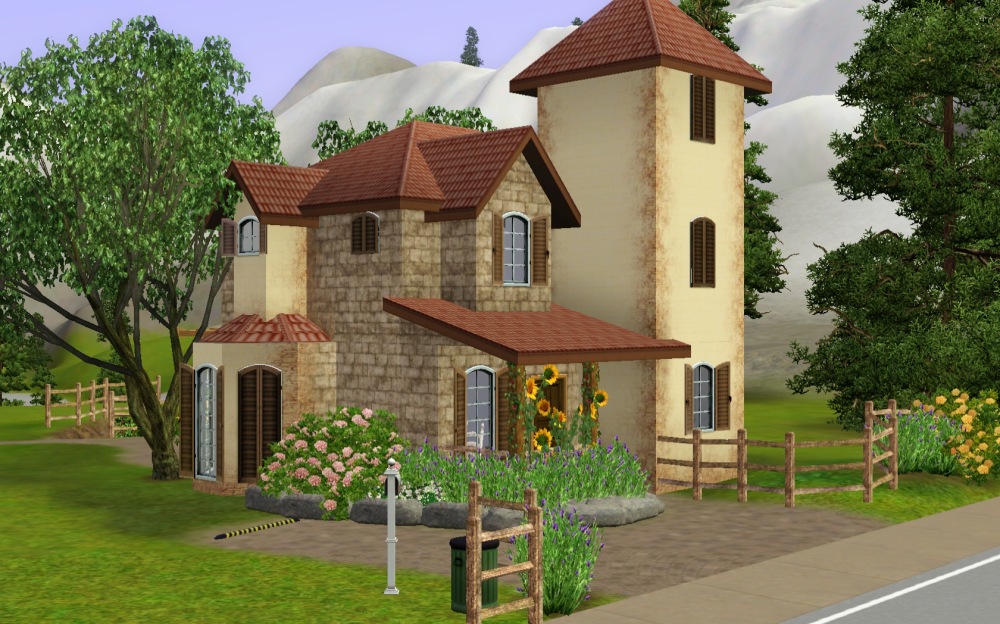
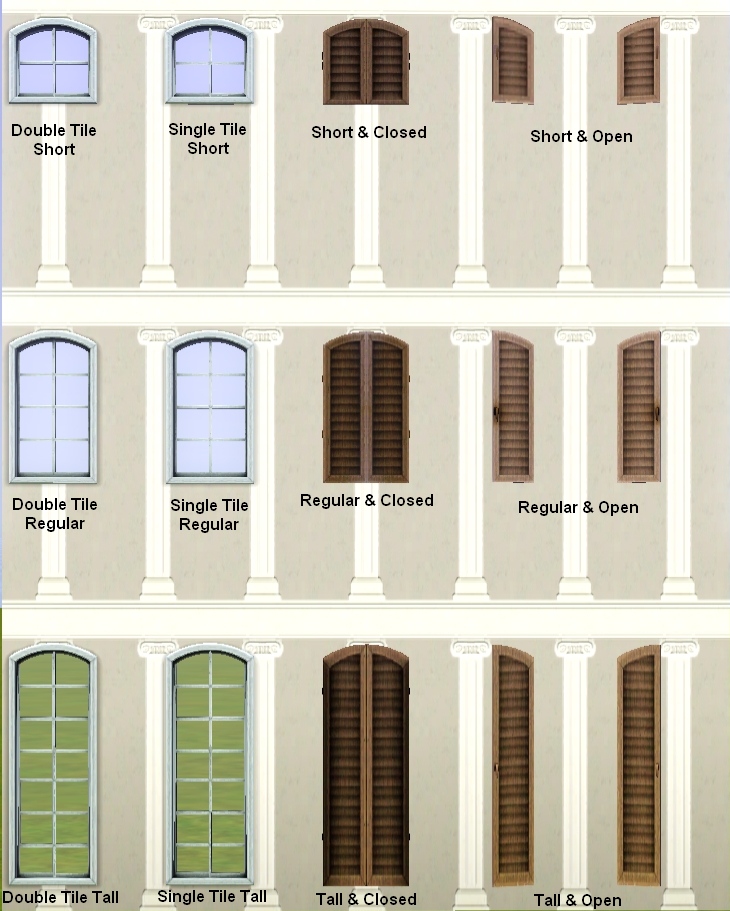
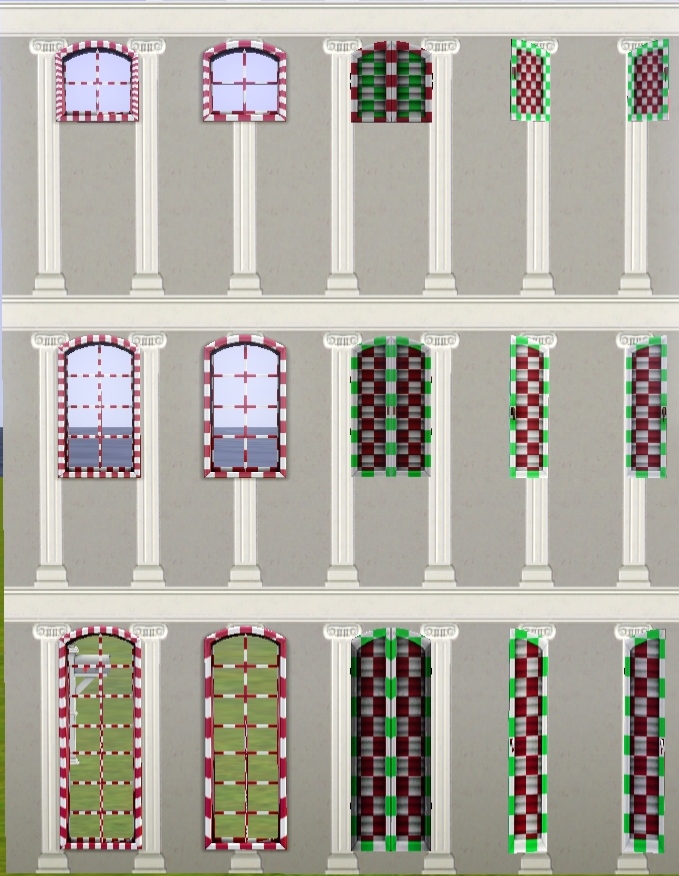
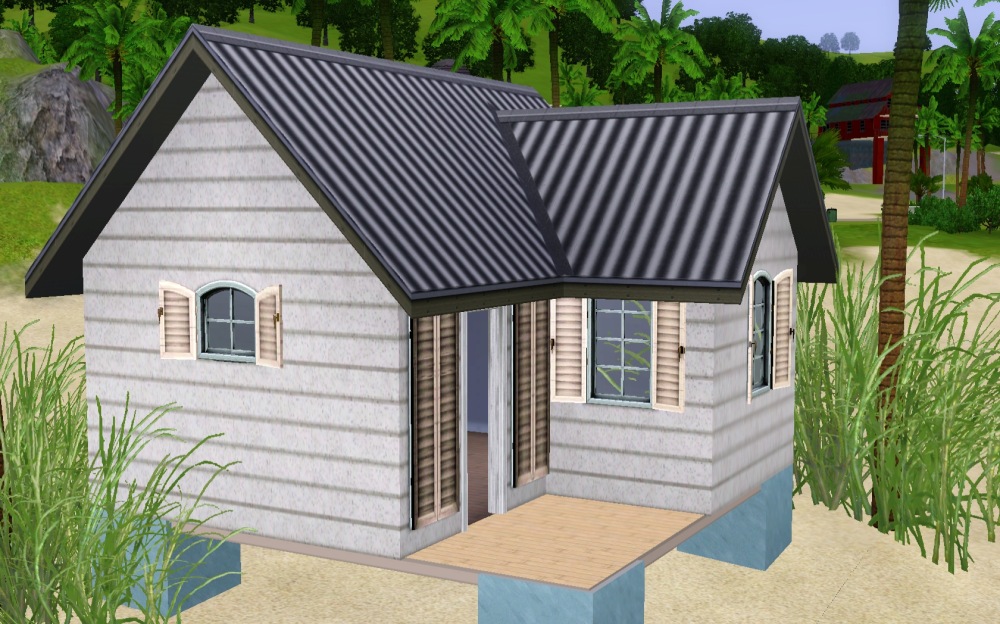
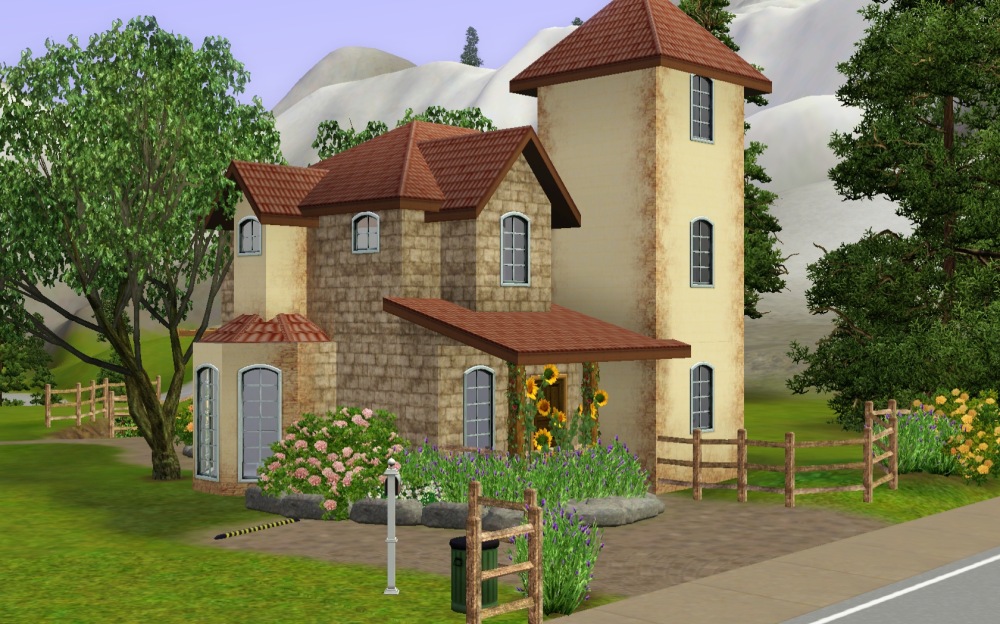

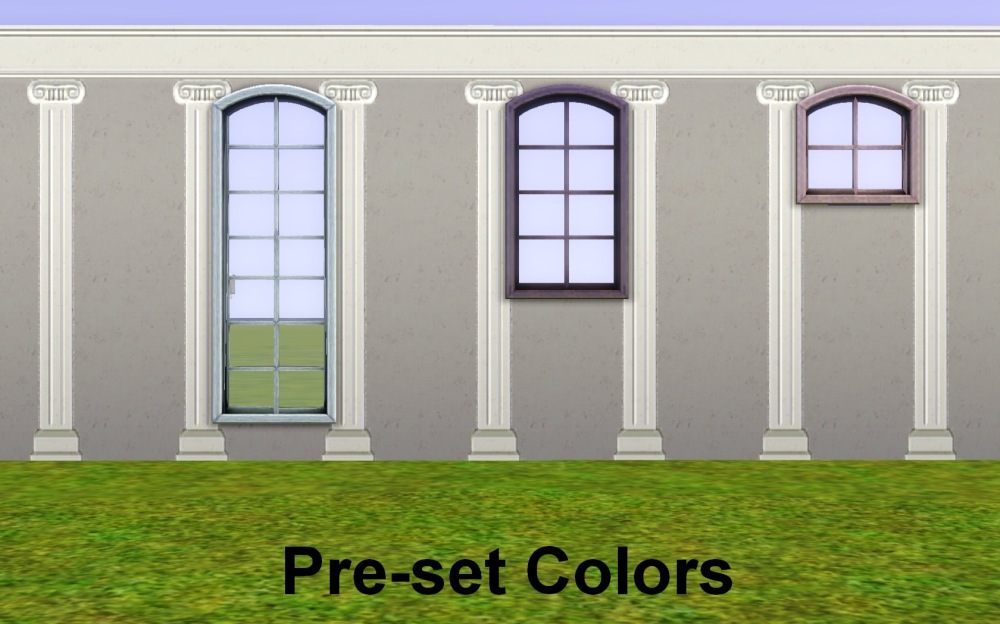
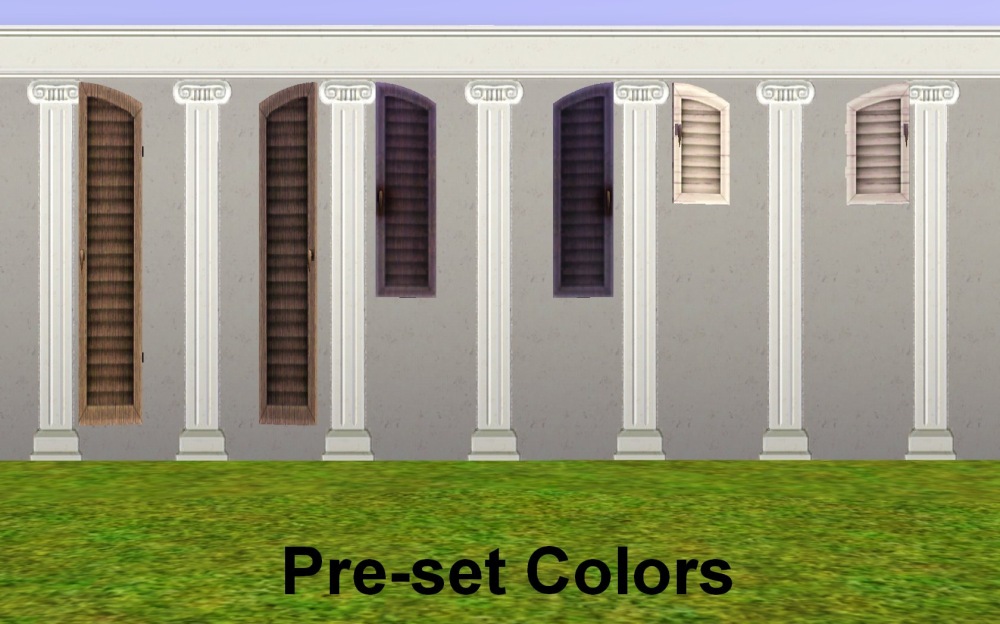
8.jpg - width=1000 height=624
1.jpg - width=730 height=911
2.jpg - width=679 height=876
6.jpg - width=1000 height=624
7.jpg - width=1000 height=624
5.jpg - width=1000 height=624
3.jpg - width=1000 height=624
4.jpg - width=1000 height=624
Picked Upload!
This is a picked upload! It showcases some of the best talent and creativity available on MTS and in the community.


Created by QBUILDERZ
Uploaded: 14th Jan 2011 at 5:50 PM
Updated: 20th Apr 2011 at 12:43 AM - Updated January 16th
Updated: 20th Apr 2011 at 12:43 AM - Updated January 16th
UPDATE AS OF JANUARY 16th 2011
Sorry for the trouble guys! The windows had a wall mask issue in which placing the windows, closing your game, then reentering the lot caused crashing. I tracked down a person who had this issue, bound them to a chair, made them test profusely against their will, and received a pleasant outcome If you redownload the file, all of the windows are updated and fixed. If you have any other problems, please post them down below. Happy creating!
Windows and Shutters FTW!
WA introduced these awesome windows, but they didn't give any options with them! They had to be on two tiles, and only came in open or closed forms. What the hell is that!? I am a builder, you can't give me pretty items and make it have a giant downfall. That's just jerk-like!
So, I took it upon myself to expand the windows. In this set, you get:
Small / Medium / Tall Double Tile Windows
- Small / Medium / Tall Single Tile Windows
- Small / Medium / Tall Closed Shutters
- Small / Medium / Tall Open Shutters
...so you can mix and match as you want! Look below for an example!
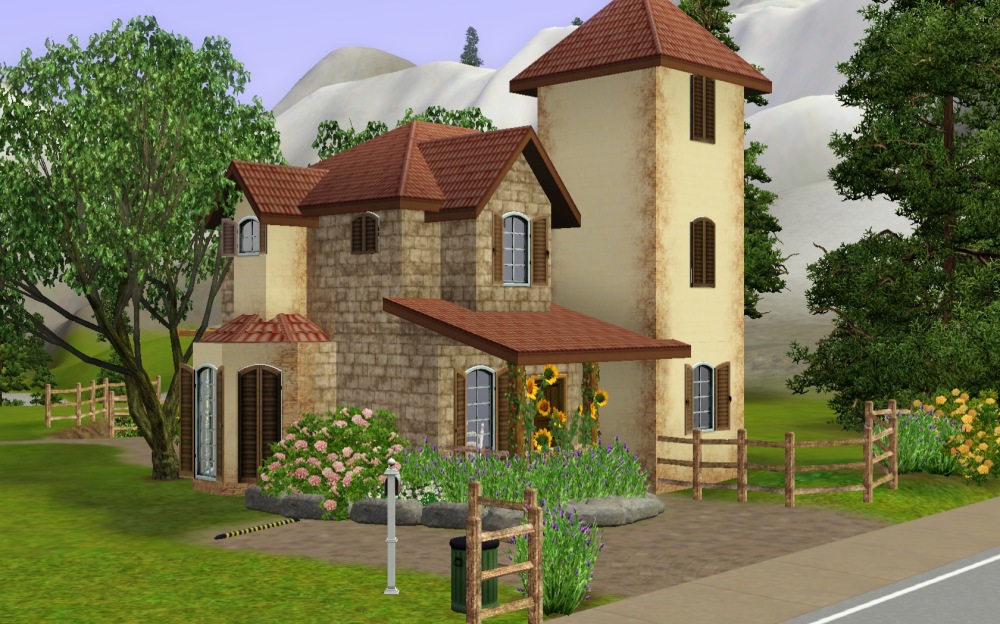
Price & Location
Prices:
Short Shutters: $40
Regular Shutters: $60
Tall Shutters: $80
Short Windows: $180
Regular Windows: $200
Tall Windows: $220
Location:
Shutters: Buy Mode > Decorations > Curtains
Windows: Build Mode > Windows
Why are the Shut Textures Darker?
Ah, yes, this was pointed out to me. And, to be honest, I was going to fix it. However, if I fixed the brightness, it wouldn't match EA's two existing windows, and would make a different problem. A group of people and myself decided it was best to leave it as is, hope you don't mind :D
Polygon Counts:
Both Short Windows - 1150 verticies / 792 faces
Both Medium Windows - 1398 verticies / 928 faces
Both Tall Windows - 1892 verticies / 1188 faces
Short Closed Shutters - 160 verticies / 108 faces
Medium open Shutters - 356 verticies / 216 faces
Medium Closed Shutters - 167 verticies / 108 faces
Medium open Shutters - 334 verticies / 216 faces
Tall Closed Shutters - 167 verticies / 108 faces
Tall Open Shutters - 334 verticies / 216 faces
Additional Credits:
Phae - This wouldn't have even gotten finished without her! SO many hints, tips, and Milkshape advice. Sincerely appreciated :D
Daluved1 - Helped me massively as well (fixed the text! Saved me a whole day of fiddling around...only took six hours instead.)
Decidedly Anonymous Creator - Thank you for helping with the wall mask, I know you said not to thank you, but look! Incognito! You're like...a superhero now :D
Heaven - Thank you SO much for play testing along with me. Totally saved my butt in this case.
Thank you guys so much
[note: No playtesters were harmed, I promise]
Sorry for the trouble guys! The windows had a wall mask issue in which placing the windows, closing your game, then reentering the lot caused crashing. I tracked down a person who had this issue, bound them to a chair, made them test profusely against their will, and received a pleasant outcome
 If you redownload the file, all of the windows are updated and fixed. If you have any other problems, please post them down below. Happy creating!
Windows and Shutters FTW!
WA introduced these awesome windows, but they didn't give any options with them! They had to be on two tiles, and only came in open or closed forms. What the hell is that!? I am a builder, you can't give me pretty items and make it have a giant downfall. That's just jerk-like!
So, I took it upon myself to expand the windows. In this set, you get:
Small / Medium / Tall Double Tile Windows
- Small / Medium / Tall Single Tile Windows
- Small / Medium / Tall Closed Shutters
- Small / Medium / Tall Open Shutters
...so you can mix and match as you want! Look below for an example!
Price & Location
Prices:
Short Shutters: $40
Regular Shutters: $60
Tall Shutters: $80
Short Windows: $180
Regular Windows: $200
Tall Windows: $220
Location:
Shutters: Buy Mode > Decorations > Curtains
Windows: Build Mode > Windows
Why are the Shut Textures Darker?
Ah, yes, this was pointed out to me. And, to be honest, I was going to fix it. However, if I fixed the brightness, it wouldn't match EA's two existing windows, and would make a different problem. A group of people and myself decided it was best to leave it as is, hope you don't mind :D
Polygon Counts:
Both Short Windows - 1150 verticies / 792 faces
Both Medium Windows - 1398 verticies / 928 faces
Both Tall Windows - 1892 verticies / 1188 faces
Short Closed Shutters - 160 verticies / 108 faces
Medium open Shutters - 356 verticies / 216 faces
Medium Closed Shutters - 167 verticies / 108 faces
Medium open Shutters - 334 verticies / 216 faces
Tall Closed Shutters - 167 verticies / 108 faces
Tall Open Shutters - 334 verticies / 216 faces
Additional Credits:
Phae - This wouldn't have even gotten finished without her! SO many hints, tips, and Milkshape advice. Sincerely appreciated :D
Daluved1 - Helped me massively as well (fixed the text! Saved me a whole day of fiddling around...only took six hours instead.)
Decidedly Anonymous Creator - Thank you for helping with the wall mask, I know you said not to thank you, but look! Incognito! You're like...a superhero now :D
Heaven - Thank you SO much for play testing along with me. Totally saved my butt in this case.
Thank you guys so much
[note: No playtesters were harmed, I promise
]
This is a new mesh, and means that it's a brand new self contained object that usually does not require a specific Pack (although this is possible depending on the type). It may have Recolours hosted on MTS - check below for more information.
| Filename | Size | Downloads | Date | |||||
|
Qbuilderz Windows and Shutters.zip
Size: 7.07 MB · Downloads: 26,123 · 14th Jan 2011 |
7.07 MB | 26,123 | 14th Jan 2011 | |||||
| For a detailed look at individual files, see the Information tab. | ||||||||
Key:
- - File was updated after upload was posted
Install Instructions
Quick Guide:
1. Click the file listed on the Files tab to download the file to your computer.
2. Extract the zip, rar, or 7z file. Now you will have either a .package or a .sims3pack file.
For Package files:
1. Cut and paste the file into your Documents\Electronic Arts\The Sims 3\Mods\Packages folder. If you do not already have this folder, you should read the full guide to Package files first: Sims 3:Installing Package Fileswiki, so you can make sure your game is fully patched and you have the correct Resource.cfg file.
2. Run the game, and find your content where the creator said it would be (build mode, buy mode, Create-a-Sim, etc.).
For Sims3Pack files:
1. Cut and paste it into your Documents\Electronic Arts\The Sims 3\Downloads folder. If you do not have this folder yet, it is recommended that you open the game and then close it again so that this folder will be automatically created. Then you can place the .sims3pack into your Downloads folder.
2. Load the game's Launcher, and click on the Downloads tab. Find the item in the list and tick the box beside it. Then press the Install button below the list.
3. Wait for the installer to load, and it will install the content to the game. You will get a message letting you know when it's done.
4. Run the game, and find your content where the creator said it would be (build mode, buy mode, Create-a-Sim, etc.).
Extracting from RAR, ZIP, or 7z: You will need a special program for this. For Windows, we recommend 7-Zip and for Mac OSX, we recommend Keka. Both are free and safe to use.
Need more help?
If you need more info, see:
1. Click the file listed on the Files tab to download the file to your computer.
2. Extract the zip, rar, or 7z file. Now you will have either a .package or a .sims3pack file.
For Package files:
1. Cut and paste the file into your Documents\Electronic Arts\The Sims 3\Mods\Packages folder. If you do not already have this folder, you should read the full guide to Package files first: Sims 3:Installing Package Fileswiki, so you can make sure your game is fully patched and you have the correct Resource.cfg file.
2. Run the game, and find your content where the creator said it would be (build mode, buy mode, Create-a-Sim, etc.).
For Sims3Pack files:
1. Cut and paste it into your Documents\Electronic Arts\The Sims 3\Downloads folder. If you do not have this folder yet, it is recommended that you open the game and then close it again so that this folder will be automatically created. Then you can place the .sims3pack into your Downloads folder.
2. Load the game's Launcher, and click on the Downloads tab. Find the item in the list and tick the box beside it. Then press the Install button below the list.
3. Wait for the installer to load, and it will install the content to the game. You will get a message letting you know when it's done.
4. Run the game, and find your content where the creator said it would be (build mode, buy mode, Create-a-Sim, etc.).
Extracting from RAR, ZIP, or 7z: You will need a special program for this. For Windows, we recommend 7-Zip and for Mac OSX, we recommend Keka. Both are free and safe to use.
Need more help?
If you need more info, see:
- For package files: Sims 3:Installing Package Fileswiki
- For Sims3pack files: Game Help:Installing TS3 Packswiki
Also Thanked - Users who thanked this download also thanked:
Qbuilderz :D
Please Don't
Put my content on any pay site or the exchange.
Claim my work as your own.
Send me requests (I forget to finish them.)
That's all! Happy creating!
Put my content on any pay site or the exchange.
Claim my work as your own.
Send me requests (I forget to finish them.)
That's all! Happy creating!
More Downloads BETA
Here are some more of my downloads: