
 Sign in to Mod The Sims
 New Updated 1 Tile Baby Mat - and 1 Tile Changing Table - New Meshes - Mo
 New Updated 1 Tile Baby Mat - and 1 Tile Changing Table - New Meshes - Mo
MTS has all free content, all the time. Donate to help keep it running.
SCREENSHOTS
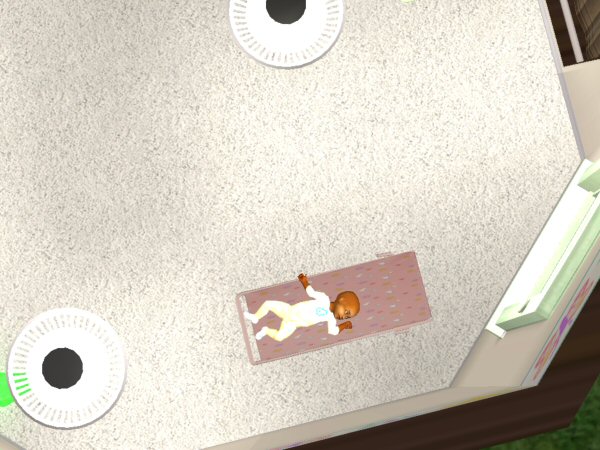
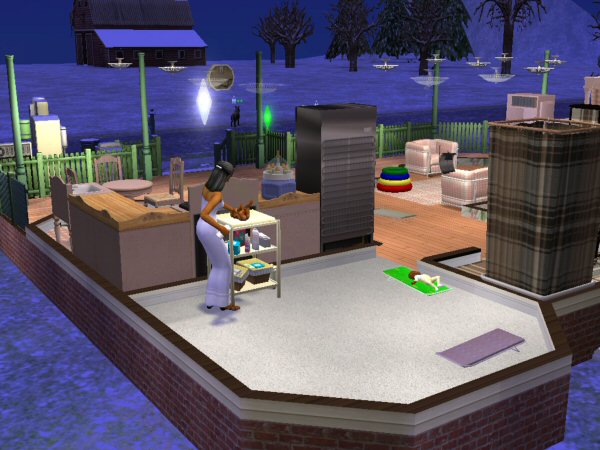
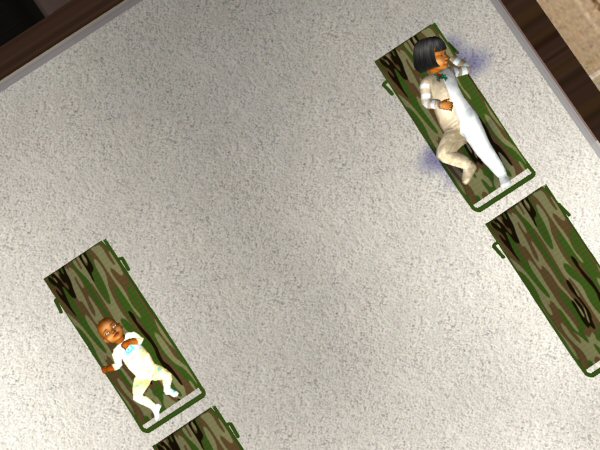
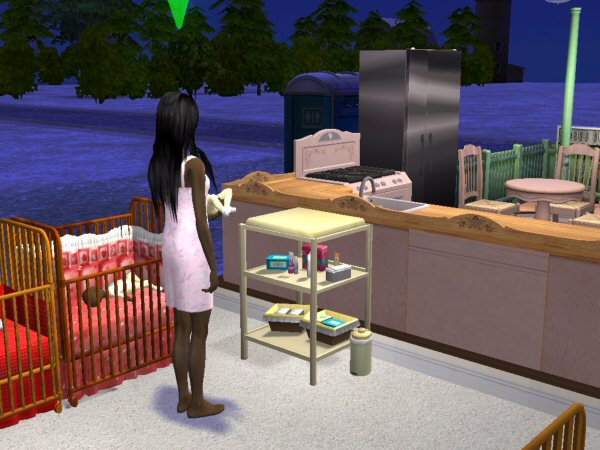
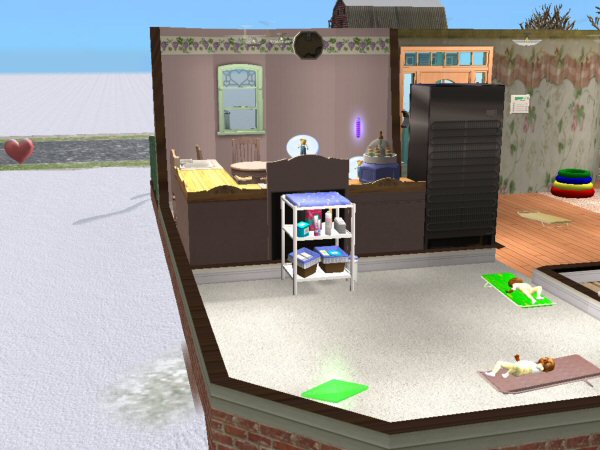
1TileCrib.jpg - width=600 height=450
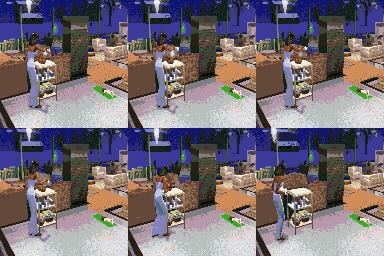
OneTileChangingTable.jpg - width=600 height=450
OneTileCribTopView2.jpg - width=600 height=450
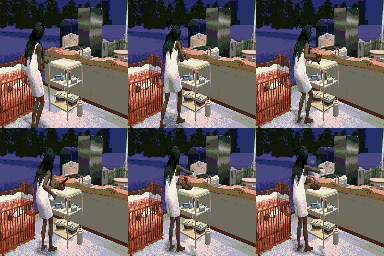
UpdatedChangingTable.jpg - width=600 height=450
1TileCribNTable.jpg - width=600 height=450
rebecah unfortunately passed away in Jan 2024. She was a profilic creator and will be missed by the whole community both here and at AffinitySims.
Featured Upload!
This is a featured upload! It showcases the best talent and creativity available on MTS and in the community. 



Created by rebecah
Uploaded: 20th Jul 2007 at 5:09 AM
Updated: 9th Oct 2008 at 3:36 PM - Updated -080107
Updated: 9th Oct 2008 at 3:36 PM - Updated -080107
Added Season compatiable version of the changing table. Thanks to Wanda1000 for requesting this update.
Updated Baby Mat: I finally found the code to release the zzzzz from toddlers when they wake up. Please report any problems you find with these. Be sure to delete your older version and replace with the new file.
Updated Changing Table July 29, 2007 - I found that if you happen to click on the changing table an the pie menu doesn't come up it would set the changing table to in use. This would cause it to drop from que for future use. I added some code to fix this issue. I also fixed some imperfections in the mesh.
Updated Crib July 28,2007 to be compatiable with Inge's great global hack. Please download the file named Updated072807BecksOneTileBabyMat.zip and overwrite the previous version.
Inge's mod can be found here:
http://simlogical.com/sl/Sims2Pages/Sims2_Childcare.htm
Updated new routing that should help those that are having problems with it dropping from que. I also redid the shadows and resized the deco items on shelves. Please download the updated file and overwrite your previous version.
You must delete the former version from your game (in the actual household that contains the 1 tile changing table) then rebuy the new one! When routes are changed the game keeps that information until you rebuy the item. Even though you overwrite the file it keeps the old route information.
Updated version
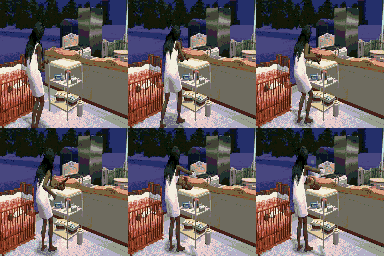
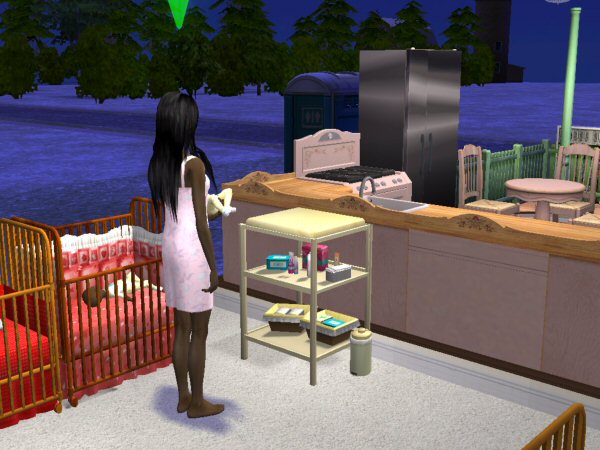
Someone was asking about for a 1 tile crib on Sims 2 community. I thought it'd be a useful item for those smaller homes. I also create a 1 tile changing table to help save space too.
These 2 items may look very simple but believe me it was not easy to get the infants and toddlers postioned just right for the animations to look good. I spent hours of working on these 2 item. So I sure hope some of you can use it.
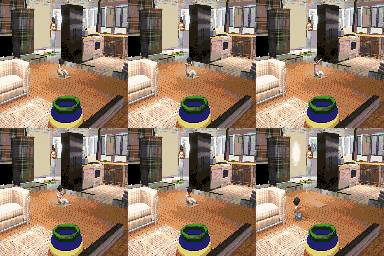
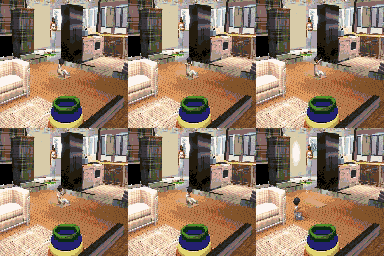
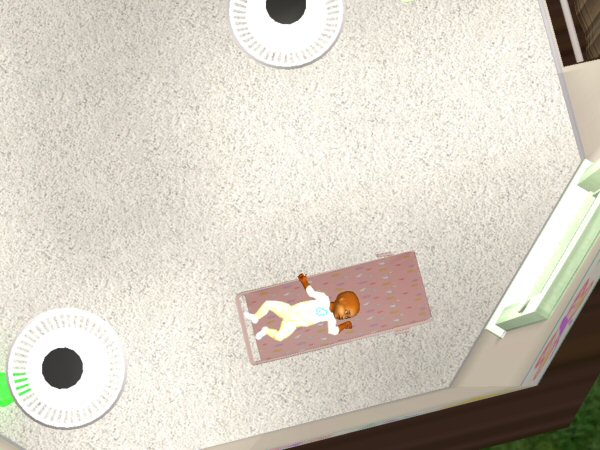
I created a mat like this for infants awhile back. This one allows for toddlers to use, very similar to the way my crib works. They will wiggle into their pj's before going to bed and upon waking they wiggle into their everyday outfits. I had to resize it to make it work for toddlers so it is a little larger than my previous version, but it only actually uses 1 tile in game. My previous take up 2 tiles as does the Maxis crib.
Parents can not put toddlers to bed only the infants. Toddlers will go to bed on their own or you can direct them to do so.
The items are found under General/Child both are very cheap to help out you needy sims. Crib/Mat is $35 and the Changing table is $25 simoleons.
I tested the crib/mat in Life Stories and it worked fine so it should work with the base game. The changing table should also work with the base game as I did have the setting set for base game only. If anyone finds differently please let me know.
Thanks to everyone that helps make these creations possible.
Enjoy!
Toddler wakes up and changes to everyday outfit.
Additional Credits:
Thanks to everyone that helps make these creation possible.
Especially thanks to those that take time to comment and click the thanks button.
Updated Baby Mat: I finally found the code to release the zzzzz from toddlers when they wake up. Please report any problems you find with these. Be sure to delete your older version and replace with the new file.
Updated Changing Table July 29, 2007 - I found that if you happen to click on the changing table an the pie menu doesn't come up it would set the changing table to in use. This would cause it to drop from que for future use. I added some code to fix this issue. I also fixed some imperfections in the mesh.
Updated Crib July 28,2007 to be compatiable with Inge's great global hack. Please download the file named Updated072807BecksOneTileBabyMat.zip and overwrite the previous version.
Inge's mod can be found here:
http://simlogical.com/sl/Sims2Pages/Sims2_Childcare.htm
Updated new routing that should help those that are having problems with it dropping from que. I also redid the shadows and resized the deco items on shelves. Please download the updated file and overwrite your previous version.
You must delete the former version from your game (in the actual household that contains the 1 tile changing table) then rebuy the new one! When routes are changed the game keeps that information until you rebuy the item. Even though you overwrite the file it keeps the old route information.
Updated version
Someone was asking about for a 1 tile crib on Sims 2 community. I thought it'd be a useful item for those smaller homes. I also create a 1 tile changing table to help save space too.
These 2 items may look very simple but believe me it was not easy to get the infants and toddlers postioned just right for the animations to look good. I spent hours of working on these 2 item. So I sure hope some of you can use it.
I created a mat like this for infants awhile back. This one allows for toddlers to use, very similar to the way my crib works. They will wiggle into their pj's before going to bed and upon waking they wiggle into their everyday outfits. I had to resize it to make it work for toddlers so it is a little larger than my previous version, but it only actually uses 1 tile in game. My previous take up 2 tiles as does the Maxis crib.
Parents can not put toddlers to bed only the infants. Toddlers will go to bed on their own or you can direct them to do so.
The items are found under General/Child both are very cheap to help out you needy sims. Crib/Mat is $35 and the Changing table is $25 simoleons.
I tested the crib/mat in Life Stories and it worked fine so it should work with the base game. The changing table should also work with the base game as I did have the setting set for base game only. If anyone finds differently please let me know.
Thanks to everyone that helps make these creations possible.
Enjoy!
Toddler wakes up and changes to everyday outfit.
Additional Credits:
Thanks to everyone that helps make these creation possible.
Especially thanks to those that take time to comment and click the thanks button.
This is a new mesh, and means that it's a brand new self contained object that usually does not require a specific Pack (although this is possible depending on the type). It may have Recolours hosted on MTS - check below for more information.
| Filename | Size | Downloads | Date | |||||
|
Becks1TileChangingTableSeasonsEP.zip
Size: 139.2 KB · Downloads: 18,919 · 8th Aug 2007 |
139.2 KB | 18,919 | 8th Aug 2007 | |||||
|
BecksOneTileBabyMat.zip
Size: 29.5 KB · Downloads: 23,284 · 20th Jul 2007 |
29.5 KB | 23,284 | 20th Jul 2007 | |||||
|
Becks1TileChangingTable.zip
Size: 137.6 KB · Downloads: 23,349 · 20th Jul 2007 |
137.6 KB | 23,349 | 20th Jul 2007 | |||||
| For a detailed look at individual files, see the Information tab. | ||||||||
Key:
- - File was updated after upload was posted
Install Instructions
Basic Download and Install Instructions:
1. Download: Click the download link to save the .rar or .zip file(s) to your computer.
2. Extract the zip, rar, or 7z file.
3. Place in Downloads Folder: Cut and paste the .package file(s) into your Downloads folder:
1. Download: Click the download link to save the .rar or .zip file(s) to your computer.
2. Extract the zip, rar, or 7z file.
3. Place in Downloads Folder: Cut and paste the .package file(s) into your Downloads folder:
- Origin (Ultimate Collection): Users\(Current User Account)\Documents\EA Games\The Sims™ 2 Ultimate Collection\Downloads\
- Non-Origin, Windows Vista/7/8/10: Users\(Current User Account)\Documents\EA Games\The Sims 2\Downloads\
- Non-Origin, Windows XP: Documents and Settings\(Current User Account)\My Documents\EA Games\The Sims 2\Downloads\
- Mac: Users\(Current User Account)\Documents\EA Games\The Sims 2\Downloads
- Mac x64: /Library/Containers/com.aspyr.sims2.appstore/Data/Library/Application Support/Aspyr/The Sims 2/Downloads
- For a full, complete guide to downloading complete with pictures and more information, see: Game Help: Downloading for Fracking Idiots.
- Custom content not showing up in the game? See: Game Help: Getting Custom Content to Show Up.
- If you don't have a Downloads folder, just make one. See instructions at: Game Help: No Downloads Folder.
Also Thanked - Users who thanked this download also thanked:
Packs Needed
None, this is Sims 2 base game compatible!
Other Information
Style:
– Childrens
: Childs furniture or objects
Room:
– Nursery
Maxis Flags:
– Not Applicable
Tags
Beck's Policy
Not finding something you know I created? Please check www.affinitysims.com, I am working to have all of my creations posted on that site. I do not want to waste space at MTS2 for items that do not have star quality.
I personally don't agree with personal policies and would very much like to see all policies be controlled by the board that items are posted on. It would make life so much easier for everyone. It would also eliminate the selfish/self center creators that have done so much harm to this caring and sharing community. Not one creator that I know of is able to do these things without the help of Maxis, Simpe, SimPE plugins, CEP and all the great tutorials available.
Just in case someone wants to know my feelings on it...it is as follows:
You may use my creations freely. The only request I have is that you do not claim them as your own and PLEASE do not post on pay sites.
You may include them with you lot creations if you so desire. :)
All items are created with Maxis code, and SimPE according to the terms of use Maxis owns all rights to this code.
Most of my meshes come from remeshing maxis items or can be found in the 3d mesh of unknown authors. If you wish to remesh any of my meshes you are free to do so. You may also include them with your recolors.
I do this strickly for fun. If you find anything wrong with my creations please let me know and I'll fix them if I capable of doing so or will at least post the problems found. I don't want to post junk!
I personally don't agree with personal policies and would very much like to see all policies be controlled by the board that items are posted on. It would make life so much easier for everyone. It would also eliminate the selfish/self center creators that have done so much harm to this caring and sharing community. Not one creator that I know of is able to do these things without the help of Maxis, Simpe, SimPE plugins, CEP and all the great tutorials available.
Just in case someone wants to know my feelings on it...it is as follows:
You may use my creations freely. The only request I have is that you do not claim them as your own and PLEASE do not post on pay sites.
You may include them with you lot creations if you so desire. :)
All items are created with Maxis code, and SimPE according to the terms of use Maxis owns all rights to this code.
Most of my meshes come from remeshing maxis items or can be found in the 3d mesh of unknown authors. If you wish to remesh any of my meshes you are free to do so. You may also include them with your recolors.
I do this strickly for fun. If you find anything wrong with my creations please let me know and I'll fix them if I capable of doing so or will at least post the problems found. I don't want to post junk!
More Downloads BETA
Here are some more of my downloads: