
 Sign in to Mod The Sims
 Winged Kittums - Default Fur Accessories for Cats!
 Winged Kittums - Default Fur Accessories for Cats!
MTS has all free content, all the time. Donate to help keep it running.
SCREENSHOTS

kittytitle.jpg - width=663 height=537
CASscreen.jpg - width=463 height=449
kittypics.jpg - width=632 height=370
kittums2.jpg - width=630 height=457
kittycounter.jpg - width=421 height=578
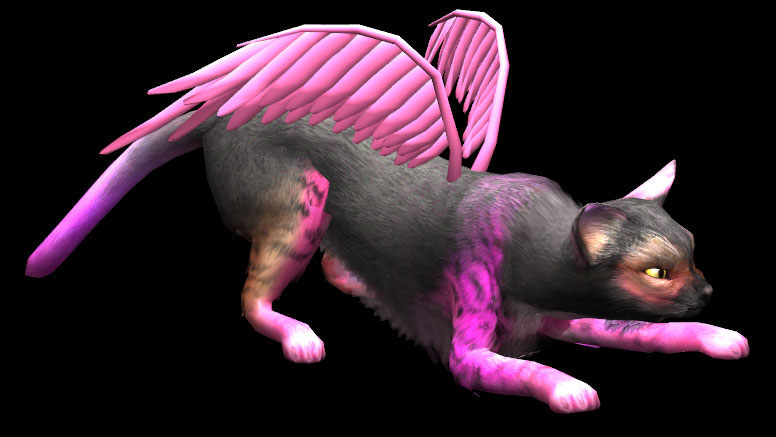
pinkkitty.jpg - width=776 height=437
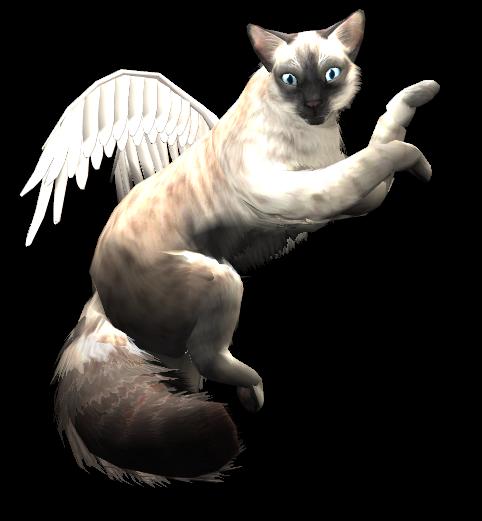
glowykitty.JPG - width=482 height=521
Picked Upload!
This is a picked upload! It showcases some of the best talent and creativity available on MTS and in the community.


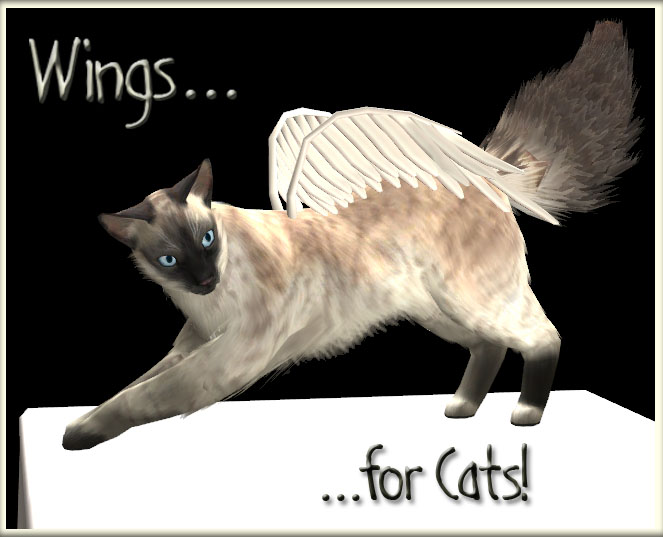
Alright, so I know I said I wouldn't.. But I went ahead and did it anyways. Here are the wings.. for cats!

- This is a Default Replacement. It overrides the Body Fur Accessory! I have left the body fur intact, (meaning that the original body fur accessory will still show up), however, by using these wings you will no longer be able to create regular furry cats in CAS. Also, you will be unable to create non-furry winged cats.
- It is very important that you delete the Accessory.cache and Groups.cache files located in your My Documents/EA Games/The Sims 2 Directory before you add these wings to your Downloads folder, and also after you remove them. If you do not delete these files, there is a possibility that the meshes will explode in-game. If you do forget, and come accross an exploded mesh or error in-game, simply Exit, delete the cache files, and everything should be fixed once you re-enter the game.
- Any cats already in-game will not be affected, unless you change their appearance using a mirror. Likewise, any cats you have given wings will keep their wings unless updated via the mirror, even after you remove the default replacement package from your Downloads folder.

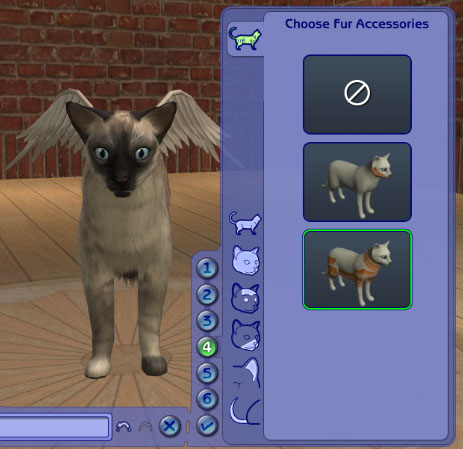
These wings work in the exact same way as the body fur accessory. Simply create a cat in CAS, select the Fur Accessory option, and then click the icon of the body fur accessory. Your kitty should then sprout a pair of wings.

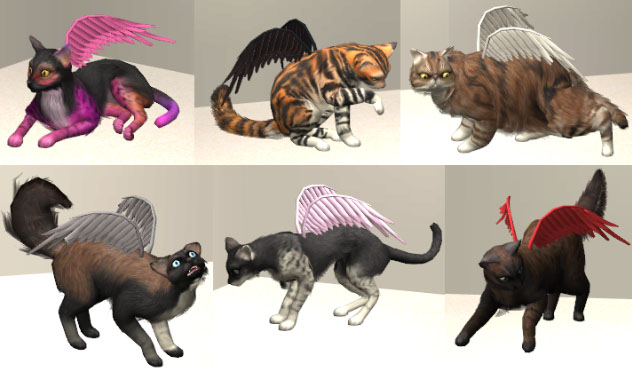
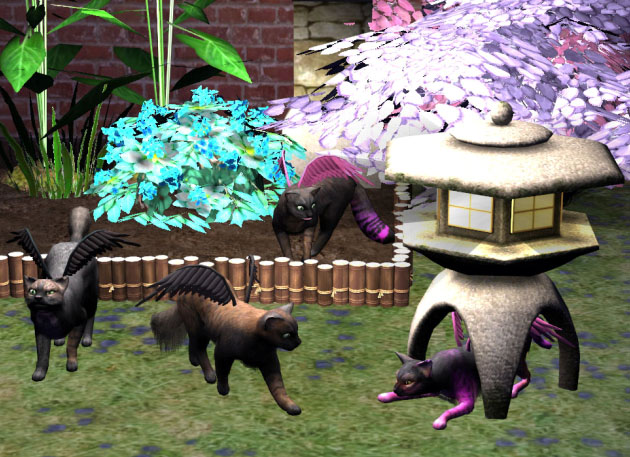
Like all fur accessories, these wings will take on whatever color you have selected as your cat's Base Color. So your kitty's wings can be any color that is available to you in-game. And, like all fur accessories, the wings can be passed down to your kitty's offspring.
Anyways, I've created these for those of you who really want winged kitties, (as I am unable at this point to convert them to non-defaults). But, as I mentioned previously, you can remove the package from your Downloads folder at any time, (as long as you remember to delete your cache files afterwards, just as a precaution), and any winged kitties you have in-game will remain.
So, I hope you enjoy!
Polygon Counts:
Faces: 3012
Vertices: 1766
Additional Credits: SimPE Milkshape 3D
Unimesh
Maya
*Important Info*
- This is a Default Replacement. It overrides the Body Fur Accessory! I have left the body fur intact, (meaning that the original body fur accessory will still show up), however, by using these wings you will no longer be able to create regular furry cats in CAS. Also, you will be unable to create non-furry winged cats.
- It is very important that you delete the Accessory.cache and Groups.cache files located in your My Documents/EA Games/The Sims 2 Directory before you add these wings to your Downloads folder, and also after you remove them. If you do not delete these files, there is a possibility that the meshes will explode in-game. If you do forget, and come accross an exploded mesh or error in-game, simply Exit, delete the cache files, and everything should be fixed once you re-enter the game.
- Any cats already in-game will not be affected, unless you change their appearance using a mirror. Likewise, any cats you have given wings will keep their wings unless updated via the mirror, even after you remove the default replacement package from your Downloads folder.
*How To Use*
These wings work in the exact same way as the body fur accessory. Simply create a cat in CAS, select the Fur Accessory option, and then click the icon of the body fur accessory. Your kitty should then sprout a pair of wings.
Like all fur accessories, these wings will take on whatever color you have selected as your cat's Base Color. So your kitty's wings can be any color that is available to you in-game. And, like all fur accessories, the wings can be passed down to your kitty's offspring.
Anyways, I've created these for those of you who really want winged kitties, (as I am unable at this point to convert them to non-defaults). But, as I mentioned previously, you can remove the package from your Downloads folder at any time, (as long as you remember to delete your cache files afterwards, just as a precaution), and any winged kitties you have in-game will remain.
So, I hope you enjoy!
Polygon Counts:
Faces: 3012
Vertices: 1766
Additional Credits: SimPE Milkshape 3D
Unimesh
Maya
This is a new mesh, and means that it's a brand new self contained object that usually does not require a specific Pack (although this is possible depending on the type). It may have Recolours hosted on MTS - check below for more information.
| Filename | Size | Downloads | Date | |||||
|
Wings Cat Replacement.rar
Size: 157.9 KB · Downloads: 21,096 · 7th Aug 2007 |
157.9 KB | 21,096 | 7th Aug 2007 | |||||
| For a detailed look at individual files, see the Information tab. | ||||||||
Key:
- - File was updated after upload was posted
Install Instructions
Basic Download and Install Instructions:
1. Download: Click the download link to save the .rar or .zip file(s) to your computer.
2. Extract the zip, rar, or 7z file.
3. Place in Downloads Folder: Cut and paste the .package file(s) into your Downloads folder:
1. Download: Click the download link to save the .rar or .zip file(s) to your computer.
2. Extract the zip, rar, or 7z file.
3. Place in Downloads Folder: Cut and paste the .package file(s) into your Downloads folder:
- Origin (Ultimate Collection): Users\(Current User Account)\Documents\EA Games\The Sims™ 2 Ultimate Collection\Downloads\
- Non-Origin, Windows Vista/7/8/10: Users\(Current User Account)\Documents\EA Games\The Sims 2\Downloads\
- Non-Origin, Windows XP: Documents and Settings\(Current User Account)\My Documents\EA Games\The Sims 2\Downloads\
- Mac: Users\(Current User Account)\Documents\EA Games\The Sims 2\Downloads
- Mac x64: /Library/Containers/com.aspyr.sims2.appstore/Data/Library/Application Support/Aspyr/The Sims 2/Downloads
- For a full, complete guide to downloading complete with pictures and more information, see: Game Help: Downloading for Fracking Idiots.
- Custom content not showing up in the game? See: Game Help: Getting Custom Content to Show Up.
- If you don't have a Downloads folder, just make one. See instructions at: Game Help: No Downloads Folder.
Also Thanked - Users who thanked this download also thanked:
Packs Needed
Tags
Packs Needed
| Base Game | |
|---|---|
 | Sims 2 |
| Expansion Pack | |
|---|---|
 | Pets |
Policies..
- Please do not upload my work to any site, regardless of whether they are pay sites or free.
- You may recolor, just as long as proper credit is given.
- You may include my stuff in lot uploads.
- You do not need permission, or to give credit, if you use any of my creations in your screenshots/movies/stories.
- DO NOT claim my work as your own.
- If you have any questions about my policies, don't be afraid to PM me ^-^
And thank you everyone for all the nice comments you guys have left on my downloads; I really enjoy reading them!
- You may recolor, just as long as proper credit is given.
- You may include my stuff in lot uploads.
- You do not need permission, or to give credit, if you use any of my creations in your screenshots/movies/stories.
- DO NOT claim my work as your own.
- If you have any questions about my policies, don't be afraid to PM me ^-^
And thank you everyone for all the nice comments you guys have left on my downloads; I really enjoy reading them!