
 Sign in to Mod The Sims
 Parking Lot Supplemental Pack
 Parking Lot Supplemental Pack
MTS has all free content, all the time. Donate to help keep it running.
SCREENSHOTS
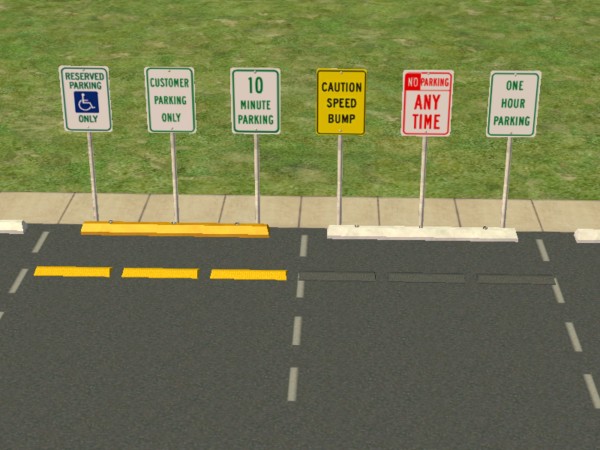
ParkingLotSupplementPack.jpg - width=600 height=450
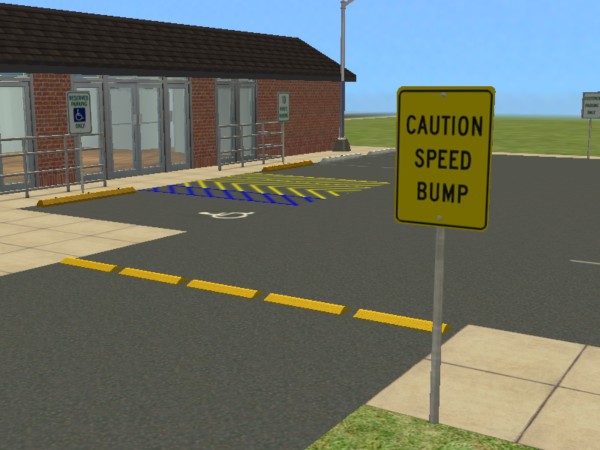
SpeedBump.jpg - width=600 height=450
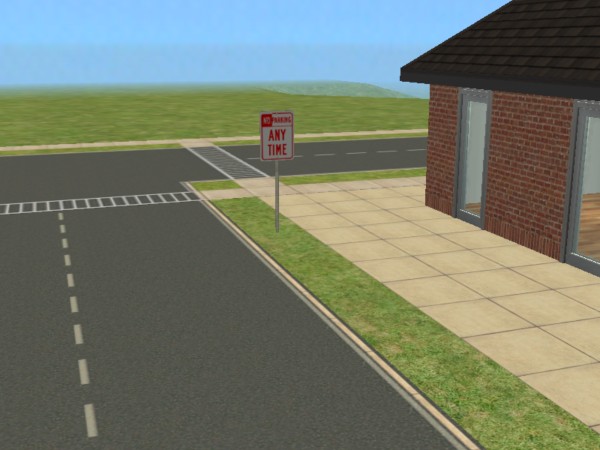
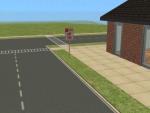
No Parking Sign.jpg - width=600 height=450
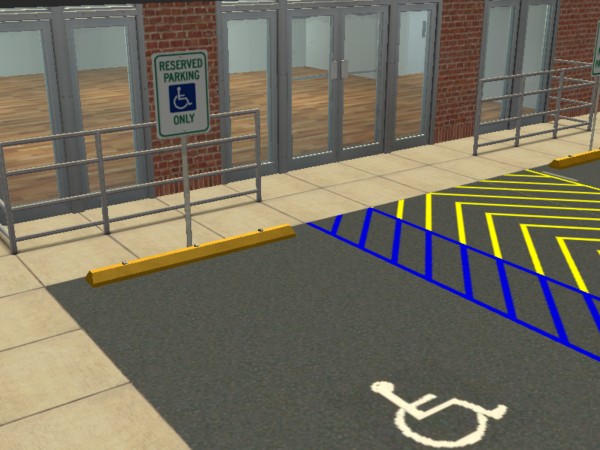
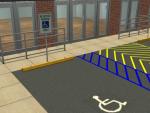
Handicap Reserved Spot.jpg - width=600 height=450

Created by wndy26
Uploaded: 28th Jan 2008 at 1:07 PM
Updated: 6th Jul 2017 at 10:07 AM - Added Terms of Use
Updated: 6th Jul 2017 at 10:07 AM - Added Terms of Use
*** Updated Standard Parking Block***
My good friend, Phaenoh, added the third tile, and made the whole thing step-over-able. She also moved the mesh back to center of the tile because the step over animation didn't work with it moved. Then verified it against all the maxis cars and made sure it worked well with them. Please, if you re-download make sure to give extra thanks Phaenoh for her hard work!
I created the Parking Lot Supplemental Pack to compliment King13p’s Parking Lot Packs that I used to create a grocery store parking lot. This supplemental pack includes a Standard Parking Block, Parking Lot Signage, and a Speed Bump. I have all expansions and stuff packs, but I tried to narrow down the exact expansions from which each of the clones I used came from. Take a look, try them out, and feel free to leave me suggestions and feedback.
The Standard Parking Block is a two-tiled object that covers three tiles. It sits just a bit away from the back of the tiles, just enough to leave room for a sign to fit. Also, I left the third footprint off in order to allow Sims to cross over the parking block so that when it is placed near a sidewalk they have an option to cross over it instead of walking around it completely. This item can be found under Decorative – Sculptures and costs 25 simoleons per block. This item was cloned from Morphic to the Maxx and requires the Seasons expansion.
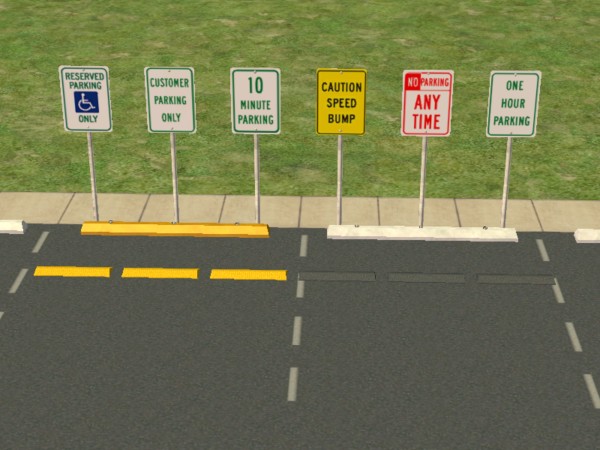
The Parking Lot Signage package contains six great parking lot signs – reserved handicapped parking, ten minute parking, customer parking only, one hour parking, no parking, and a speed bump sign. This item can be found under Decorative – Miscellaneous and costs 25 simoleons per sign.
These signs fit neatly with the Standard Parking Block. You will need to use the moveobjects on cheat in order to place them on the same block as the Parking Block in order to get the effect shown in my photo above. Look for more parking lot signage recolor packs to follow.
***The default sign is the handicapped sign. If you delete any of the signs, don’t delete the handicapped sign or you will delete the entire Parking Lot Signage package. I am certain that the sign needs the Pets Expansion as it was cloned from a pet sign.
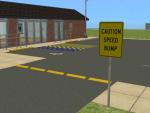
The Speed Bump comes in two colors, natural Maxis road tarmac color (which is a bit hard to see on my main photo) and a yellow caution color. Place these at the entrance to your parking lots along with a speed bump sign! This item can be found under Decorative – Miscellaneous and costs 10 simoleons per speed bump. Cloned from Bowl of Fruit and should be base game compatible (please let me know if you find out differently, I couldn't locate my base game disk to test it out)
I have used King13p’s parking lot packs to enhance my photos, you can pick those up from the links to King13p’s packs listed below:
Parking Lot Park
Parking Lot Pack 2
Polygon Counts:
Standard Parking Block – 615 Faces 389 Vertices
Parking Lot Signage – 608 Faces 547 Vertices
Speed Bump – 103 Faces 111 Vertices
Additional Credits:
Thanks to the makers of SimPE and ModTheSims2 owners for hosting all the great tutorials that have helped me with learning to create new items. Also a great big thanks to King13p for helping to inspire me with his great collection of parking lot floor coverings.
Terms of Use:
Feel free to use these in your MTS2 uploaded lots, recolor at will, and please link back here for mesh if your posting a recolor pack. If you want to edit the mesh, please do so but please give credit to the original mesh when you share.
My good friend, Phaenoh, added the third tile, and made the whole thing step-over-able. She also moved the mesh back to center of the tile because the step over animation didn't work with it moved. Then verified it against all the maxis cars and made sure it worked well with them. Please, if you re-download make sure to give extra thanks Phaenoh for her hard work!
I created the Parking Lot Supplemental Pack to compliment King13p’s Parking Lot Packs that I used to create a grocery store parking lot. This supplemental pack includes a Standard Parking Block, Parking Lot Signage, and a Speed Bump. I have all expansions and stuff packs, but I tried to narrow down the exact expansions from which each of the clones I used came from. Take a look, try them out, and feel free to leave me suggestions and feedback.
The Standard Parking Block is a two-tiled object that covers three tiles. It sits just a bit away from the back of the tiles, just enough to leave room for a sign to fit. Also, I left the third footprint off in order to allow Sims to cross over the parking block so that when it is placed near a sidewalk they have an option to cross over it instead of walking around it completely. This item can be found under Decorative – Sculptures and costs 25 simoleons per block. This item was cloned from Morphic to the Maxx and requires the Seasons expansion.
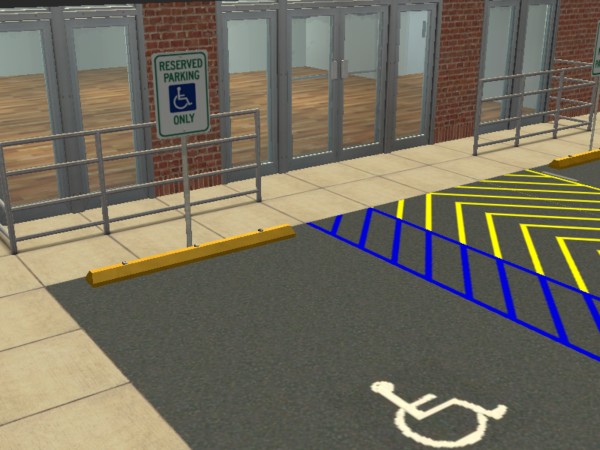
The Parking Lot Signage package contains six great parking lot signs – reserved handicapped parking, ten minute parking, customer parking only, one hour parking, no parking, and a speed bump sign. This item can be found under Decorative – Miscellaneous and costs 25 simoleons per sign.
These signs fit neatly with the Standard Parking Block. You will need to use the moveobjects on cheat in order to place them on the same block as the Parking Block in order to get the effect shown in my photo above. Look for more parking lot signage recolor packs to follow.
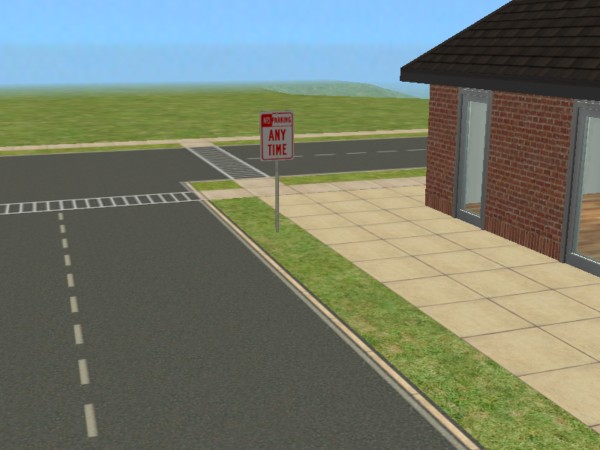
***The default sign is the handicapped sign. If you delete any of the signs, don’t delete the handicapped sign or you will delete the entire Parking Lot Signage package. I am certain that the sign needs the Pets Expansion as it was cloned from a pet sign.
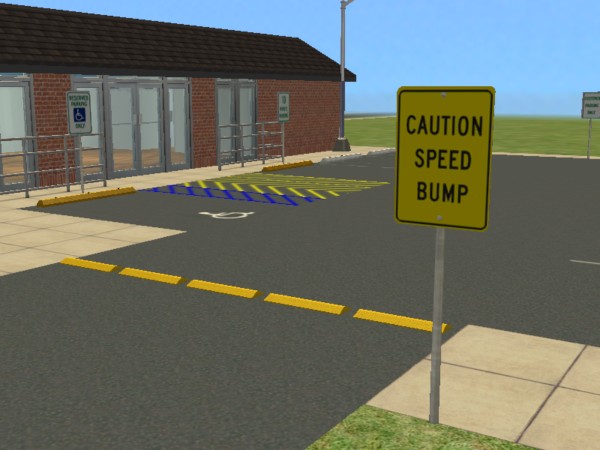
The Speed Bump comes in two colors, natural Maxis road tarmac color (which is a bit hard to see on my main photo) and a yellow caution color. Place these at the entrance to your parking lots along with a speed bump sign! This item can be found under Decorative – Miscellaneous and costs 10 simoleons per speed bump. Cloned from Bowl of Fruit and should be base game compatible (please let me know if you find out differently, I couldn't locate my base game disk to test it out)
I have used King13p’s parking lot packs to enhance my photos, you can pick those up from the links to King13p’s packs listed below:
Parking Lot Park
Parking Lot Pack 2
Polygon Counts:
Standard Parking Block – 615 Faces 389 Vertices
Parking Lot Signage – 608 Faces 547 Vertices
Speed Bump – 103 Faces 111 Vertices
Additional Credits:
Thanks to the makers of SimPE and ModTheSims2 owners for hosting all the great tutorials that have helped me with learning to create new items. Also a great big thanks to King13p for helping to inspire me with his great collection of parking lot floor coverings.
Terms of Use:
Feel free to use these in your MTS2 uploaded lots, recolor at will, and please link back here for mesh if your posting a recolor pack. If you want to edit the mesh, please do so but please give credit to the original mesh when you share.
This is a new mesh, and means that it's a brand new self contained object that usually does not require a specific Pack (although this is possible depending on the type). It may have Recolours hosted on MTS - check below for more information.
| Filename | Size | Downloads | Date | |||||
|
ParkingLotSupplementPack.rar
Size: 210.7 KB · Downloads: 10,396 · 6th Jul 2017 |
210.7 KB | 10,396 | 6th Jul 2017 | |||||
| For a detailed look at individual files, see the Information tab. | ||||||||
Key:
- - File was updated after upload was posted
Install Instructions
Basic Download and Install Instructions:
1. Download: Click the download link to save the .rar or .zip file(s) to your computer.
2. Extract the zip, rar, or 7z file.
3. Place in Downloads Folder: Cut and paste the .package file(s) into your Downloads folder:
1. Download: Click the download link to save the .rar or .zip file(s) to your computer.
2. Extract the zip, rar, or 7z file.
3. Place in Downloads Folder: Cut and paste the .package file(s) into your Downloads folder:
- Origin (Ultimate Collection): Users\(Current User Account)\Documents\EA Games\The Sims™ 2 Ultimate Collection\Downloads\
- Non-Origin, Windows Vista/7/8/10: Users\(Current User Account)\Documents\EA Games\The Sims 2\Downloads\
- Non-Origin, Windows XP: Documents and Settings\(Current User Account)\My Documents\EA Games\The Sims 2\Downloads\
- Mac: Users\(Current User Account)\Documents\EA Games\The Sims 2\Downloads
- Mac x64: /Library/Containers/com.aspyr.sims2.appstore/Data/Library/Application Support/Aspyr/The Sims 2/Downloads
- For a full, complete guide to downloading complete with pictures and more information, see: Game Help: Downloading for Fracking Idiots.
- Custom content not showing up in the game? See: Game Help: Getting Custom Content to Show Up.
- If you don't have a Downloads folder, just make one. See instructions at: Game Help: No Downloads Folder.
Also Thanked - Users who thanked this download also thanked:
Packs Needed
| Base Game | |
|---|---|
 | Sims 2 |
| Expansion Pack | |
|---|---|
 | Pets |
 | Seasons |