
 Sign in to Mod The Sims
 Golden Memories Plate Replacement Recolor and Gold Eating Utensils Recolor
 Golden Memories Plate Replacement Recolor and Gold Eating Utensils Recolor
MTS has all free content, all the time. Donate to help keep it running.
SCREENSHOTS

fork.jpg - width=600 height=450
platefork.jpg - width=550 height=434
plateingame1.jpg - width=512 height=449
plateingame2.jpg - width=580 height=409
plateingame4.jpg - width=600 height=450
platetexttures.jpg - width=508 height=255

This download is a recolor of Morague's globals, which replace the plate and the eating utensils in the game. Only ONE plate replacement and only ONE eating utensils replacement can be used in the game, at any particular time. So if you already have one of Morague's globals, or a recolor of them, you must remove those in order to use mine.
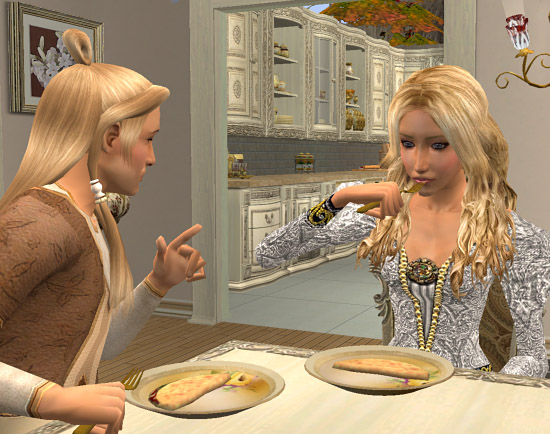
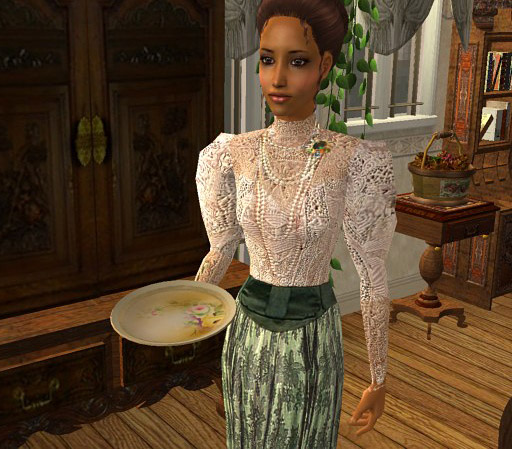
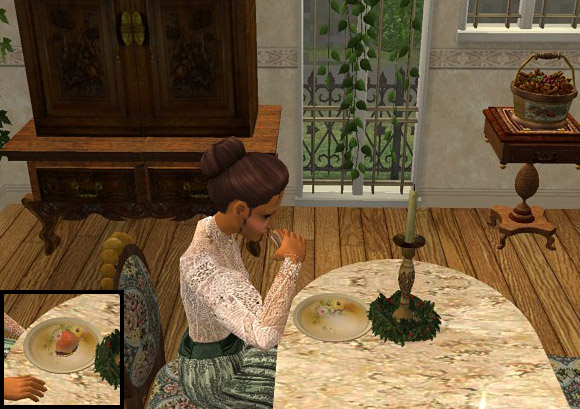
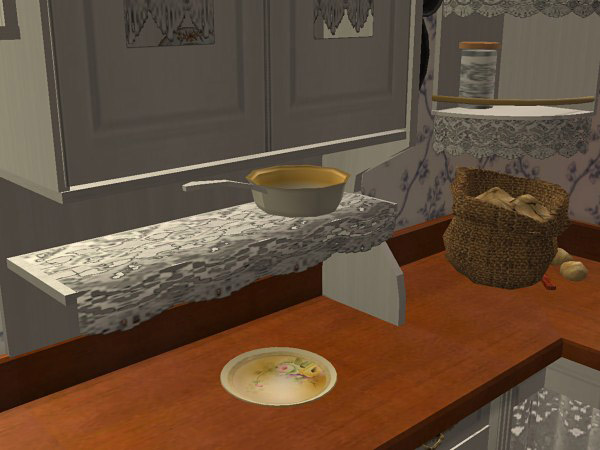
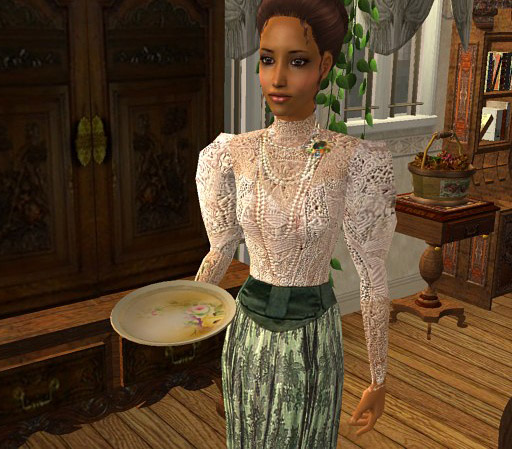
This plate recolor is fairly neutral, since it is primarily golden in color, but it is still colorful enough to be elegant in any setting.

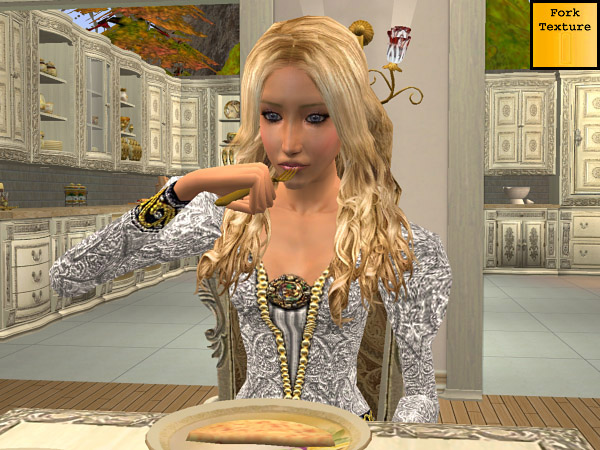
The gold color of the utensil is as bright as I could get it (see the picture of how bright the texture is, in the upper right corner) but the game does not allow for any shine, so the color looks darker than actual gold. It is still better than pewter, though, next to a golden plate.
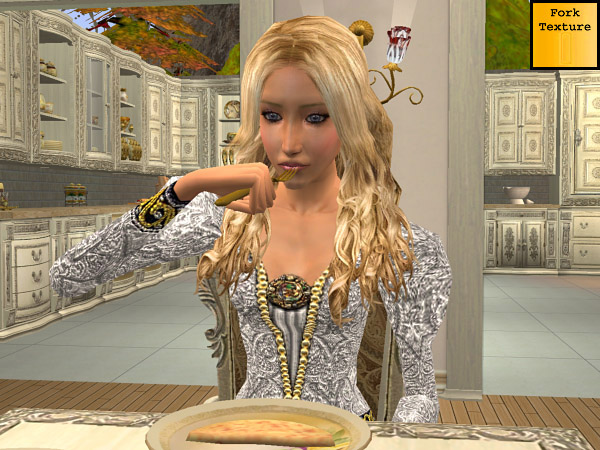
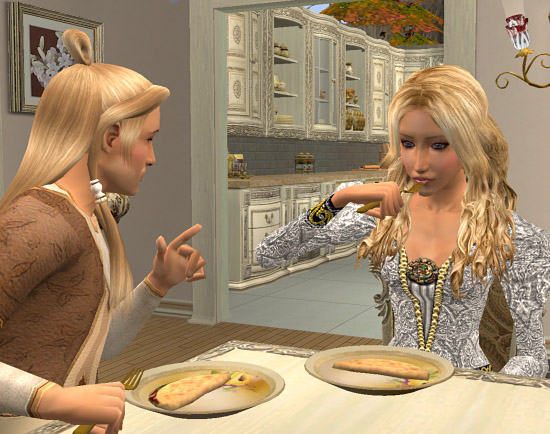
The Golden Memories plate looks good by itself and with food on it.
For recoloring information, please refer to Morague's instructions and policy. My recolor was made by permission, but the object does not belong to me. However, please feel free to use any of my textures for recolors.
Additional Credits:
Thank you to Morague for making the plate replacement and eating utensil replacement globals!
And, as always, thank you to Numenor for the CEP and to Quaxi, et al, for SimPE.
This plate recolor is fairly neutral, since it is primarily golden in color, but it is still colorful enough to be elegant in any setting.
The gold color of the utensil is as bright as I could get it (see the picture of how bright the texture is, in the upper right corner) but the game does not allow for any shine, so the color looks darker than actual gold. It is still better than pewter, though, next to a golden plate.

The Golden Memories plate looks good by itself and with food on it.
For recoloring information, please refer to Morague's instructions and policy. My recolor was made by permission, but the object does not belong to me. However, please feel free to use any of my textures for recolors.
Additional Credits:
Thank you to Morague for making the plate replacement and eating utensil replacement globals!
And, as always, thank you to Numenor for the CEP and to Quaxi, et al, for SimPE.
| Filename | Size | Downloads | Date | |||||
|
replacementdinnerware.rar
Size: 103.1 KB · Downloads: 3,081 · 18th May 2008 |
103.1 KB | 3,081 | 18th May 2008 | |||||
| For a detailed look at individual files, see the Information tab. | ||||||||
Key:
- - File was updated after upload was posted
Install Instructions
Basic Download and Install Instructions:
1. Download: Click the download link to save the .rar or .zip file(s) to your computer.
2. Extract the zip, rar, or 7z file.
3. Place in Downloads Folder: Cut and paste the .package file(s) into your Downloads folder:
1. Download: Click the download link to save the .rar or .zip file(s) to your computer.
2. Extract the zip, rar, or 7z file.
3. Place in Downloads Folder: Cut and paste the .package file(s) into your Downloads folder:
- Origin (Ultimate Collection): Users\(Current User Account)\Documents\EA Games\The Sims™ 2 Ultimate Collection\Downloads\
- Non-Origin, Windows Vista/7/8/10: Users\(Current User Account)\Documents\EA Games\The Sims 2\Downloads\
- Non-Origin, Windows XP: Documents and Settings\(Current User Account)\My Documents\EA Games\The Sims 2\Downloads\
- Mac: Users\(Current User Account)\Documents\EA Games\The Sims 2\Downloads
- Mac x64: /Library/Containers/com.aspyr.sims2.appstore/Data/Library/Application Support/Aspyr/The Sims 2/Downloads
- For a full, complete guide to downloading complete with pictures and more information, see: Game Help: Downloading for Fracking Idiots.
- Custom content not showing up in the game? See: Game Help: Getting Custom Content to Show Up.
- If you don't have a Downloads folder, just make one. See instructions at: Game Help: No Downloads Folder.
Also Thanked - Users who thanked this download also thanked:
by bienchen83
by Lord Darcy
Packs Needed
None, this is Sims 2 base game compatible!
Tags
#plate relacement, #plate, #eating utensil, #fork, #repllacement, #global
Policy, etc.
Feel free to use any of my recolor textures in your own creations. You can also use my recolors in houses. I'm not fussy about credit. You can mention it if you wish. But mostly just spread the joy. LOL
You can use my pets creations as a base for your own pets, but it would be nice if you mention that, and provide a link back so they can also get the AMjoie originals. :D
Oh, I almost forgot: If you do recolor the mahjong table or put it in your houses, you must include the override package along with your recolor, so that your recolor can have the gold game pieces (tiles). If you put your recolored mahjong table on MTSi2 or include it in a house on MTSi2, please credit Havelock for the override.
If you put your recolored mahjong table or a house including my mahjong table or your recolor of it on another site, then please link back here, so people can download the Havelock override from MTSi2. (If you would prefer not to link back, then please ask Havelock for his permission to include it, and credit him.)
You can use my pets creations as a base for your own pets, but it would be nice if you mention that, and provide a link back so they can also get the AMjoie originals. :D
Oh, I almost forgot: If you do recolor the mahjong table or put it in your houses, you must include the override package along with your recolor, so that your recolor can have the gold game pieces (tiles). If you put your recolored mahjong table on MTSi2 or include it in a house on MTSi2, please credit Havelock for the override.
If you put your recolored mahjong table or a house including my mahjong table or your recolor of it on another site, then please link back here, so people can download the Havelock override from MTSi2. (If you would prefer not to link back, then please ask Havelock for his permission to include it, and credit him.)
More Downloads BETA
Here are some more of my downloads: