
 Sign in to Mod The Sims
 Short Sweet Bedhead for Boys of All Ages
 Short Sweet Bedhead for Boys of All Ages
MTS has all free content, all the time. Donate to help keep it running.
SCREENSHOTS
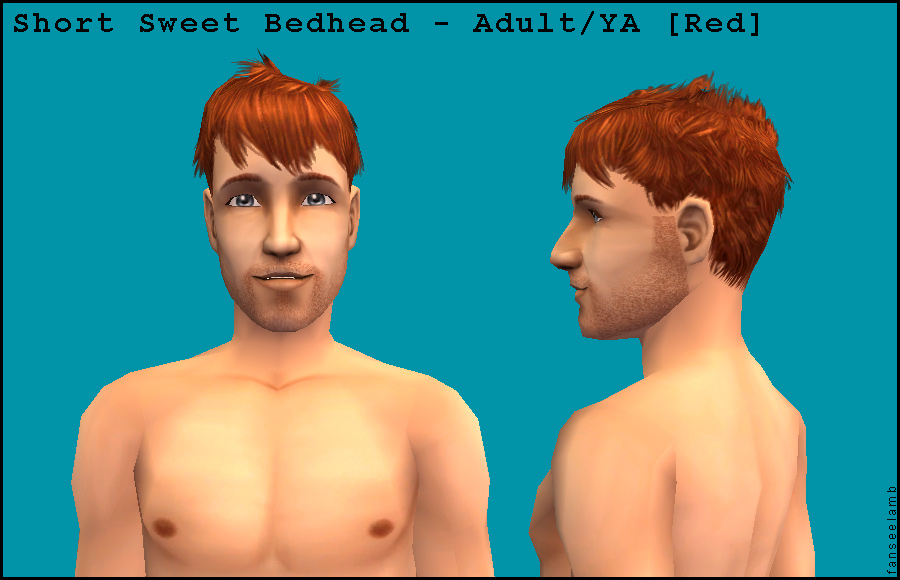
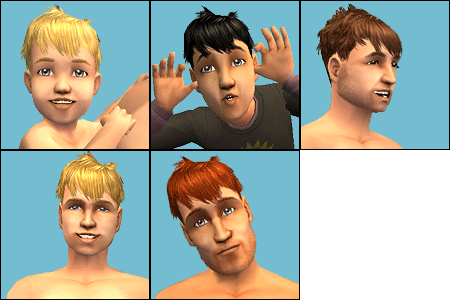
shortsweetbedhead_adult.jpg - width=900 height=580
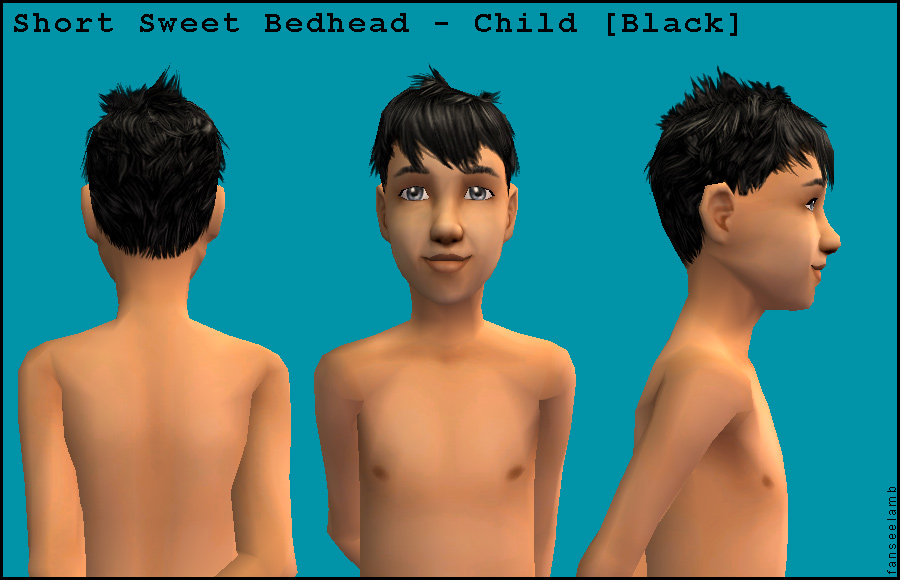
shortsweetbedhead_child.jpg - width=900 height=580
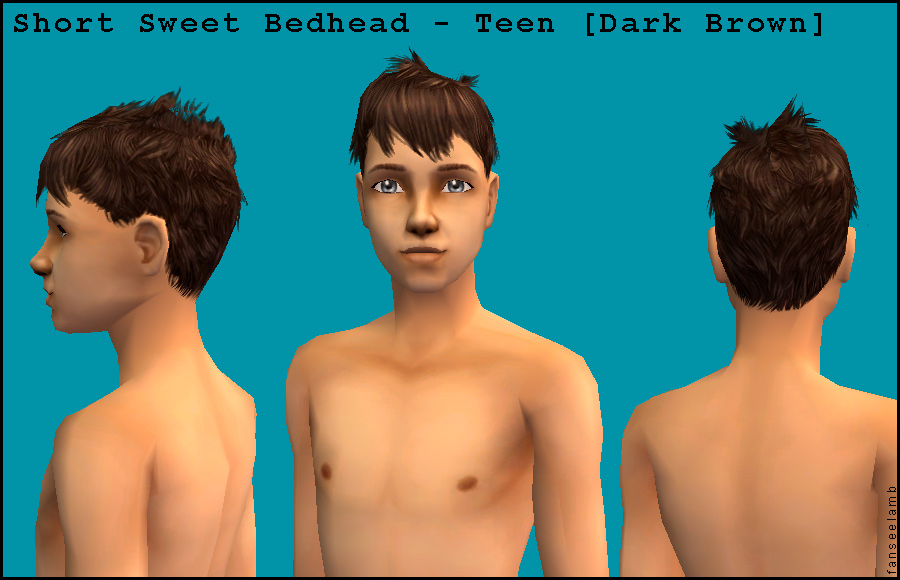
shortsweetbedhead_teen.jpg - width=900 height=580
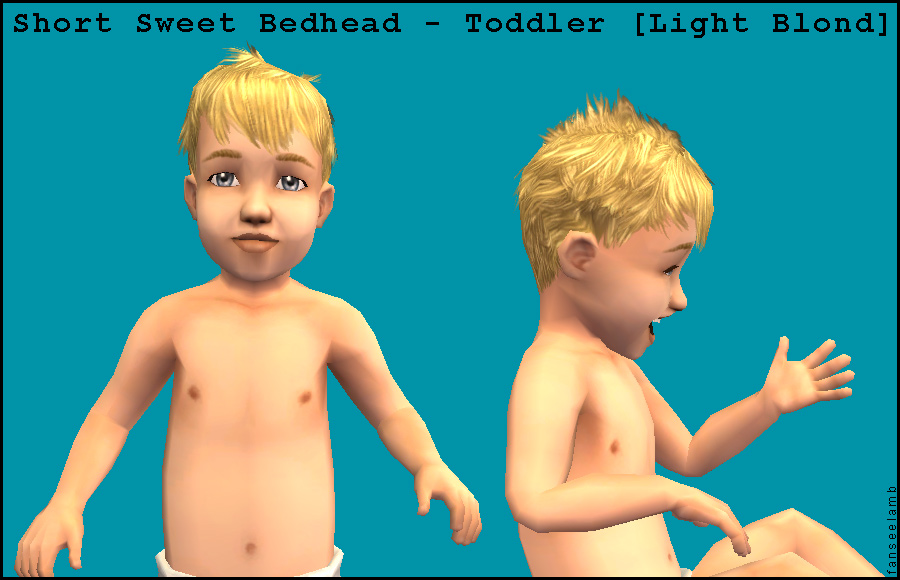
shortsweetbedhead_toddler.jpg - width=900 height=580
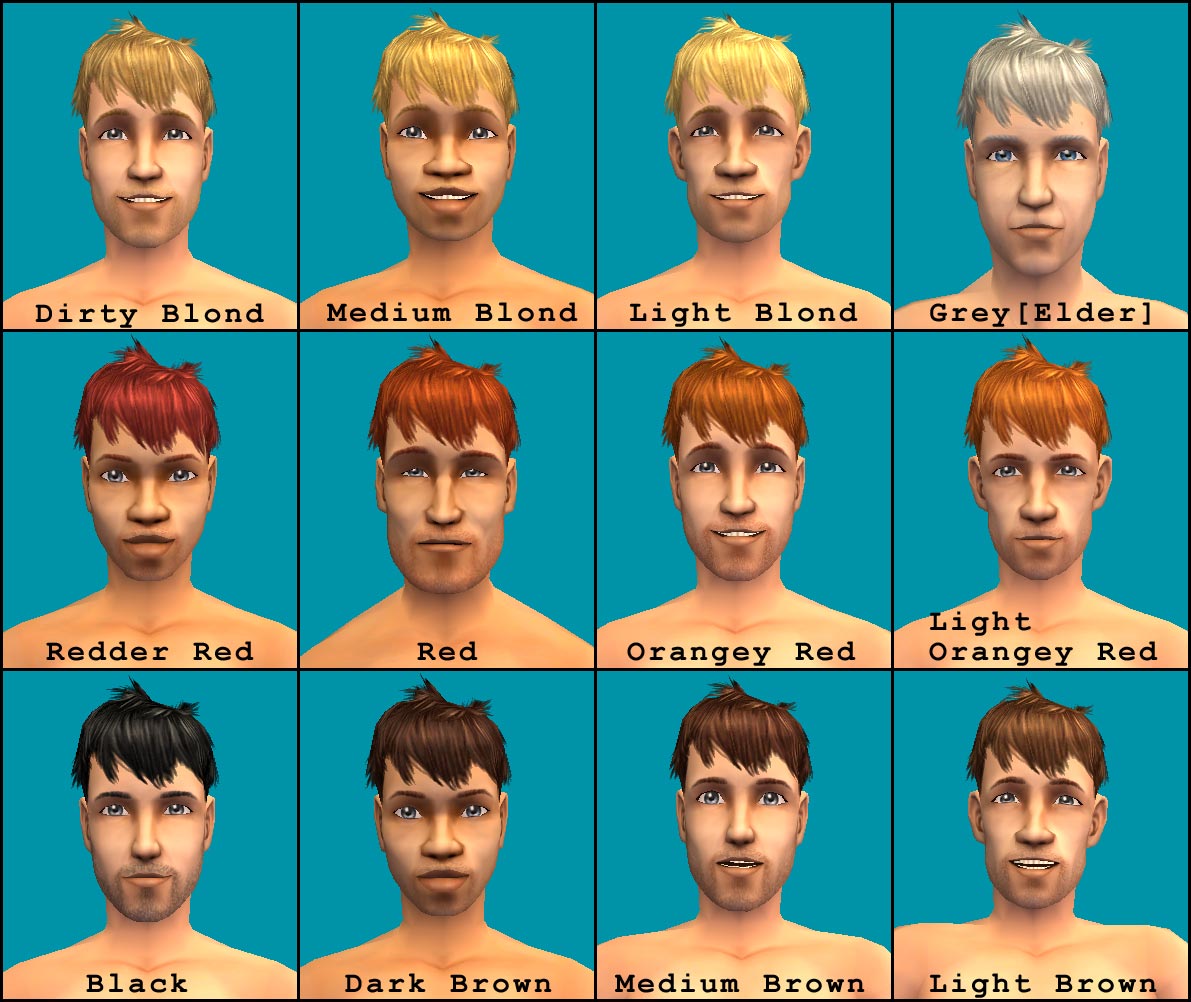
shortsweetbedhead_allcolours.jpg - width=1191 height=1002
Picked Upload!
This is a picked upload! It showcases some of the best talent and creativity available on MTS and in the community.

Created by fanseelamb
Uploaded: 7th Aug 2008 at 11:49 PM
Updated: 13th Jun 2009 at 8:12 PM - editing search parameters
Updated: 13th Jun 2009 at 8:12 PM - editing search parameters
Here's a messy lil' hairdo for the boys. It was originally a female style from the EA Store, but I thought it would look cute and boyish on..... boys! So I converted it! Yay! The original female hair is not required.
Binned! - All hair colours appear in their proper colour bins.
Family Linked! - Flip between colours without reverting to another mesh. All shades are in the same family, so if you only want one red/blond/brown it doesn't matter which you choose - they'll all work the same. You can install every shade too, if you wish.
Grey Elders! - You must install the Black hair for the Elder hair to work.
Animated! - The front bangs move a bit. Same as the original female mesh.
All Ages! New Mesh + 11 Recolours Included.
Questions? I'm still pretty new at hair meshing, so if you find any problems or have any questions, please leave a comment. Of course you can also comment if you have no questions or problems. I like comments!
Polygon Counts:
681
Additional Credits:
First of all, big huge thanks to melodie9 because I used one of her toddler/child meshes as a base. It's all behind-the-scenes stuff - nothing visible - but was a huge help. Also, super huge extra special thanks to tiggerypum, CatofEvilGenius, and HystericalParoxysm for helping when the meshes refused to play nice. Thanks to everyone else who tried to help too, and to all the other tutorial writers, tool makers ('specially Wes_h), and everyone who keeps MST2 running. And thanks to the mystery EA artist who made the female hair in the first place.
Binned! - All hair colours appear in their proper colour bins.
Family Linked! - Flip between colours without reverting to another mesh. All shades are in the same family, so if you only want one red/blond/brown it doesn't matter which you choose - they'll all work the same. You can install every shade too, if you wish.
Grey Elders! - You must install the Black hair for the Elder hair to work.
Animated! - The front bangs move a bit. Same as the original female mesh.
All Ages! New Mesh + 11 Recolours Included.
Questions? I'm still pretty new at hair meshing, so if you find any problems or have any questions, please leave a comment. Of course you can also comment if you have no questions or problems. I like comments!
Polygon Counts:
681
Additional Credits:
First of all, big huge thanks to melodie9 because I used one of her toddler/child meshes as a base. It's all behind-the-scenes stuff - nothing visible - but was a huge help. Also, super huge extra special thanks to tiggerypum, CatofEvilGenius, and HystericalParoxysm for helping when the meshes refused to play nice. Thanks to everyone else who tried to help too, and to all the other tutorial writers, tool makers ('specially Wes_h), and everyone who keeps MST2 running. And thanks to the mystery EA artist who made the female hair in the first place.

This is a new mesh, and means that it's a brand new self contained object that usually does not require a specific Pack (although this is possible depending on the type). It may have Recolours hosted on MTS - check below for more information.
| Filename | Size | Downloads | Date | |||||
|
Short Sweet Bedhead - MESH + Recolours.rar
Size: 1.27 MB · Downloads: 62,271 · 8th Aug 2008 |
1.27 MB | 62,271 | 8th Aug 2008 | |||||
| For a detailed look at individual files, see the Information tab. | ||||||||
Key:
- - File was updated after upload was posted
Install Instructions
Basic Download and Install Instructions:
1. Download: Click the download link to save the .rar or .zip file(s) to your computer.
2. Extract the zip, rar, or 7z file.
3. Place in Downloads Folder: Cut and paste the .package file(s) into your Downloads folder:
1. Download: Click the download link to save the .rar or .zip file(s) to your computer.
2. Extract the zip, rar, or 7z file.
3. Place in Downloads Folder: Cut and paste the .package file(s) into your Downloads folder:
- Origin (Ultimate Collection): Users\(Current User Account)\Documents\EA Games\The Sims™ 2 Ultimate Collection\Downloads\
- Non-Origin, Windows Vista/7/8/10: Users\(Current User Account)\Documents\EA Games\The Sims 2\Downloads\
- Non-Origin, Windows XP: Documents and Settings\(Current User Account)\My Documents\EA Games\The Sims 2\Downloads\
- Mac: Users\(Current User Account)\Documents\EA Games\The Sims 2\Downloads
- Mac x64: /Library/Containers/com.aspyr.sims2.appstore/Data/Library/Application Support/Aspyr/The Sims 2/Downloads
- For a full, complete guide to downloading complete with pictures and more information, see: Game Help: Downloading for Fracking Idiots.
- Custom content not showing up in the game? See: Game Help: Getting Custom Content to Show Up.
- If you don't have a Downloads folder, just make one. See instructions at: Game Help: No Downloads Folder.
Recommended
The creator also recommends the following uploads:
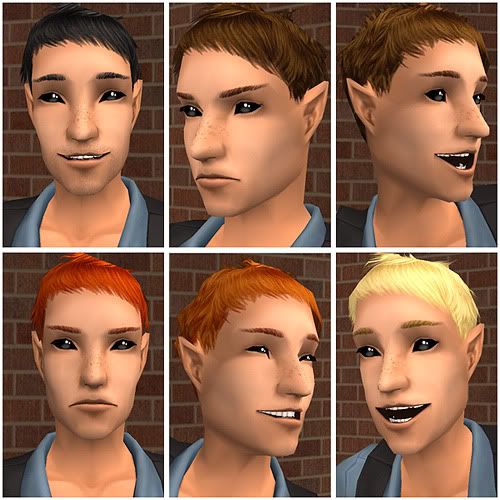
Click the pic below for some cute alpha-edited retextures of this mesh. Thanks for making them, Simgaroop!
Also Thanked - Users who thanked this download also thanked:
Packs Needed
None, this is Sims 2 base game compatible!
Other Information
Hair Style:
– Natural Colours
– Maxis-Match
Maxis Flags:
– Gender Conversions
: Gender Conversions of Maxis Hair
Bin Type:
– Binned
Age:
– Toddler
– Child
– Teen
– Young Adult
– Adult
– Elder
Tags
.
I now upload mainly to tumblr and leefish.nl.
Here's a comprehensive gallery of all my tumblr, leefish.nl, and modthesims content.

tumblr | leefish.nl | all offsite downloads | complete downloads gallery | fanseetags
By downloading my content, you accept these TERMS OF USE. Please respect them.
More Downloads BETA
Here are some more of my downloads: