
 Sign in to Mod The Sims
 Jail Cell Collection by CC Designs
 Jail Cell Collection by CC Designs
MTS has all free content, all the time. Donate to help keep it running.
SCREENSHOTS


Cell.jpg - width=740 height=516
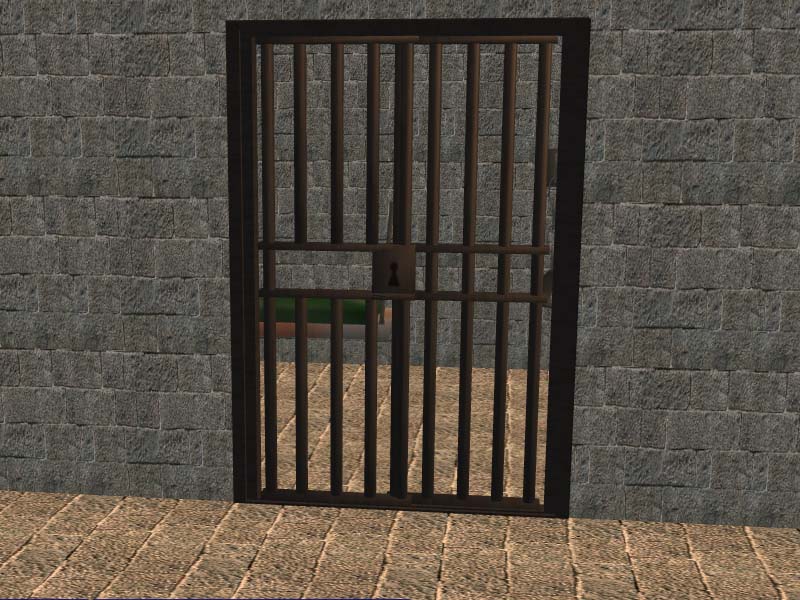
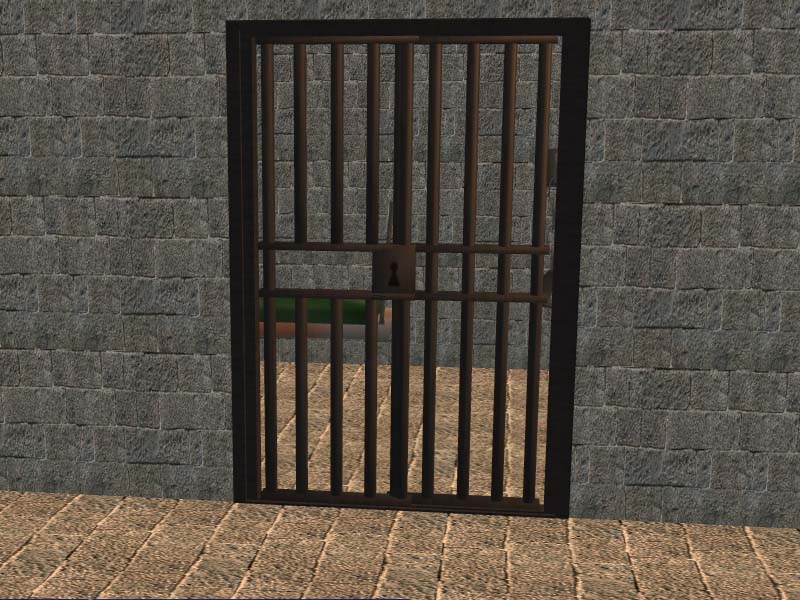
CellDoors.jpg - width=800 height=600
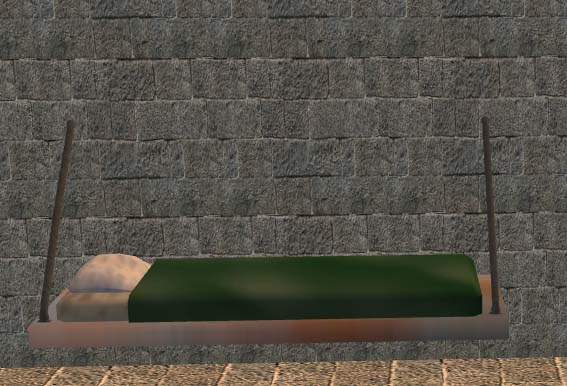
Cot.jpg - width=567 height=386
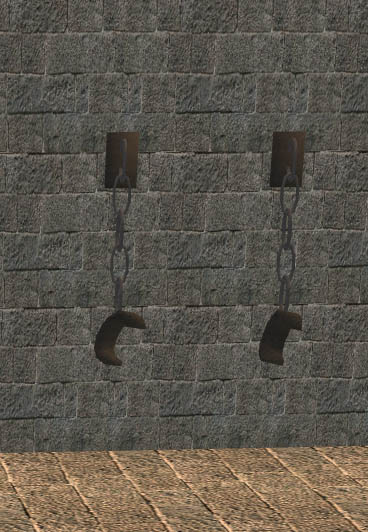
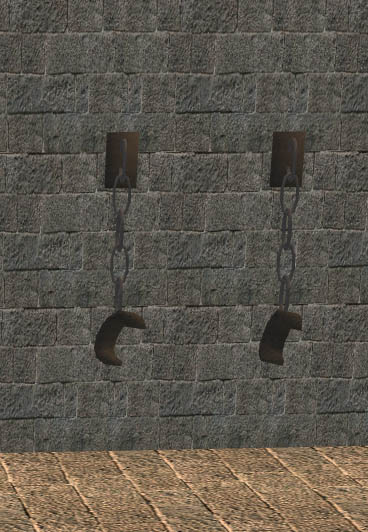
Shackles.jpg - width=368 height=532
Picked Upload!
This is a picked upload! It showcases some of the best talent and creativity available on MTS and in the community.

Created by Charisa1114
Uploaded: 6th Sep 2008 at 1:12 PM
Updated: 15th Nov 2008 at 9:25 PM by Canoodle
Updated: 15th Nov 2008 at 9:25 PM by Canoodle
****Sorry all. I was having a blond moment. I was working on something else and forgot to change my setting back to base game on SimPE when I created the shackles and cot. They are the only things not Base Game Compatible. They require Seasons. I will work on fixing that this week and get a base game compatible version of them posted. Sorry for any problems this has caused anyone!!!!****
Here are some new meshes to help complete any jail cell or dungeon you want to create.
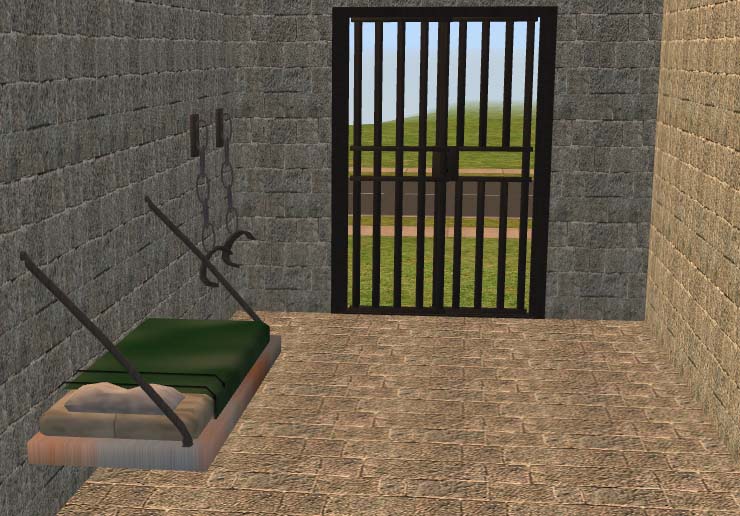
The door is cloned from the sliding glass door and slides when it is open. With the door lock options you can actually lock other Sims in a cell.
This cot hangs from the wall and uses it's own bedding. Who wants a jail cell cot with pink flowers? The metal comes complete with rust. Both the bedding and frame are recolorable.
These wall shackles are purely decorative and they do not disappear when the walls go down.
The walls and floors seen in the pictures can be found here.
Polygon Counts:
Doors - 1144
Cot - 1220
Shackles - 960
Additional Credits:
Thank you to all the writers of the great tutorials here at MTS2.
These were created using SimPE, Wings 3D, UVMapper, and Photoshop. Thank you to the creators of these programs.
I also want to add a special thanks to the MTS2 Staff Members who approve the uploads for their advice and always pushing me to come up with great designs!
Here are some new meshes to help complete any jail cell or dungeon you want to create.
The door is cloned from the sliding glass door and slides when it is open. With the door lock options you can actually lock other Sims in a cell.
This cot hangs from the wall and uses it's own bedding. Who wants a jail cell cot with pink flowers?
 The metal comes complete with rust. Both the bedding and frame are recolorable.
 These wall shackles are purely decorative and they do not disappear when the walls go down.
The walls and floors seen in the pictures can be found here.
Polygon Counts:
Doors - 1144
Cot - 1220
Shackles - 960
Additional Credits:
Thank you to all the writers of the great tutorials here at MTS2.
These were created using SimPE, Wings 3D, UVMapper, and Photoshop. Thank you to the creators of these programs.
I also want to add a special thanks to the MTS2 Staff Members who approve the uploads for their advice and always pushing me to come up with great designs!
This is a new mesh, and means that it's a brand new self contained object that usually does not require a specific Pack (although this is possible depending on the type). It may have Recolours hosted on MTS - check below for more information.
| Filename | Size | Downloads | Date | |||||
|
JailWallShackles.rar
Size: 42.1 KB · Downloads: 12,105 · 6th Sep 2008 |
42.1 KB | 12,105 | 6th Sep 2008 | |||||
|
JailCotbyCCDesigns.rar
Size: 101.8 KB · Downloads: 13,971 · 6th Sep 2008 |
101.8 KB | 13,971 | 6th Sep 2008 | |||||
|
JailCollectionbyCCDesigns.rar
Size: 207.3 KB · Downloads: 15,358 · 6th Sep 2008 |
207.3 KB | 15,358 | 6th Sep 2008 | |||||
|
JailCellDoors.rar
Size: 63.5 KB · Downloads: 15,473 · 6th Sep 2008 |
63.5 KB | 15,473 | 6th Sep 2008 | |||||
| For a detailed look at individual files, see the Information tab. | ||||||||
Key:
- - File was updated after upload was posted
Install Instructions
Basic Download and Install Instructions:
1. Download: Click the download link to save the .rar or .zip file(s) to your computer.
2. Extract the zip, rar, or 7z file.
3. Place in Downloads Folder: Cut and paste the .package file(s) into your Downloads folder:
1. Download: Click the download link to save the .rar or .zip file(s) to your computer.
2. Extract the zip, rar, or 7z file.
3. Place in Downloads Folder: Cut and paste the .package file(s) into your Downloads folder:
- Origin (Ultimate Collection): Users\(Current User Account)\Documents\EA Games\The Sims™ 2 Ultimate Collection\Downloads\
- Non-Origin, Windows Vista/7/8/10: Users\(Current User Account)\Documents\EA Games\The Sims 2\Downloads\
- Non-Origin, Windows XP: Documents and Settings\(Current User Account)\My Documents\EA Games\The Sims 2\Downloads\
- Mac: Users\(Current User Account)\Documents\EA Games\The Sims 2\Downloads
- Mac x64: /Library/Containers/com.aspyr.sims2.appstore/Data/Library/Application Support/Aspyr/The Sims 2/Downloads
- For a full, complete guide to downloading complete with pictures and more information, see: Game Help: Downloading for Fracking Idiots.
- Custom content not showing up in the game? See: Game Help: Getting Custom Content to Show Up.
- If you don't have a Downloads folder, just make one. See instructions at: Game Help: No Downloads Folder.
Also Thanked - Users who thanked this download also thanked:
Packs Needed
Other Information
Style:
– Antique
: Antique or Historical
Room:
– Bedroom
Maxis Flags:
– Not Applicable
Tags
Packs Needed
| Base Game | |
|---|---|
 | Sims 2 |
| Expansion Pack | |
|---|---|
 | Seasons |
CC Designs
Please do not clone my meshes or creations or upload them to other sites. Feel free to recolor away. You may upload recolors as long as you give me proper credit and link back to my meshes here at MTS2. Thanks!
You may include my stuff in any lots you upload as long as you give me credit and provide a link back to my items here at MTS2.
My game is currently messed up, so i will probably not be modding or updating any of my creations any time soon. This means that i am also not taking any requests at this time and anything I was working on has been put on hold. I'll let you know when i am back up & running again. :(
You may include my stuff in any lots you upload as long as you give me credit and provide a link back to my items here at MTS2.
My game is currently messed up, so i will probably not be modding or updating any of my creations any time soon. This means that i am also not taking any requests at this time and anything I was working on has been put on hold. I'll let you know when i am back up & running again. :(
More Downloads BETA
Here are some more of my downloads: