
 Sign in to Mod The Sims
 The Innocent Blush
 The Innocent Blush
MTS has all free content, all the time. Donate to help keep it running.
SCREENSHOTS
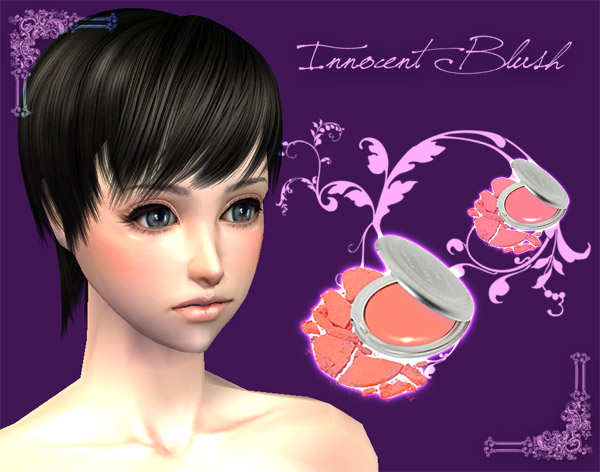
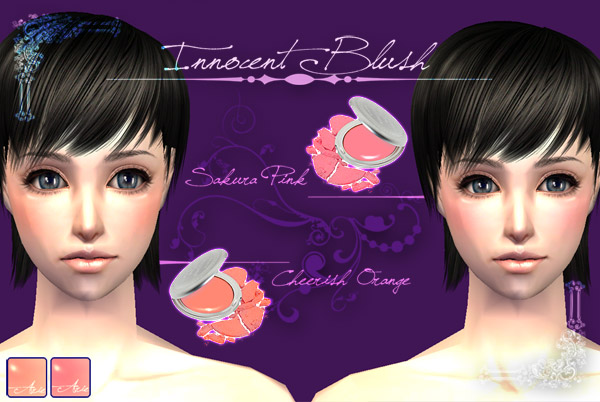
Blush-01.jpg - width=600 height=472
Blush-02.jpg - width=600 height=402
Picked Upload!
This is a picked upload! It showcases some of the best talent and creativity available on MTS and in the community.

Created by Alexelus
Uploaded: 2nd Apr 2009 at 1:24 AM
Updated: 4th Apr 2009 at 11:19 AM - Reupload File
Updated: 4th Apr 2009 at 11:19 AM - Reupload File
Hello again everyone~ This is my first make up, and the thing is... I like it sooo much ^^ So I like to share it to everyone ♥
::Innocent Blush Set::
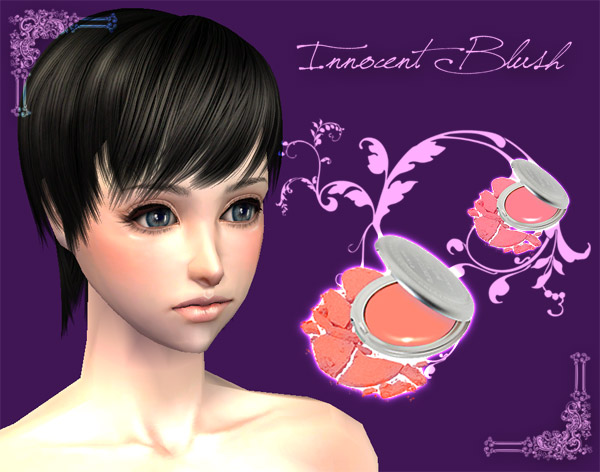
There are 2 colours in this set:
Sakura Pink and Cheerish Orange
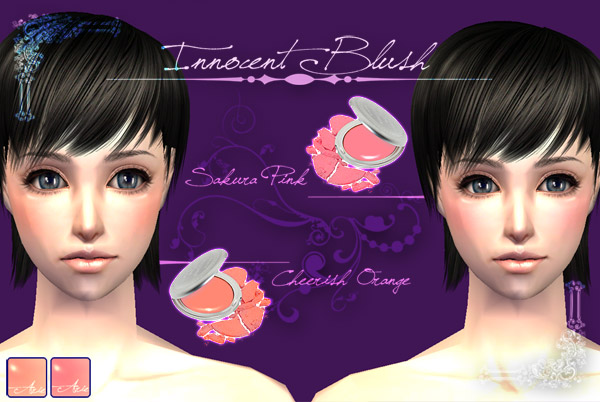
I hope you all like it~
Thank you
Additional Credits:
Hair: Raonsims - http://www.***
::Innocent Blush Set::
There are 2 colours in this set:
Sakura Pink and Cheerish Orange
I hope you all like it~
Thank you
Additional Credits:
Hair: Raonsims - http://www.***
| Filename | Size | Downloads | Date | |||||
|
Innocent Blush.rar
| Thank you!
Size: 646.9 KB · Downloads: 44,961 · 4th Apr 2009 |
646.9 KB | 44,961 | 4th Apr 2009 | |||||
| For a detailed look at individual files, see the Information tab. | ||||||||
Key:
- - File was updated after upload was posted
Install Instructions
Basic Download and Install Instructions:
1. Download: Click the download link to save the .rar or .zip file(s) to your computer.
2. Extract the zip, rar, or 7z file.
3. Place in Downloads Folder: Cut and paste the .package file(s) into your Downloads folder:
1. Download: Click the download link to save the .rar or .zip file(s) to your computer.
2. Extract the zip, rar, or 7z file.
3. Place in Downloads Folder: Cut and paste the .package file(s) into your Downloads folder:
- Origin (Ultimate Collection): Users\(Current User Account)\Documents\EA Games\The Sims™ 2 Ultimate Collection\Downloads\
- Non-Origin, Windows Vista/7/8/10: Users\(Current User Account)\Documents\EA Games\The Sims 2\Downloads\
- Non-Origin, Windows XP: Documents and Settings\(Current User Account)\My Documents\EA Games\The Sims 2\Downloads\
- Mac: Users\(Current User Account)\Documents\EA Games\The Sims 2\Downloads
- Mac x64: /Library/Containers/com.aspyr.sims2.appstore/Data/Library/Application Support/Aspyr/The Sims 2/Downloads
- For a full, complete guide to downloading complete with pictures and more information, see: Game Help: Downloading for Fracking Idiots.
- Custom content not showing up in the game? See: Game Help: Getting Custom Content to Show Up.
- If you don't have a Downloads folder, just make one. See instructions at: Game Help: No Downloads Folder.
Also Thanked - Users who thanked this download also thanked:
More Downloads BETA
Here are some more of my downloads: