
 Sign in to Mod The Sims
 Liam Build Set
 Liam Build Set
MTS has all free content, all the time. Donate to help keep it running.
SCREENSHOTS
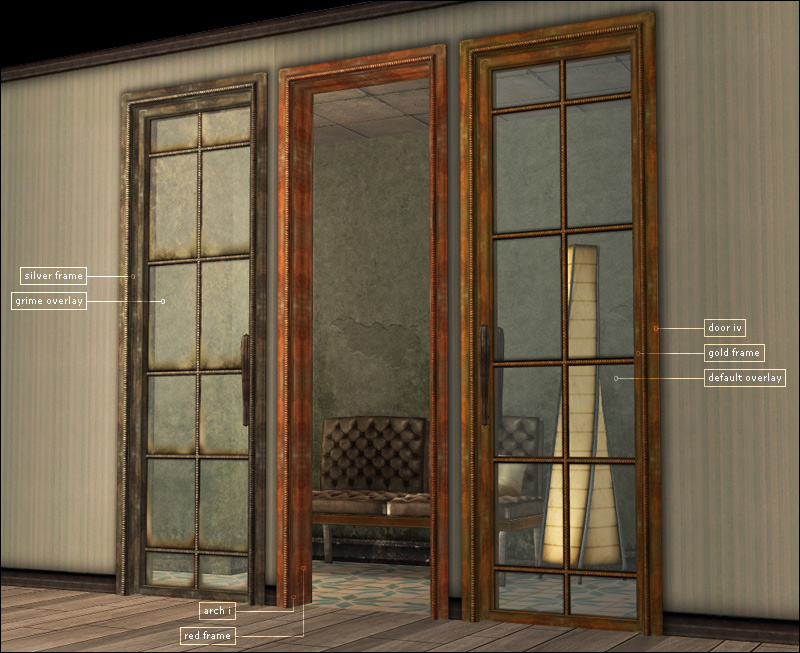


adele_liamBuildSet_archDoorIV.jpg - width=800 height=653
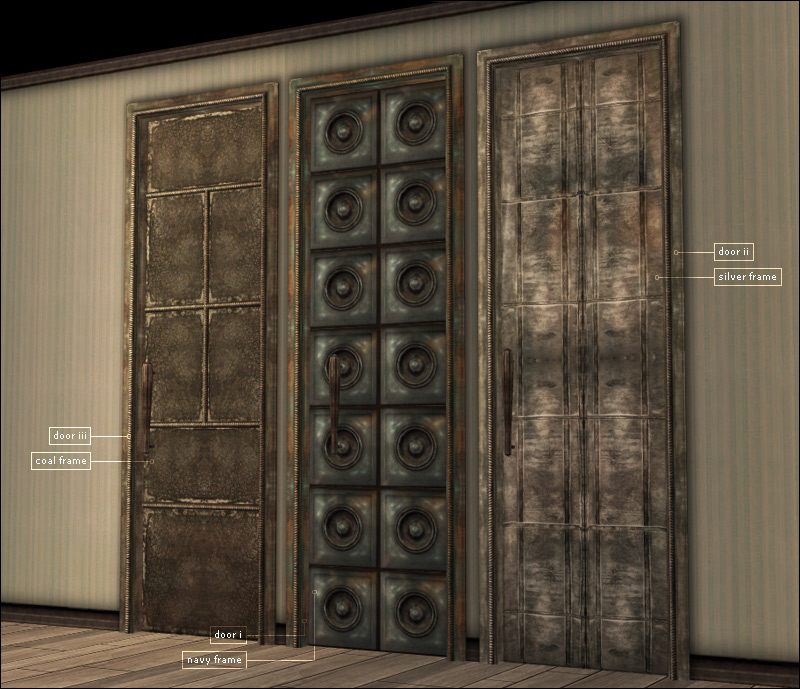
adele_liamBuildSet_doors.jpg - width=800 height=689
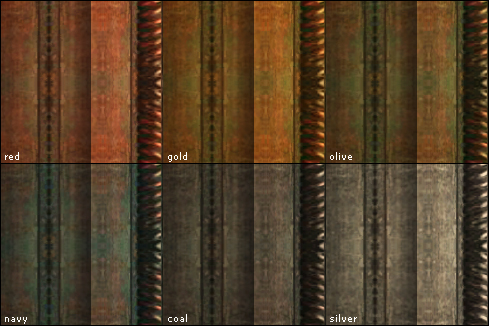
adele_liamBuildSet_recolors.jpg - width=489 height=326
adele_liamBuildSet_windowI.jpg - width=800 height=588
adele_liamBuildSet_windowIIArchIFence.jpg - width=800 height=682
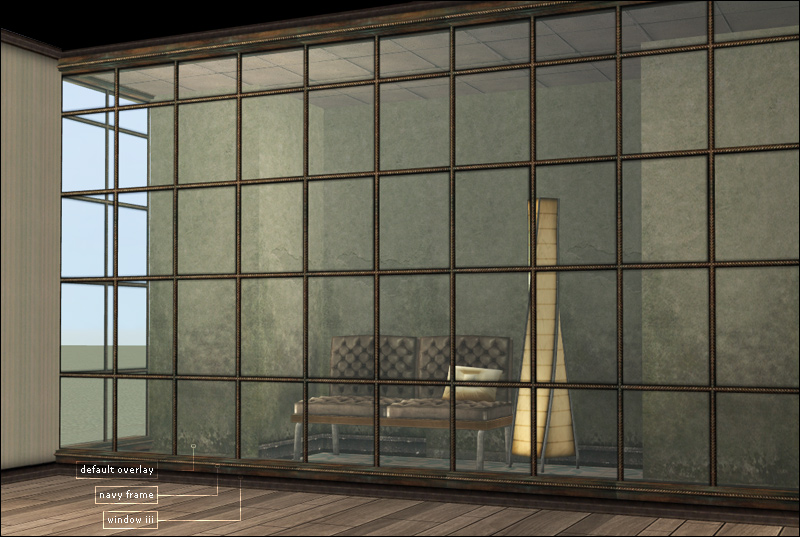
adele_liamBuildSet_windowIII.jpg - width=800 height=537
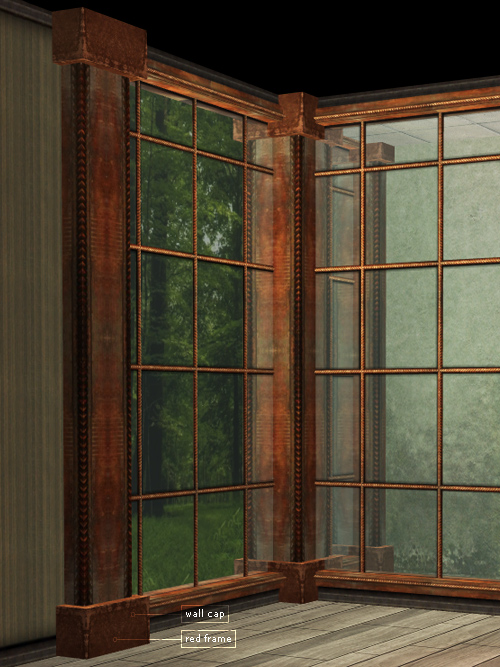
adele_liamBuildSet_wallCap.jpg - width=500 height=667
Picked Upload!
This is a picked upload! It showcases some of the best talent and creativity available on MTS and in the community.

Created by Adele
Uploaded: 27th Apr 2009 at 4:36 PM
Updated: 21st May 2009 at 1:36 AM - Adding wall cap
Updated: 21st May 2009 at 1:36 AM - Adding wall cap
Hello, lovelies. There is a sad lack of good aged/grungey/industrialish build items...
(huuuWHAT???? ADELE LIKES THAT STYLE?!!?!?? I HAD. NO. IDEA.)
...so here are a bunch!! Go forth and deck out your factories and loft-apartments.
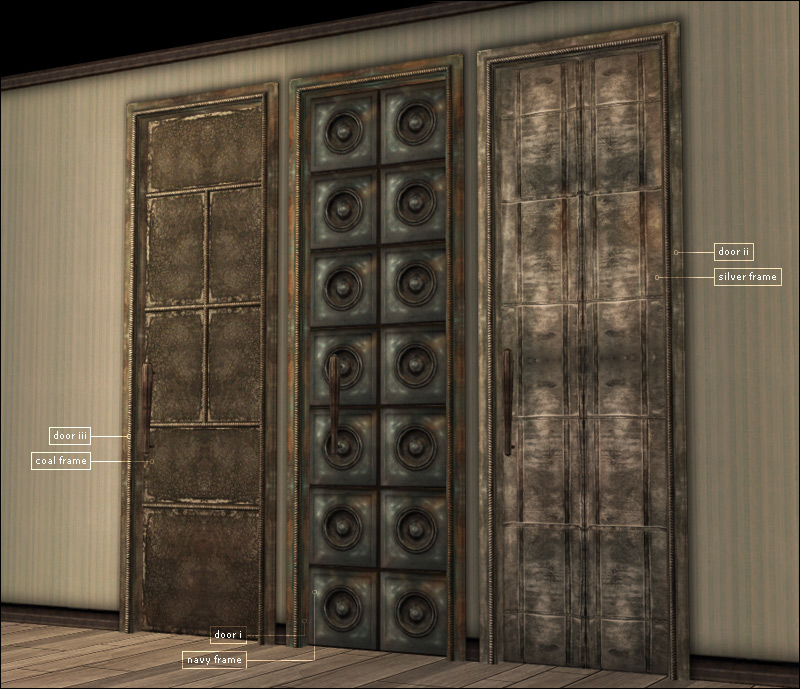
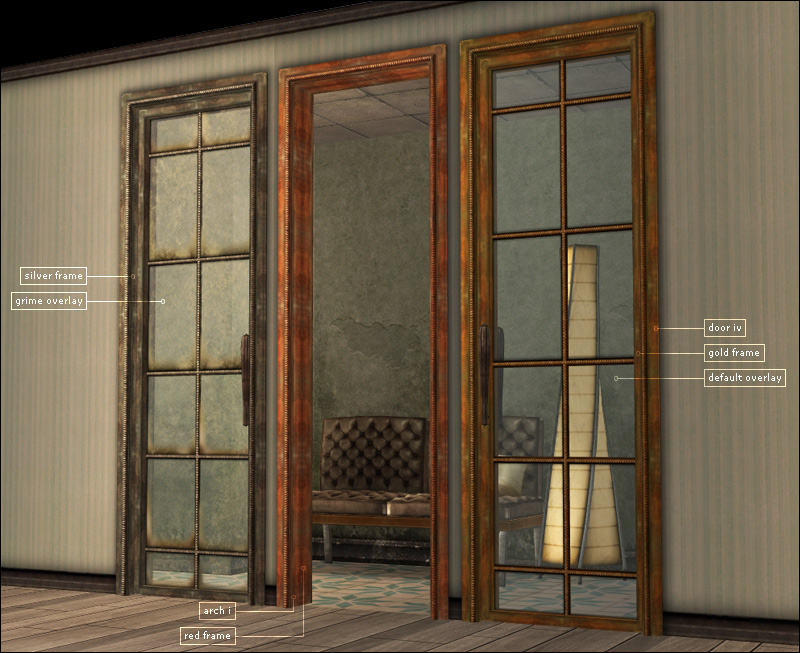
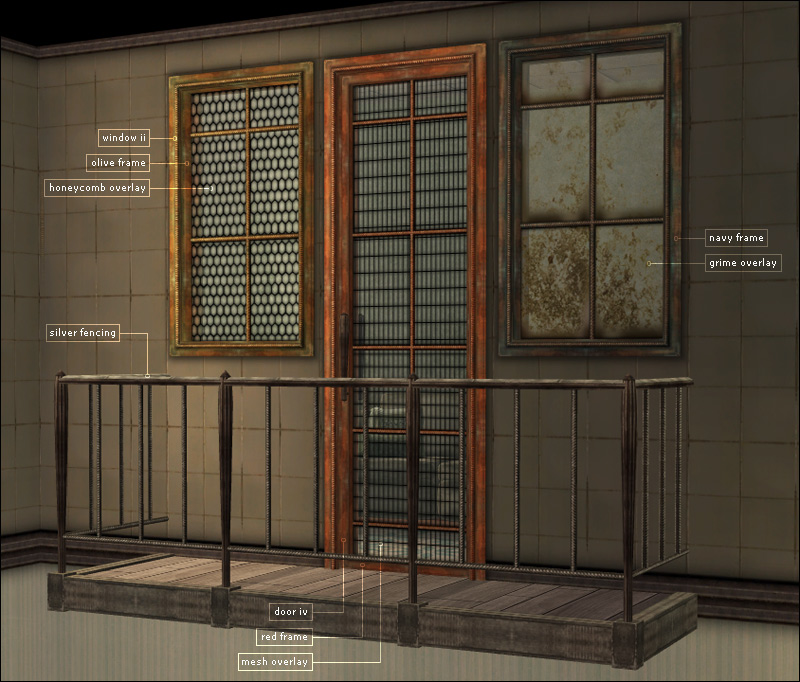
Set includes 3 doors, 1 arch, 3 windows, 1 fence, 6 frame colors,
and 8 grime, 6 honeycomb, 6 mesh, 6 artsy/strands window-glass colors.
Oh, and they're all SHINY! Once again, I abuse the envCube property...
The set uses repository textures-- you must have the first door and the first window in your game for the rest of the set to work.
Also included is a collection file which has everything but the 6 fences (unfortunately, you can't add fencing to a collection)
Note about the first door: I cut the polycount from 4400 to what it is now-- this style of door just begs for a lot of polys, einz.
Just resist the urge to coat your lot with it and you should be fine.
EDIT 20-05-2009: Added wall cap. Found under general > misc.
(huuuWHAT???? ADELE LIKES THAT STYLE?!!?!?? I HAD. NO. IDEA.)
...so here are a bunch!! Go forth and deck out your factories and loft-apartments.
Set includes 3 doors, 1 arch, 3 windows, 1 fence, 6 frame colors,
and 8 grime, 6 honeycomb, 6 mesh, 6 artsy/strands window-glass colors.
Oh, and they're all SHINY! Once again, I abuse the envCube property...
The set uses repository textures-- you must have the first door and the first window in your game for the rest of the set to work.
Also included is a collection file which has everything but the 6 fences (unfortunately, you can't add fencing to a collection)
Note about the first door: I cut the polycount from 4400 to what it is now-- this style of door just begs for a lot of polys, einz.
Just resist the urge to coat your lot with it and you should be fine.
EDIT 20-05-2009: Added wall cap. Found under general > misc.
Polygon Counts:
Window I: 560
Window II: 392
Window III: 388
Door I: frame: 396, door: 2832 (high-- I know, but not unreasonable for this level of detail)
Door II: frame: 396, door: 464
Door III: frame: 396, door: 560
Door IV: frame: 396, door: 764
Arch: 396
Fencing: diagonal: 132, rail: 116, post: 120
Additional Credits:
The mossy wall-covering in the back is by the wonderful Pixelhate.
This is a new mesh, and means that it's a brand new self contained object that usually does not require a specific Pack (although this is possible depending on the type). It may have Recolours hosted on MTS - check below for more information.
| Filename | Size | Downloads | Date | |||||
|
ADELE_liamBuildSet_wallCap.rar
Size: 4.9 KB · Downloads: 27,704 · 21st May 2009 |
4.9 KB | 27,704 | 21st May 2009 | |||||
|
ADELE_liamBuildSet.rar
Size: 2.82 MB · Downloads: 39,571 · 27th Apr 2009 |
2.82 MB | 39,571 | 27th Apr 2009 | |||||
| For a detailed look at individual files, see the Information tab. | ||||||||
Key:
- - File was updated after upload was posted
Install Instructions
Basic Download and Install Instructions:
1. Download: Click the download link to save the .rar or .zip file(s) to your computer.
2. Extract the zip, rar, or 7z file.
3. Place in Downloads Folder: Cut and paste the .package file(s) into your Downloads folder:
1. Download: Click the download link to save the .rar or .zip file(s) to your computer.
2. Extract the zip, rar, or 7z file.
3. Place in Downloads Folder: Cut and paste the .package file(s) into your Downloads folder:
- Origin (Ultimate Collection): Users\(Current User Account)\Documents\EA Games\The Sims™ 2 Ultimate Collection\Downloads\
- Non-Origin, Windows Vista/7/8/10: Users\(Current User Account)\Documents\EA Games\The Sims 2\Downloads\
- Non-Origin, Windows XP: Documents and Settings\(Current User Account)\My Documents\EA Games\The Sims 2\Downloads\
- Mac: Users\(Current User Account)\Documents\EA Games\The Sims 2\Downloads
- Mac x64: /Library/Containers/com.aspyr.sims2.appstore/Data/Library/Application Support/Aspyr/The Sims 2/Downloads
- For a full, complete guide to downloading complete with pictures and more information, see: Game Help: Downloading for Fracking Idiots.
- Custom content not showing up in the game? See: Game Help: Getting Custom Content to Show Up.
- If you don't have a Downloads folder, just make one. See instructions at: Game Help: No Downloads Folder.
Also Thanked - Users who thanked this download also thanked:
Adele's Creations
PLEASE don't pm me with requests. I don't take requests. I will ignore your pm with requests!
More Downloads BETA
Here are some more of my downloads: