
 Sign in to Mod The Sims
 Rugs - zMOG!! Off Grid!!
 Rugs - zMOG!! Off Grid!!
MTS has all free content, all the time. Donate to help keep it running.
SCREENSHOTS
rugFix01.jpg - width=512 height=513
rugFix20.jpg - width=1024 height=576
rugFix21.jpg - width=1024 height=614
Featured Upload!
This is a featured upload! It showcases the best talent and creativity available on MTS and in the community. 

Personal Picked Upload!
This is a personal favourite of the creator!


Uploaded: 17th Apr 2010 at 4:49 AM
Updated: 15th Jan 2022 at 9:31 PM
Updated: 15th Jan 2022 at 9:31 PM
 Do NOT include with lots!
 Update!! December 15, 1018
Fixed Instance numbers for the resources so they no longer override original CEP resources added in the CEP by Numenor.
Place all EA rugs on a diagonal or off grid!
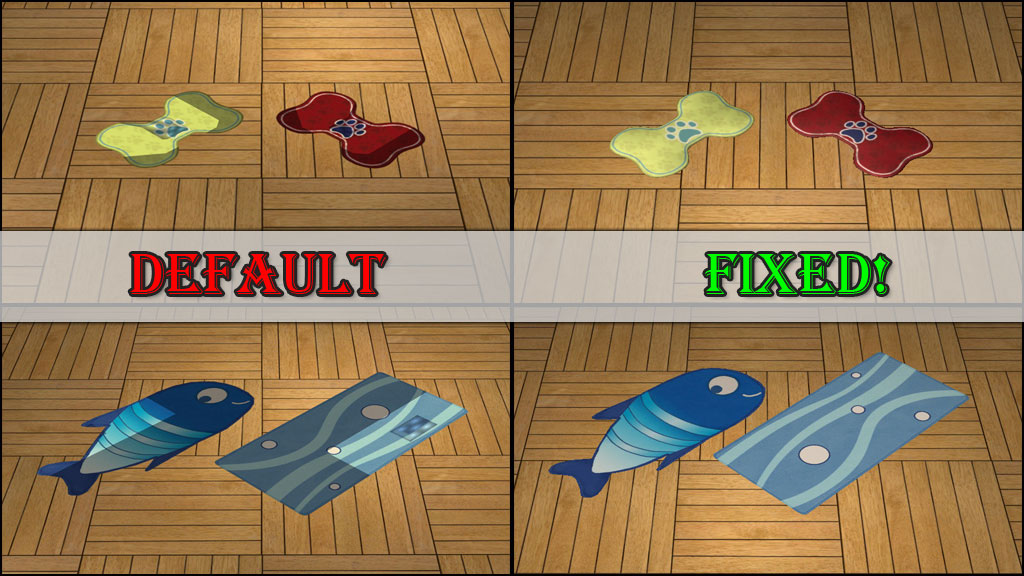
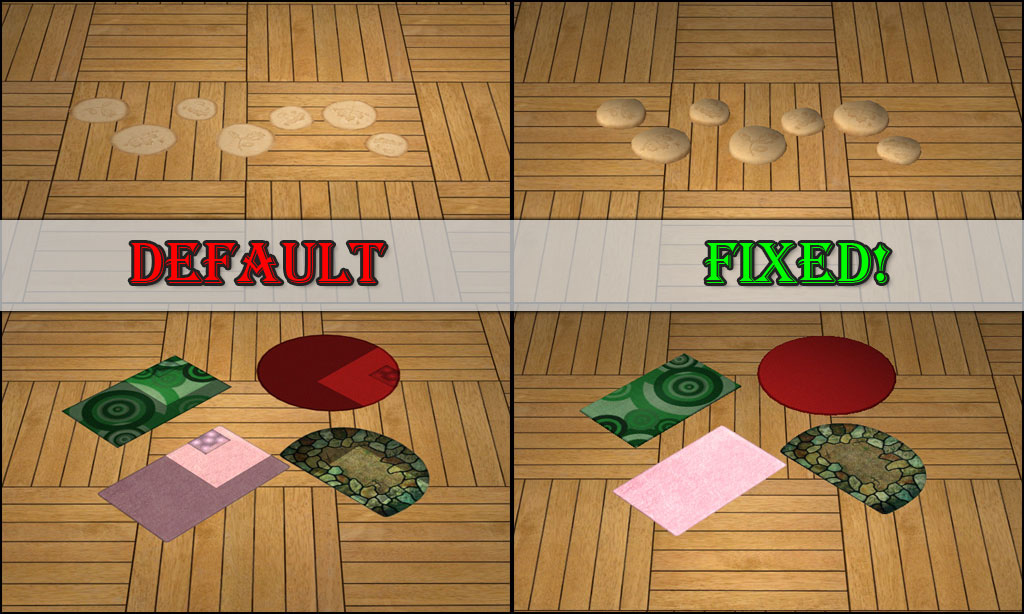
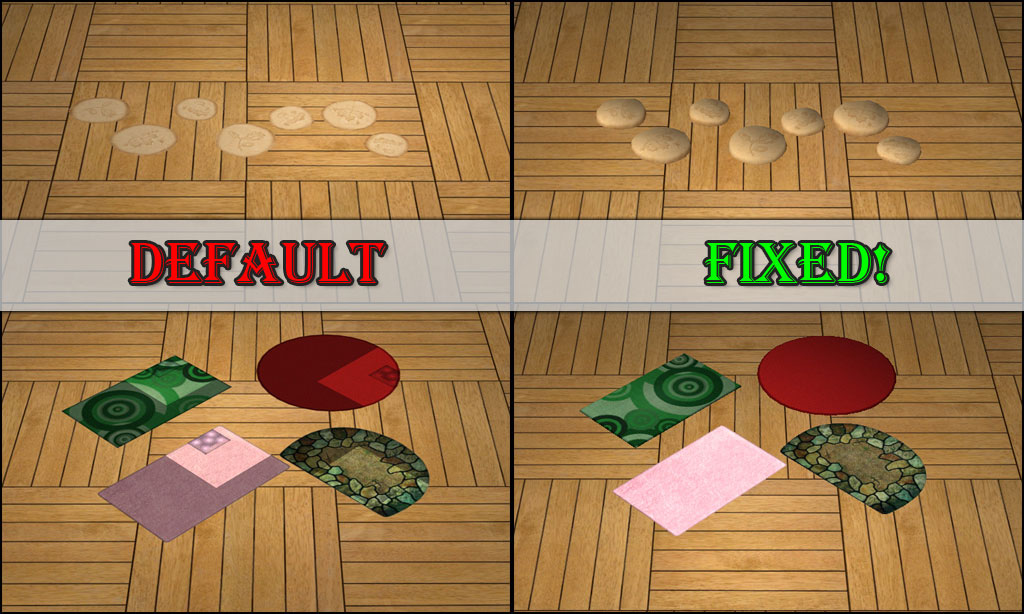
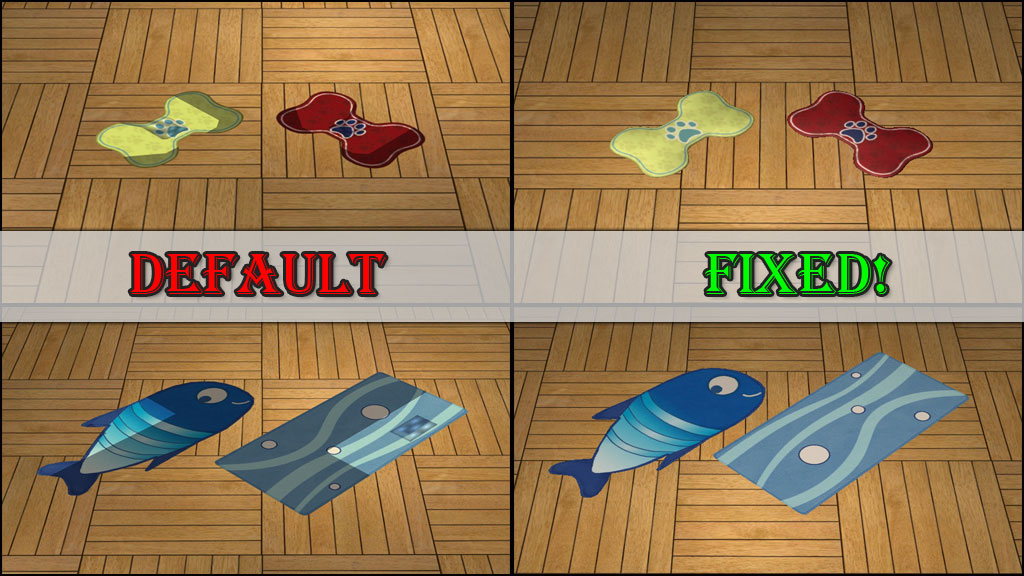
So rugs in TS2 sink into the ground when placed, basically leaving them very flat. Most of the actual meshes however are not flat! They sit up off the floor with a nice shape. Especially the stones from Family Fun Stuff (shown below) which are quite useless when flattened!
This mod will make each rug from all EPs and SPs be able to be placed off grid using snapobjectstogrid false, the M&G quartertile placement cheat, or on a diagonal. Rugs will now not sink into the floor when placed. They also will not have odd lighting when placed off grid. There are so many rugs in game so I didn't take a picture of each one, just a select few from different EP/SP.
FT Rug Hider & Catalog Cleanup
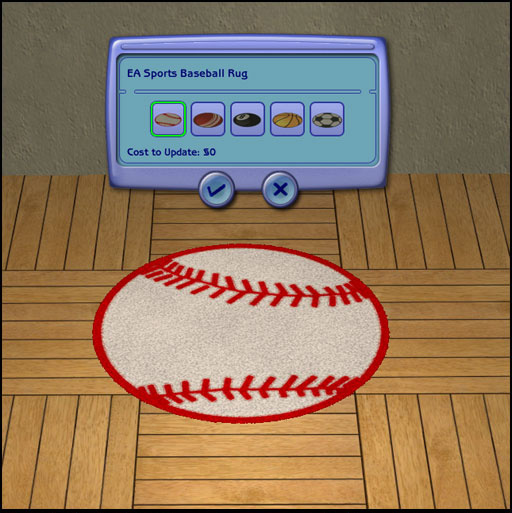
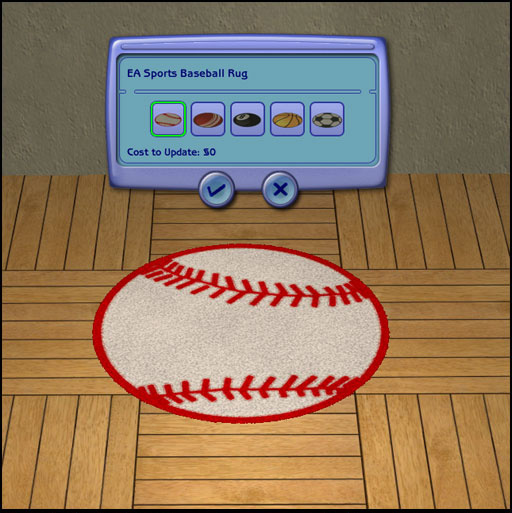
I have also taken the FT rug and combined all the sports related ones into the EA Sports Baseball Rug and hiding the other four sports related ones. I figured I might as well do this since this mod will interfere with that hider mod one anyway.
Conflicts:
This will conflict with any type of recategorizing or hider mods for rugs, specifially this one by Gwenke33 . This will not directly conflict with the M&G fix by Goggalor at MATY, but you no longer need that fix.
Known Issues:
For any rug recolors from NL, OFB, and maybe SSN, the recolors will be very dark. Those need to be fixed. Any future recolors after placing this mod should be fine. How to fix existing recolors. This method can also be used to fix store rugs, which I will not be sharing.
Installation:
Installation for this mod is a little different. There are two types of files, one has xxBin.package and one has xxDL.package. The bin one needs to be in the latest EP bin folder to keep the rugs from having the * star. The DL one needs to be loaded after the CEP since it has TXMT resources in it.
- Place the xxBin.package in C:\Program Files (x86)\EA GAMES\LatestEP\TSData\Res\Catalog\Bins
- Place the xxDL.package in your downloads folder
There are two packages - Please don't download both!! I have uploaded one file for those with ALL EP/SPs, and one for those missing one or more EP/SPs.
Additional Credits:
*Someone named Lash who's file was missing the BHAVs so that I knew the solution was not there.
*Echo for her rug clone which I have been poring over forever.
*Goggalor at MATY for searching the dusty recesses of the brain trying to remember what was changed in the M&G rug fix. Which I was trying to reverse engineer.
| Filename | Size | Downloads | Date | |||||
|
HL_RugFix.rar
Size: 29.6 KB · Downloads: 16,363 · 15th Dec 2018 |
29.6 KB | 16,363 | 15th Dec 2018 | |||||
|
HL_RugFixALL.rar
Size: 16.0 KB · Downloads: 81,196 · 15th Dec 2018 |
16.0 KB | 81,196 | 15th Dec 2018 | |||||
| For a detailed look at individual files, see the Information tab. | ||||||||
Key:
- - File was updated after upload was posted
Install Instructions
Basic Download and Install Instructions:
1. Download: Click the download link to save the .rar or .zip file(s) to your computer.
2. Extract the zip, rar, or 7z file.
3. Place in Downloads Folder: Cut and paste the .package file(s) into your Downloads folder:
1. Download: Click the download link to save the .rar or .zip file(s) to your computer.
2. Extract the zip, rar, or 7z file.
3. Place in Downloads Folder: Cut and paste the .package file(s) into your Downloads folder:
- Origin (Ultimate Collection): Users\(Current User Account)\Documents\EA Games\The Sims™ 2 Ultimate Collection\Downloads\
- Non-Origin, Windows Vista/7/8/10: Users\(Current User Account)\Documents\EA Games\The Sims 2\Downloads\
- Non-Origin, Windows XP: Documents and Settings\(Current User Account)\My Documents\EA Games\The Sims 2\Downloads\
- Mac: Users\(Current User Account)\Documents\EA Games\The Sims 2\Downloads
- Mac x64: /Library/Containers/com.aspyr.sims2.appstore/Data/Library/Application Support/Aspyr/The Sims 2/Downloads
- For a full, complete guide to downloading complete with pictures and more information, see: Game Help: Downloading for Fracking Idiots.
- Custom content not showing up in the game? See: Game Help: Getting Custom Content to Show Up.
- If you don't have a Downloads folder, just make one. See instructions at: Game Help: No Downloads Folder.
Also Thanked - Users who thanked this download also thanked:
by Nopke
Packs Needed
Other Information
Type:
– Fixed
: Fixed Maxis Mistakes
– Maxis Content Hiders
Tags
Packs Needed
| Base Game | |
|---|---|
 | Sims 2 |
| Expansion Pack | |
|---|---|
 | Nightlife |
About Me
Playing these games here.