
 Sign in to Mod The Sims
 Cute Short Straight Locks Conversion
 Cute Short Straight Locks Conversion
MTS has all free content, all the time. Donate to help keep it running.
SCREENSHOTS
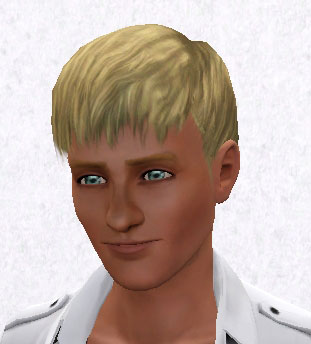
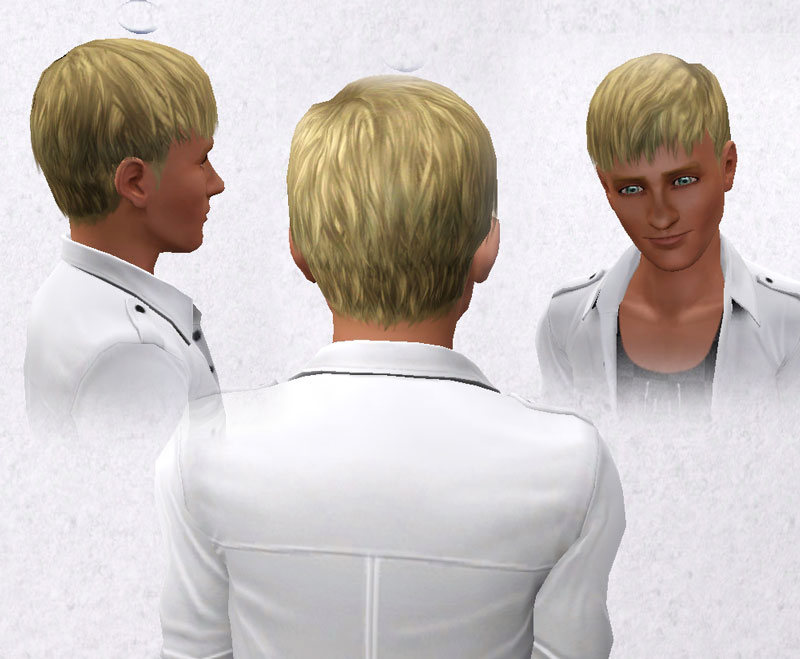
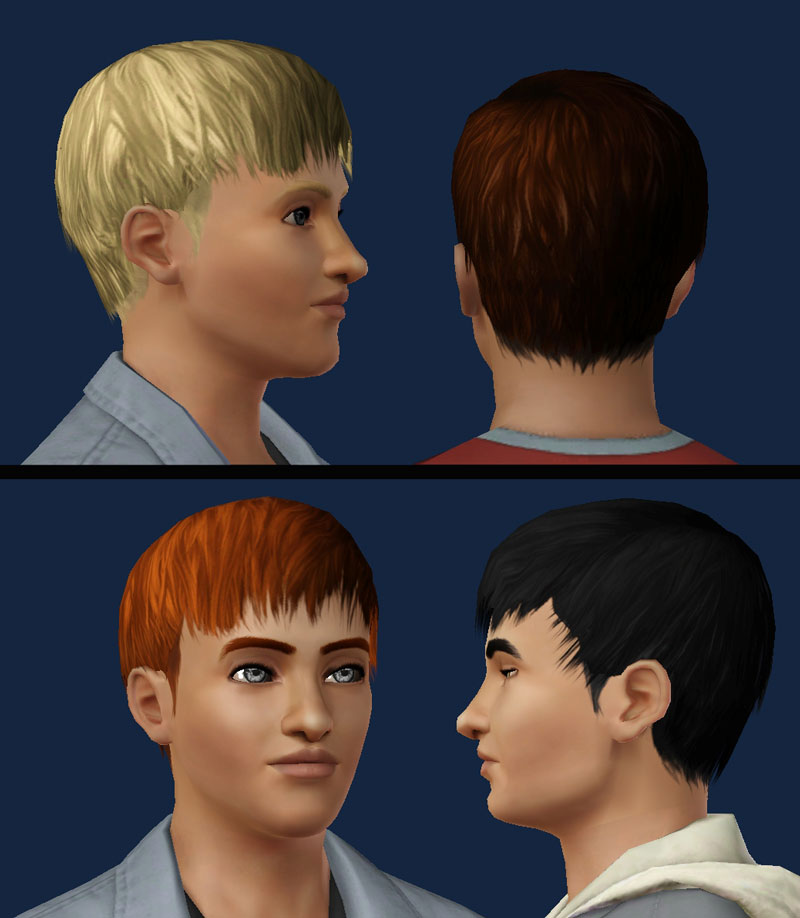
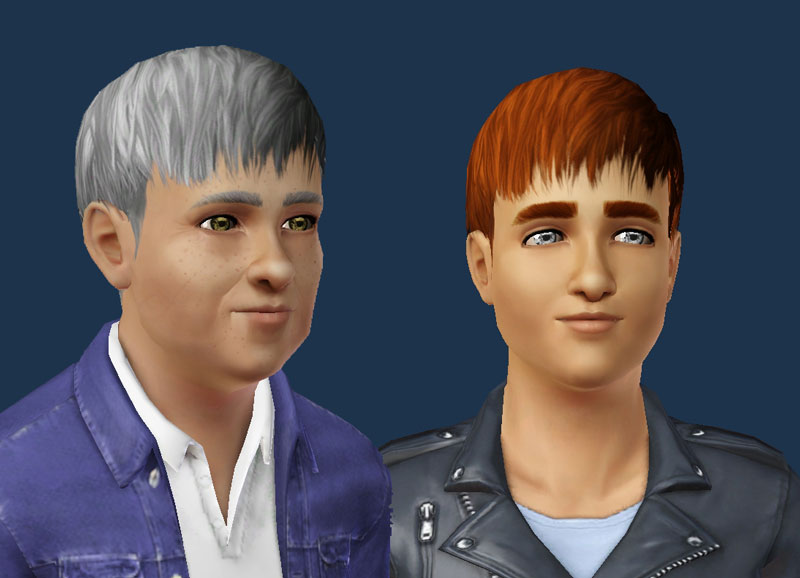
Screenshot-44.jpg - width=311 height=344
Screenshot-38.jpg - width=800 height=659
Screenshot-28.jpg - width=800 height=918
Screenshot-53.jpg - width=800 height=578
Screenshot-31.jpg - width=602 height=650

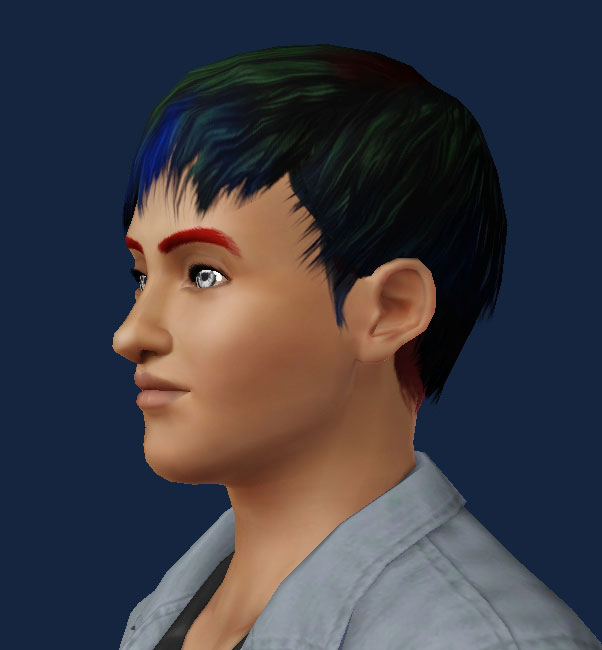
This hair is conversion of a hair made for TS2 by fanseelamb Here
I received a request to convert this hair, and I thought this is a good hair for Sims 3 men!
For Males only, available to teenagers, young adults,adults and elders.
I hope you enjoy!
Please leave a comment!

Polygon Counts:
861 polygons
Additional Credits:
A special thanks to fanseelamb the creator of the original Hair Here
Hysterical Paroxysm's Tutorial
Delphy's DABOOBs SimPE Wes for the Milk Shape plugins
Thanks joninmobile for theEmptied Blue Screen CAS screen
Skin by LadyFrontbum
I received a request to convert this hair, and I thought this is a good hair for Sims 3 men!
For Males only, available to teenagers, young adults,adults and elders.
I hope you enjoy!

Please leave a comment!
Polygon Counts:
861 polygons
Additional Credits:
A special thanks to fanseelamb the creator of the original Hair Here
Hysterical Paroxysm's Tutorial
Delphy's DABOOBs SimPE Wes for the Milk Shape plugins
Thanks joninmobile for theEmptied Blue Screen CAS screen
Skin by LadyFrontbum
This is a new mesh, and means that it's a brand new self contained object that usually does not require a specific Pack (although this is possible depending on the type). It may have Recolours hosted on MTS - check below for more information.
| Filename | Size | Downloads | Date | |||||
|
Cute Short Straight Locks Conversion.rar
Size: 422.8 KB · Downloads: 80,875 · 11th Feb 2011 |
422.8 KB | 80,875 | 11th Feb 2011 | |||||
| For a detailed look at individual files, see the Information tab. | ||||||||
Key:
- - File was updated after upload was posted
Install Instructions
Quick Guide:
1. Click the file listed on the Files tab to download the file to your computer.
2. Extract the zip, rar, or 7z file. Now you will have either a .package or a .sims3pack file.
For Package files:
1. Cut and paste the file into your Documents\Electronic Arts\The Sims 3\Mods\Packages folder. If you do not already have this folder, you should read the full guide to Package files first: Sims 3:Installing Package Fileswiki, so you can make sure your game is fully patched and you have the correct Resource.cfg file.
2. Run the game, and find your content where the creator said it would be (build mode, buy mode, Create-a-Sim, etc.).
For Sims3Pack files:
1. Cut and paste it into your Documents\Electronic Arts\The Sims 3\Downloads folder. If you do not have this folder yet, it is recommended that you open the game and then close it again so that this folder will be automatically created. Then you can place the .sims3pack into your Downloads folder.
2. Load the game's Launcher, and click on the Downloads tab. Find the item in the list and tick the box beside it. Then press the Install button below the list.
3. Wait for the installer to load, and it will install the content to the game. You will get a message letting you know when it's done.
4. Run the game, and find your content where the creator said it would be (build mode, buy mode, Create-a-Sim, etc.).
Extracting from RAR, ZIP, or 7z: You will need a special program for this. For Windows, we recommend 7-Zip and for Mac OSX, we recommend Keka. Both are free and safe to use.
Need more help?
If you need more info, see:
1. Click the file listed on the Files tab to download the file to your computer.
2. Extract the zip, rar, or 7z file. Now you will have either a .package or a .sims3pack file.
For Package files:
1. Cut and paste the file into your Documents\Electronic Arts\The Sims 3\Mods\Packages folder. If you do not already have this folder, you should read the full guide to Package files first: Sims 3:Installing Package Fileswiki, so you can make sure your game is fully patched and you have the correct Resource.cfg file.
2. Run the game, and find your content where the creator said it would be (build mode, buy mode, Create-a-Sim, etc.).
For Sims3Pack files:
1. Cut and paste it into your Documents\Electronic Arts\The Sims 3\Downloads folder. If you do not have this folder yet, it is recommended that you open the game and then close it again so that this folder will be automatically created. Then you can place the .sims3pack into your Downloads folder.
2. Load the game's Launcher, and click on the Downloads tab. Find the item in the list and tick the box beside it. Then press the Install button below the list.
3. Wait for the installer to load, and it will install the content to the game. You will get a message letting you know when it's done.
4. Run the game, and find your content where the creator said it would be (build mode, buy mode, Create-a-Sim, etc.).
Extracting from RAR, ZIP, or 7z: You will need a special program for this. For Windows, we recommend 7-Zip and for Mac OSX, we recommend Keka. Both are free and safe to use.
Need more help?
If you need more info, see:
- For package files: Sims 3:Installing Package Fileswiki
- For Sims3pack files: Game Help:Installing TS3 Packswiki
Recolours of this mesh
There are 1 recolours of this mesh on MTS:
Also Thanked - Users who thanked this download also thanked:
Packs Needed
None, this is Sims 3 base game compatible!
Other Information
Hair Style:
– Natural Colours
– Maxis-Match
Maxis Flags:
– Not Applicable
Bin Type:
– Binned
Age:
– Teen
– Young Adult
– Adult
– Elder
Tags
#Hair, #male, #conversion, #Sims2
About Me
Now I'm just making custom content for the Sims 4, if you like my stuff Join my Site, Like my Facebook and
Subscribe to my channel.
Subscribe to my channel.
More Downloads BETA
Here are some more of my downloads: