
 Sign in to Mod The Sims
 -Phae's Phone Book- Look Up Neighbors' Numbers!
 -Phae's Phone Book- Look Up Neighbors' Numbers!
MTS has all free content, all the time. Donate to help keep it running.
SCREENSHOTS
PhonebookMain.jpg - width=799 height=700
PhonebookThinking.jpg - width=858 height=768
PhonebookDialog.jpg - width=768 height=761
PhonebookKnowing.jpg - width=496 height=690
Featured Upload!
This is a featured upload! It showcases the best talent and creativity available on MTS and in the community. 


Update: Now recolorable! Thanks to Alraris for requesting it. - Sept 18, '11
Echo has tracked down the 'stack underflow' bug and we've fixed it. Please redownload. Even if you didn't see the error originally, it will eventually plague you. Redownload the fixed version please. - June 29, '11
Well this is one of those 'took way too long' projects. Echo has been helping me out immensely with this since December. We had it almost done back in March when we ran into base game compatibility issues. After another 3 months of trying this or that or the other, I've figured out that its not likely possible to become basegame (or uni only) and to just release it as is. You need any EP above Uni to use this, it doesn't matter which though so I've not marked any of them as requirements so it won't get filtered out for someone who still could use it.
After that long disclaimer, what is it you ask. What has Phae been working on? Drum roll please! dadadadadadadad tata! A Phone Book!
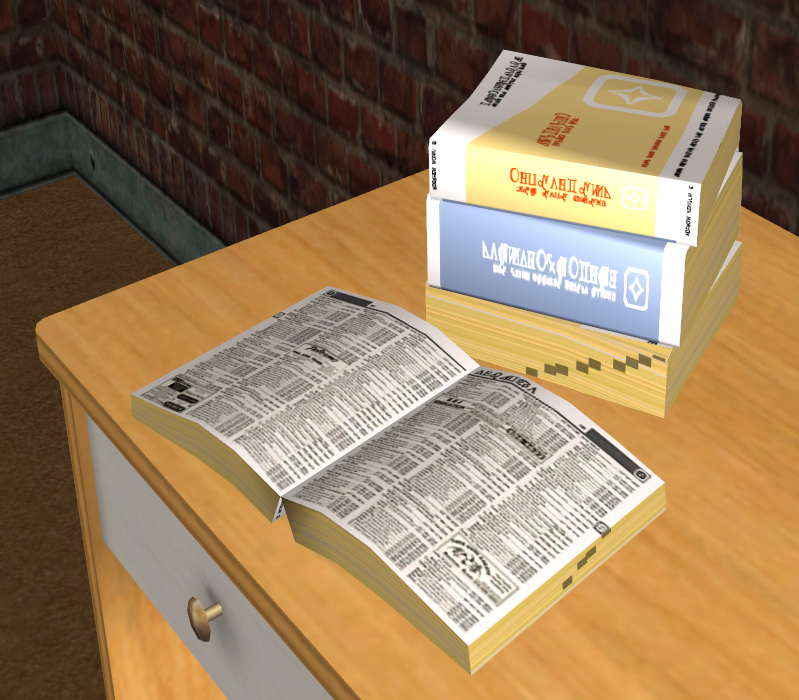
A phone book! That's nothing new or special you say. Well, that's where you are wrong! This is a very special phone book. It actually does stuff! You can actually walk up to it, think about what you want, and then find one of your neighbors (any callable sim in your hood or connected subhoods) and add them to your relationship panel. You can then go give them a call if you want.
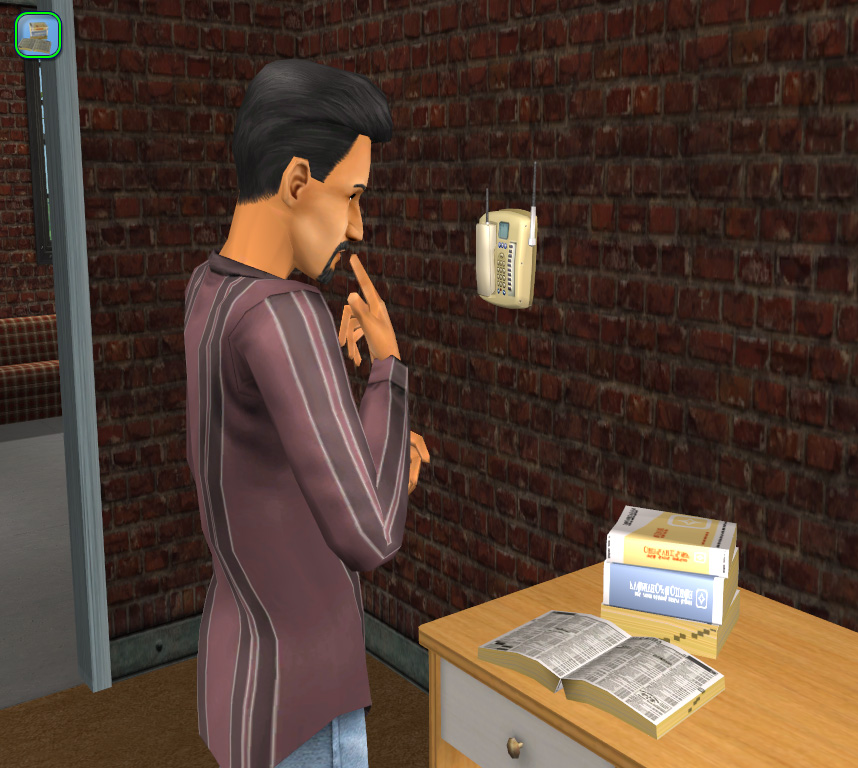
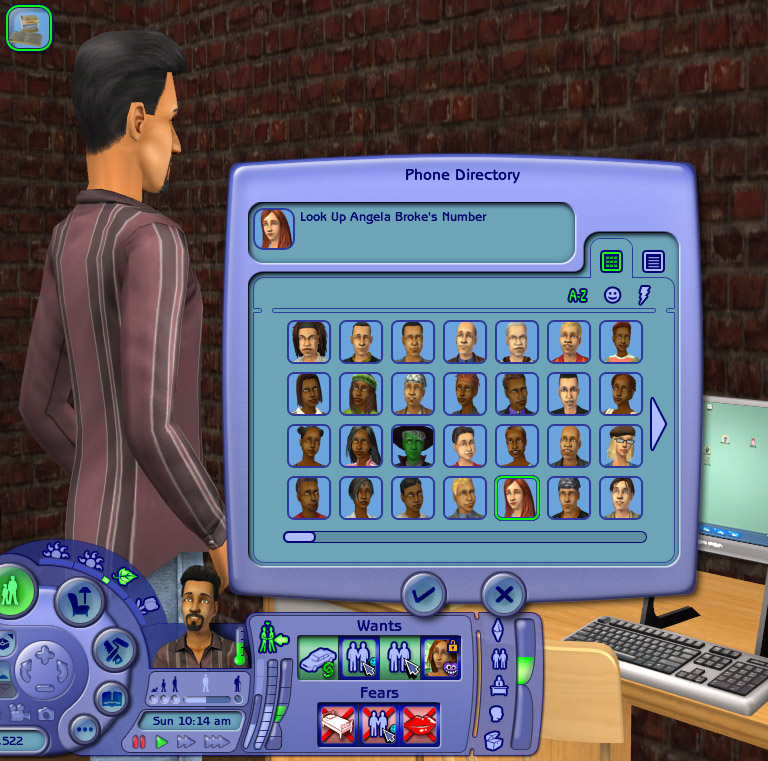
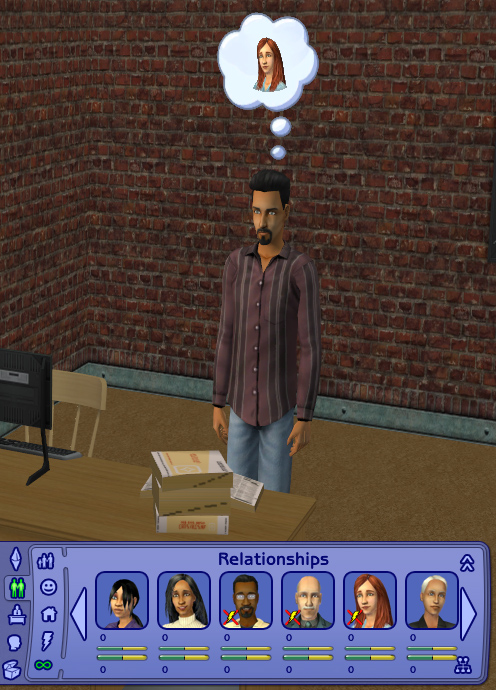
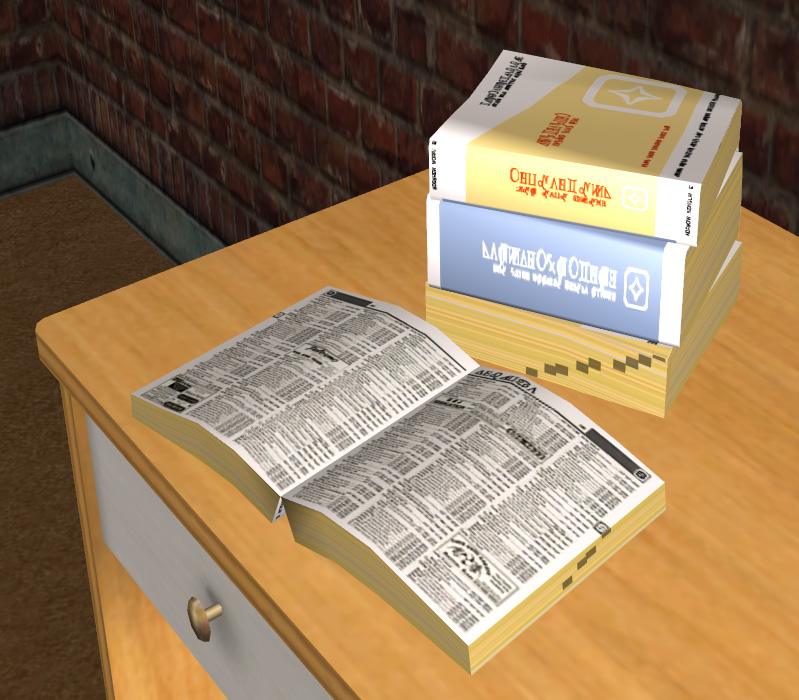
This little phone book is super cool for a couple different reasons, but let's not get ahead of ourselves. It can be found in the Small Electronics section (where the telephones are, for convenience) and costs you only $50. Upon placement you will notice the fantastic little low poly mesh (242f, 357v) I created from the in-game stack of phone books for child's booster seats and an open spell book. The texturing was meticulously done in Simlish, there are fun little advertisements splashed across the page, and the letter tabs match the ones on the side of the book of course. Small attention to detail is everything, no?
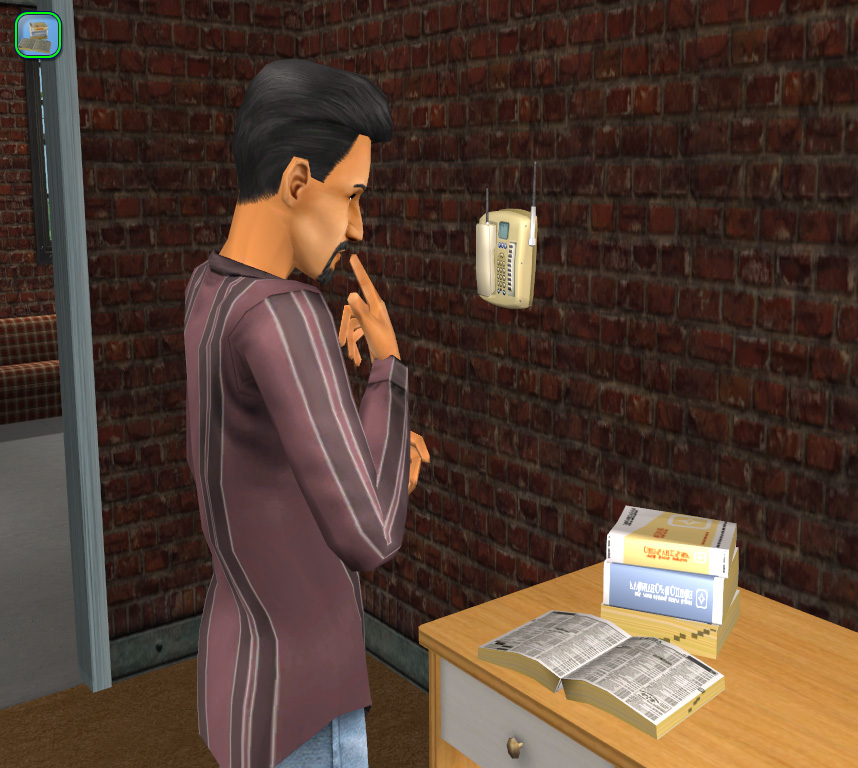
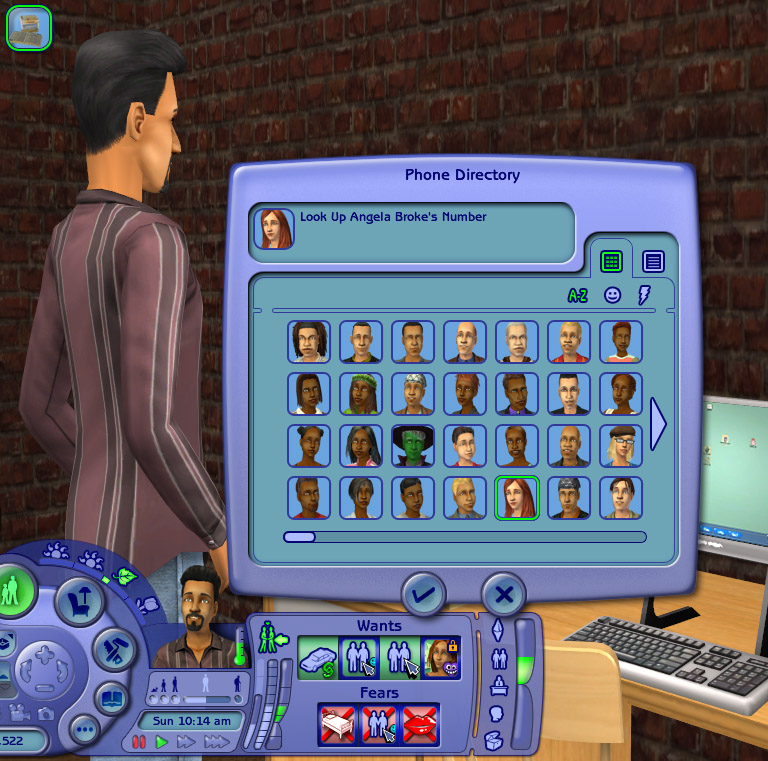
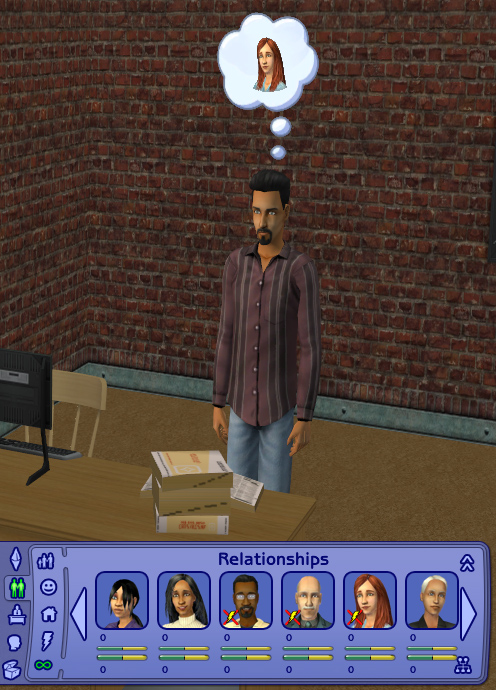
Click on the phone book and 'Look Up Number' appears. Clicking on it will direct the active sim to walk toward the phonebook, stop in front of it, play the animation of thinking and then 'aha', and then pull up a dialog box populated with every sim in the hood and connected subhoods that is callable and that you do not already know. Browse through the sim headshot photos or names list to find the sim you'd like to add to the relationship panel and click on them and hit the check button. That sim will now appear in your sim's relationship panel as 0/0 and a little thought bubble will appear over your sim's head with that person in it. The other sim will not suddenly know you however. They didn't partake in the activity at all, right? Once you give them a call or do anything else that changes relationship status, then your sim will be in there's, just like normal.
Cool, fine, but why do I want this?
Having the ability to add sims to your relationship panel is a good thing because that will allow you to call them. You can add extended family members or potential love interests that way without having to hope that they will walk by or you chance meet them downtown at the club. Maybe little junior has never actually met grandma in person, but this way they can have a relationship by phone at least. Or Don can look up the numbers to all the local hotties in town and set up some dates for the weekend. Whatever
Enjoy!
-Phae
P.S. REMEMBER, you NEED any EP above Uni or it won't work. The phone book will appear in your game but the interaction will drop straight out of your sim's queue if you don't have any EPs.
Additional Credits:
Huge Huge Huge thanks to Echo! She is always a source of friendly help, extreme knowledge, and this would not have gotten off the ground without her. Go click one of her thanks buttons or send her a nice Thank You PM.
HugeLunatic, maybesomethingdunno, and MogHughson for their help as well. You can read all about the trial and tribulations in the OW thread.
Credits to monique and her Relationship Panel which was my jumping off point before Echo pulled out and rewrote all the BHAVs I had originally borrowed. Her object works the opposite way, removing sims, until she added an add feature. My object has no way of removing any, so if you hate what you've done to your panel, I'd suggest using hers to clean it back up.
Finally credits to dizzy2 for his original Call Anyone mod that inspired this in the first place. I had his mod for a while but didn't like that it auto-loaded into the phone and pulled everyone all the time. Making a phone call took 5 minutes loading time at least! Ridiculous. That's why this is a separate object and not part of the phone network.
Echo has tracked down the 'stack underflow' bug and we've fixed it. Please redownload. Even if you didn't see the error originally, it will eventually plague you. Redownload the fixed version please. - June 29, '11
Well this is one of those 'took way too long' projects. Echo has been helping me out immensely with this since December. We had it almost done back in March when we ran into base game compatibility issues. After another 3 months of trying this or that or the other, I've figured out that its not likely possible to become basegame (or uni only) and to just release it as is. You need any EP above Uni to use this, it doesn't matter which though so I've not marked any of them as requirements so it won't get filtered out for someone who still could use it.
After that long disclaimer, what is it you ask. What has Phae been working on? Drum roll please! dadadadadadadad tata! A Phone Book!
A phone book! That's nothing new or special you say. Well, that's where you are wrong! This is a very special phone book. It actually does stuff! You can actually walk up to it, think about what you want, and then find one of your neighbors (any callable sim in your hood or connected subhoods) and add them to your relationship panel. You can then go give them a call if you want.
This little phone book is super cool for a couple different reasons, but let's not get ahead of ourselves. It can be found in the Small Electronics section (where the telephones are, for convenience) and costs you only $50. Upon placement you will notice the fantastic little low poly mesh (242f, 357v) I created from the in-game stack of phone books for child's booster seats and an open spell book. The texturing was meticulously done in Simlish, there are fun little advertisements splashed across the page, and the letter tabs match the ones on the side of the book of course. Small attention to detail is everything, no?
Click on the phone book and 'Look Up Number' appears. Clicking on it will direct the active sim to walk toward the phonebook, stop in front of it, play the animation of thinking and then 'aha', and then pull up a dialog box populated with every sim in the hood and connected subhoods that is callable and that you do not already know. Browse through the sim headshot photos or names list to find the sim you'd like to add to the relationship panel and click on them and hit the check button. That sim will now appear in your sim's relationship panel as 0/0 and a little thought bubble will appear over your sim's head with that person in it. The other sim will not suddenly know you however. They didn't partake in the activity at all, right? Once you give them a call or do anything else that changes relationship status, then your sim will be in there's, just like normal.
Cool, fine, but why do I want this?
Having the ability to add sims to your relationship panel is a good thing because that will allow you to call them. You can add extended family members or potential love interests that way without having to hope that they will walk by or you chance meet them downtown at the club. Maybe little junior has never actually met grandma in person, but this way they can have a relationship by phone at least. Or Don can look up the numbers to all the local hotties in town and set up some dates for the weekend. Whatever

Enjoy!
-Phae
P.S. REMEMBER, you NEED any EP above Uni or it won't work. The phone book will appear in your game but the interaction will drop straight out of your sim's queue if you don't have any EPs.
Additional Credits:
Huge Huge Huge thanks to Echo! She is always a source of friendly help, extreme knowledge, and this would not have gotten off the ground without her. Go click one of her thanks buttons or send her a nice Thank You PM.

HugeLunatic, maybesomethingdunno, and MogHughson for their help as well. You can read all about the trial and tribulations in the OW thread.
Credits to monique and her Relationship Panel which was my jumping off point before Echo pulled out and rewrote all the BHAVs I had originally borrowed. Her object works the opposite way, removing sims, until she added an add feature. My object has no way of removing any, so if you hate what you've done to your panel, I'd suggest using hers to clean it back up.
Finally credits to dizzy2 for his original Call Anyone mod that inspired this in the first place. I had his mod for a while but didn't like that it auto-loaded into the phone and pulled everyone all the time. Making a phone call took 5 minutes loading time at least! Ridiculous. That's why this is a separate object and not part of the phone network.
| Filename | Size | Downloads | Date | |||||
|
Phaenoh_PhoneBook.rar
Size: 84.3 KB · Downloads: 118,871 · 29th Jun 2011 |
84.3 KB | 118,871 | 29th Jun 2011 | |||||
| For a detailed look at individual files, see the Information tab. | ||||||||
Key:
- - File was updated after upload was posted
Install Instructions
Basic Download and Install Instructions:
1. Download: Click the download link to save the .rar or .zip file(s) to your computer.
2. Extract the zip, rar, or 7z file.
3. Place in Downloads Folder: Cut and paste the .package file(s) into your Downloads folder:
1. Download: Click the download link to save the .rar or .zip file(s) to your computer.
2. Extract the zip, rar, or 7z file.
3. Place in Downloads Folder: Cut and paste the .package file(s) into your Downloads folder:
- Origin (Ultimate Collection): Users\(Current User Account)\Documents\EA Games\The Sims™ 2 Ultimate Collection\Downloads\
- Non-Origin, Windows Vista/7/8/10: Users\(Current User Account)\Documents\EA Games\The Sims 2\Downloads\
- Non-Origin, Windows XP: Documents and Settings\(Current User Account)\My Documents\EA Games\The Sims 2\Downloads\
- Mac: Users\(Current User Account)\Documents\EA Games\The Sims 2\Downloads
- Mac x64: /Library/Containers/com.aspyr.sims2.appstore/Data/Library/Application Support/Aspyr/The Sims 2/Downloads
- For a full, complete guide to downloading complete with pictures and more information, see: Game Help: Downloading for Fracking Idiots.
- Custom content not showing up in the game? See: Game Help: Getting Custom Content to Show Up.
- If you don't have a Downloads folder, just make one. See instructions at: Game Help: No Downloads Folder.
Also Thanked - Users who thanked this download also thanked:
by Lord Darcy
Packs Needed
None, this is Sims 2 base game compatible!
Other Information
Type:
– Social Mods
: Social Interaction Mods (things that change how sims interact with each other)
Tags
#phonebook, #phone book, #call, #relationship, #know, #add, #find, #search
Blurb and Updatez:
- Please don't reupload my work anywhere else. Just point them back here, I'm not going anywhere! :)
- Please ask permission before using my work as a base for your project. I almost always say 'yes' and often times I will help you with your project! :bunny:
- If you make something (like a story or a video) and it has something of mine in it, send me the link, I love to see my stuff 'in action'!
- Sadly, but honestly, I can't take on requests. You can ask if it's something already related to one of my current projects, but I'm not likely to take on your project for you. MTS has lots of wonderful tutorials ;)
More Downloads BETA
Here are some more of my downloads: