
 Sign in to Mod The Sims
 Modern Rug with 4 Recolorable Channels
 Modern Rug with 4 Recolorable Channels
MTS has all free content, all the time. Donate to help keep it running.
SCREENSHOTS
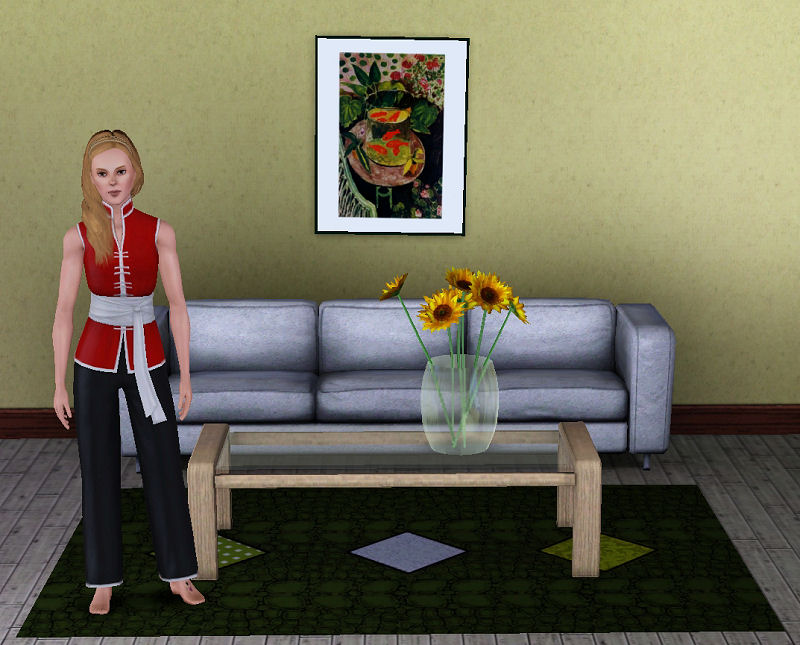
1-grns.jpg - width=800 height=626
3-original.jpg - width=800 height=640
4-choices.jpg - width=800 height=272
5-tiled.jpg - width=800 height=280
2-diamonds.jpg - width=800 height=645
Uploaded: 21st Jun 2011 at 7:08 PM
Updated: 30th Jun 2011 at 12:19 PM
Updated: 30th Jun 2011 at 12:19 PM
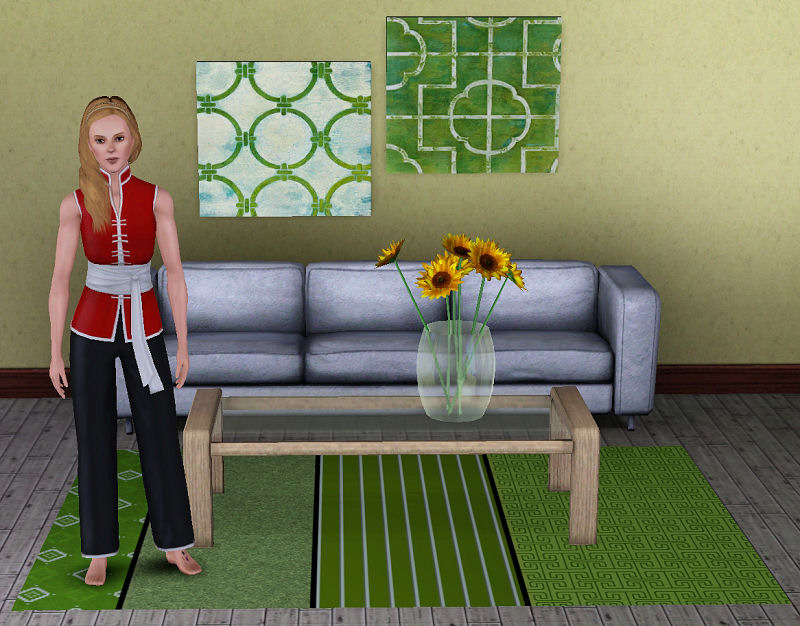
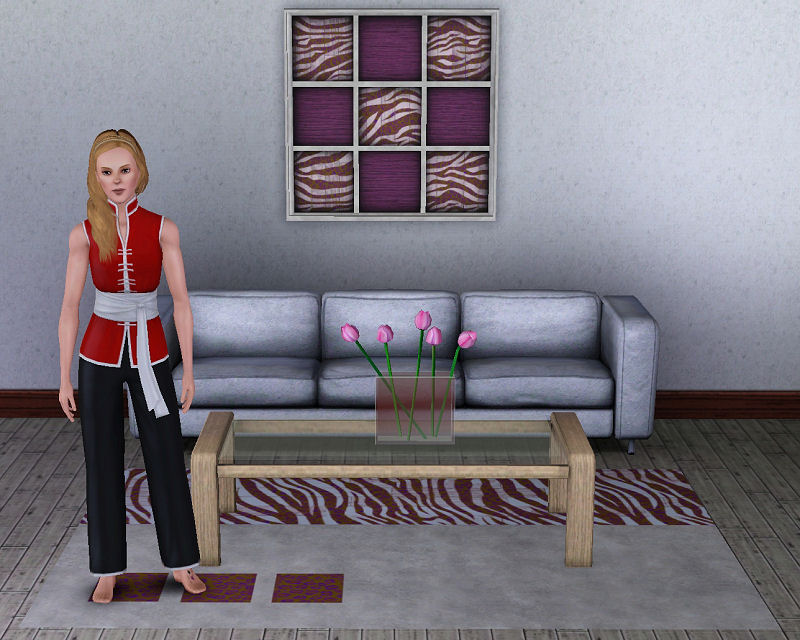
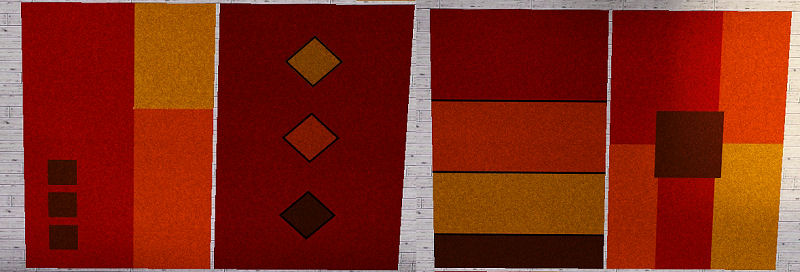
This is a rug with four recolorable channels and four choices of style to choose from. It will go under furniture without a cheat and Sims will walk over it. It can be found in Buy/Decorative/Rugs and costs $250. It is flat like EA's rugs so it will not clip the legs of furniture placed on it.
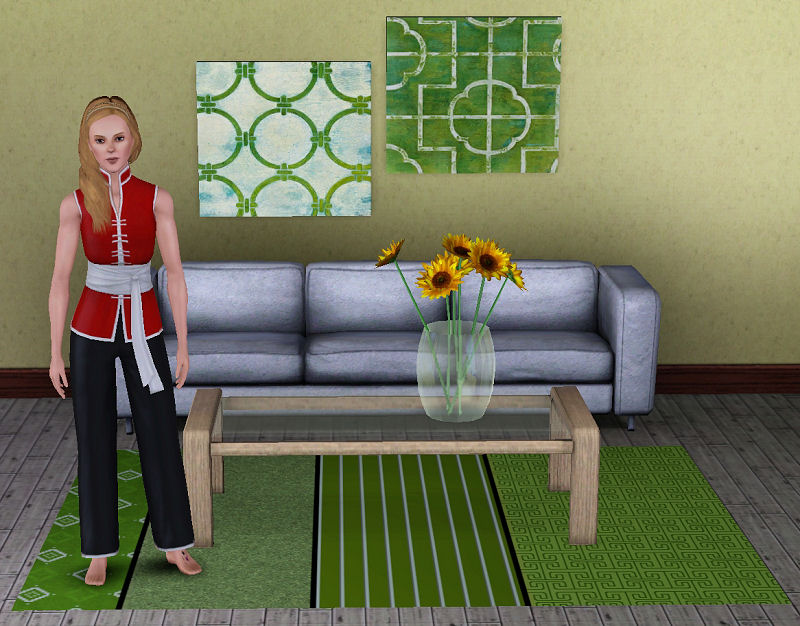
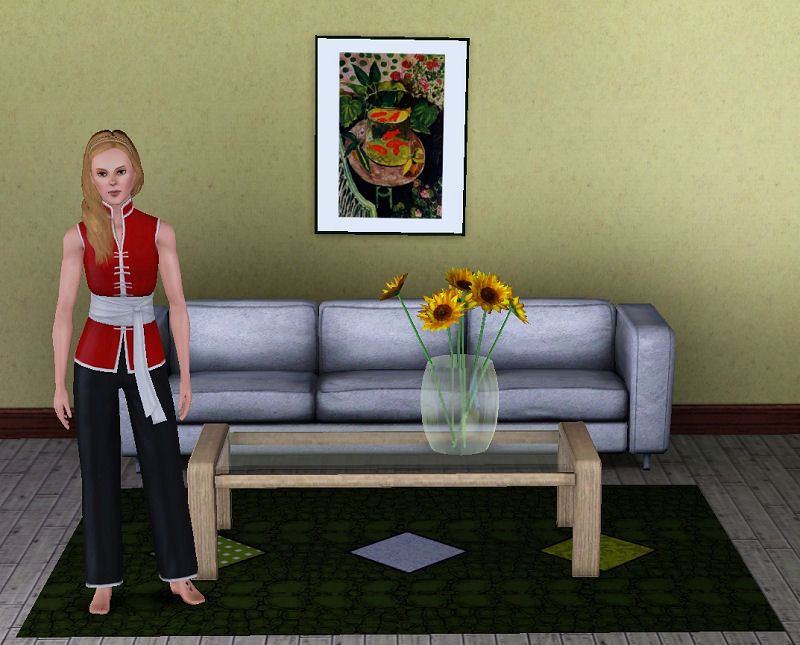
This picture shows the default patterns it has on it when first placed in the game:
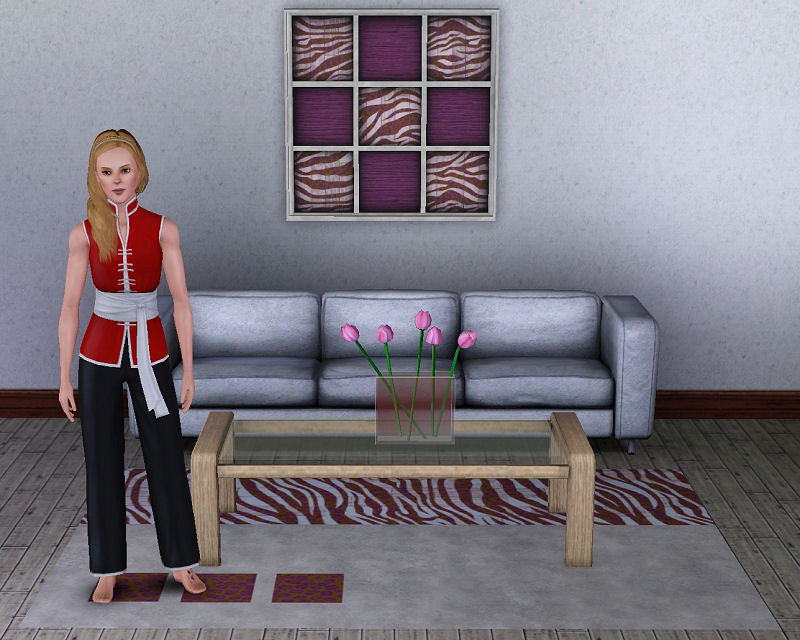
These are the 4 styles you can pick from:
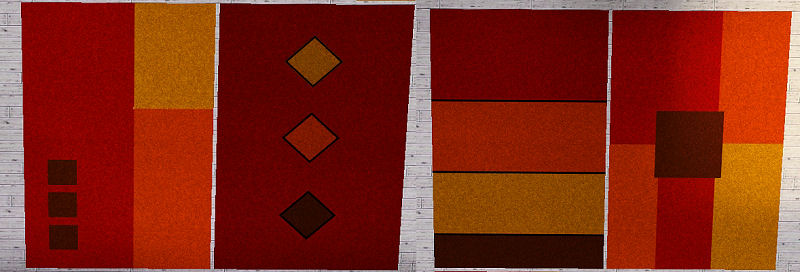
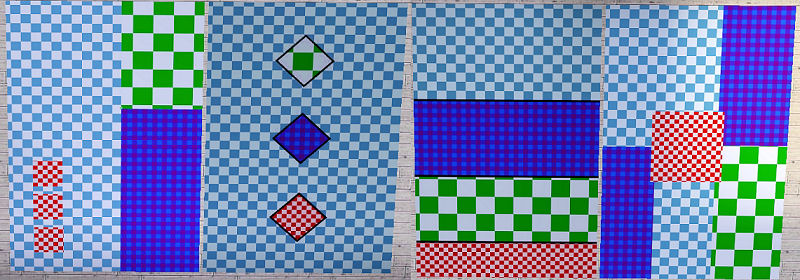
A picture showing how patterns tile on the rug is shown below. I hope you enjoy the rug
Picture Credit: Diamond pattern on rug in first picture by Heidi at Exotic Elements- http://www.exoticelements3.org/
Polygon Counts:
Vertices - 8
Faces - 4
Additional Credits:
Peter & Inge Jones, WesHowe, Cmomoney, Atavera
This picture shows the default patterns it has on it when first placed in the game:
These are the 4 styles you can pick from:
A picture showing how patterns tile on the rug is shown below. I hope you enjoy the rug

Picture Credit: Diamond pattern on rug in first picture by Heidi at Exotic Elements- http://www.exoticelements3.org/
Polygon Counts:
Vertices - 8
Faces - 4
Additional Credits:
Peter & Inge Jones, WesHowe, Cmomoney, Atavera
This is a new mesh, and means that it's a brand new self contained object that usually does not require a specific Pack (although this is possible depending on the type). It may have Recolours hosted on MTS - check below for more information.
| Filename | Size | Downloads | Date | |||||
|
om_Rug_Mod4Chan.rar
| Modern rug with 4 different patterns and 4 recolorable channels.
Size: 901.6 KB · Downloads: 5,015 · 21st Jun 2011 |
901.6 KB | 5,015 | 21st Jun 2011 | |||||
| For a detailed look at individual files, see the Information tab. | ||||||||
Key:
- - File was updated after upload was posted
Install Instructions
Quick Guide:
1. Click the file listed on the Files tab to download the file to your computer.
2. Extract the zip, rar, or 7z file. Now you will have either a .package or a .sims3pack file.
For Package files:
1. Cut and paste the file into your Documents\Electronic Arts\The Sims 3\Mods\Packages folder. If you do not already have this folder, you should read the full guide to Package files first: Sims 3:Installing Package Fileswiki, so you can make sure your game is fully patched and you have the correct Resource.cfg file.
2. Run the game, and find your content where the creator said it would be (build mode, buy mode, Create-a-Sim, etc.).
For Sims3Pack files:
1. Cut and paste it into your Documents\Electronic Arts\The Sims 3\Downloads folder. If you do not have this folder yet, it is recommended that you open the game and then close it again so that this folder will be automatically created. Then you can place the .sims3pack into your Downloads folder.
2. Load the game's Launcher, and click on the Downloads tab. Find the item in the list and tick the box beside it. Then press the Install button below the list.
3. Wait for the installer to load, and it will install the content to the game. You will get a message letting you know when it's done.
4. Run the game, and find your content where the creator said it would be (build mode, buy mode, Create-a-Sim, etc.).
Extracting from RAR, ZIP, or 7z: You will need a special program for this. For Windows, we recommend 7-Zip and for Mac OSX, we recommend Keka. Both are free and safe to use.
Need more help?
If you need more info, see:
1. Click the file listed on the Files tab to download the file to your computer.
2. Extract the zip, rar, or 7z file. Now you will have either a .package or a .sims3pack file.
For Package files:
1. Cut and paste the file into your Documents\Electronic Arts\The Sims 3\Mods\Packages folder. If you do not already have this folder, you should read the full guide to Package files first: Sims 3:Installing Package Fileswiki, so you can make sure your game is fully patched and you have the correct Resource.cfg file.
2. Run the game, and find your content where the creator said it would be (build mode, buy mode, Create-a-Sim, etc.).
For Sims3Pack files:
1. Cut and paste it into your Documents\Electronic Arts\The Sims 3\Downloads folder. If you do not have this folder yet, it is recommended that you open the game and then close it again so that this folder will be automatically created. Then you can place the .sims3pack into your Downloads folder.
2. Load the game's Launcher, and click on the Downloads tab. Find the item in the list and tick the box beside it. Then press the Install button below the list.
3. Wait for the installer to load, and it will install the content to the game. You will get a message letting you know when it's done.
4. Run the game, and find your content where the creator said it would be (build mode, buy mode, Create-a-Sim, etc.).
Extracting from RAR, ZIP, or 7z: You will need a special program for this. For Windows, we recommend 7-Zip and for Mac OSX, we recommend Keka. Both are free and safe to use.
Need more help?
If you need more info, see:
- For package files: Sims 3:Installing Package Fileswiki
- For Sims3pack files: Game Help:Installing TS3 Packswiki
Also Thanked - Users who thanked this download also thanked:
Packs Needed
None, this is Sims 3 base game compatible!
Other Information
Style:
– Retro
– Contemporary
– Modern
Room:
– Living
: Living Room
– Dining
: Dining Room
– Bedroom
– Nursery
– Study
: Study/Office
Maxis Flags:
– Not Applicable
Tags
#rug, #modern, #decorative, #living room
More Downloads BETA
Here are some more of my downloads: