
 Sign in to Mod The Sims
 Wedding Bliss - 3 Wedding Veil Accessories
 Wedding Bliss - 3 Wedding Veil Accessories
MTS has all free content, all the time. Donate to help keep it running.
SCREENSHOTS
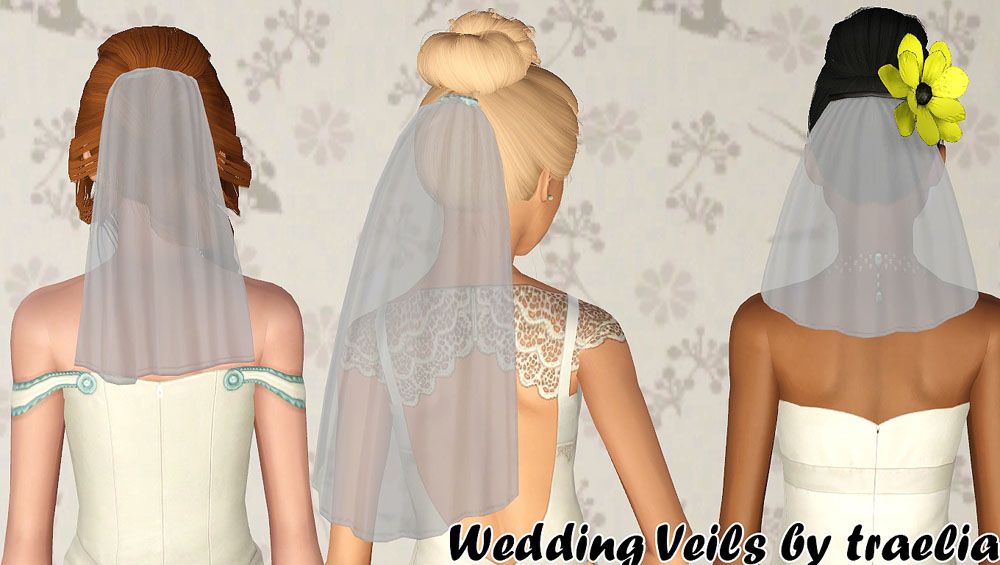


promo.jpg - width=1000 height=565
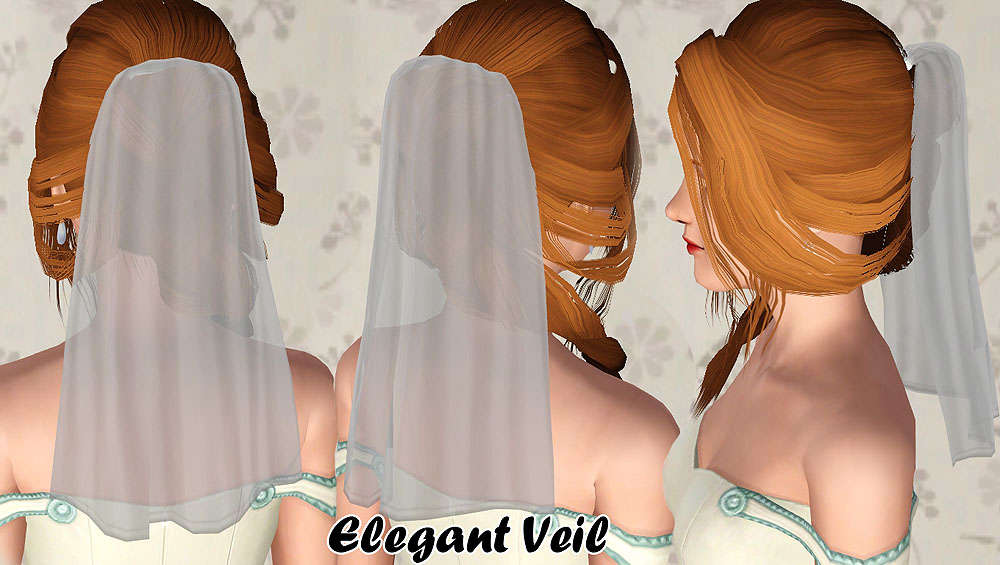
ElegantVeil.jpg - width=1000 height=565
SimpleVeil.jpg - width=1000 height=480
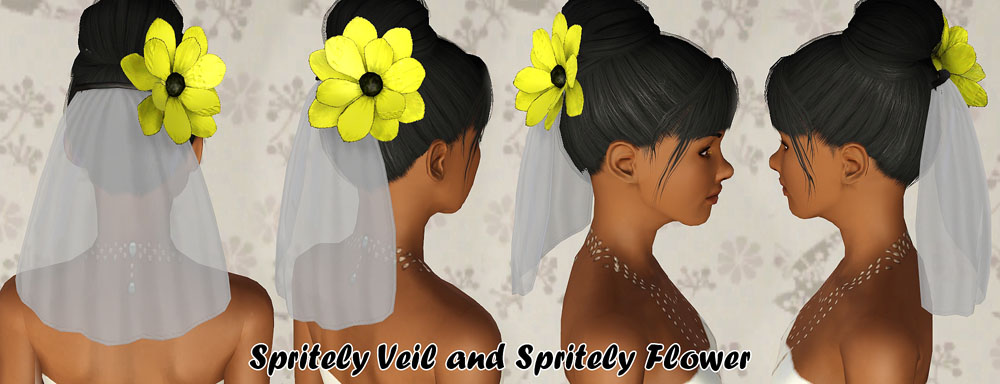
SpritelyVeil.jpg - width=1000 height=384
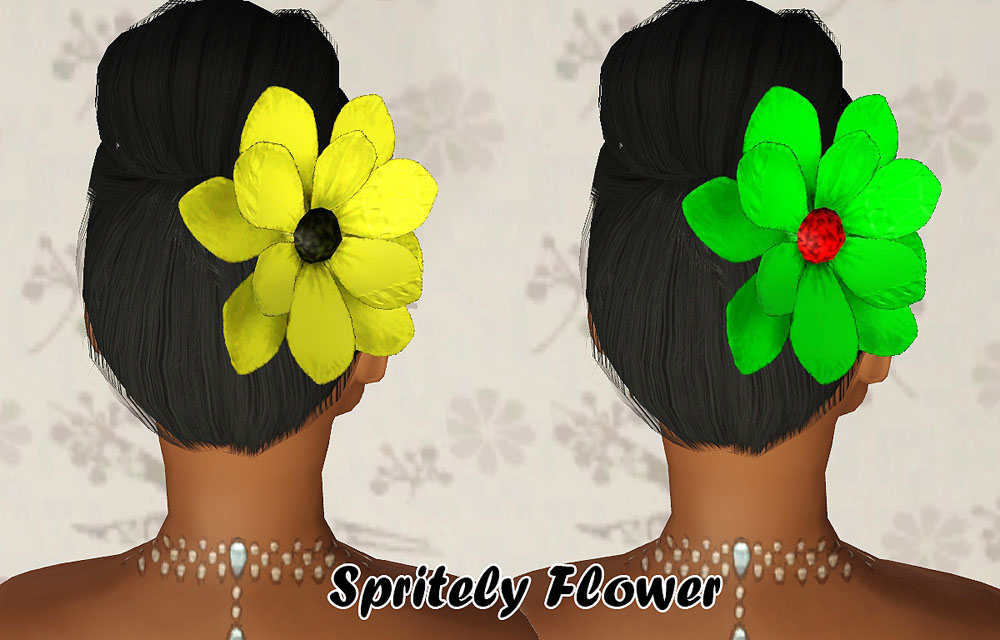
SpritelyFlower.jpg - width=1000 height=640
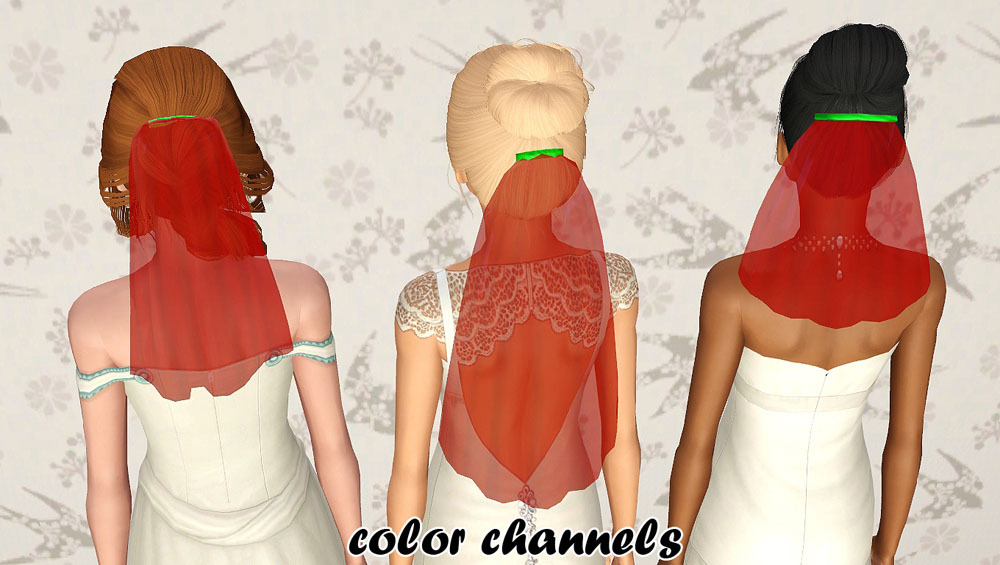
colorchannels.jpg - width=1000 height=565
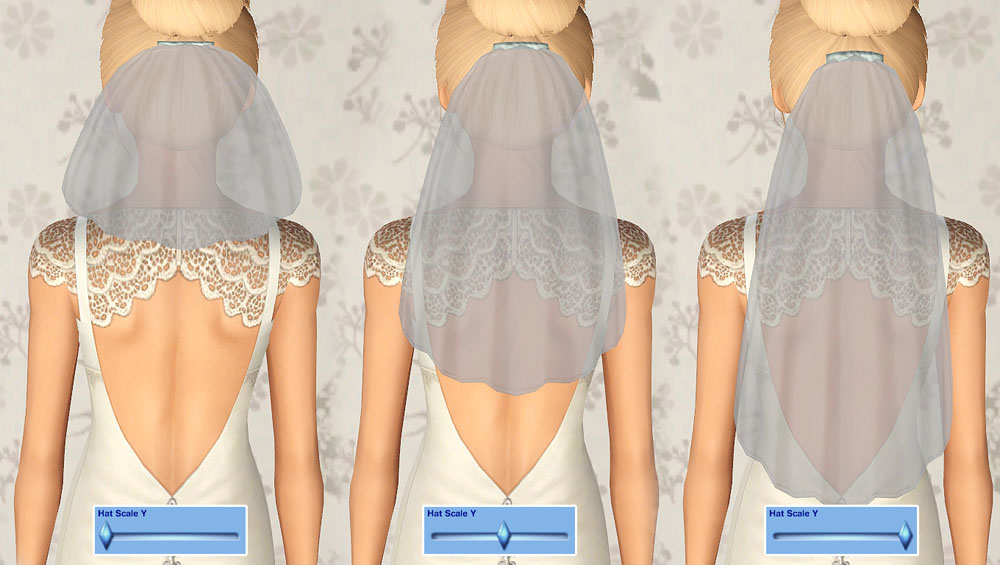
scaleY.jpg - width=1000 height=565
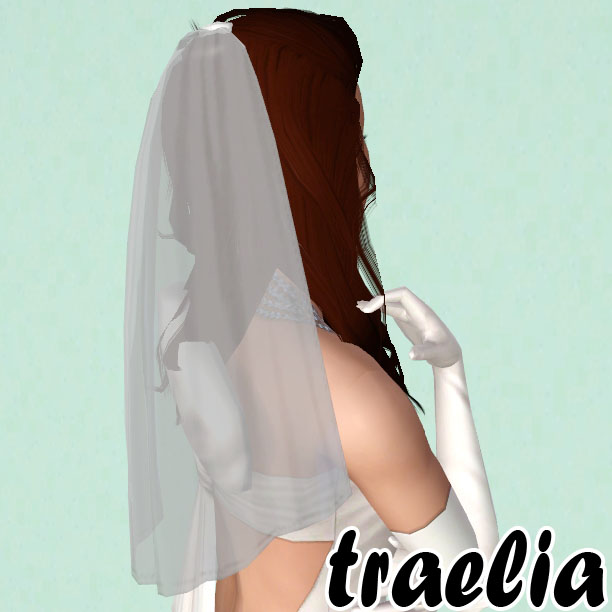
thumb.jpg - width=612 height=612
Picked Upload!
This is a picked upload! It showcases some of the best talent and creativity available on MTS and in the community.


Okay so, these veils were A LOT of work. There was a ton of frustration and confusion.. Tons of expirementing to get them to work.. and in the end it ended up being more than worth it.
There are many things you MUST know about these veils. First off, I really REALLY reccommend using aWT's hat sliders for these. They can be adjusted for height if you have them, making the veils longer or shorter, see:
These veils are converted and dehairified from the three store veils in the Romanza bridal set. There is is also some changes to the meshes and textures, but everything is originally from the store. They are found in the accessories, under the WA armband (None of the veils require WA thankfully). HOWEVER, the Spritely Flower REQUIRES WA, plus I could not get the flower and the veil to be on the same mesh, sooo I’ve also included a bracelet version of the flower so you can use it with your veil, as well as a standalone version if you just want the flower, that is an armband. There are two color channels on each of these.
Custom Content on the Wedding models
The Elegant Veil model hair is by me.
The Simple Veil model hair is by Anto/Robodl.
The Spritely Veil model hair is from the store.
All of their dresses are also from the store, Elegant, Simple, Spritely.
Polygon Counts:
Elegant Veil: 445 verts, 754 faces
Simple Veil: 255 verts, 386 faces
Spritely Veil: 247 verts, 386 faces
Spritely Flower: 320 verts, 324 faces
Additional Credits:
I’d like to take the time to thank Daluved1 for all of her help with this. I would have never finished this project without her!
Also quick thank you to Elexis who helped me fix the thumbnails on the Spritely Flower! :3
There are many things you MUST know about these veils. First off, I really REALLY reccommend using aWT's hat sliders for these. They can be adjusted for height if you have them, making the veils longer or shorter, see:
These veils are converted and dehairified from the three store veils in the Romanza bridal set. There is is also some changes to the meshes and textures, but everything is originally from the store. They are found in the accessories, under the WA armband (None of the veils require WA thankfully). HOWEVER, the Spritely Flower REQUIRES WA, plus I could not get the flower and the veil to be on the same mesh, sooo I’ve also included a bracelet version of the flower so you can use it with your veil, as well as a standalone version if you just want the flower, that is an armband. There are two color channels on each of these.
Custom Content on the Wedding models
The Elegant Veil model hair is by me.
The Simple Veil model hair is by Anto/Robodl.
The Spritely Veil model hair is from the store.
All of their dresses are also from the store, Elegant, Simple, Spritely.
Polygon Counts:
Elegant Veil: 445 verts, 754 faces
Simple Veil: 255 verts, 386 faces
Spritely Veil: 247 verts, 386 faces
Spritely Flower: 320 verts, 324 faces
Additional Credits:
I’d like to take the time to thank Daluved1 for all of her help with this. I would have never finished this project without her!
Also quick thank you to Elexis who helped me fix the thumbnails on the Spritely Flower! :3
This is a new mesh, and means that it's a brand new self contained object that usually does not require a specific Pack (although this is possible depending on the type). It may have Recolours hosted on MTS - check below for more information.
| Filename | Size | Downloads | Date | |||||
|
Spritely Veil by traelia.rar
Size: 675.7 KB · Downloads: 28,937 · 29th Jul 2012 |
675.7 KB | 28,937 | 29th Jul 2012 | |||||
|
Spritely Flower by traelia.rar
Size: 2.04 MB · Downloads: 25,553 · 29th Jul 2012 |
2.04 MB | 25,553 | 29th Jul 2012 | |||||
|
Simple Veil by traelia.rar
Size: 863.5 KB · Downloads: 41,824 · 29th Jul 2012 |
863.5 KB | 41,824 | 29th Jul 2012 | |||||
|
Elegant Veil by traelia.rar
Size: 718.9 KB · Downloads: 53,211 · 29th Jul 2012 |
718.9 KB | 53,211 | 29th Jul 2012 | |||||
| For a detailed look at individual files, see the Information tab. | ||||||||
Key:
- - File was updated after upload was posted
Install Instructions
Quick Guide:
1. Click the file listed on the Files tab to download the file to your computer.
2. Extract the zip, rar, or 7z file. Now you will have either a .package or a .sims3pack file.
For Package files:
1. Cut and paste the file into your Documents\Electronic Arts\The Sims 3\Mods\Packages folder. If you do not already have this folder, you should read the full guide to Package files first: Sims 3:Installing Package Fileswiki, so you can make sure your game is fully patched and you have the correct Resource.cfg file.
2. Run the game, and find your content where the creator said it would be (build mode, buy mode, Create-a-Sim, etc.).
For Sims3Pack files:
1. Cut and paste it into your Documents\Electronic Arts\The Sims 3\Downloads folder. If you do not have this folder yet, it is recommended that you open the game and then close it again so that this folder will be automatically created. Then you can place the .sims3pack into your Downloads folder.
2. Load the game's Launcher, and click on the Downloads tab. Find the item in the list and tick the box beside it. Then press the Install button below the list.
3. Wait for the installer to load, and it will install the content to the game. You will get a message letting you know when it's done.
4. Run the game, and find your content where the creator said it would be (build mode, buy mode, Create-a-Sim, etc.).
Extracting from RAR, ZIP, or 7z: You will need a special program for this. For Windows, we recommend 7-Zip and for Mac OSX, we recommend Keka. Both are free and safe to use.
Need more help?
If you need more info, see:
1. Click the file listed on the Files tab to download the file to your computer.
2. Extract the zip, rar, or 7z file. Now you will have either a .package or a .sims3pack file.
For Package files:
1. Cut and paste the file into your Documents\Electronic Arts\The Sims 3\Mods\Packages folder. If you do not already have this folder, you should read the full guide to Package files first: Sims 3:Installing Package Fileswiki, so you can make sure your game is fully patched and you have the correct Resource.cfg file.
2. Run the game, and find your content where the creator said it would be (build mode, buy mode, Create-a-Sim, etc.).
For Sims3Pack files:
1. Cut and paste it into your Documents\Electronic Arts\The Sims 3\Downloads folder. If you do not have this folder yet, it is recommended that you open the game and then close it again so that this folder will be automatically created. Then you can place the .sims3pack into your Downloads folder.
2. Load the game's Launcher, and click on the Downloads tab. Find the item in the list and tick the box beside it. Then press the Install button below the list.
3. Wait for the installer to load, and it will install the content to the game. You will get a message letting you know when it's done.
4. Run the game, and find your content where the creator said it would be (build mode, buy mode, Create-a-Sim, etc.).
Extracting from RAR, ZIP, or 7z: You will need a special program for this. For Windows, we recommend 7-Zip and for Mac OSX, we recommend Keka. Both are free and safe to use.
Need more help?
If you need more info, see:
- For package files: Sims 3:Installing Package Fileswiki
- For Sims3pack files: Game Help:Installing TS3 Packswiki
Also Thanked - Users who thanked this download also thanked:
More Downloads BETA
Here are some more of my downloads: