
 Sign in to Mod The Sims
- Site Map >
- Community >
- Sims Discussion >
- Sims 2 >
- Sims 2 Help >
- Other - Disappearing Neighbourhoods
- Site Map >
- Community >
- Sims Discussion >
- Sims 2 >
- Sims 2 Help >
- Other - Disappearing Neighbourhoods


#676
 24th Dec 2020 at 8:12 PM
24th Dec 2020 at 8:12 PM
Posts: 2,894
Thanks: 17928 in 66 Posts
I don't know anything about Macs, but have you tried a backup (if you have one)?
Or, regenerating the Sims2 folder for a fresh start, then slowly adding stuff in from your broken version? I had to do that recently when something went seriously weird.
My new downloads are on my Pillowfort
Or, regenerating the Sims2 folder for a fresh start, then slowly adding stuff in from your broken version? I had to do that recently when something went seriously weird.
My new downloads are on my Pillowfort
Advertisement



#677
24th Dec 2020 at 8:32 PM
24th Dec 2020 at 8:32 PM
@JesseMichaels19 For the files that keep appearing, check your Teleport folder, if there's anything in it, delete it. For your other problems, check your file limit:
https://modthesims.info/showthread.php?t=608063
https://modthesims.info/showthread.php?t=608063
I will choose a path that's clear- I will choose free will
-RUSH- -RADIO- -RADIO- -EON- -ARCHIVES-
Simpeople and Me Archive- 11Dots Archive- My Sims World Archive- Sims 1 Archive
Angel Classic Rock Mix!
-RUSH- -RADIO- -RADIO- -EON- -ARCHIVES-
Simpeople and Me Archive- 11Dots Archive- My Sims World Archive- Sims 1 Archive
Angel Classic Rock Mix!

#678
19th Jan 2021 at 4:05 AM
19th Jan 2021 at 4:05 AM
Posts: 10
First, thank you to simsample, Mootilda, and everyone else and maintained this thread for so many years. I don't know if you'll ever see this now, but your replies were super helpful in my damage control. Here's my saga (with a few questions for curiousity) with hopes that maybe it'll help someone else learn something about this mystery of mysteries.
This morning, when I loaded my Sims 2 game. I experienced massive corruption and lost about half a dozen neighborhood (disappearing/green grid error and missing files within). All of the neighborhoods lost were custom neighborhoods. The primary purpose of this post is documentation, but I would be curious to know …
-Has anyone ever had an issue with an installed subhood (in my case downtown) template just NOT showing up? (I'm talking about in the "add a downtown" way not in the "a subhood that's attached to the neighborhood way")
-Has anyone ever had a TON of their cc disappear during loading?
-Could this strange conglomeration of symptoms be my hitting some kind of "file limit" for my game overall? (I usually keep about 20gb-50gb free on this HD.)
For the record, I backed up my My Documents/ EA Games/ The Sims2/ Neighborhoods/neighborhoodManager.package/ I replaced it with Program files/ EA Games/ The Sims2/ TS Data/ Res/ User Data/ Neighborhoods/neighborhoodmanager.package a couple of times along the way
Operating system: Windows 10, with several days/plays since the last installed update on a Lenovo ThinkPad W520, running TS2 since 2014
Computer specs: Intel Core i7-2720QM CPU @ 2.2ghz / 16GB RAM / NVIDIA Quadro 1000M
Games: The Sims 2 and all expansion packs and stuff packs including TS2 Store Edition
Details of Neighborhood loss
When I loaded my game, two unplayed custom neighborhoods were missing. Several other played and unplayed custom neighborhoods has green grids instead of their usual neighborhood (usually custom) icons. My Maxis neighborhoods and several other custom neighborhoods were unaffected.
Neighborhood File details
All over the map. Some neighborhoods are perfectly fine. More than half of my custom/downloaded neighborhoods are so corrupted that they either won't appear at all or appear as green grid icon, loading with missing lots/pictures/people. Many of these neighborhoods were NEVER played.
The contents of the first two subfolders (alphabetically) in my DOWNLOADS folder (content specifically related to my custom neighborhoods) disappeared.
One of the surviving neighborhood is my largest neighbordhood in the game, Belladonna Cove. I played that from 2008-2018, and then I learned about file corruption, which explains that poor hood's massive crashes. It just hangs out there for posterity, but I thought it was interesting that the big old hood survived but the newer ones got squashed.
Could some of my custom neighborhoods be in conflict with eachother? Even if they're unplayed?
Sim PE Investigation:
The disappeared neighborhoods are not visible in SimPE. The green grid neighborhoods are visible in SimPE, but with varying success. Unplayed green-grid neighborhoods don't have the characters displaying correctly (will this change if I view them???). Every green grid neighbor seems to have some sort of corruption and file loss.
Unplayed neighborhoods have totally disappeared.
What changed on your system immediately before the corruption:
The day before the corruption, I played Pleasantview, which seems find. I built an unoccupied house. Also, on an occupied lot, I suspended and resumed a pregnancy.
The morning of the corruption, I awoke my computer from hibernation and I ran a new install of downloaded custom content. My downloads folder is about 4.3 GB total with a high file count and many subfolders. I pulled the new folders that I added and most of the files. I few were installed via Sims2Pack. At one point, Windows Explorer crashed during the extractions and it crashed again during my investigations when I was pulling files, so something is corrupted somewhere. But where???? I pulled most of my downloads, including those added via Sims2Pack (via CleanInstaller!)
There were no system changes for several days/plays; I double-checked my Windows Update install history.
For the game, the last neighborhood I played yesterday was Pleasantview, which appears to be uncorrupted.
Any other relevant information:
Over the last three weeks, I have installed several custom neighborhoods and subhood templates. Many, I haven't played yet. I had trouble with one new DT template showing up; no other users reported this problem in the post's thread. Coincidentally, the main hood version of this is one of the neighborhoods that showed up and then disappeared.
I'd also installed Beacon Falls and its custom content; that was some of the cc that was deleted mysteriously in those two folders EXCEPT for one file: the Beacon Halls special neighborhood mod. Suspicious, I deleted the unplayed hood and the mod - just in case that suddenly ran amok.
I keep my Program Files folder for TS2 as read-only to avoid corruption
A custom neighborhood I'd played 48 hours prior to the corruption has gone "green grid"; this is the only green-grid neighborhood I'd actually played (my Polgannon!). Most of my play was related to solving the murder mystery and not actual creating and storytelling of my own. The characters for this neighborhood load fine in SimPE, but ALL of the pictures/storytelling files are gone (if you've played this AMAZING hood, then you know that there's a ton). This neighborhood, for instance, will load, but all of the storytelling files are gone and many lots are missing.
Pleasantview, the last neighborhood I played, appears intact. ***When I loaded my first lot post-corruption, I got a "Welcome to the Sims 2 Store Edition" message the offered me the opportunity to turn on game tis (I'm guessing this is a result of the reset neighborhoodmanager).*** The lot in question was the last thing I worked on pre-disaster. It appears just as I left it. Last night's build was fairly normal, with the only possible exception being that I struggled with roof pieces and adding basement stairs. I don't know if these were signs of glitches or just the usual weirdness that can happen in buildmode.
In terms of crashes, I haven't crashed in years.
Here's something that could be important: Within the past 10 days, I had some trouble with a new downtown template showing up in my downtown adder? (I even pulled many subhoods out and re-added in an attempt to fix it)
I have no idea what happened, and I'm scared of it happening again.
I have accidentally overfilled the HD with MyDocs on it before (but never the HD with Program Files). It's been long enough that I don't THINK that's the source of courruption?
I do keep my laptop on a fan when simming to keep the computer cool and game performance has been fabulous.
I saw a pot by Mootilda a long time ago that
Conclusion: I'm going to (backup and) delete everything, let the game generate new UserData in MyDocuments and then re-add my essential neighborhoods and cc, etc. I did a game reinstall/rebuild just a few years ago with a cc cleanout and some of the cleaned Maxis templates. But FIRST, I'm going to get a new HD to eliminate disk errors as a cause (although I haven't noticed any other symptoms?).
Thanks again to everyone who's help evolve this conversation through the years. Also, thanks to Western Digital for reliable external HDs that house my backups.
I'll update if I learn anything new. <3
This morning, when I loaded my Sims 2 game. I experienced massive corruption and lost about half a dozen neighborhood (disappearing/green grid error and missing files within). All of the neighborhoods lost were custom neighborhoods. The primary purpose of this post is documentation, but I would be curious to know …
-Has anyone ever had an issue with an installed subhood (in my case downtown) template just NOT showing up? (I'm talking about in the "add a downtown" way not in the "a subhood that's attached to the neighborhood way")
-Has anyone ever had a TON of their cc disappear during loading?
-Could this strange conglomeration of symptoms be my hitting some kind of "file limit" for my game overall? (I usually keep about 20gb-50gb free on this HD.)
For the record, I backed up my My Documents/ EA Games/ The Sims2/ Neighborhoods/neighborhoodManager.package/ I replaced it with Program files/ EA Games/ The Sims2/ TS Data/ Res/ User Data/ Neighborhoods/neighborhoodmanager.package a couple of times along the way
Operating system: Windows 10, with several days/plays since the last installed update on a Lenovo ThinkPad W520, running TS2 since 2014
Computer specs: Intel Core i7-2720QM CPU @ 2.2ghz / 16GB RAM / NVIDIA Quadro 1000M
Games: The Sims 2 and all expansion packs and stuff packs including TS2 Store Edition
Details of Neighborhood loss
When I loaded my game, two unplayed custom neighborhoods were missing. Several other played and unplayed custom neighborhoods has green grids instead of their usual neighborhood (usually custom) icons. My Maxis neighborhoods and several other custom neighborhoods were unaffected.
Neighborhood File details
All over the map. Some neighborhoods are perfectly fine. More than half of my custom/downloaded neighborhoods are so corrupted that they either won't appear at all or appear as green grid icon, loading with missing lots/pictures/people. Many of these neighborhoods were NEVER played.
The contents of the first two subfolders (alphabetically) in my DOWNLOADS folder (content specifically related to my custom neighborhoods) disappeared.
One of the surviving neighborhood is my largest neighbordhood in the game, Belladonna Cove. I played that from 2008-2018, and then I learned about file corruption, which explains that poor hood's massive crashes. It just hangs out there for posterity, but I thought it was interesting that the big old hood survived but the newer ones got squashed.
Could some of my custom neighborhoods be in conflict with eachother? Even if they're unplayed?
Sim PE Investigation:
The disappeared neighborhoods are not visible in SimPE. The green grid neighborhoods are visible in SimPE, but with varying success. Unplayed green-grid neighborhoods don't have the characters displaying correctly (will this change if I view them???). Every green grid neighbor seems to have some sort of corruption and file loss.
Unplayed neighborhoods have totally disappeared.
What changed on your system immediately before the corruption:
The day before the corruption, I played Pleasantview, which seems find. I built an unoccupied house. Also, on an occupied lot, I suspended and resumed a pregnancy.
The morning of the corruption, I awoke my computer from hibernation and I ran a new install of downloaded custom content. My downloads folder is about 4.3 GB total with a high file count and many subfolders. I pulled the new folders that I added and most of the files. I few were installed via Sims2Pack. At one point, Windows Explorer crashed during the extractions and it crashed again during my investigations when I was pulling files, so something is corrupted somewhere. But where???? I pulled most of my downloads, including those added via Sims2Pack (via CleanInstaller!)
There were no system changes for several days/plays; I double-checked my Windows Update install history.
For the game, the last neighborhood I played yesterday was Pleasantview, which appears to be uncorrupted.
Any other relevant information:
Over the last three weeks, I have installed several custom neighborhoods and subhood templates. Many, I haven't played yet. I had trouble with one new DT template showing up; no other users reported this problem in the post's thread. Coincidentally, the main hood version of this is one of the neighborhoods that showed up and then disappeared.
I'd also installed Beacon Falls and its custom content; that was some of the cc that was deleted mysteriously in those two folders EXCEPT for one file: the Beacon Halls special neighborhood mod. Suspicious, I deleted the unplayed hood and the mod - just in case that suddenly ran amok.
I keep my Program Files folder for TS2 as read-only to avoid corruption
A custom neighborhood I'd played 48 hours prior to the corruption has gone "green grid"; this is the only green-grid neighborhood I'd actually played (my Polgannon!). Most of my play was related to solving the murder mystery and not actual creating and storytelling of my own. The characters for this neighborhood load fine in SimPE, but ALL of the pictures/storytelling files are gone (if you've played this AMAZING hood, then you know that there's a ton). This neighborhood, for instance, will load, but all of the storytelling files are gone and many lots are missing.
Pleasantview, the last neighborhood I played, appears intact. ***When I loaded my first lot post-corruption, I got a "Welcome to the Sims 2 Store Edition" message the offered me the opportunity to turn on game tis (I'm guessing this is a result of the reset neighborhoodmanager).*** The lot in question was the last thing I worked on pre-disaster. It appears just as I left it. Last night's build was fairly normal, with the only possible exception being that I struggled with roof pieces and adding basement stairs. I don't know if these were signs of glitches or just the usual weirdness that can happen in buildmode.
In terms of crashes, I haven't crashed in years.
Here's something that could be important: Within the past 10 days, I had some trouble with a new downtown template showing up in my downtown adder? (I even pulled many subhoods out and re-added in an attempt to fix it)
I have no idea what happened, and I'm scared of it happening again.
I have accidentally overfilled the HD with MyDocs on it before (but never the HD with Program Files). It's been long enough that I don't THINK that's the source of courruption?
I do keep my laptop on a fan when simming to keep the computer cool and game performance has been fabulous.
I saw a pot by Mootilda a long time ago that
Conclusion: I'm going to (backup and) delete everything, let the game generate new UserData in MyDocuments and then re-add my essential neighborhoods and cc, etc. I did a game reinstall/rebuild just a few years ago with a cc cleanout and some of the cleaned Maxis templates. But FIRST, I'm going to get a new HD to eliminate disk errors as a cause (although I haven't noticed any other symptoms?).
Thanks again to everyone who's help evolve this conversation through the years. Also, thanks to Western Digital for reliable external HDs that house my backups.
I'll update if I learn anything new. <3
#679
19th Jan 2021 at 11:15 AM
19th Jan 2021 at 11:15 AM
Hi @Starrytrek
First thing I would check is to make sure that your antivirus program is not trying to scan the Documents/ EA Games folder whilst the game is loading. Check your on-access exclusions, and add that folder to the list. If the game is trying to read/ write to those files whilst the AV has them locked, it will fail.
When the game loads, the UID of each neighbourhood is checked, and any conflicting UIDs are changed so that they are all unique. If the game is trying to write to several neighbourhoods and subhoods at once, and cannot access the files to read/write, that could potentially cause problems.
When you load the game, everything in your Documents/ EA Games folder is parsed. Even neighbourhoods you are not using. So if you have 50 neighbourhoods in your folder, they are all read each time... if you have some that you play infrequently, consider taking them out and saving them somewhere, just put them back in before you want to play them. Same goes for custom content you don't use. I have a set of userdata for each game setup I play, as I'm unlikely to need my space apocalypse CC when I'm playing Strangetown! I swap them in and out of the game by just renaming the 'The Sims 2' folder.
Yes, they are no good- you need to revert to a backup. It sounds like the game did not load the contents of the neighborhoods folder correctly, and when you exited the game it deleted what appeared to be superfluous files. If you installed the Sims2Pack files as teleport files, then they could have been lost too as they will be imported when the game is run.
If you have UAC turned on and the game installed to the default location (Program Files (x86)) then that folder is virtualized. If you have modded that folder at all and have changed things then it might be a good idea to delete your virtual store files, as these could be causing some confusion if you've had game crashes. These files are in Users\<username>\ AppData\ Local\ VirtualStore\ EAGames but you need to enable hidden files to see these. What I would recommend for anyone installing Sims 2 is to install it outside of the UAC protected locations (I have mine in a folder C:\Games\ EAGames) as this then allows you to freely mod the contents with no file virtualization.
If you have a large userdata folder (which it sounds like you do), you might want to reboot your computer before launching Sims 2- I've noticed that Windows 10 seems to take a long while to reload the profile after hibernation, so this could give you a better game experience.
Let us know how things go with your recovery and backups!
Quote: Originally posted by Starrytrek
| This morning, when I loaded my Sims 2 game. I experienced massive corruption and lost about half a dozen neighborhood (disappearing/green grid error and missing files within) |
First thing I would check is to make sure that your antivirus program is not trying to scan the Documents/ EA Games folder whilst the game is loading. Check your on-access exclusions, and add that folder to the list. If the game is trying to read/ write to those files whilst the AV has them locked, it will fail.
Quote: Originally posted by Starrytrek
| Could some of my custom neighborhoods be in conflict with eachother? Even if they're unplayed? |
When the game loads, the UID of each neighbourhood is checked, and any conflicting UIDs are changed so that they are all unique. If the game is trying to write to several neighbourhoods and subhoods at once, and cannot access the files to read/write, that could potentially cause problems.
Quote: Originally posted by Starrytrek
| Could this strange conglomeration of symptoms be my hitting some kind of "file limit" for my game overall |
When you load the game, everything in your Documents/ EA Games folder is parsed. Even neighbourhoods you are not using. So if you have 50 neighbourhoods in your folder, they are all read each time... if you have some that you play infrequently, consider taking them out and saving them somewhere, just put them back in before you want to play them. Same goes for custom content you don't use. I have a set of userdata for each game setup I play, as I'm unlikely to need my space apocalypse CC when I'm playing Strangetown! I swap them in and out of the game by just renaming the 'The Sims 2' folder.
Quote: Originally posted by Starrytrek
| The disappeared neighborhoods are not visible in SimPE. The green grid neighborhoods are visible in SimPE, but with varying success. Unplayed green-grid neighborhoods don't have the characters displaying correctly (will this change if I view them???). Every green grid neighbor seems to have some sort of corruption and file loss. Unplayed neighborhoods have totally disappeared. |
Yes, they are no good- you need to revert to a backup. It sounds like the game did not load the contents of the neighborhoods folder correctly, and when you exited the game it deleted what appeared to be superfluous files. If you installed the Sims2Pack files as teleport files, then they could have been lost too as they will be imported when the game is run.
Quote: Originally posted by Starrytrek
| I keep my Program Files folder for TS2 as read-only to avoid corruption... Here's something that could be important: Within the past 10 days, I had some trouble with a new downtown template showing up in my downtown adder? (I even pulled many subhoods out and re-added in an attempt to fix it) |
If you have UAC turned on and the game installed to the default location (Program Files (x86)) then that folder is virtualized. If you have modded that folder at all and have changed things then it might be a good idea to delete your virtual store files, as these could be causing some confusion if you've had game crashes. These files are in Users\<username>\ AppData\ Local\ VirtualStore\ EAGames but you need to enable hidden files to see these. What I would recommend for anyone installing Sims 2 is to install it outside of the UAC protected locations (I have mine in a folder C:\Games\ EAGames) as this then allows you to freely mod the contents with no file virtualization.
Quote: Originally posted by Starrytrek
| The morning of the corruption, I awoke my computer from hibernation |
If you have a large userdata folder (which it sounds like you do), you might want to reboot your computer before launching Sims 2- I've noticed that Windows 10 seems to take a long while to reload the profile after hibernation, so this could give you a better game experience.
Let us know how things go with your recovery and backups!

I will choose a path that's clear- I will choose free will
-RUSH- -RADIO- -RADIO- -EON- -ARCHIVES-
Simpeople and Me Archive- 11Dots Archive- My Sims World Archive- Sims 1 Archive
Angel Classic Rock Mix!
-RUSH- -RADIO- -RADIO- -EON- -ARCHIVES-
Simpeople and Me Archive- 11Dots Archive- My Sims World Archive- Sims 1 Archive
Angel Classic Rock Mix!
#680
3rd Mar 2021 at 3:30 AM
Last edited by PF94 : 3rd Mar 2021 at 9:50 PM.
Reason: another edit...
3rd Mar 2021 at 3:30 AM
Last edited by PF94 : 3rd Mar 2021 at 9:50 PM.
Reason: another edit...
Posts: 10
Guess I ended up in this situation...
Operating system: Windows 7 Ultimate 64-bit
Computer specs: Intel Core i3 2100, AMD Radeon HD 6850, 8GB of ram
Games: Sims 2 Ultimate collection (so, all EPs and SPs)
Details of Neighbourhood loss: After screwing around in one of my hood's college dorm for fun (which involved duplicating sims, which might be the culprit, and spamming fire) I checked HoodChecker to check if any signs of corruptions happended. There was, so I clicked on the repair thing, then I loaded Sims 2, and i noticed my hood doesn't appear in the main menu, instead, the college sub-hood appears.
Neighbourhood File details: They exist, and the neighborhood file is there.
Sim PE Investigation: The file loads successfully, and it seems to be okay.
What changed on your system immediately before the corruption: Nothing changed.
Any other relevant information: I have the Sims2RPC thing installed, which does modify the game code a bit, I addtionally have 3 simNopke addons, being the Need bars, Sky fix, and the shadow fix addons. They're visual fixes, so I doubt they would cause something.
I noticed there was a "bkp" file with the filename of N004_Neighborhood_0.bpk, i renamed that to N004_Neighborhood.package, and it still doesn't show up. I renamed the University file back to it's original filename (because I had renamed it before replying, to test if the game would detect the neighborhood and not the University)... it doesn't show anything for some reason???
I restored the original N004 folder, which was the one where the university sub-hood loaded... and oh no...

For some reason it's now a hidden Pets subhood?

The most recent modified file is Suburb006, which is because I moved that one to a sub-folder, but I moved it back to the N004 folder after that didn't work. If I remember correctly, the previous last modified date was closer to the other files.
The neighborhood file was last modified 9:24 PM, though I have versions of it where it was last modified 9:18 PM, 9:23 PM and 10:00 PM.
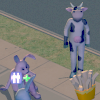
Edit: I basically gave up and made a new neighborhood, while extracting the files of my main household (the mascot family)... that one got corrupted as well and the game started to crash by just making a new neighboorhood whilst it was making the Pets sub-neighborhood. I ended up renaming my Sims 2 Ultimate Collection folder so that the game would generate a new one and it works.
Operating system: Windows 7 Ultimate 64-bit
Computer specs: Intel Core i3 2100, AMD Radeon HD 6850, 8GB of ram
Games: Sims 2 Ultimate collection (so, all EPs and SPs)
Details of Neighbourhood loss: After screwing around in one of my hood's college dorm for fun
 (which involved duplicating sims, which might be the culprit, and spamming fire) I checked HoodChecker to check if any signs of corruptions happended. There was, so I clicked on the repair thing, then I loaded Sims 2, and i noticed my hood doesn't appear in the main menu, instead, the college sub-hood appears.
Neighbourhood File details: They exist, and the neighborhood file is there.
Sim PE Investigation: The file loads successfully, and it seems to be okay.
What changed on your system immediately before the corruption: Nothing changed.
Any other relevant information: I have the Sims2RPC thing installed, which does modify the game code a bit, I addtionally have 3 simNopke addons, being the Need bars, Sky fix, and the shadow fix addons. They're visual fixes, so I doubt they would cause something.
I noticed there was a "bkp" file with the filename of N004_Neighborhood_0.bpk, i renamed that to N004_Neighborhood.package, and it still doesn't show up. I renamed the University file back to it's original filename (because I had renamed it before replying, to test if the game would detect the neighborhood and not the University)... it doesn't show anything for some reason???
I restored the original N004 folder, which was the one where the university sub-hood loaded... and oh no...
For some reason it's now a hidden Pets subhood?
The most recent modified file is Suburb006, which is because I moved that one to a sub-folder, but I moved it back to the N004 folder after that didn't work. If I remember correctly, the previous last modified date was closer to the other files.
The neighborhood file was last modified 9:24 PM, though I have versions of it where it was last modified 9:18 PM, 9:23 PM and 10:00 PM.
Edit: I basically gave up and made a new neighborhood, while extracting the files of my main household (the mascot family)... that one got corrupted as well and the game started to crash by just making a new neighboorhood whilst it was making the Pets sub-neighborhood. I ended up renaming my Sims 2 Ultimate Collection folder so that the game would generate a new one and it works.

#681
28th Mar 2021 at 8:52 PM
28th Mar 2021 at 8:52 PM
Posts: 375
Thanks: 158 in 1 Posts
This happened to me a few months ago, and it happened because I had auto sync activated, so every once in a while my computer syncs up with other devices that have my same info. One of these devices was my old computer, which I don't really use anymore, but it still has TS2 installed, and all of my folders are still there. Therefore, one time I used my old computer, it automatically synchronized with my new one, and my TS2 folders from both computers got mixed up, and all neighborhood disappeared because the data wouldn't match up anymore. The synchronization doesn't really realize that that was a disastrous thing to do!
Some times things like these can happen, and it sucks when you're really good at keeping your game safe, clean and corruption-free. So, here are my recommendations:
1. Always back up your folder. I didn't use to do this because I never really needed to, but you never know when something might happen. I recently got the Windows 10 update, and although it didn't erase my neighbourhoods, it did reset all my graphics and setting to their original state (I had to reset my camera mod, my in-game settings, my screen resolution and size settings, which are are pain to fix in Windows 10). Better safe than sorry!
2. Turn off auto sync if you don't really need to; this way your neighbourhoods from different computers won't mix. If you really do need to sync up your devices, go back to #1 and make sure you have a backup ready.
Some times things like these can happen, and it sucks when you're really good at keeping your game safe, clean and corruption-free. So, here are my recommendations:
1. Always back up your folder. I didn't use to do this because I never really needed to, but you never know when something might happen. I recently got the Windows 10 update, and although it didn't erase my neighbourhoods, it did reset all my graphics and setting to their original state (I had to reset my camera mod, my in-game settings, my screen resolution and size settings, which are are pain to fix in Windows 10). Better safe than sorry!
2. Turn off auto sync if you don't really need to; this way your neighbourhoods from different computers won't mix. If you really do need to sync up your devices, go back to #1 and make sure you have a backup ready.
Test Subject
#682
28th Mar 2021 at 10:03 PM
Last edited by JoeTeeth : 29th Mar 2021 at 8:44 PM.
28th Mar 2021 at 10:03 PM
Last edited by JoeTeeth : 29th Mar 2021 at 8:44 PM.
Posts: 15
First of all, I'm really glad this thread is stickied - I was terrified I'd be alone in this problem, when my new neighborhood is only just getting started!
If someone could please help me I'd be very grateful :D
EDIT: I fixed it! Well, if you want a job done properly...
For anyone else in my predicament; use Bulk Rename Utility to replace all instances of your neighborhood's filename with something brand new. So for instance, replace N004 with HOME or TOWN or somesuch.
- Operating system - Windows 10
- Computer specs - 4.00 GHz AMD FX 8350 Eight-Core Processor
- Games - The Sims 2 Ultimate Collection (with IKEA stuff pack installed manually)
- Details of Neighbourhood loss - All official neighborhoods are fine, just my N004 and N006 have gone
- Neighbourhood File details - Yes, all still there, I've replaced NeighborhoodManager as instructed in the first post
- SimPE Investigation - Yes, readable and nothing is amiss
- What changed on your system immediately before the corruption - I backed up my N004 so I could put all the lots (Unoccupied!) into the Lots & Houses Bin. When I tried to revert to the backup, N004 had vanished. This was last year; I figured I was done playing this neighborhood anyway so decided to ignore it and move on
Today I edited two N006 Townies in SimPE (altering their voices, vacation memories, skill points, and personalities) and loaded the game to find N006 is now missing too. I reverted to the backup I made before editing, but it was no good.
Both these neighborhoods are backups from before I made edits, so I don't know why the game is refusing to load them. - Any other relevant information - There is no N005, this was a failed hood that has been deleted
If someone could please help me I'd be very grateful :D
EDIT: I fixed it!
 Well, if you want a job done properly...
For anyone else in my predicament; use Bulk Rename Utility to replace all instances of your neighborhood's filename with something brand new. So for instance, replace N004 with HOME or TOWN or somesuch.
Who Posted
|
|