
 Sign in to Mod The Sims
 Project NO CC - Guo Sung
 Project NO CC - Guo Sung


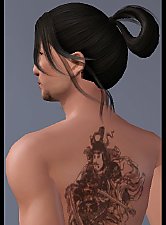
AdudeAdd1.jpg - width=1036 height=803
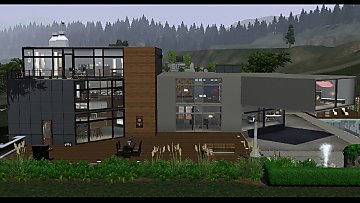
AdudeAdd2.jpg - width=1052 height=841
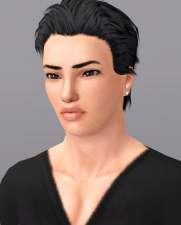
AdudeThumb.jpg - width=500 height=748


This one is a spin-off sim of a spin-off sim of which I made more spin-off sims!

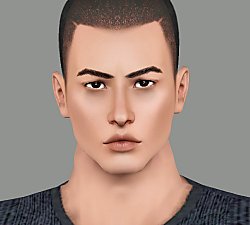
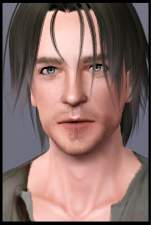
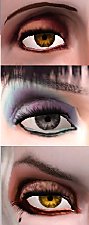
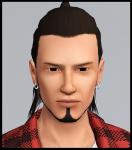
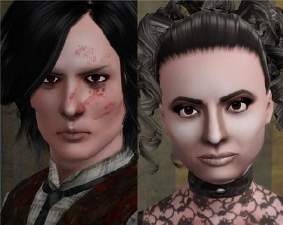
He's smoldering, a bit rough and very edgy.. And the look in his eyes make the ladie's (and certain gentlemen's) knees weak.
Well after all, he is a bit of involved in criminal circles.. Guo isn't evil or even mean spirited, he has just simply drifted to the criminal circles because of the heavily criminalized local area. Lately he has been thinking about his choice of a lifestyle, and weighed on his dreams.. Yes, dreams that he hasn't given tought at all in years. What will he make of his life? Or is it too late?

This sim contains NO CUSTOM CONTENT!
Also, he probably works without World Adventures expansion pack, since the only thing he has on from it is eyeliner.
The default skintone used in the pictures is by TummyZa
Default eyes are by me

...yes, I simply had to include THAT picture

I have a slider hack installed, so if you don't have a slider hack installed and you change some of the facial features, they might reset.
|
Guo_Sung.rar
Download
Uploaded: 31st Dec 2010, 363.9 KB.
1,184 downloads.
|
||||||||
| For a detailed look at individual files, see the Information tab. | ||||||||
Install Instructions
1. Click the filename or the download button to download the sim to your computer.
2. Extract the zip, rar, or 7z file.
2. Select the .sim file you got from extracting.
3. Cut and paste it into your Documents\Electronic Arts\The Sims 3\SavedSims folder. If you do not have this folder yet, it is recommended that you open the game, enter Create-a-Sim, and save a sim to the sim bin to create this folder, rather than doing so manually. After that you can close the game and put the .sim file in SavedSims
4. Once the .sim file is in SavedSims, you can load the game, and look for your sim in the premade sims bin in Create-a-Sim.
Extracting from RAR, ZIP, or 7z: You will need a special program for this. For Windows, we recommend 7-Zip and for Mac OSX, we recommend Keka. Both are free and safe to use.
Need more help?
If you need more info, see Game Help:Installing TS3 Simswiki for a full, detailed step-by-step guide! Special Installation Instructions
- If you get an error that says "This content requires expansion pack data that is not installed", please use Clean Installer to install this sim.
Loading comments, please wait...



-
-
-
-
-
-
-
-
Escaping Pixels: Part 2 - Werewolf Style
by Rosebud1773 25th Aug 2013 at 3:37pm
-
-
by Callia-Evergreen 26th Aug 2017 at 7:38am


-
-
-
Various EA outfits as outerwear! *updated*
by Arisuka updated 2nd Dec 2012 at 12:24pm
Add more styles for your outerwear wardrobe! more...
 50
125.5k
416
50
125.5k
416
-
-
-
-
-
by Arisuka 18th Mar 2010 at 2:01am
I've always loved All Saints, and I wanted to make cool printed tees for my males. more...
13
30k
45
Male » Everyday » Young Adult
-
-
.jpg)
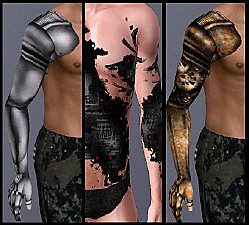
Iron - Three Totally Custom Designed prosthetic arms and a robotic skin detail!
by Arisuka updated 20th Sep 2010 at 12:23pm
Sleek modern, Homemade steampunk, Half-arm prosthesis and Acid attack robotic skin! more...
126
180.6k
315

Packs Needed
| Expansion Pack | |
|---|---|
 | World Adventures |
 | Late Night |