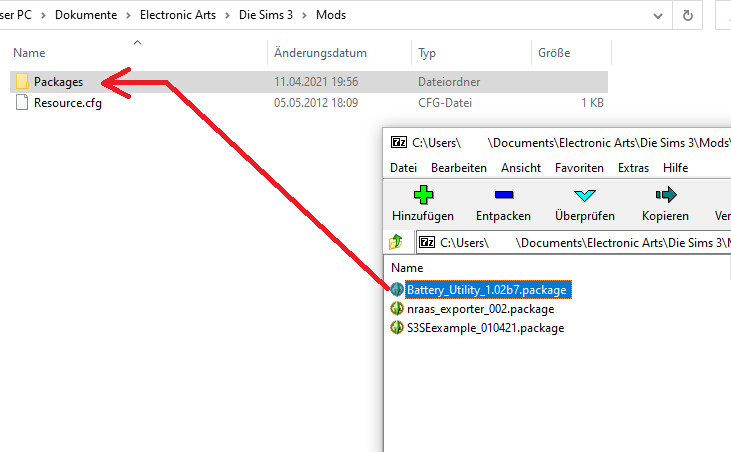
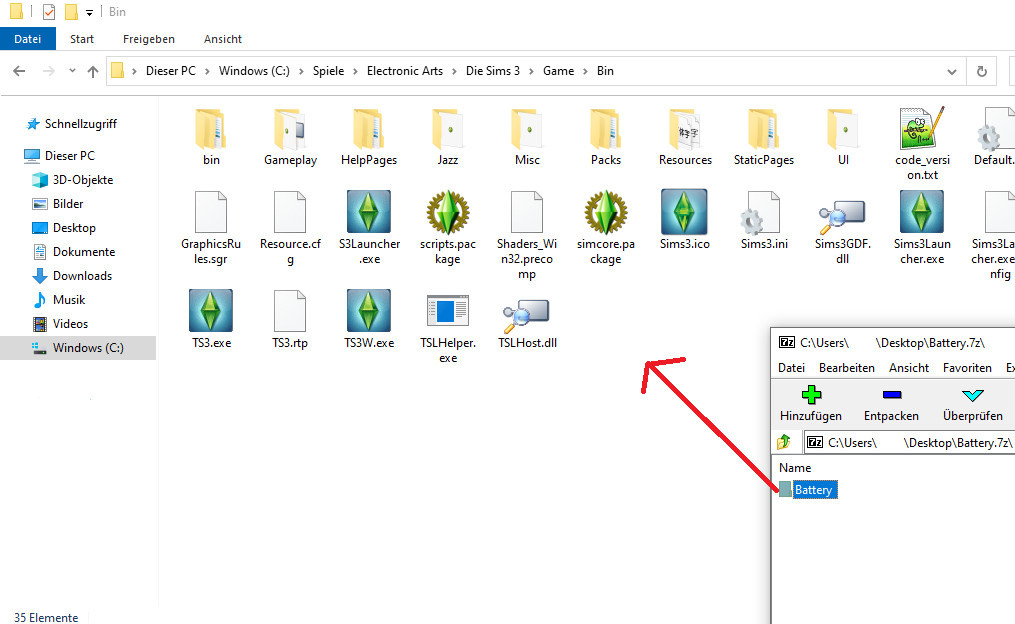
S3SE zip has to be extracted to the game/bin folder
Step 3
Extract the dll from the utility package and add it as a reference to your Code project
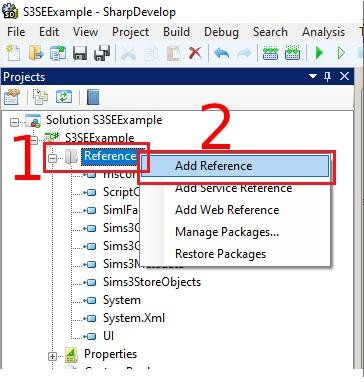
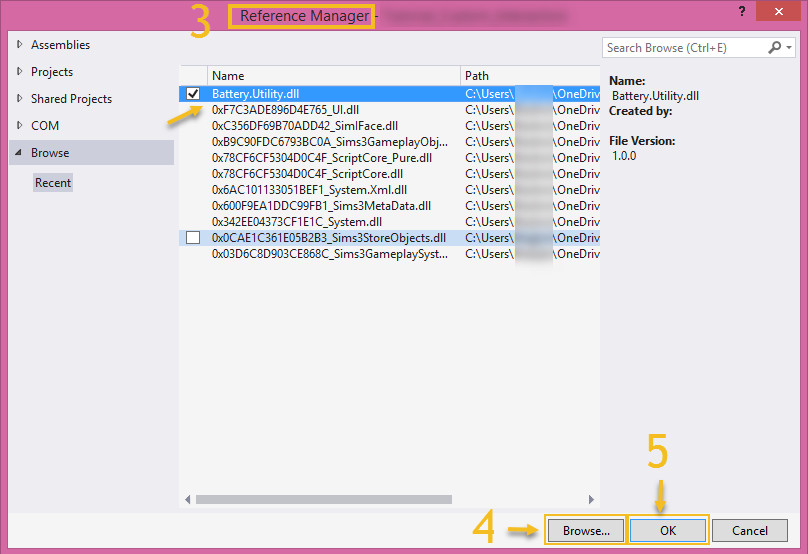
3A Steps for Sharp Develop:
(1) Add the extracted utility dll to your Project by right clicking References
(2) select Add Reference
(3) in the new window go to the .Net Assembly Browser tab
(4) Click Browse...
(5) select the extracted Battery.Utility.dll on your drive, then finish by clicking OK
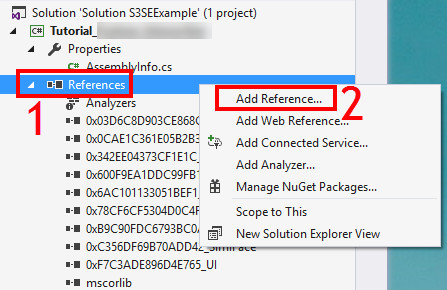
3B Steps for Visual Studio:
Step 4
You should now be able to access the Utility by start typing batt and the autocomplete should suggest the “Battery” Namespace
Step 5
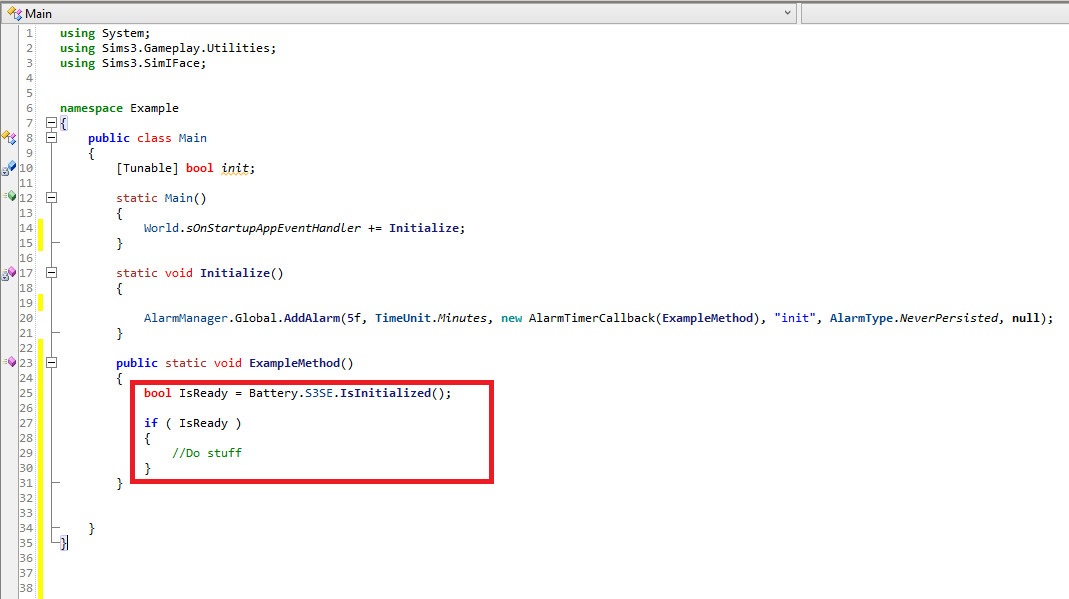
Create your Basic Startup code
The first thing you always should do is check if the user has Launched S3SE by using the “Battery.S3SE.IsInitialized()” method which returns true if the System is running. Otherwise the game will freeze when trying to use other S3SE Methods ( Infinite loop ) so either remind the user to run S3SE or disable the access to those methods.
 23rd Apr 2021 at 10:19 PM