
 Sign in to Mod The Sims
 Benjamin Chee Chee Collection
 Benjamin Chee Chee Collection


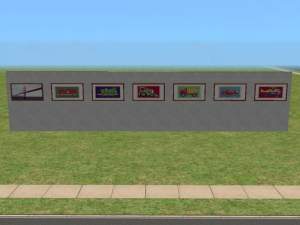
justmoi_Paintings_BenjaminCheeChee-01.jpg - width=600 height=331
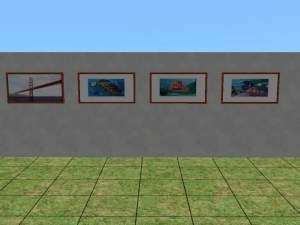
justmoi_Paintings_BenjaminCheeChee-02.jpg - width=600 height=331
News: I've also added two new paintings: Good Morning and Wait For Me. They are based on the "Poisonous Forest (In Love with a Curse)" painting.
As always, they work in my game but please let me know if you have any problems with them in your game. Each file is an individual *.package file and screenshots are included in the zip. Thanks.
Install to ...My Downloads/EA Games/The Sims 2/Downloads.
COLOUR ENABLED PACKAGES REQUIRED: This recoloured object was made using the new colour enabling package features in SimPE Object Workshop. This enables Maxis objects which only had 1 color option available to turn the option on if content is added to provide more colour/texture items. If you do not have these colour enable packages installed this object will not be available in your game. To download the colour enabled packages and install on your system please see http://www.modthesims2.com/showthread.php?t=35224 and follow the installation instructions there.
This custom content if it is not clothing, may require a seperate download to work properly. This is available at Colour Enable Package (CEP) by Numenor.
|
justmoi_Paintings_BenjaminCheeChee.zip
Download
Uploaded: 22nd Mar 2005, 239.6 KB.
390 downloads.
|
||||||||
| For a detailed look at individual files, see the Information tab. | ||||||||
Install Instructions
1. Download: Click the download link to save the .rar or .zip file(s) to your computer.
2. Extract the zip, rar, or 7z file
3. Place in Downloads Folder: Cut and paste the .package file(s) into your Downloads folder:
- Origin (Ultimate Collection): Users\(Current User Account)\Documents\EA Games\The Sims™ 2 Ultimate Collection\Downloads\
- Non-Origin, Windows Vista/7/8/10: Users\(Current User Account)\Documents\EA Games\The Sims 2\Downloads\
- Non-Origin, Windows XP: Documents and Settings\(Current User Account)\My Documents\EA Games\The Sims 2\Downloads\
- Mac: Users\(Current User Account)\Documents\EA Games\The Sims 2\Downloads
- Mac x64:
/Library/Containers/com.aspyr.sims2.appstore/Data/Library/Application Support/Aspyr/The Sims 2/Downloads
Need more information?
- For a full, complete guide to downloading complete with pictures and more information, see: Game Help: Downloading for Fracking Idiots.
- Custom content not showing up in the game? See: Game Help: Getting Custom Content to Show Up.
- If you don't have a Downloads folder, just make one. See instructions at: Game Help: No Downloads Folder.
Loading comments, please wait...



Uploaded: 18th Jan 2005 at 4:40 AM
Updated: 10th Jul 2005 at 10:16 PM - Removed "Testers Wanted".
-

by maree464 3rd Oct 2005 at 6:41am
 6
5.4k
1
6
5.4k
1
-
by Euyonimus 5th Dec 2005 at 8:26pm
3k
1
-
by Euyonimus 5th Dec 2005 at 8:31pm
3
3.2k
-
by Mirjam 25th Jan 2006 at 9:31am
8
6.7k
1
-
by OpenHouseJack 17th Feb 2006 at 12:34pm
5
5.1k
1
-
by 15pupmaus49 23rd Feb 2006 at 9:32pm
12
10.6k
6
-
by lightbulb316 27th Feb 2006 at 1:42am
8
6.1k
-
by Sirella 20th Apr 2006 at 7:59pm
3
5.4k
1
-
-
by Sirella 11th May 2006 at 4:33pm
2
6.7k
4


-
-
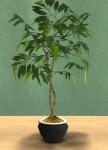
Rubber and Fig Tree in Basic Colours
by justmoi 11th Jan 2005 at 2:07am
UPDATE: These objects have been updated using the latest version of SimPE and should be compatible with the upcoming more...
7
11.8k
7
-
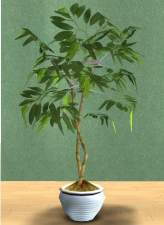
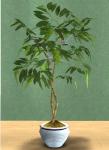
10 Striped Pastel Fig and Rubber Trees
by justmoi 13th Feb 2005 at 2:04pm
Here are 5 pastel coloured pots with a striped pattern for the Fig and Rubber trees for the baby's room. more...
13
15.3k
7
-
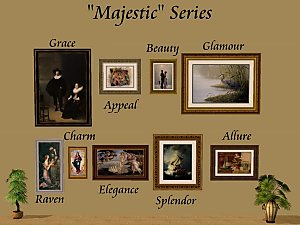
justmoi's Frame Recolours for all "Majestic" Series Meshes
by justmoi 17th Jan 2008 at 2:19am
I've been asked a number of times to make the frame recolours for my "Majestic" series meshes available. more...
5
24.1k
29
-
-
Grey Study with 3 Different Fabric Options
by justmoi 24th Apr 2005 at 11:22pm
The main pieces of this set consist of a grey desk, grey bookcase, and grey desk chair which can be more...
12
10.5k
1
-
New Mesh: "Sentiments" Painting
by justmoi 21st May 2006 at 5:17pm
I made this square painting as a companion piece to the "Geometry 101" painting that came with Open For Business. more...
+1 packs
1 4.2k 2 Open for Business
-
-

-

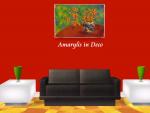
justmoi's "Art Deco" Recolours
by justmoi 4th Dec 2005 at 10:00pm
Here are a few bright recolours of my "Art Deco" painting mesh. more...
+1 packs
10 6.4k 3 Nightlife


