Sign in to Mod The Sims
 justmoi's "Perfect Circle" Painting Recolours 3
 justmoi's "Perfect Circle" Painting Recolours 3


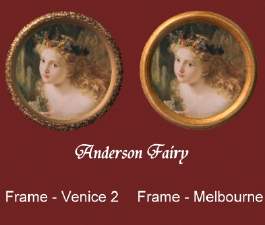
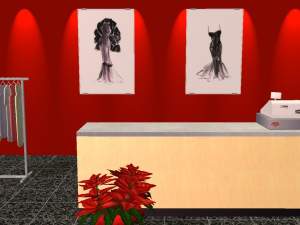
justmoi_Painting20_SaratogaAntiqueGold.jpg - width=340 height=313
justmoi_Painting20_SaratogaAquaGreen.jpg - width=340 height=313
justmoi_Painting20_SaratogaAquamarine.jpg - width=340 height=313
justmoi_Painting20_SaratogaBlack.jpg - width=340 height=313
justmoi_Painting20_SaratogaCopper.jpg - width=340 height=313
justmoi_Painting20_SaratogaFuschia.jpg - width=340 height=313
justmoi_Painting20_SaratogaGreen.jpg - width=340 height=313
justmoi_Painting20_SaratogaLime.jpg - width=340 height=313
justmoi_Painting20_SaratogaLinen.jpg - width=340 height=313
justmoi_Painting20_SaratogaMagenta.jpg - width=340 height=313
justmoi_Painting20_SaratogaNavy.jpg - width=340 height=313
justmoi_Painting20_SaratogaRoyalBlue.jpg - width=340 height=313
justmoi_Painting20_SaratogaViolet.jpg - width=340 height=313
justmoi_Painting20_SaratogaWhite.jpg - width=340 height=313
justmoi_Painting20_SaratogaWine.jpg - width=340 height=313
justmoi_Painting20_SaratogaYellow.jpg - width=340 height=313


As always, they work in my game but please let me know if you have any problems with them in your game. I have not included screenshots in the rars to save file space. Thanks.
This package consists only of frame recolours. You need my original "Perfect Circle" mesh to have these paintings appear in your game.
|
justmoi_Painting20_SaratogaFrameRecolours.rar
Download
Uploaded: 28th Dec 2005, 290.6 KB.
788 downloads.
|
||||||||
| For a detailed look at individual files, see the Information tab. | ||||||||
Install Instructions
1. Download: Click the download link to save the .rar or .zip file(s) to your computer.
2. Extract the zip, rar, or 7z file.
3. Place in Downloads Folder: Cut and paste the .package file(s) into your Downloads folder:
- Origin (Ultimate Collection): Users\(Current User Account)\Documents\EA Games\The Sims™ 2 Ultimate Collection\Downloads\
- Non-Origin, Windows Vista/7/8/10: Users\(Current User Account)\Documents\EA Games\The Sims 2\Downloads\
- Non-Origin, Windows XP: Documents and Settings\(Current User Account)\My Documents\EA Games\The Sims 2\Downloads\
- Mac: Users\(Current User Account)\Documents\EA Games\The Sims 2\Downloads
- Mac x64: /Library/Containers/com.aspyr.sims2.appstore/Data/Library/Application Support/Aspyr/The Sims 2/Downloads
- For a full, complete guide to downloading complete with pictures and more information, see: Game Help: Downloading for Fracking Idiots.
- Custom content not showing up in the game? See: Game Help: Getting Custom Content to Show Up.
- If you don't have a Downloads folder, just make one. See instructions at: Game Help: No Downloads Folder.
Meshes needed
This download requires one or more meshes to work properly. Please check the Description tab for information about the meshes needed, then download them below:| MTS cannot guarantee any off-site links will be available |
| New Mesh: "Perfect Circle" Painting by justmoi |
Loading comments, please wait...


Uploaded: 28th Dec 2005 at 2:29 AM
-
-

-

-

-
-
-
-
-
-
*UPDATED* justmoi's "The Muse" Painting Recolours
by justmoi 4th May 2007 at 4:23am
 +1 packs
7 6.6k 7
+1 packs
7 6.6k 7 Glamour Life


-
New Mesh: "Sentiments" Painting
by justmoi 21st May 2006 at 5:17pm
I made this square painting as a companion piece to the "Geometry 101" painting that came with Open For Business. more...
+1 packs
1 4.2k 2 Open for Business
-
-
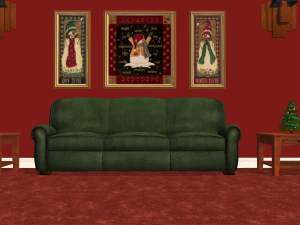
justmoi's Christmas "Threesome" Mesh Recolours
by justmoi 19th Dec 2007 at 10:58pm
UPDATE - 2003-01-13: Because I remade the mesh with new GUIDs I had to remake the recolours. more...
+1 packs
7.5k 14 Nightlife
-
-
-
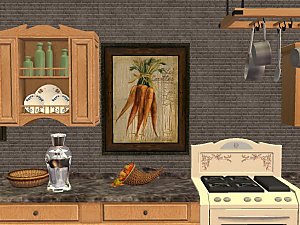
"They Look Good Enough to Eat" Vegetable Paintings
by justmoi 16th Dec 2007 at 2:42pm
Here are four recolours of my "Majestic Beauty" mesh. more...
6
18.6k
32
-
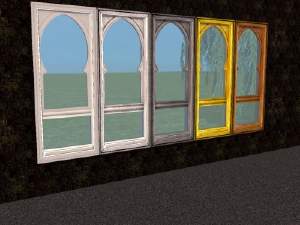
5 Arch of Antiquity Windows and 1 Door
by justmoi 2nd Feb 2005 at 4:19am
UPDATE: These objects have been updated using the latest version of SimPE and should be compatible with the upcoming more...
13
15.6k
2
-
-
-