Sign in to Mod The Sims
 5 fine art cat paintings
 5 fine art cat paintings
SCREENSHOTS

cats1-ingame.gif - width=557 height=260

cats2-ingame.gif - width=529 height=233

vk-2catfacesmodern.gif - width=399 height=245

vk-antiquecheetah.gif - width=395 height=304

vk-chaircat.gif - width=197 height=330

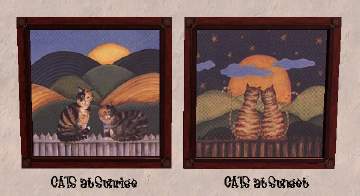
vk-art2cats.gif - width=350 height=238

vk-greenegyptcat.gif - width=238 height=390
Downloaded 1,100 times
72 Thanks
3 Favourited
10,408 Views
Say Thanks!
Thanked!
meshes
2 modern cat faces - sims 2 play
http://sims-2.gameslife.ru/objects_paintings4.htm
antique kitten on chair - justmoi
http://www.modthesims2.com/showthread.php?t=120514
2 modern cat faces - sims 2 play
http://sims-2.gameslife.ru/objects_paintings4.htm
antique kitten on chair - justmoi
http://www.modthesims2.com/showthread.php?t=120514
Advertisement:
This is a new mesh recolour, and means that you will need to download the particular mesh itself in order for this to show up in your game. See the Meshes Needed section or read the text for more information.
|
viskamiro-bild-egyptcatgreen.zip
Download
Uploaded: 1st Nov 2006, 69.2 KB.
698 downloads.
|
||||||||
|
viskamiro-bild-catpainting1.zip
Download
Uploaded: 1st Nov 2006, 65.3 KB.
634 downloads.
|
||||||||
|
viskamiro-bild-antiquecheetah.zip
Download
Uploaded: 1st Nov 2006, 68.0 KB.
738 downloads.
|
||||||||
|
viskamiro-bild-antiquechaircat.zip
Download
Uploaded: 1st Nov 2006, 97.8 KB.
725 downloads.
|
||||||||
|
viskamiro-bild-2catsmodernart.zip
Download
Uploaded: 1st Nov 2006, 49.6 KB.
693 downloads.
|
||||||||
| For a detailed look at individual files, see the Information tab. | ||||||||
Install Instructions
Basic Download and Install Instructions:
1. Download: Click the download link to save the .rar or .zip file(s) to your computer.
2. Extract the zip, rar, or 7z file.
3. Place in Downloads Folder: Cut and paste the .package file(s) into your Downloads folder:
1. Download: Click the download link to save the .rar or .zip file(s) to your computer.
2. Extract the zip, rar, or 7z file.
3. Place in Downloads Folder: Cut and paste the .package file(s) into your Downloads folder:
- Origin (Ultimate Collection): Users\(Current User Account)\Documents\EA Games\The Sims™ 2 Ultimate Collection\Downloads\
- Non-Origin, Windows Vista/7/8/10: Users\(Current User Account)\Documents\EA Games\The Sims 2\Downloads\
- Non-Origin, Windows XP: Documents and Settings\(Current User Account)\My Documents\EA Games\The Sims 2\Downloads\
- Mac: Users\(Current User Account)\Documents\EA Games\The Sims 2\Downloads
- Mac x64: /Library/Containers/com.aspyr.sims2.appstore/Data/Library/Application Support/Aspyr/The Sims 2/Downloads
- For a full, complete guide to downloading complete with pictures and more information, see: Game Help: Downloading for Fracking Idiots.
- Custom content not showing up in the game? See: Game Help: Getting Custom Content to Show Up.
- If you don't have a Downloads folder, just make one. See instructions at: Game Help: No Downloads Folder.
Meshes needed
This download requires one or more meshes to work properly. Please check the Description tab for information about the meshes needed, then download them below:| MTS cannot guarantee any off-site links will be available |
| New Mesh: "Majestic Raven" Painting by justmoi |
| sims-2.gameslife.ru/objects_paintings4.htm (non-MTS link) |
Advertisement:
Loading comments, please wait...
Other Download Recommendations:






More downloads by viskamiro:
See more