Sign in to Mod The Sims
 funky furniture set
 funky furniture set


AtomicSofaMTS2.jpg - width=1280 height=1024
MTS2Boingo.jpg - width=1280 height=1024
MTS2NoEdge.jpg - width=1280 height=1024
LunarDivanMTS2.jpg - width=1280 height=1024
MTS2MallowRecliner.jpg - width=676 height=502
MTS2ingame.jpg - width=1197 height=886

Atomic sofa Verts: 1994 Faces: 1869
Boingo sofa Verts: 2106 Faces: 2582
No Edge sofa Verts: 2778 Faces: 3252
Lunar divan Verts: 3518 Faces: 4952
Mallow recliner Verts: 7684 Faces: 8921
This is a new mesh, and means that it's a brand new self contained object that usually does not require a specific Pack (although this is possible depending on the type). It may have Recolours hosted on MTS - check below for more information.
|
BTXMallowLounge.zip
Download
Uploaded: 12th Jan 2007, 903.7 KB.
9,735 downloads.
|
||||||||
|
BTXLUNARDivan.zip
Download
Uploaded: 12th Jan 2007, 357.4 KB.
10,207 downloads.
|
||||||||
|
BTXNoEdgeSofa.zip
Download
Uploaded: 12th Jan 2007, 520.4 KB.
10,045 downloads.
|
||||||||
|
BTXBoingoSofa.zip
Download
Uploaded: 12th Jan 2007, 713.0 KB.
11,302 downloads.
|
||||||||
|
BTXAtomicSofa.zip
Download
Uploaded: 12th Jan 2007, 767.0 KB.
13,780 downloads.
|
||||||||
| For a detailed look at individual files, see the Information tab. | ||||||||
Install Instructions
1. Download: Click the download link to save the .rar or .zip file(s) to your computer.
2. Extract the zip, rar, or 7z file.
3. Place in Downloads Folder: Cut and paste the .package file(s) into your Downloads folder:
- Origin (Ultimate Collection): Users\(Current User Account)\Documents\EA Games\The Sims™ 2 Ultimate Collection\Downloads\
- Non-Origin, Windows Vista/7/8/10: Users\(Current User Account)\Documents\EA Games\The Sims 2\Downloads\
- Non-Origin, Windows XP: Documents and Settings\(Current User Account)\My Documents\EA Games\The Sims 2\Downloads\
- Mac: Users\(Current User Account)\Documents\EA Games\The Sims 2\Downloads
- Mac x64: /Library/Containers/com.aspyr.sims2.appstore/Data/Library/Application Support/Aspyr/The Sims 2/Downloads
- For a full, complete guide to downloading complete with pictures and more information, see: Game Help: Downloading for Fracking Idiots.
- Custom content not showing up in the game? See: Game Help: Getting Custom Content to Show Up.
- If you don't have a Downloads folder, just make one. See instructions at: Game Help: No Downloads Folder.
Loading comments, please wait...


Uploaded: 12th Jan 2007 at 7:00 AM
Updated: 11th Sep 2009 at 5:01 PM by -Maylin-
#Loveseat, #furniture set, #brasstex, #retro
-
by lucas55 17th May 2005 at 7:46pm
 4
5.2k
2
4
5.2k
2
-

by msrf12 11th Jun 2005 at 8:11pm
5
2.8k
1
-
by leslie68 24th Jun 2005 at 12:01am
4
5.3k
-
by zedrik 7th Jul 2005 at 3:19am
2
3.5k
1
-
by Moon_Ez 25th Nov 2005 at 3:59am
34
34.5k
26
-
by aushog 24th Dec 2005 at 11:02pm
6
7.3k
6
-
by FeMail 25th Jan 2006 at 2:39pm
4
4.9k
2
-
by OpenHouseJack 2nd Feb 2006 at 12:21pm
5
7.1k
2
-
by OpenHouseJack 2nd Feb 2006 at 2:55pm
8
11.4k
6
-
by Milivia7 11th Feb 2006 at 2:55pm
4
4.9k

-
-
-
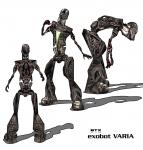
by Brasstex 24th May 2007 at 7:30pm
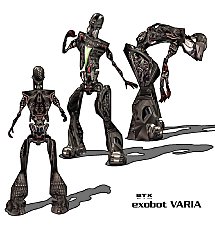
This is a updated version of the original exobot that I created when the game first came out. more...
66
186.9k
76
Body Types » Male » Adult
-
-
-
-
-
-


-