Sign in to Mod The Sims
 Sparkling eyes ts2 conversion as contacts
 Sparkling eyes ts2 conversion as contacts


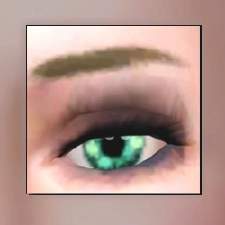
shady_sparkling-eyes-ts3-2.jpg - width=266 height=267
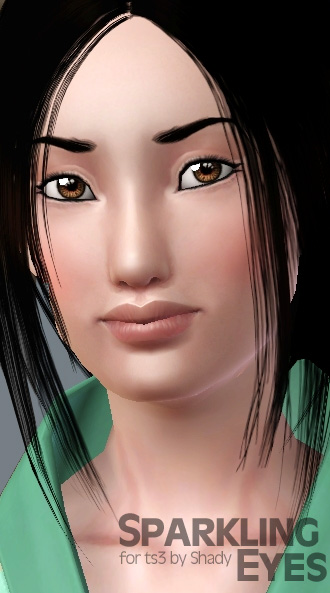
shady_sparkling-eyes-ts3.jpg - width=330 height=593

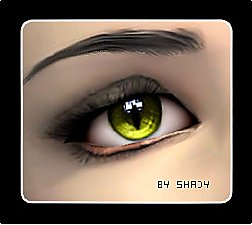
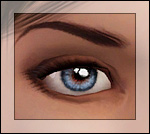
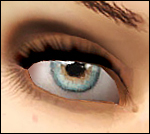
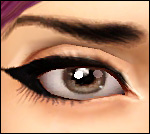
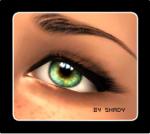
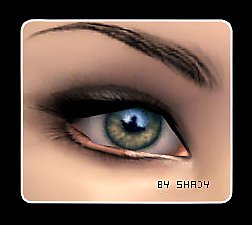
This time i converted my "most popular" eyeset for ts2. Because many people dont want to change their default replacements each time they see a new one they like to have (i would`nt do it too
 ) i made these eyes as contacts with 3 color channels (the eyeball, the outer iris and the center of the iris)
 If you have already downloaded the eyes and they dont show up ingame, please redownload!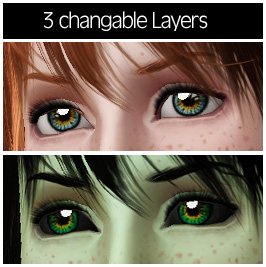
|
shady_sparkling-eyes-conversion.rar
Download
Uploaded: 4th Jan 2010, 112.6 KB.
60,530 downloads.
|
||||||||
| For a detailed look at individual files, see the Information tab. | ||||||||
Install Instructions
1. Click the download button, or the filename, to download the file to your computer.
2. Extract the zip, rar, or 7z file. Now you will have either a .package or a .sims3pack file.
For Package files:
1. Cut and paste the file into your Documents\Electronic Arts\The Sims 3\Mods\Packages folder. If you do not already have this folder, you should read the full guide to Package files first: Sims 3:Installing Package Fileswiki, so you can make sure your game is fully patched and you have the correct Resource.cfg file.
2. Run the game, and find your content where the creator said it would be (build mode, buy mode, Create-a-Sim, etc.).
For Sims3Pack files:
1. Cut and paste it into your Documents\Electronic Arts\The Sims 3\Downloads folder. If you do not have this folder yet, it is recommended that you open the game and then close it again so that this folder will be automatically created. Then you can place the .sims3pack into your Downloads folder.
2. Load the game's Launcher, and click on the Downloads tab. Find the item in the list and tick the box beside it. Then press the Install button below the list.
3. Wait for the installer to load, and it will install the content to the game. You will get a message letting you know when it's done.
4. Run the game, and find your content where the creator said it would be (build mode, buy mode, Create-a-Sim, etc.).
Extracting from RAR, ZIP, or 7z: You will need a special program for this. For Windows, we recommend 7-Zip and for Mac OSX, we recommend Keka. Both are free and safe to use.
Need more help?
If you need more info, see:
- For package files: Sims 3:Installing Package Fileswiki
- For Sims3pack files: Game Help:Installing TS3 Packswiki
Loading comments, please wait...



Uploaded: 3rd Jan 2010 at 12:39 PM
Updated: 8th Jan 2010 at 4:37 AM
#sparkling, #eyes, #conversion, #contacts
-
-
-
-
-
Loneliness Eyes as contacts TS3 Version
by Goldeneyes 21st Nov 2010 at 9:38pm
-
Intensity Eyes as Contacts and Defaults
by Goldeneyes 28th Jan 2011 at 11:39am
-
My Sweetheart eyes as Contacts
by Goldeneyes 28th Feb 2011 at 11:29am
-
-
-

-
-
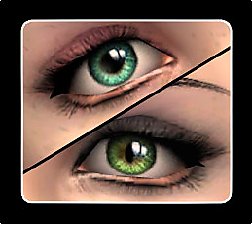
Intensive eyes - 2 versions: Cat & Human
by -Shady- 29th Oct 2008 at 6:12pm
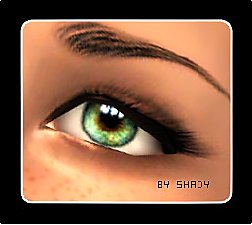
its a while ago that i uploaded anything, but here is my next set of eyes, more realistic ever. more...
-
-
DEFAULT Multicolor eyes (smaller pupil & Iris) + UNICOLOR version *NEW
by -Shady- updated 9th Jan 2010 at 11:42am
Just one colored eyes are very boring and unrealistic. So why not a multicolor version as default?! more...
-


-
-
-
-
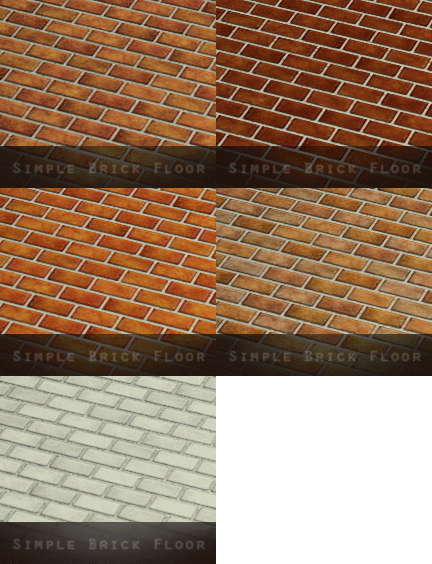
Simple Brick Floor - 10 Colors
by -Shady- 6th Nov 2014 at 1:10am
This Set comes in 10 different, realistic looking Colors. more...
 10
18.1k
69
10
18.1k
69
-