
 Sign in to Mod The Sims
 Fun With Patterns (14 Pattern Set)
 Fun With Patterns (14 Pattern Set)


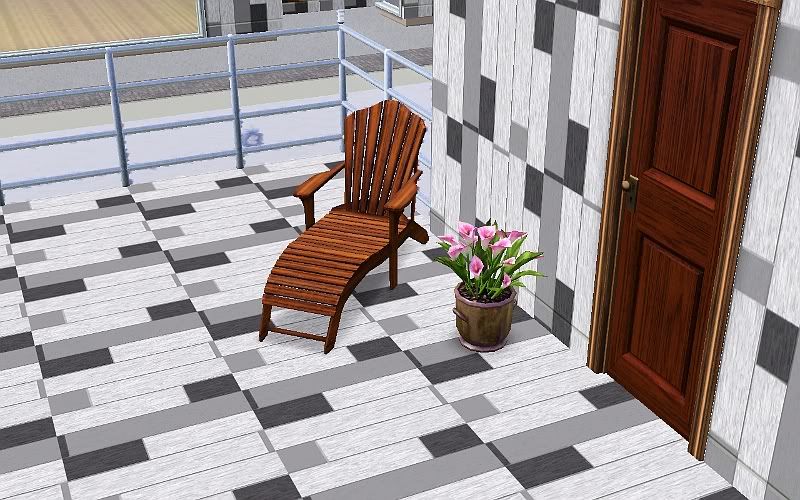
MonotoneWoodDefault.jpg - width=800 height=500
MonotoneWoodVarious.jpg - width=800 height=500
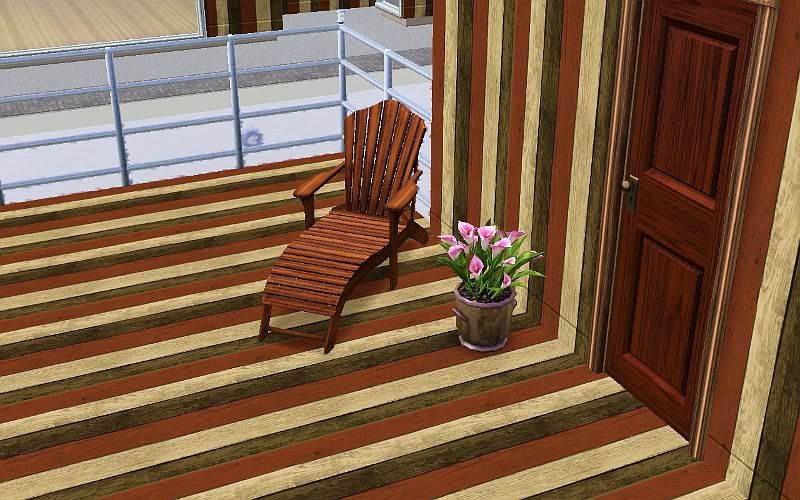
VerticalWoodDefault.jpg - width=800 height=500
VerticalWoodVarious.jpg - width=800 height=500
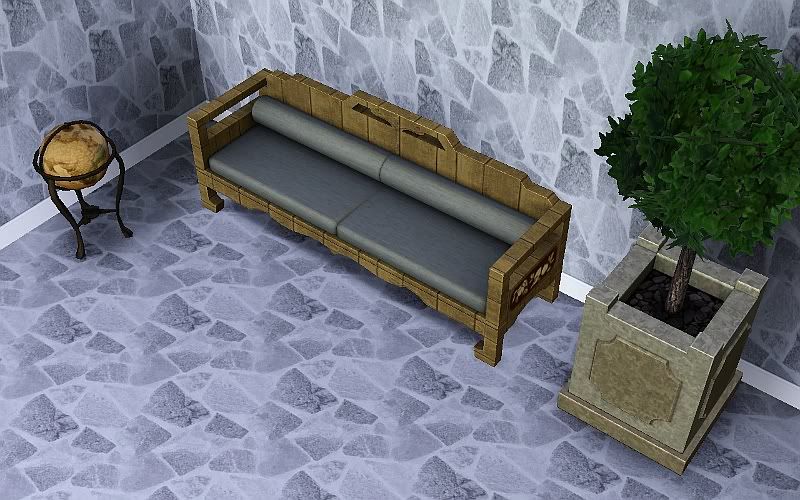
NaturalStoneDefault.jpg - width=800 height=500
NaturalStoneVarious.jpg - width=800 height=500
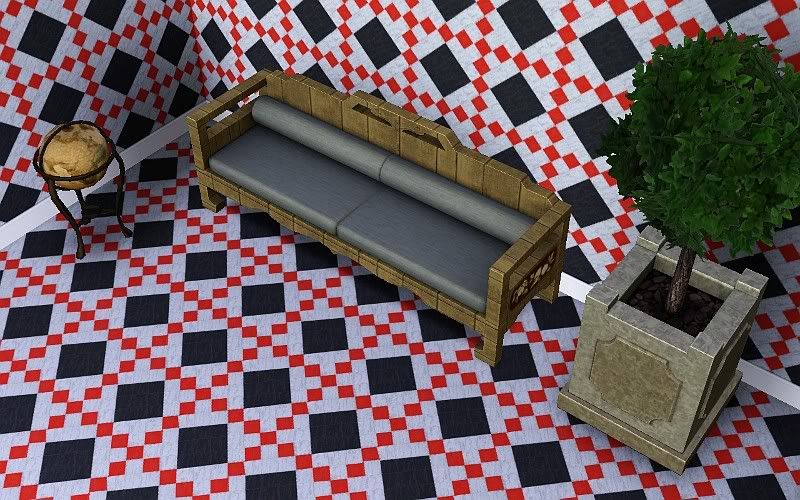
JackOfDiamondsDefault.jpg - width=800 height=500
JackOfDiamondsVarious.jpg - width=800 height=500
Wood:
Monotone Wood:
Converted from a TS2 floor
3 Channels, found in wood
Vertical Wood:
Custom Made by me
3 Channels, found in wood
Stone:
Natural Stone:
Stock Image
1 Channel, found in Rock and Stone
Jack Of Diamonds:
Converted from a TS2 floor
3 Channels, found in Rock and Stone
Tile:
Welcome Back Tera Cotta:
Converted from a TS2 floor
3 Channels, found in Tile
The Queens Jubilee:
Stock Image
2 Channels, found in Tile
The Queen of Hearts:
Stock Image
2 Channels, found in Tile
Pure:
Custom Made by me
1 Channel, found in Tile
Diamoney:
Converted from a TS2 floor
3 Channels, found in Tile
Masonry:
Bliss:
Custom Made by me
3 Channels, found in Masonry
Carpet:
Plushie:
Stock Image
2 Channels, found in Carpeting and Rugs
Horizontal:
Custom Made by me
3 Channels, found in Carpeting and Rugs
Fantasia:
Custom Made by me
3 Channels, found in Carpeting and Rugs
Ashley:
Stock Image
1 Channel, found in Carpeting and Rugs
The downloads are not located in the comments, the comments only show the extra required pics. The download for these patterns is located in the thread as usual.
The default colors can be seen in the inline pics, the various color choices can be seen in the thumbnails.
Monotone Wood:
Vertical Wood:
Natural Stone:
Jack of Diamonds:
|
Fun_With_Patterns_jimTNW.zip
Download
Uploaded: 15th Apr 2010, 1.53 MB.
3,554 downloads.
|
||||||||
| For a detailed look at individual files, see the Information tab. | ||||||||
Install Instructions
1. Click the download button, or the filename, to download the file to your computer.
2. Extract the zip, rar, or 7z file. Now you will have either a .package or a .sims3pack file.
For Package files:
1. Cut and paste the file into your Documents\Electronic Arts\The Sims 3\Mods\Packages folder. If you do not already have this folder, you should read the full guide to Package files first: Sims 3:Installing Package Fileswiki, so you can make sure your game is fully patched and you have the correct Resource.cfg file.
2. Run the game, and find your content where the creator said it would be (build mode, buy mode, Create-a-Sim, etc.).
For Sims3Pack files:
1. Cut and paste it into your Documents\Electronic Arts\The Sims 3\Downloads folder. If you do not have this folder yet, it is recommended that you open the game and then close it again so that this folder will be automatically created. Then you can place the .sims3pack into your Downloads folder.
2. Load the game's Launcher, and click on the Downloads tab. Find the item in the list and tick the box beside it. Then press the Install button below the list.
3. Wait for the installer to load, and it will install the content to the game. You will get a message letting you know when it's done.
4. Run the game, and find your content where the creator said it would be (build mode, buy mode, Create-a-Sim, etc.).
Extracting from RAR, ZIP, or 7z: You will need a special program for this. For Windows, we recommend 7-Zip and for Mac OSX, we recommend Keka. Both are free and safe to use.
Need more help?
If you need more info, see:
- For package files: Sims 3:Installing Package Fileswiki
- For Sims3pack files: Game Help:Installing TS3 Packswiki
Loading comments, please wait...
Uploaded: 15th Apr 2010 at 6:49 PM
Updated: 15th Apr 2010 at 7:38 PM


-
Updated Soul Patch Stubbles in 3 dark shades Now Binned!
by joninmobile updated 15th Apr 2009 at 6:30am
Here are some soul patch stubbles. I like soul patches alot, I even have one myself. more...
 12
36.9k
53
12
36.9k
53
-

Evil Gypsy/Good Gypsy Default Replacement Crystal Ball only donwload 1 file
by joninmobile 18th Apr 2009 at 11:06am
Do you want a match made in heavan, or the date from hell? Now you can choose more...
+1 packs
14 37.2k 23 Nightlife
-
by joninmobile 3rd Feb 2009 at 12:51am
This is designed to make your sim's life even that much harder.If you want to have sick more...
-
by joninmobile 7th Apr 2010 at 12:07pm
I've made the modern t.v. to now sit on tables for you to enjoy. more...
-
by joninmobile 21st Apr 2009 at 2:37pm
These are some really nice linoleums in several colors for you all more...
5
9.2k
9
-
by joninmobile 1st Nov 2007 at 9:44pm
Here are my four favorite colors in a tiled wall that I made using the gimp. more...
1
4.5k
1
-


"The Ninth Wave" recolor of "That place over there"
by joninmobile 4th Mar 2008 at 6:39pm
Here is a recolor of the maxis painting "that place over there", from the nightlife expansion pack.It is a painting more...
+1 packs
5 15.9k 18 Nightlife
-
10 recolors of "A home for all seasons"
by joninmobile 12th Dec 2007 at 7:18pm
Here are ten farmy recolors of the "A home for all seasons" set of paintings found in the seasons expansion more...
+1 packs
5 17.2k 7 Seasons
-
by joninmobile 22nd Oct 2007 at 5:06am
Here is a painting of the borg queen from Star Trek:First Contact.It is a recolor of the "the lone daisy" more...
1
4.3k
6
-
"Practice" changed to "Play Chess" on all Maxis chessboards
by joninmobile 5th Mar 2010 at 12:02am
I always thought just plain ole "Practice" was kind of vague and impersonal for chess, I mean what is your more...
14
21.4k
38


About Me
I hope you enjoy all the downloads I've brought to you over the years. It's been fun. Being a part of The Sims community has had it's ups and downs for me, but I keep on truckin' nonetheless. Lots and lots of drama, lots of pain and sorrow, but lots of laughs, and good times too. Made so many new friends over the years, and it all started by uploading to MTS way back in 2006. Have fun with my creations, that's what they're here for!
~ Jon