
 Sign in to Mod The Sims
 River Cruisin'
 River Cruisin'


Screenshot-314.jpg - width=1280 height=723
Screenshot-307.jpg - width=1280 height=723
Screenshot-303.jpg - width=1280 height=724
Screenshot-302.jpg - width=1280 height=723
Screenshot-298.jpg - width=1280 height=723
Screenshot-295.jpg - width=1280 height=723
Screenshot-290.jpg - width=1280 height=723
Screenshot-296.jpg - width=1280 height=723
Screenshot-347.jpg - width=1280 height=723
Now, on to some pictures!
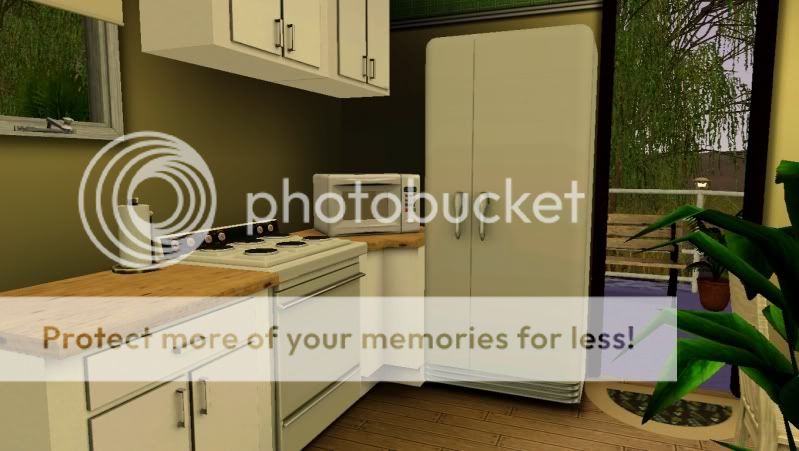


Lot Size: 30X30
Furnished Lot Price: $35,560
Unfurnished Lot Price: $27,086
Custom Content Included:
- Simple Cabinets by Plasticbox
Additional Credits:
Special thanks to Armi, Q, Morph, WWW and Raps!
|
Ferngully2.rar
Download
Uploaded: 16th Aug 2011, 1.49 MB.
1,274 downloads.
|
||||||||
| For a detailed look at individual files, see the Information tab. | ||||||||
Install Instructions
1. Click the filename or the download button to download the file to your computer.
2. Extract the zip, rar, or 7z file.
2. Select the .sims3pack file you got from extracting.
3. Cut and paste it into your Documents\Electronic Arts\The Sims 3\Downloads folder. If you do not have this folder yet, it is recommended that you open the game and then close it again so that this folder will be automatically created. Then you can place the .sims3pack into your Downloads folder.
5. Load the game's Launcher, and click on the Downloads tab. Select the house icon, find the lot in the list, and tick the box next to it. Then press the Install button below the list.
6. Wait for the installer to load, and it will install the lot to the game. You will get a message letting you know when it's done.
7. Run the game, and find your lot in Edit Town, in the premade lots bin.
Extracting from RAR, ZIP, or 7z: You will need a special program for this. For Windows, we recommend 7-Zip and for Mac OSX, we recommend Keka. Both are free and safe to use.
Need more help?
If you need more info, see Game Help:Installing TS3 Packswiki for a full, detailed step-by-step guide!
Loading comments, please wait...



 View with Names
Uploaded: 16th Aug 2011 at 4:44 AM
Updated: 20th Mar 2013 at 7:52 PM
-
-

-
-
-
-
by angiesupers 28th Jun 2010 at 1:28am
 +2 packs
7.7k 3
+2 packs
7.7k 3 World Adventures
 High-End Loft Stuff
-
-
by NaMo_Design 10th May 2011 at 5:24pm
+2 packs
15 16.7k 29 Ambitions
 Late Night
-
-


-
-
Little Red Riding House- 1X1 Lot
by Twi 3rd Aug 2010 at 4:22pm
Tiny home for a happy sim couple. more...
 +1 packs
34 43.2k 52
+1 packs
34 43.2k 52 Apartment Life
-
-
-
Amberline Cottage- 10X10 Lot, no CC
by Twi 19th Aug 2011 at 1:18am
Perfect for a single sim, or a happy couple! more...
+3 packs
10 20k 21 Ambitions
Late Night
 Generations
-
-
-
-
Maxis Table Expansion Set- 4 BG and 2 AL
by Twi 16th Aug 2009 at 5:14pm
So, with much help from Leesester , I have learned how to do the repository technique! more...
32
31k
48
-
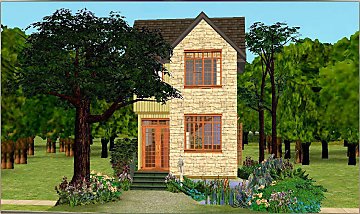
Biscotta Cottage - Starter Home
by Twi 11th Jun 2010 at 11:44pm
Created for a Living Sims challenge. more...
+1 packs
16 19.4k 20 Apartment Life


Packs Needed
| Expansion Pack | |
|---|---|
| Ambitions |
| Late Night |
| Generations |