Sign in to Mod The Sims
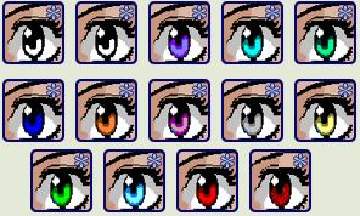
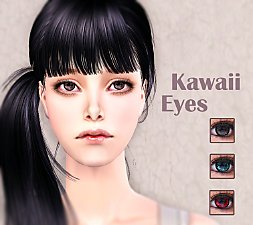
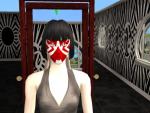
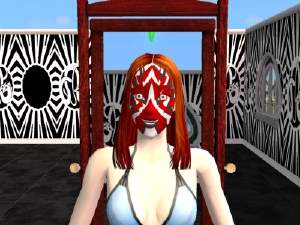
 Contacts for demons, anime, goth....
 Contacts for demons, anime, goth....
SCREENSHOTS


snapshot_cf8945af_4f918825.jpg - width=400 height=300
snapshot_cf8945af_6f91880e.jpg - width=400 height=300
snapshot_cf8945af_ef9185fd.jpg - width=400 height=300
snapshot_cf8945af_af918611.jpg - width=400 height=300
Downloaded 565 times
34 Thanks
5 Favourited
9,394 Views
Say Thanks!
Thanked!
or any sim who wants to be bold and stand out!
Please post some feedback.
If you happen to want to use my content for your work or would like to recolor please ask me 1st and give proper credit, also add a link to my thread.
Also, please NEVER upload any of my work to a pay sites or to The Sims exchange. The content was meant for MTS2 community.
I am also accepting requests for paintings, bedding, makeup, some genetics and objects recolors.
ENJOY!!!!
Please post some feedback.
If you happen to want to use my content for your work or would like to recolor please ask me 1st and give proper credit, also add a link to my thread.
Also, please NEVER upload any of my work to a pay sites or to The Sims exchange. The content was meant for MTS2 community.
I am also accepting requests for paintings, bedding, makeup, some genetics and objects recolors.
ENJOY!!!!

Advertisement:
|
redcontactos.zip
Download
Uploaded: 15th May 2005, 26.4 KB.
572 downloads.
|
||||||||
|
redcontactos.rar
Download
Uploaded: 15th May 2005, 26.1 KB.
695 downloads.
|
||||||||
|
yellowcontacts.zip
Download
Uploaded: 15th May 2005, 29.6 KB.
619 downloads.
|
||||||||
|
yellowcontacts.rar
Download
Uploaded: 15th May 2005, 29.4 KB.
811 downloads.
|
||||||||
| For a detailed look at individual files, see the Information tab. | ||||||||
Install Instructions
Basic Download and Install Instructions:
1. Download: Click the download link to save the .rar or .zip file(s) to your computer.
2. Extract the zip, rar, or 7z file.
3. Place in Downloads Folder: Cut and paste the .package file(s) into your Downloads folder:
1. Download: Click the download link to save the .rar or .zip file(s) to your computer.
2. Extract the zip, rar, or 7z file.
3. Place in Downloads Folder: Cut and paste the .package file(s) into your Downloads folder:
- Origin (Ultimate Collection): Users\(Current User Account)\Documents\EA Games\The Sims™ 2 Ultimate Collection\Downloads\
- Non-Origin, Windows Vista/7/8/10: Users\(Current User Account)\Documents\EA Games\The Sims 2\Downloads\
- Non-Origin, Windows XP: Documents and Settings\(Current User Account)\My Documents\EA Games\The Sims 2\Downloads\
- Mac: Users\(Current User Account)\Documents\EA Games\The Sims 2\Downloads
- Mac x64: /Library/Containers/com.aspyr.sims2.appstore/Data/Library/Application Support/Aspyr/The Sims 2/Downloads
- For a full, complete guide to downloading complete with pictures and more information, see: Game Help: Downloading for Fracking Idiots.
- Custom content not showing up in the game? See: Game Help: Getting Custom Content to Show Up.
- If you don't have a Downloads folder, just make one. See instructions at: Game Help: No Downloads Folder.
Advertisement:
Loading comments, please wait...
Author

Download Details
Packs:
None, this is Sims 2 base game compatible!
Uploaded: 15th May 2005 at 9:03 AM
Updated: 14th Dec 2008 at 4:38 PM by Crazyfoolgaf
Uploaded: 15th May 2005 at 9:03 AM
Updated: 14th Dec 2008 at 4:38 PM by Crazyfoolgaf
Eye Type:
– Contacts
Eye Style:
– Anime
– Doll
Other Download Recommendations:




More downloads by Mishkat:
See more
-
-
-
-
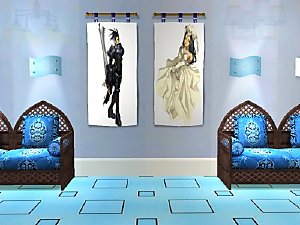

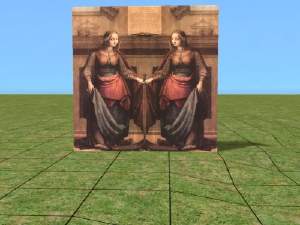
Manga Painting Collection Set 2
by Mishkat 10th Mar 2005 at 11:38pm
Hello everybody! more...
 2
4.4k
2
2
4.4k
2
-
-

-


-


-

-