
 Sign in to Mod The Sims


#1
 26th Oct 2015 at 1:21 PM
Last edited by heaven : 1st Nov 2015 at 2:41 PM.
26th Oct 2015 at 1:21 PM
Last edited by heaven : 1st Nov 2015 at 2:41 PM.
26th Oct 2015 at 1:21 PM
Last edited by heaven : 1st Nov 2015 at 2:41 PM.
 MTS Official 2016 Calendar Contest: TS4

 So, you may edit your image to add seasonally appropriate weather effects. This could be as simple as adding a few faint white dots to look like gently falling snow or as detailed as hand painting storm clouds with lightning bolts or drawing orangey-red leaves to trees. You may also adjust the lighting/brightness, saturation and perhaps add a faint tint to your image if your chosen weather effect isn’t suited to the day-glo green scenery of Willow Creek. Remember you can also experiment with taking your picture at different times of day for different lighting effects.
 The picture you post will be your final shot - make it good. Posting a random picture of a christmas tree, easter bunny, yourself, etc to reserve a spot is not allowed and it will be deleted.
#2
26th Oct 2015 at 1:22 PM
Last edited by heaven : 2nd Dec 2015 at 5:32 PM.
26th Oct 2015 at 1:22 PM
Last edited by heaven : 2nd Dec 2015 at 5:32 PM.

#3
2nd Nov 2015 at 8:05 AM
2nd Nov 2015 at 8:05 AM

#4
2nd Nov 2015 at 12:39 PM
2nd Nov 2015 at 12:39 PM

#5
2nd Nov 2015 at 1:47 PM
2nd Nov 2015 at 1:47 PM

#6
2nd Nov 2015 at 10:15 PM
2nd Nov 2015 at 10:15 PM
#7
3rd Nov 2015 at 12:07 PM
3rd Nov 2015 at 12:07 PM

#8
3rd Nov 2015 at 2:33 PM
3rd Nov 2015 at 2:33 PM
#9
4th Nov 2015 at 1:38 PM
4th Nov 2015 at 1:38 PM


#10
5th Nov 2015 at 10:49 PM
5th Nov 2015 at 10:49 PM
#11
5th Nov 2015 at 10:54 PM
5th Nov 2015 at 10:54 PM

#12
5th Nov 2015 at 11:12 PM
5th Nov 2015 at 11:12 PM
#13
5th Nov 2015 at 11:56 PM
5th Nov 2015 at 11:56 PM
#14
6th Nov 2015 at 1:58 PM
6th Nov 2015 at 1:58 PM

#15
6th Nov 2015 at 8:49 PM
6th Nov 2015 at 8:49 PM

#16
7th Nov 2015 at 11:34 AM
7th Nov 2015 at 11:34 AM


#17
7th Nov 2015 at 12:49 PM
7th Nov 2015 at 12:49 PM


#18
8th Nov 2015 at 11:26 AM
Last edited by Mai2008 : 23rd Nov 2015 at 4:10 PM.
8th Nov 2015 at 11:26 AM
Last edited by Mai2008 : 23rd Nov 2015 at 4:10 PM.
#19
8th Nov 2015 at 6:27 PM
8th Nov 2015 at 6:27 PM

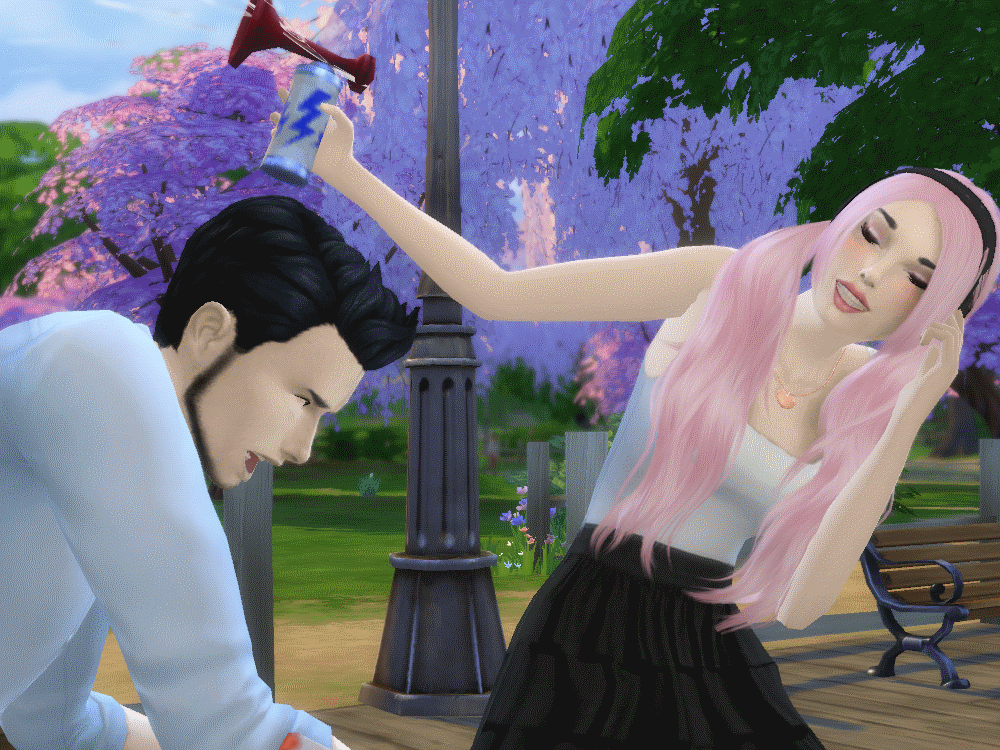
 This was lots of fun, I even plan on making it a monthly challenge for next year. And you guyses pictures are amazing!
#20
8th Nov 2015 at 7:25 PM
8th Nov 2015 at 7:25 PM
#21
8th Nov 2015 at 7:47 PM
8th Nov 2015 at 7:47 PM

#22
8th Nov 2015 at 10:28 PM
8th Nov 2015 at 10:28 PM
#23
9th Nov 2015 at 12:54 AM
9th Nov 2015 at 12:54 AM
#24
9th Nov 2015 at 1:22 AM
9th Nov 2015 at 1:22 AM

#25
9th Nov 2015 at 5:30 AM
9th Nov 2015 at 5:30 AM

|
Page 1 of 4
|
|
|
|