Quick Reply
Search this Thread
Field Researcher
Original Poster
#1 Old 24th Aug 2009 at 7:35 PM Last edited by plasticbox : 26th Aug 2009 at 2:37 AM. Reason: Edited post title

This user has the following games installed:

Sims 3, World Adventures, Ambitions, Late Night, Generations, Pets, Showtime, Seasons, University Life, Island Paradise
Default Rainbow tiles with question marks – Feedback On Approved Lot Please
Hello everyone,

I had a lot approved and before submitting it, I tested it for a few Sim hours with no issues.

However, once I exited my game and came back, I noticed most of the flooring and a couple of objects were displaying a "question mark" pattern even though this content wasn't custom. (which, even if it was, would have been installed anyway, obviously).

I assumed this was just a hitch on my end, and didn't pay it any more attention. I just fixed the objects displaying that pattern, exited the house, and carried on doing something else.

I've now been informed it appeared with those question mark patterns to someone who downloaded it, and I have no clue why it is doing it, so I'm not quite sure what to tell her at the moment.

I was going to remove the entire lot from downloads, but thought I'd try to get some feedback here first on what the issue might be so I've simply made a comment on the download thread for people to not download it at the moment in the hope I can find a solution.

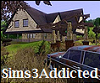
This is the house. Does anyone know why it would be doing that?

Thank you in advance.
Pettifogging Legalist!
retired moderator
#2 Old 25th Aug 2009 at 5:16 AM
There are several threads about this already. Look at "Rainbow Textures", "Rainbows ? texture", "Giant Question Marks replacing wall and floor textures", "Rainbow Question Mark Tiles" ..

Stuff for TS2 · TS3 · TS4 | Please do not PM me with technical questions – we have Create forums for that.

In the kingdom of the blind, do as the Romans do.
Field Researcher
Original Poster
#3 Old 25th Aug 2009 at 5:23 AM
Thanks Plasticbox.

I did read through a bunch, but saw someone be told to create their own thread and not high jack someone else's so that's what I have done.

I also read through the replies, and none applied to me, so I'm at a loss as why it's happening. It seems to be sporadic as it's perfectly fine now, and not everyone's who's downloaded the above mentioned lot is having an issue.

Very strange.
Pettifogging Legalist!
retired moderator
#4 Old 25th Aug 2009 at 5:32 AM
It's fine that you made a new thread; I didn't mean to imply that you shouldn't have. But you're not the only one who is seeing this issue. The only solution that was ever posted was someone who removed all their CC, they didn't mention whether they tried to reinstall any of it.

It does seem to stick to certain lots for some people.

I can tell you from own experience that downloaders will hardly ever post when there's issues with a lot. Have you already tested it yourself? (as in, redownload, install and place the one you've uploaded here) Or do you have actual feedback from downloaders that the lot works fine for them?

Stuff for TS2 · TS3 · TS4 | Please do not PM me with technical questions – we have Create forums for that.

In the kingdom of the blind, do as the Romans do.
Field Researcher
Original Poster
#5 Old 25th Aug 2009 at 6:10 AM
Well, when I built it, all was fine obviously. Then it was approved and uploaded here, and I actually deleted it from my game.

I then got a PM from someone who told me about the problem, so I reinstalled it, and had a look at it did the same thing to me. I closed the game, removed all my CC, went back in and it was still doing it.

However, now, it's perfectly fine lol (with and without CC). Very weird. It's only that one lot, so I just wondered if I'd done something wrong, but apparently I haven't.

I appreciate your help, Plasticbox. Seems this one is a mystery.
Me? Sarcastic? Never.
staff: administrator
#6 Old 25th Aug 2009 at 3:30 PM
Since you have this posted here, I will show you here instead of your download thread what your house did in my game. All I was trying to do is see if you used some of the same patterns as the lots that shipped did, but I got much more goodness than that!

As you can see there are zero windows, none of the landscape plants showed up, and selected tiles outside and all flooring inside didn't show. When I select the tiles with the ? I can place that ? pattern everywhere.

And the house is completely unfurnished. It looks like you have Srikandi's white stairs? But I missed seeing them in the credits in the house. Anyway they showed up solid black for me, and I have them in my game.

I tried this with and without custom content, including removing awesome mod (which I just put in a few days ago, yes I am slow). But both ways it showed the same, and I didn't save between tries.

It almost seems as if the packager has an issue attaching to the lot anything adjusted with CAST. I have two of my own lots that I've installed, from a previous game installation, but both of those are fine. So that defies my first thought.

FYI: My computer is probably way under specs. Except the monitor.
Screenshots
Pettifogging Legalist!
retired moderator
#7 Old 25th Aug 2009 at 6:21 PM Last edited by plasticbox : 25th Aug 2009 at 6:36 PM.
Thanks for testing, Huge Lunatic =).

You say you've just put in AwesomeMod – This means you're running 1.4, is that right? (Some people have a theory that the funky tiles are a post-patch issue) And is this on Windows or on OS X?


Sims3Addicted, do you want to fix the house (which may mean rebuilding, since you said the one in your game already has those tiles), or just take it down? Let me know (or post in CI) if you want us to tag the upload – then it would become invisible, but the post would be preserved so that you can replace the file when you get around to it.

To me it looks like this lot is fubar. CC not being included I could understand, but the the vanilla in-game plants? That's just nuts.

Stuff for TS2 · TS3 · TS4 | Please do not PM me with technical questions – we have Create forums for that.

In the kingdom of the blind, do as the Romans do.
Me? Sarcastic? Never.
staff: administrator
#8 Old 25th Aug 2009 at 7:32 PM
This is on Windows, pretty sure I am at 1.3 for patch though. I am leery of updating since last time I had to uninstall and reinstall.

And the lot in the bin showed just like that too, no windows and the funky tiles. I have a couple of yours pb sitting in my house bin, and those look correct just haven't placed them yet.

I'm almost inclined to believe it is the lot packager going screwy. I was curious if it was CAST that causes the packaging to not retain it, but then the plants should have shown since they are not CAST-able. But what I wonder is if mods/cc is also affecting it.
Pettifogging Legalist!
retired moderator
#9 Old 25th Aug 2009 at 7:59 PM Last edited by plasticbox : 25th Aug 2009 at 8:28 PM.
I have seen enough screenshots of my lots being used in other people's games to be certain that CASTing things is not a *general* issue. I'm obsessively styling everything =P. My lots look fine in those screens, most of the time exactly like I made them, no funkyness and nothing is missing. I'm on OS X/1.2.7 myself.

I don't think the funky tiles themselves are a packager issue (although everything else could very well be), since people have been reporting this with their own lots as well. Lots that they never packaged or moved or anything, I mean.

I wonder if it's perhaps tied to particular wall/floor styles, perhaps one of the Eaxian ones is screwy? Just thinking because in this thread: http://www.modthesims.info/showthread.php?t=363141 the pics Sisaly has posted show the same wall style I believe.


(This has nothing to do with the tiles but: I'm not sure if it's a good idea to use Awesome with anything but the very latest patch – did you check whether that's compatible? I stopped updating a while ago, so I don't really know myself)

Stuff for TS2 · TS3 · TS4 | Please do not PM me with technical questions – we have Create forums for that.

In the kingdom of the blind, do as the Romans do.
Me? Sarcastic? Never.
staff: administrator
#10 Old 25th Aug 2009 at 8:36 PM
The rtfm for awesome says 1.3.24 - 1.4, and I am at 1.3.24.

I originally thought it was something in the original textures as well, which was why I installed the lot. And those tiles on Sisaly's house look exactly the same as this one, wonder which lot that one is. But the tiles on the Goth manor are different, and I checked that lot and I get them all over the outside. Not sure of what the original siding is because usually when I use the E key (whatever it's called) to select it, it gives me some default other wall/floor in the catalog but actually places the ? wall/floor.
Pettifogging Legalist!
retired moderator
#11 Old 25th Aug 2009 at 8:45 PM
Quote: Originally posted by Sims3Addicted
I've simply made a comment on the download thread for people to not download it at the moment in the hope I can find a solution.

This is the house.

I don't see a note on that thread. Do you have another house with this issue?

Also, it's a good idea in general to put warnings at the top of the first post, not just somewhere in the comments – I don't think people normally read the comments before downloading.


Quote: Originally posted by HugeLunatic
The rtfm for awesome says 1.3.24 - 1.4, and I am at 1.3.24.
Heh, I should have known you have RTFM already =).

Stuff for TS2 · TS3 · TS4 | Please do not PM me with technical questions – we have Create forums for that.

In the kingdom of the blind, do as the Romans do.
Field Researcher
Original Poster
#12 Old 26th Aug 2009 at 1:48 AM
I'm sorry I'm late replying guys!

HugeLunatic, thank you so much for testing it AND for mentioning the stairs. I forgot about that!

Plasticbox, I actually removed the comment thinking the house was ok and it wasn't something I'd done. And now, I've just posted a comment about it in the Creator Issue's forum lol. Sorry!

What a headache. I have no idea why it's doing what it's doing. Just delete the whole thread. It's no big deal. I will build something else another day. The time I would take me to fix it, I could just use to build something else.

Thank you both so much for your help. I really appreciate it.
Pettifogging Legalist!
retired moderator
#13 Old 26th Aug 2009 at 2:15 AM
You can delete your own threads yourself – click edit, then right at the top is a "delete" box.

Stuff for TS2 · TS3 · TS4 | Please do not PM me with technical questions – we have Create forums for that.

In the kingdom of the blind, do as the Romans do.
Field Researcher
Original Poster
#14 Old 26th Aug 2009 at 2:30 AM
Ah ok. Goodness I can be dense sometimes. Sick of me, yet?

Thank you Plasticbox. You've been a real gem!
Test Subject
#15 Old 29th Aug 2009 at 11:05 PM
I've been thinking about this issue since seeing other posts about it. I would have to assume that the question marks mean that the engine had a problem loading the textures into game. My guess would be that one of three things is happening.

Either:

Your video card has run out of ram and thus the textures can't be rendered (this would to me make the most sense).

The textures it's trying to load are somehow corrupt (this wouldn't make much sense if it works sometimes and doesn't at other times).

Lastly it could be that the engine compresses and stores the textures in the cache. In this case the stored textures in the cache could be corrupt. If that's true then deleting the cache files and restarting the game should fix the issue.
Scholar
#16 Old 30th Aug 2009 at 12:27 AM
Quote: Originally posted by barak1001
I've been thinking about this issue since seeing other posts about it. I would have to assume that the question marks mean that the engine had a problem loading the textures into game. My guess would be that one of three things is happening.

Either:

Your video card has run out of ram and thus the textures can't be rendered (this would to me make the most sense).

The textures it's trying to load are somehow corrupt (this wouldn't make much sense if it works sometimes and doesn't at other times).

Lastly it could be that the engine compresses and stores the textures in the cache. In this case the stored textures in the cache could be corrupt. If that's true then deleting the cache files and restarting the game should fix the issue.


I started the first thread about this. Sims3Addicted, it's looks like you used the Wolff lot to build your house on, and that is the lot that I had troubles with. I moved my family out and haven't had issue one since. I believe you need to remove it from the downloads, it is corrupt now.

barak I have the same video card as Delphy x2, for a total of 2GB of memory, so it is not a video card problem.
The Wolff lot is a default lot in Sunset and I did not change the tiles that were rainbowed. They are EA tiles.

There is a thread about this at MATY too and it seems that no one knows why this is happening.

Oh, at the time this happened I only had the 1.2 patch.

So you need to either use CAST to change the tiles back and hope they don't revert back, or move your family. Now that we have the Beautiful Vista tool, that isn't as bad as it used to be.

"Imagination is more important than knowledge. For knowledge is limited, whereas imagination embraces the entire world, stimulating progress, giving birth to evolution." ~Albert Einstein
A conservative is a man with two perfectly good legs who, however, has never learned how to walk forward.~F.D.R.
Lab Assistant
#17 Old 30th Aug 2009 at 6:30 PM
Hi, I was going to reply I had the same problem with the Wolffe House it self. It was fine when I first began to play the house and it's people, but I started getting the question mark walls and floors when I first tried to modify the house. I know this just pops up even in a Vanilla game because of this house I began to assume I had some corrupted files so I uninstalled/reinstalled manually and only put EA files into my game from the store with zero mods and zero user created stuff, and still had this happen. It did not matter if I tried to add a basement or add another floor to the house it seemed perfectly fine walls and floors randomly began to display these rainbow colored question marked panels. It made no sense that in one room the same wall would display the wall fine in some places and the rainbow question mark in the others.

It began to annoy me so much I began to hunting down - via trial and error, different things that could be prompting this problem and for the longest time I found no solution, other than I could recolor the walls while playing the house and things would be fine for a while - but sooner or later it would revert to that sordid looking mess.

I actually came up with a bit of the answer quite by accident, and seemed to fix it somewhat when I got tired of messing with that house and Sunset Valley and decided to play Riverview a bit. Again another EAxis house, and again I was making some alterations (as I see no reason to waste an entire floor of a mansion size house on one bedroom) and adding some much more reasonable sized bedrooms to the second floor and filling in with floor which had been an open concept type landing on the second floor. I noticed when I went to delete the banister all of a sudden some of the EA walls started displaying the question mark wall. Also this began happening when I got to a banister that would not delete. Mucking around with this I finally realized the problem is EA has used the actual stair case rail to make their banisters and try as hard as I could, I could not make the game do this myself, never mind the fact I kept getting the message pop up that this item was not duplicatable. Sure enough if you check the Wolfe house you will see that a good deal of the deck rails are those that only come on the stairs and in some areas are near impossible to delete. But walls under and beside these rails are the walls that begin to display those rainbow question marks.

To test my theory I started a new neighborhood and played the house fine as long as I did not do any alterations to any walls near, below, or above where these rails were placed in both the EA houses, but the minute you cross that invisible voodoo line in the vicinity of above, near to and below those rails the walls got the question markrainbow hues.

You would have thought if even the house decorators saw a need to make matching fences to the banisters they would have simply made them instead of using voodoo to encompass the stair banisters into making an undeleatable problem bunch of walls and floor.

I did not consider trying to bulldoze the entire lot and rebuilding as I heard that will also break the beautiful view thing - so what it comes down to is if you see EA houses displaying anything we don't have in our buy catalogues, don't mess with the walls near, above, and below those items. EA needs to fix their stupid houses their selves. Who knows what else this is screwing up.
One horse disagreer of the Apocalypse
#18 Old 30th Aug 2009 at 7:55 PM
You can fix the beautiful view with TigerM's tool, so go ahead and bulldoze.

"You can do refraction by raymarching through the depth buffer" (c. Reddeyfish 2017)
Me? Sarcastic? Never.
staff: administrator
#19 Old 30th Aug 2009 at 8:29 PM
I don't think this has anything to do with altering an EA lot, I've got the same funny tiles in the Goth household when I entered the first time.
Scholar
#20 Old 30th Aug 2009 at 8:33 PM
Yep, HL, I saw them on a ea house while hunting for gems. Never even been there.

"Imagination is more important than knowledge. For knowledge is limited, whereas imagination embraces the entire world, stimulating progress, giving birth to evolution." ~Albert Einstein
A conservative is a man with two perfectly good legs who, however, has never learned how to walk forward.~F.D.R.
Pettifogging Legalist!
retired moderator
#21 Old 30th Aug 2009 at 8:42 PM
I don't know the Goth house myself (or any other of the EA houses), but I believe Writin_Reg's theory is that some houses have build mode items in them (banisters, in this case – that's a fence, right?) that are not in the catalogue, and that those items are what's borking the walls/floors.

I have no idea why this would be (and Inge said she doesn't either), but I wouldn't put it past them.

Stuff for TS2 · TS3 · TS4 | Please do not PM me with technical questions – we have Create forums for that.

In the kingdom of the blind, do as the Romans do.
Back to top