#3

26th Jan 2018 at 3:02 PM
Posts: 209
Thanks: 3032 in 21 Posts
10 Achievements
I asked this same/similar question a while back, and I was told the info was out there and given a thread link but, it wasn't as helpful as i would have wanted but they tried to help and that all i could have asked for so i'm grateful. I wanted a video and i knew that was asking a lot...lol But i did find this... it was posted here by mephistox . I hope this is helpful to you...
Custom Food Creation (Small Tutorial Included)
I'm not good at writing tutorial, more if I'm not a good user of the Tuning techniques, but i'll try to write the basics.
Making Custom Food
This lil' tutorial will explain how to create custom food for the sims game, by now this doesn't include custom meshes or 'add-on' recipes, so this only can be added as a default replacement. (Until someone creates a kind of script that allow to the users to put all the custom recipes in a folder.
Required Tools
- Sim3PE
STEP #1
With Sims3PE open the Gameplaydata.package from the Sims3 Dir (Well known by all of rookies modders :p) and look for the RecipeMasterList.xml. Here you will find all the recipes from the game.
The recipes can contain the following arguments. (Really don't know how to call them, i mean what goes in <>):
<Recipe_Key> : Key or codename of the recipe in the code.
<Recipe_Name> : Name of the Recipe, used by the STBL
<Recipe_Description> : Description of the recipe
<Recipe_Class> : XML class of the recipe.
Now a break, this last one is really important, because this will be the coded string that the interpreter will read, so for example, if you make a recipe called 'MahiMahi', this will be the name to use to create the 'recipe' class.
Now, all the other <Code> are easily understable, and there are some that i don't know what are used for, so let's pass them, you can play with them to see what its the result. (again mostly of them are well defined to the function or purspose, ex. Skill, level, etc).
------
Now, i suggest you, to make a try, copy the spaguetti recipe and put it at the end of the last recipe, and of course, above the </RecipeMasterList>.
And change the following, let's imagine we will create a Risotto recipe.
Code:
<Recipe_Key>MephRisotto</Recipe_Key>
<Recipe_Name>MephRisottoName</Recipe_Name>
<Recipe_Description>MephRisottoDesc</Recipe_Description>
<Recipe_Class>MephRisotto</Recipe_Class>
As a suggestion, use the same string for the <Recipe_key> and the <Recipe_Class>
I'm using my name as a prefix, just to avoid 'future' conflicts, now, the most important part is the Recipe_Class, remember?.
Also, you can change the ingredients, just adding the following ordinal number to the bracket.
Code:
<Ingredient_1>Tomato</Ingredient_1>
<Ingredient_2>Cheese</Ingredient_2>
<Ingredient_3>Egg</Ingredient_3>
You can put 2 Types of generics: 'Fruit' and 'Vegetable', so it will take any fruit or vegetable and not a specific one.
And as i said, try to play with the others variables to check the result, finally Save the XML.
----
STEP #2
Now we need to create the recipeclass, where it will show all the processes like the meshes that will apear on the cutting board, the things that will appear in the plate, the cartons that will pour, etc.
Let's create a new XML.
- Type => _XML 0x0333406C
- Group => 0
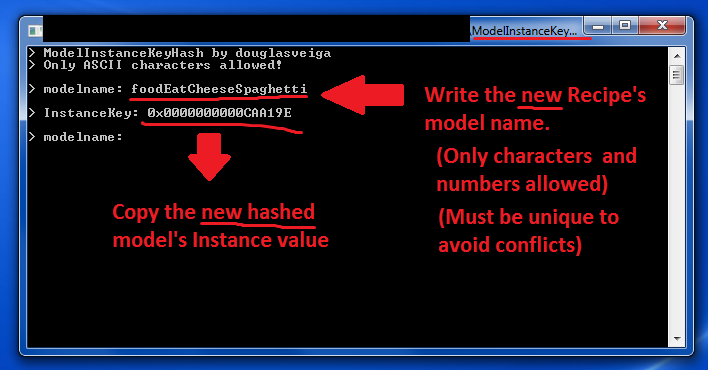
Now, remember that name that i said you remember? (MephRisotto), put it on the NameBox of the Add XML window, then use the FNV64 generator to add the instance automatcly.
This step is very important, because if you don't do this, the interpreter won't find the class that you defined before and instead of 'things' a lot of black balls will appear on your cuttinb board, and your sims will make weird things while cooking this recipe.
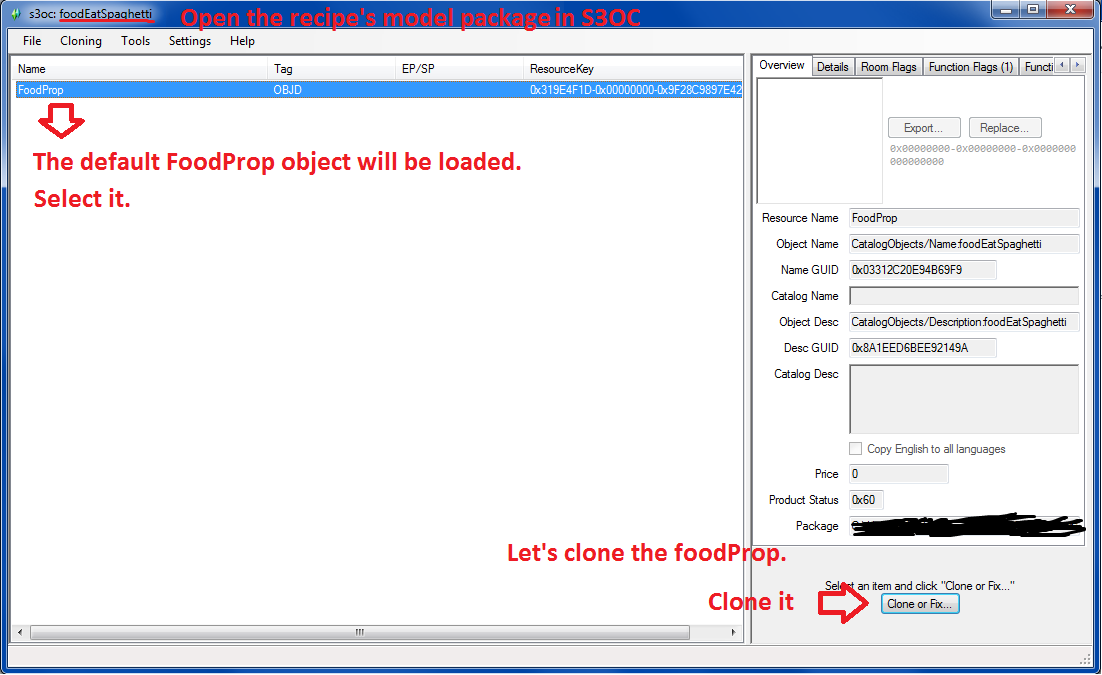
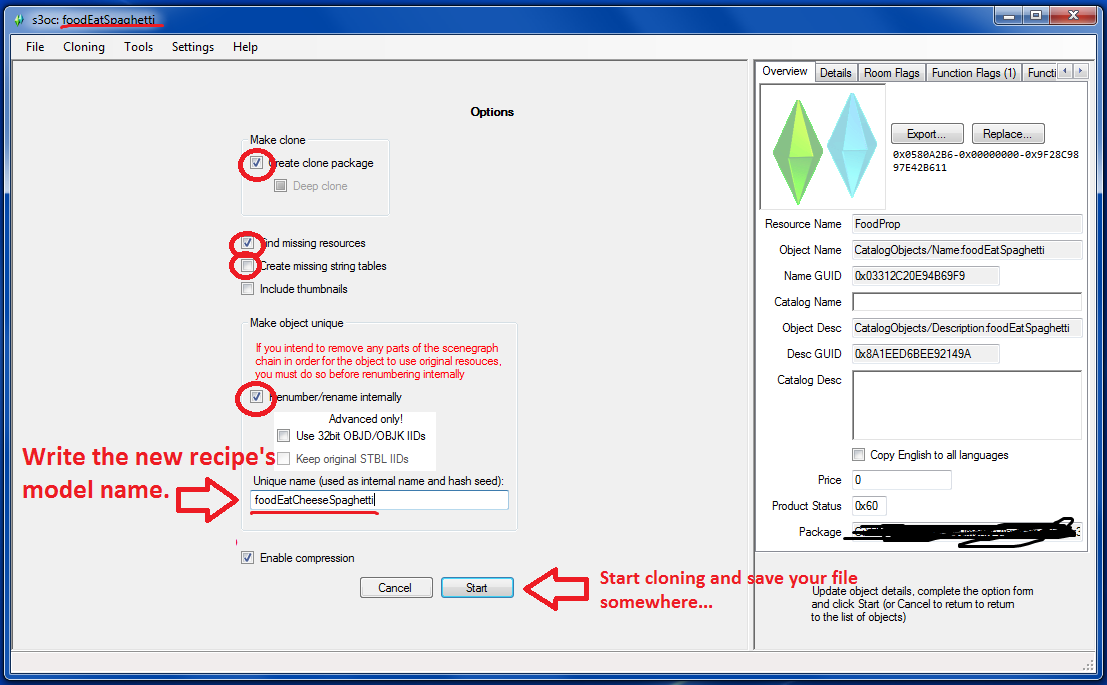
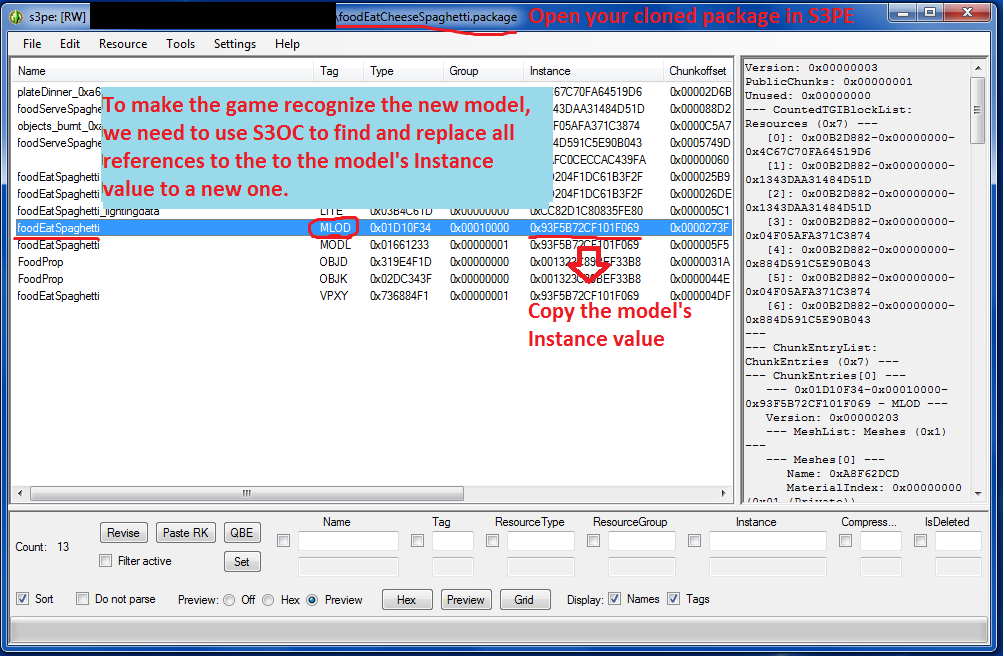
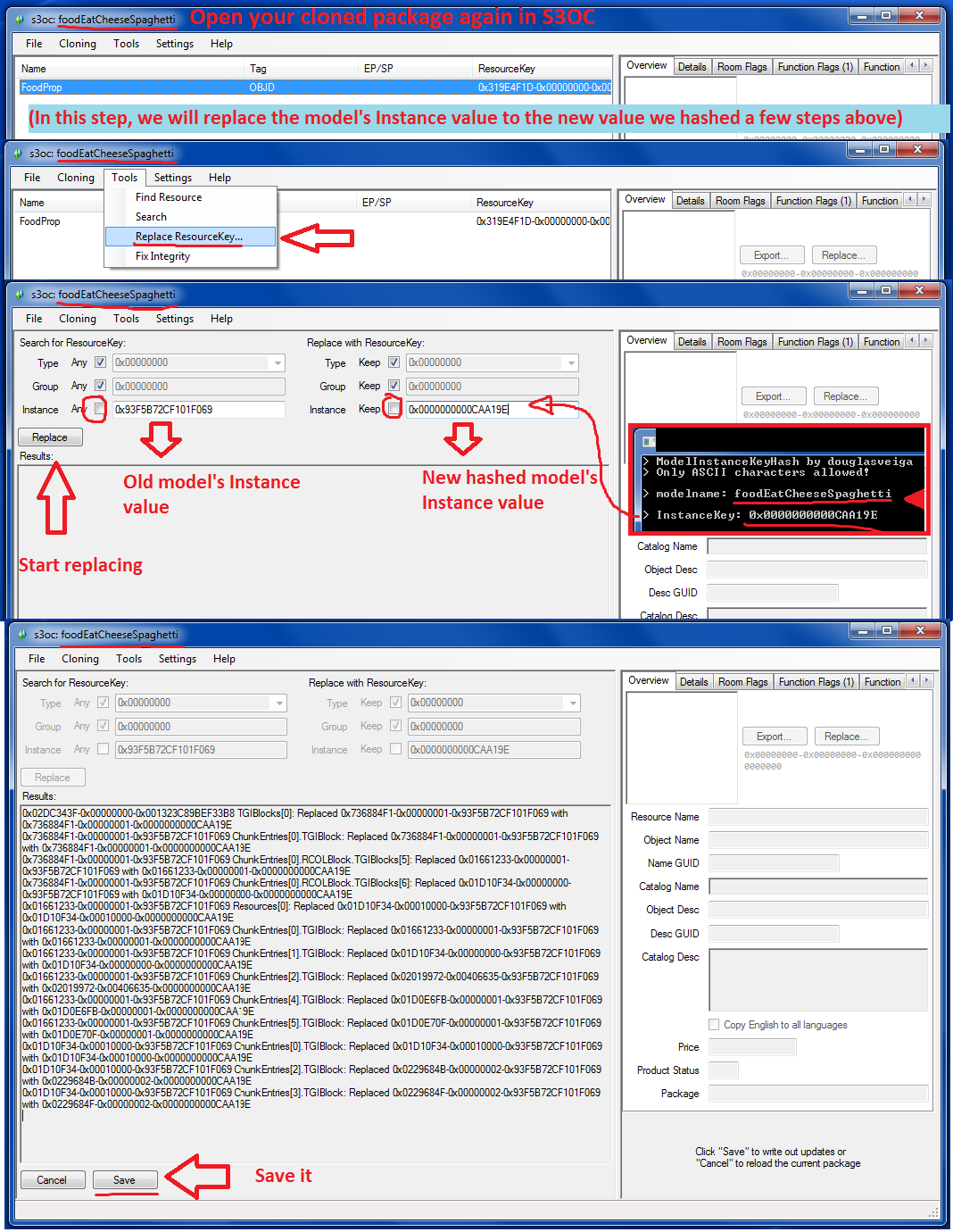
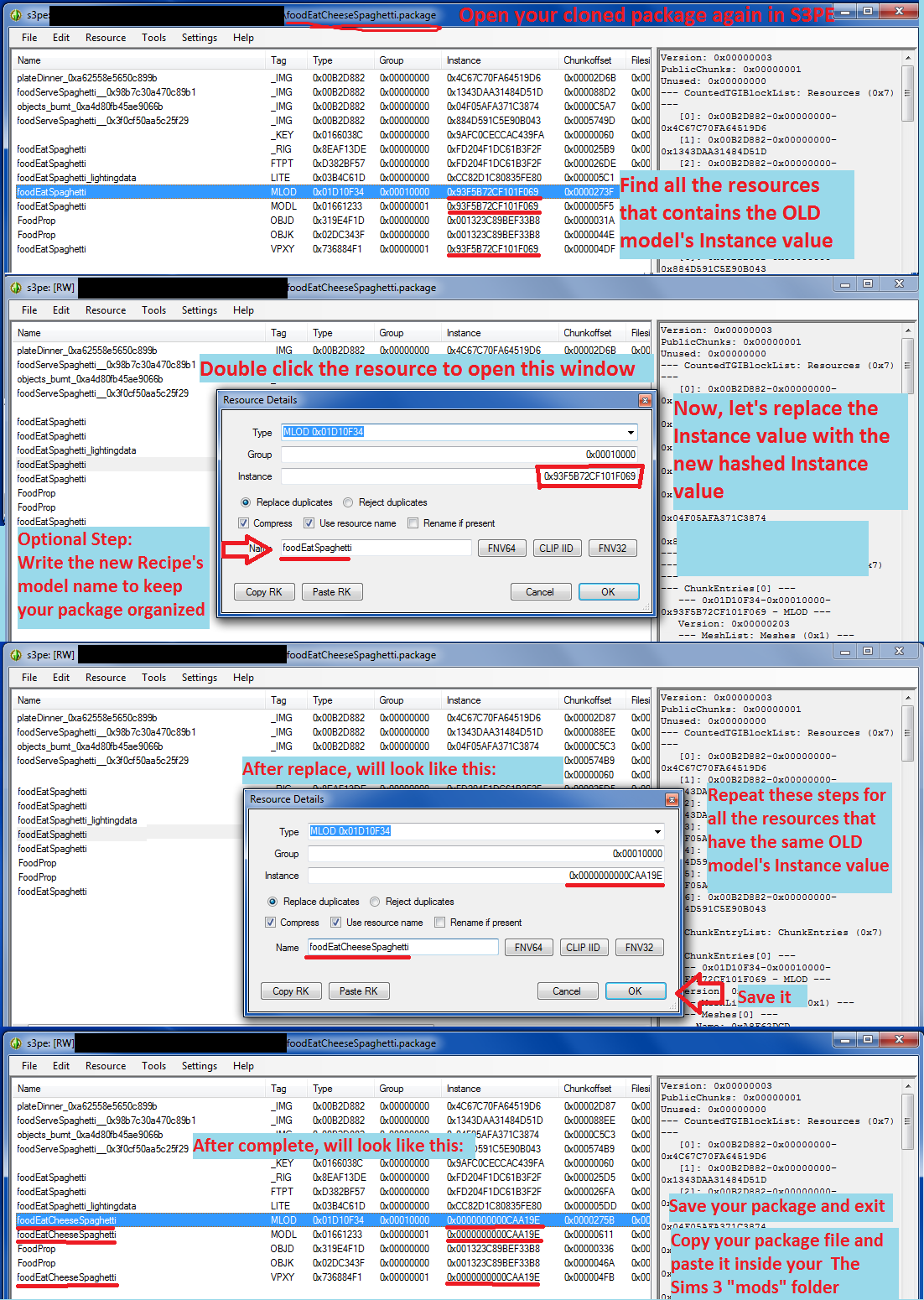
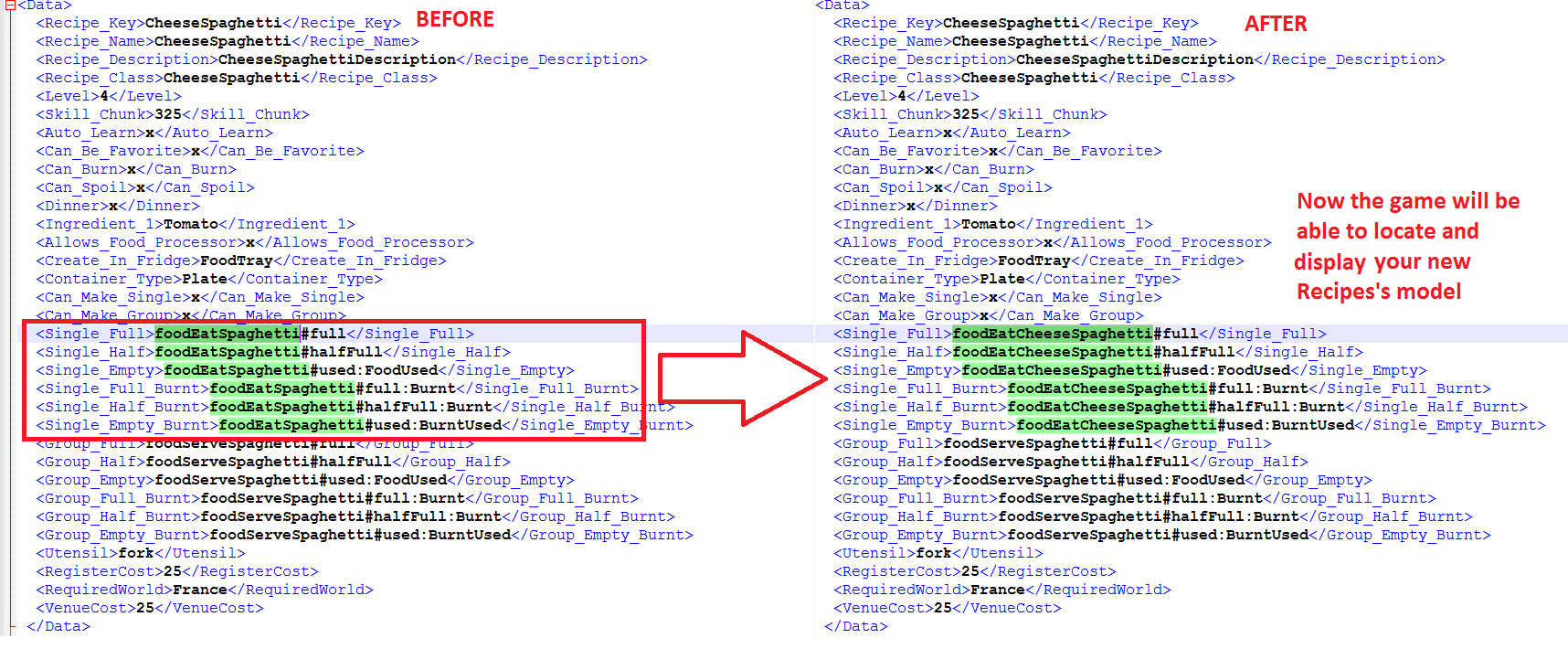
An example as images:
-------
Well, now that we have and empty recipe class, we need to take some help (because is really complex to define the recipe process from scratch. Lets find the Spaguetti class.
Find the Spaghetti class in the GamePlayData.package and copy all the content and paste it on the Last XML we created (The Risotto one), and save.
Finally, change the first and last tag that puts spaguetti for your recipe key.
These ones need to be changed
<Spaghetti>
</Spaghetti>
----
In this new content are defined the different processes that happens when cooking (take a pot put things, using the cutting board, pour from a carton...etc), so again, play around and try to change the values from the different recipes found in the Gameplaydata.package.
STEP #3
Finally, you just need to create the STBL files to create the different strings that will appear in the game.
To achieve this, you can follow the Localization tutorial from here in combo with Twallan's Unstranslated key.
If you have problems with the recipe creation you can give a check at my .package file in the first post or ask, maybe i can give a hand.
---------------------
PD: Again, this isn't a real real tutorial, just a few steps to try to create new recipes. The Most important thing to not get the 'black ball's is the creation of the hashkey that i mention before.