Quick Reply
Search this Thread
Test Subject
Original Poster
#1 Old 24th Aug 2010 at 4:30 AM Last edited by yourzonly : 24th Aug 2010 at 4:41 AM.

This user has the following games installed:

Sims 2, University, Nightlife, Open for Business, Pets, Seasons, Bon Voyage, Free Time, Apartment Life
Default My Pets Act Like Sims
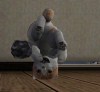
I have a custom neighborhood, and when I went there all of my houses were there but all sims were gone. the ones in the bin and in the lots. so, I exited and came back and the lot I entered was weird. some of my floors and wall coverings were gone, but the weird thing was that my pets didn't look right. their thumbnails in the menu were on the left side with the sims, instead of on the right. they were also walking funny, with their front paws behind them, and kinda upright. they can't use pet items, they can use sim items though. they also speak simlish, and they can now go through doors that were set as "only sims." I have various hacks and custom content installed. the ones I can think of now are: Inseminator, Simblender, Custom Istruments, and the Hire more Employees one. here's what I mean about pets acting like sim (it's the best pic the game would let me take):
Inventor
#2 Old 24th Aug 2010 at 5:20 AM
LOL. I know for you this is total chaos and must be quite upsetting but I'm looking at that picture and reading while imagining cats and dogs doing all the silly things sims do and it's a funny thing. To me, at least.

Ahem. Sorry.

Have you gone through the FAQ and actually done the steps? One of the first things listed is to remove custom content. That's most likely where the problem is.

kittens!
Test Subject
Original Poster
#3 Old 25th Aug 2010 at 5:36 AM
lol, it was quite funny at first, but now it's just annoying. yeah, I tried removing all my hacks, but that didn't help me. my pets were still acting weird, the dog lectured a baby today, and another one sang karaoke... lol.
Née whiterider
retired moderator
#4 Old 25th Aug 2010 at 12:24 PM
Is this just the one 'hood, or all of them?

What I lack in decorum, I make up for with an absence of tact.
Site Helper
#5 Old 25th Aug 2010 at 5:26 PM
You say that you removed all your hacks, but you should really follow the entire Game_Help:Game_Problemwiki FAQ. This includes removing all CC and trying to play with a clean hood.
Test Subject
Original Poster
#6 Old 26th Aug 2010 at 5:04 AM
it's in all my hoods, and I meant to say that I did remove all cc, I removed my downloads folder from my documents, but they are still weird... here's another pic: sorry I can't seem to get a decent pic. oh, and I was wondering if I'm alone in this, or has anyone else ever seen this before?
Site Helper
#7 Old 26th Aug 2010 at 7:05 AM
So, what happened when you tried with a newly generated neighborhood with no CC?
Mad Poster
#8 Old 26th Aug 2010 at 7:07 AM
Maybe you should just take out your hoods from your hoods folder (temporarily, stick them on the desktop or something) and then create a clean hood like that and see if it works. I dunno.


Angie/DS | Baby Sterling - 24/2/2014
This account is mostly used by my sons to download CC now, if you see me active, it's probably just them!
Test Subject
Original Poster
#9 Old 26th Aug 2010 at 7:32 AM
I tried making a new hood after I took out my cc, and I also deleteed my cache files. I am frustrated to say that my pets are stil acting like this. at first it was slightly amusing, but now it's just irritating me that I can't fix it. I will try taking out my hoods from my hoods folder and see if that helps. I followed the Game Help Problem FAQ and still no luck.
Site Helper
#10 Old 26th Aug 2010 at 2:26 PM
Part of the FAQ is to report what happened with each stage of the FAQ. You still haven't told us that, which makes it more difficult for us to help you. What happened when you removed your entire The Sims 2 folder and allowed a completely clean save game to be generated? Did you also remove all changes that you made in your Program Files directoy, so that you are running something approaching a clean installation? Do you have clean or empty neighborhood templates? Have you patched your game? The FAQ is quite extensive and we need to know exactly what you've tried.
Test Subject
Original Poster
#11 Old 26th Aug 2010 at 6:48 PM Last edited by yourzonly : 26th Aug 2010 at 7:00 PM.
ok, sorry, lol. I'll start form the begining. first, when I noticed something was wrong with my pets I removed my entire downloads folder from the game files. then, when that didn't work, I removed the the cigen and cache files, but that didn't work. I was about to remove my hoods folder when I had an idea. I went to sim browser in SimPE and opened one of my dogs. the species was set as human, and I changed it to large dog. I'm now going to load my game and see what happens.


so, I just went into the game. now, the pet I edited in SimPE is on the right side where the thumbnails are, and acts like a pet. but he still looks weird.
Site Helper
#12 Old 27th Aug 2010 at 4:55 AM
It certainly sounds like your neighborhood is corrupt. Please finish the entire FAQ and let us know what happens.
Test Subject
Original Poster
#13 Old 27th Aug 2010 at 6:46 AM
well I removed my user files and the problem is gone. so I think I will just copy my downloads folder back and start new. if I monitor what hacks and stuff I download, maybe that will help. thank you guys for helping me, as I am not the world's smartest person. lol!
Site Helper
#14 Old 27th Aug 2010 at 4:50 PM
This sounds like a reasonable plan. It would be nice to know what corrupted your neighborhood, though. I don't suppose that you did any of the following things, all of which are known to corrupt neighborhoods:
- Delete sims from the Sim Bin.
- Move occupied lots to the Lot Bin.
- Add occupied lots to your neighborhood (unless the lot has been properly cleaned).
- Use the DeleteAllCharacters cheat.

You might also want to run the Sims 2 Hack Conflict Detection Utility (HCDU) on your downloads folder, to see whether you have anything which conflicts. It's available here under Sims 2 Programs:
http://simwardrobe.com/
Test Subject
Original Poster
#15 Old 27th Aug 2010 at 7:00 PM
yeah I will download that, thanks. I'm pretty sure I haven't done most of those things, but what if I packaged lots from different neighborhoods and put them in my custom neighborhood? I wanted to have all my favorite sims as neighboors...
Inventor
#16 Old 27th Aug 2010 at 8:44 PM
Moving lots from one neighborhood to the other leads to corruption unless you properly clean up the files, which is pretty involved.

kittens!
Site Helper
#17 Old 27th Aug 2010 at 11:40 PM
OK, so that's possibly what caused your corruption; avoid everything on that list.

Here is the information on how to move sims from one neighborhood to another, safely:
http://www.simswiki.info/wiki.php?t...elp:Moving_Sims
Test Subject
Original Poster
#18 Old 28th Aug 2010 at 1:53 AM
oh, ok. I'll try and be more careful.
Back to top