Posts: 3,891
Thanks: 10197 in 80 Posts
30 Achievements
Hi there!
I usually go search for some actual sewing patterns. In fact I bought some sewing magazines just for marvelous designer, since it's actually a program designed for people who work in the fashion industry to check out if it actually works. (their sewing patterns and if it looks okay, so it's not even designed for games at all, but lately some famous games have been using this program, with a mix of zBrush. It's really rare but I've seen it before, though it often happens that they'll choose zbrush over MD).
That being said, I should say one thing about the MD tutorials for ts3 out there...
Not all are that great... in fact I still need to find a MD tutorial for TS3 that has all the information that you need to know when creating clothing. They do give you a great idea of how the program works, how to work with TSRW and how the obj to WSO conversion works in Milkshape, but you have to do so much more in Milkshape instead of just import, change group name and export your mesh.
So you can follow this tutorial, I'd just watch this part to see what you got to do in Milkshape to get a pretty nice quality on your CC ^-^:
https://youtu.be/44shiWla2PE
That being said, here is your answer on your Blender question.
That texture technique (with the shadow and the sims body) isn't really necessary at all! In fact I don't even use it. The reason is, because this tutorial shows that it is okay to keep the TS3 body under the clothing, which really ISN'T okay.
'But why? Most MD tutorials show me to keep it'.
Polycounts. Yes, high polycounts causes serious lagging in-game. Why? Rendering... The game needs to render all those little dots including the textures, all that together... yeah could cause lagging. So what you want to do is reducing the polycount in Milkshape of the clothing. And you want to it with the Tools> directxtools. Which sadly isn't shown in this tutorial.
What about the body? The body right under the clothing (So like say you have a shirt, short sleeved, you can easily delete the torso part, because the Ts3 body under your shirt doesn't even have a purpose to be right under there. and it will look pretty weird when your sim is doing certain actions, like bowing, etc).
Now it should be easier to place your UV map (or the clothing piece) on the UV map. Else you can add some parts at a spot EA made for, well anything not fitting the part at the sims 3 body:
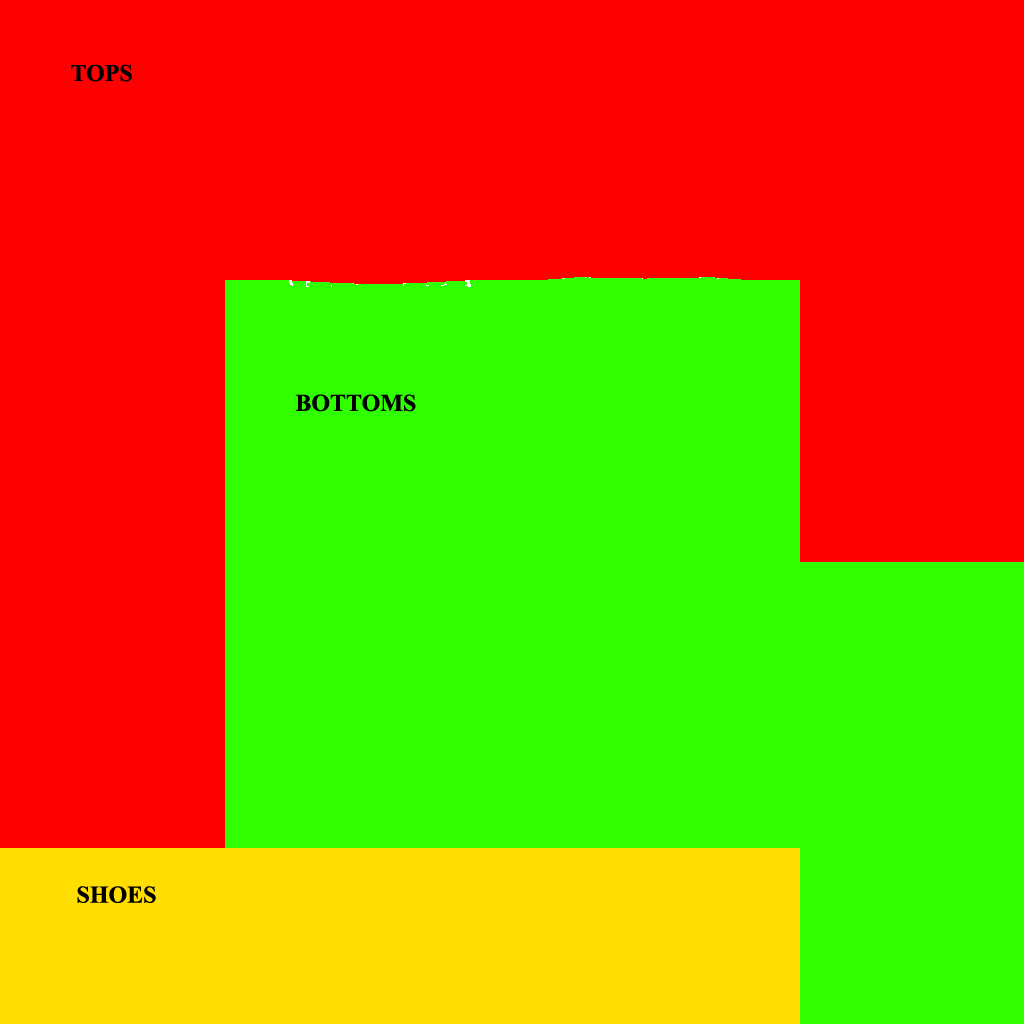
See that small spot right under the left arm when looking at the 'top' (Yellow) area? That's also an area where you can place some of the not fitting UV map right there. If you have a full body mesh (which is likely the case if you made a dress, or something) you can also take advance of the bottom (green) space that's left.
That's about it! ^-^ Sorry for the long reply >-< Do let me know if you're confused about something, or not getting something to look okay!

 Sign in to Mod The Sims
 27th Oct 2016 at 12:54 PM
 Clothes with Marvelous Designer