
 Sign in to Mod The Sims
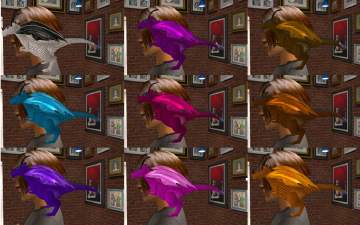
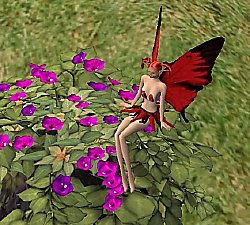
 Pixie Recolors
 Pixie Recolors
SCREENSHOTS


snapshot_2dd72caf_51a3d0a2.jpg - width=400 height=300
snapshot_2dd72caf_31a3d0ef.jpg - width=400 height=300
snapshot_2dd72caf_51a3d13c.jpg - width=400 height=300
Downloaded 804 times
88 Thanks
2 Favourited
11,518 Views
Say Thanks!
Thanked!
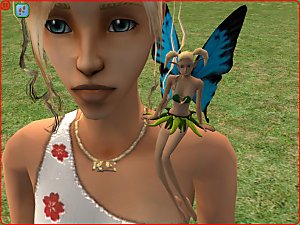
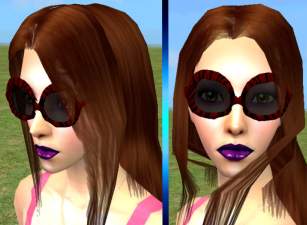
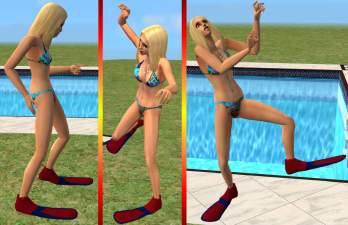
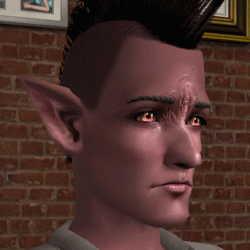
Only a few Recolors of g3tbo little shoulder sitting and pixie!
 It may not show if you dont ave University, Nightlife, Open for Business and Family Fun Stuff.
 It may not show if you dont ave University, Nightlife, Open for Business and Family Fun Stuff.
Advertisement:
This is a new mesh recolour, and means that you will need to download the particular mesh itself in order for this to show up in your game. See the Meshes Needed section or read the text for more information.
|
pixie_bad.rar
Download
Uploaded: 20th Jun 2006, 78.5 KB.
2,222 downloads.
|
||||||||
|
pixie_dark.rar
Download
Uploaded: 20th Jun 2006, 75.8 KB.
2,259 downloads.
|
||||||||
|
pixie_blue.rar
Download
Uploaded: 20th Jun 2006, 76.6 KB.
2,171 downloads.
|
||||||||
| For a detailed look at individual files, see the Information tab. | ||||||||
Install Instructions
Basic Download and Install Instructions:
1. Download: Click the download link to save the .rar or .zip file(s) to your computer.
2. Extract the zip, rar, or 7z file.
3. Place in Downloads Folder: Cut and paste the .package file(s) into your Downloads folder:
1. Download: Click the download link to save the .rar or .zip file(s) to your computer.
2. Extract the zip, rar, or 7z file.
3. Place in Downloads Folder: Cut and paste the .package file(s) into your Downloads folder:
- Origin (Ultimate Collection): Users\(Current User Account)\Documents\EA Games\The Sims™ 2 Ultimate Collection\Downloads\
- Non-Origin, Windows Vista/7/8/10: Users\(Current User Account)\Documents\EA Games\The Sims 2\Downloads\
- Non-Origin, Windows XP: Documents and Settings\(Current User Account)\My Documents\EA Games\The Sims 2\Downloads\
- Mac: Users\(Current User Account)\Documents\EA Games\The Sims 2\Downloads
- Mac x64: /Library/Containers/com.aspyr.sims2.appstore/Data/Library/Application Support/Aspyr/The Sims 2/Downloads
- For a full, complete guide to downloading complete with pictures and more information, see: Game Help: Downloading for Fracking Idiots.
- Custom content not showing up in the game? See: Game Help: Getting Custom Content to Show Up.
- If you don't have a Downloads folder, just make one. See instructions at: Game Help: No Downloads Folder.
Meshes needed
This download requires one or more meshes to work properly. Please check the Description tab for information about the meshes needed, then download them below:| MTS cannot guarantee any off-site links will be available |
| Need a little... Pixie? Maybe? by q3tbo |
Advertisement:
Loading comments, please wait...
Author
Download Details
Tags
Other Download Recommendations:

Packs Needed
| Expansion Pack | |
|---|---|
 | University |
 | Nightlife |
 | Open for Business |
| Stuff Pack | |
|---|---|
 | Family Fun |