
 Sign in to Mod The Sims
 Maxis-Matchy ManBrows! Binned!
 Maxis-Matchy ManBrows! Binned!


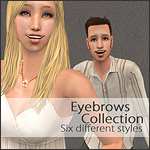
binned-brows01.jpg - width=878 height=543
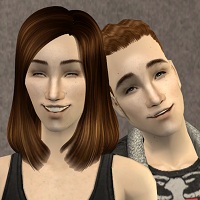
binned-brows02.jpg - width=750 height=750

Custom brows & facial hair clutter up the bin like mad. They force you to scroll scroll scroll and click on a zillion wrong-colour brows to find one good one. They're annoying. So I decided to try colour-binning the buggers and - behold! - it worked! It's not even hard! Surely these can't be the first binned brows, but I haven't seen any before so here's the method I used:
- Make your brows in Bodyshop as usual. I recommend cloning Maxis brows as a base to avoid complications.
- Quit Bodyshop and open your new black brows in SimPE.
- Click "Texture Overlay XML" in the Resource Tree, then click the first item in the Resource List.
- Copy the family number to a temporary text file - you'll use that later.
- Change the hairtone to the correct colour number. A list of numbers can be found in HystericalParoxysm's Hair Binning Tutorial. Click Commit.
- Repeat step 5 for each item in the Resource List, being careful to make the grey brows grey. Save.
- Open the next brow colour in SimPE. Repeat steps 5 & 6, but this time DELETE the grey and also paste in that black family number - you want all the colours to have the same family number.
- Remember to commit after each change and save when you're done.
Other facial hair can be binned exactly the same way. Theo's Colour Binning Tool works too.... for the most part. It doesn't delete the extra greys so you'll still have to do that manually in SimPE. And of course you can always use an in-game mirror to make the brows not match your sim's hair if you wish.
Anyhow... these brow sets work for all ages & genders. The grey elder brows are attached to the black brows, so don't delete the black brows if you want the grey ones. They all use Maxis textures and match well with Maxis hair. And they're binned! Maybe someone will find them useful.
Oh! Also, if by any chance you happen to already have the rufusbrows or galebrows that came with my sims, please delete those before installing these. They may conflict because I was silly and used the same family number.
Additional Credits:
The blue eyes pictured are Oepu's Maxis Match Eyes. Thanks, Oepu! Thanks also go to HystericalParoxysm, the creators of SimPE, Delphy & the rest of the MTS2 staff, and all the members who make MTS2 great.
|
binned-rufusbrows.rar
Download
Uploaded: 29th Nov 2007, 177.8 KB.
6,560 downloads.
|
||||||||
|
binned-jornbrows.rar
Download
Uploaded: 29th Nov 2007, 100.5 KB.
6,284 downloads.
|
||||||||
|
binned-galebrows.rar
Download
Uploaded: 29th Nov 2007, 108.5 KB.
7,191 downloads.
|
||||||||
| For a detailed look at individual files, see the Information tab. | ||||||||
Install Instructions
1. Download: Click the download link to save the .rar or .zip file(s) to your computer.
2. Extract the zip, rar, or 7z file.
3. Place in Downloads Folder: Cut and paste the .package file(s) into your Downloads folder:
- Origin (Ultimate Collection): Users\(Current User Account)\Documents\EA Games\The Sims™ 2 Ultimate Collection\Downloads\
- Non-Origin, Windows Vista/7/8/10: Users\(Current User Account)\Documents\EA Games\The Sims 2\Downloads\
- Non-Origin, Windows XP: Documents and Settings\(Current User Account)\My Documents\EA Games\The Sims 2\Downloads\
- Mac: Users\(Current User Account)\Documents\EA Games\The Sims 2\Downloads
- Mac x64: /Library/Containers/com.aspyr.sims2.appstore/Data/Library/Application Support/Aspyr/The Sims 2/Downloads
- For a full, complete guide to downloading complete with pictures and more information, see: Game Help: Downloading for Fracking Idiots.
- Custom content not showing up in the game? See: Game Help: Getting Custom Content to Show Up.
- If you don't have a Downloads folder, just make one. See instructions at: Game Help: No Downloads Folder.
Loading comments, please wait...
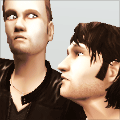


Uploaded: 29th Nov 2007 at 4:56 PM
Updated: 13th Jan 2009 at 8:19 PM - editing keywords
-
-
by zoej 18th Sep 2007 at 10:32pm
 33
120.3k
219
33
120.3k
219
-
by -Shady- 14th Jun 2008 at 3:23pm
31
215.8k
212
-
by -Shady- 17th Jul 2008 at 8:17pm
24
100.6k
156
-
by -Shady- 9th Oct 2008 at 6:07pm
28
126.1k
188
-
by ShojoAngel 18th Oct 2008 at 7:06pm
21
79.4k
75
-
by ShojoAngel 5th May 2010 at 10:46pm
19
56.2k
87
-
-
by caramelcoffee 20th Aug 2011 at 11:41pm
8
22k
15
-
by Lina 6th Aug 2014 at 11:14am
3
11.2k
21

-
by fanseelamb 19th Jun 2012 at 9:50pm
Puffy vests for cool cowboys. Literally. more...
-
by fanseelamb 30th Apr 2006 at 11:18pm
Six comfy flannel shirts & jeans for the lumberjack in every sim. more...
-
5 Stripey Sweaters, 5 Not-Stripey Sweaters, and a pair of Jeans
by fanseelamb 26th Mar 2006 at 6:26am
- 5 cuddly striped sweaters - 5 cuddly solid sweaters (since I made 'em for the striped ones anyway) more...
-
by fanseelamb 21st Aug 2006 at 10:53pm
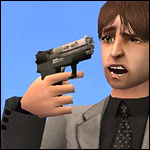
This is a recolour of VampCat's Girlie Handgun . I just painted it black to look more... manly. more...
64
179k
120
-
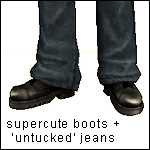
Supercute Boots & "Untucked" Jeans - An Adele Mesh Recolour [UPDATE: Fixed Mesh]
by fanseelamb updated 11th Jun 2008 at 9:56am
Here are some clunky boots & hawt lil' jeans for your untucked guys. more...
-
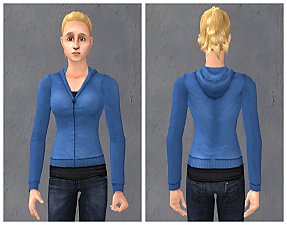
Sweet Separates: 3 More Hoodies in Yellow, Black, and Blue
by fanseelamb 15th Jul 2012 at 12:30am
Three new recolours of a freshly fixed mesh. more...
-
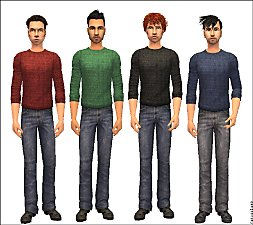
by fanseelamb 3rd Oct 2005 at 7:50am
Some recolours of those yummy Nightlife sweaters & jeans. Everyday only, for Adults & College Kids. more...
-
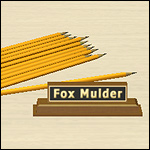
Yellow Pencils & "Fox Mulder" Nameplate
by fanseelamb 20th Jan 2006 at 2:02am
Fox Mulder's basement office just wouldn't be complete without a lovely nameplate for Scully to be jealous of and a more...
30
32.8k
19
-
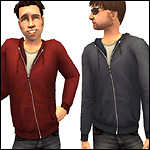
H&M Hoodie Recolours - UPDATE: For Teens Too!
by fanseelamb 12th Dec 2007 at 6:46pm
A few recolours of that ridiculously adorable H&M Hoodie. Because my sim needed a blue one. more...
-
by fanseelamb 9th Nov 2005 at 12:16am
Here's one more recolour of the cutie pie mesh, because it's oh-so-cute... I can't resist! more...




About Me
I now upload mainly to tumblr and leefish.nl.
Here's a comprehensive gallery of all my tumblr, leefish.nl, and modthesims content.

tumblr | leefish.nl | all offsite downloads | complete downloads gallery | fanseetags
By downloading my content, you accept these TERMS OF USE. Please respect them.