
 Sign in to Mod The Sims
 TS3_TS2 World Adventures - Columns
 TS3_TS2 World Adventures - Columns


.jpg?cb=1676692169)
.jpg?cb=1676692169)
.jpg?cb=1676692169)
.jpg?cb=1676692169)
.jpg?cb=1676692169)
.jpg?cb=1676692169)


01.1 World Adventures - Columns -with title.jpg - width=800 height=600
01.2 World Adventures - Columns.jpg - width=800 height=900
02.1 Far-Out Far Eastern Column (front).jpg - width=800 height=1300
02.1 Far-Out Far Eastern Column (rear).jpg - width=800 height=1300
02.2 Far-Out Far Eastern Column (front).jpg - width=800 height=1300
02.2 Far-Out Far Eastern Column (rear).jpg - width=800 height=1300
02.3 Far-Out Far Eastern Column (front).jpg - width=800 height=1300
02.3 Far-Out Far Eastern Column (rear).jpg - width=800 height=1300
03.1 General's Column.jpg - width=800 height=1200
03.2 General's Column.jpg - width=800 height=1200
03.3 General's Column.jpg - width=800 height=1200


.jpg?cb=1676692169)
.jpg?cb=1676692169)
.jpg?cb=1676692169)
.jpg?cb=1676692169)
.jpg?cb=1676692169)
.jpg?cb=1676692169)


My SimPE settings include having CEP enabled.
Far-Out Far Eastern Column is a decorative column with 3 color options.

Polygon Count: 794
Build Mode Location: Miscellaneous/Columns
Recolorable Part(s): 1 subset for whole object
General's Column is a column with 3 color options.
Polygon Count: 438
Build Mode Location: Miscellaneous/Columns
Recolorable Part(s): 1 subset for whole object
Both columns have been cloned from a Sims 2 base game column - no expansion or stuff packs required.
The World Adventures - Columns zip.file contains both columns. I have also attached separate zip.files for each column.
Happy Simming!
Additional Credits
Thanks to TSR Workshop, SimPE, Milkshape 3D and EA Games as without these programs creating objects would not be possible.
Also Numenor for CEP.
| Filename | Type | Size |
|---|---|---|
| World Adventures - Columns.zip | zip | |
| LSP8ColumnAsianFancyMesh.package | package | 610418 |
| LSP8ColumnAsianPlainMesh.package | package | 587620 |
| Filename | Type | Size |
|---|---|---|
| Far-Out Far Eastern Column.zip | zip | |
| LSP8ColumnAsianFancyMesh.package | package | 610418 |
| Filename | Type | Size |
|---|---|---|
| General's Column.zip | zip | |
| LSP8ColumnAsianPlainMesh.package | package | 587620 |
This is a new mesh, and means that it's a brand new self contained object that usually does not require a specific Pack (although this is possible depending on the type). It may have Recolours hosted on MTS - check below for more information.
The following custom content is included in the downloadable files:
- Far-Out Far Eastern Column by Ladysimplayer8
- General's Column by Ladysimplayer8
|
General's Column.zip
Download
Uploaded: 18th Feb 2023, 124.5 KB.
261 downloads.
|
||||||||
|
Far-Out Far Eastern Column.zip
Download
Uploaded: 18th Feb 2023, 169.8 KB.
248 downloads.
|
||||||||
|
World Adventures - Columns.zip
Download
Uploaded: 18th Feb 2023, 294.6 KB.
516 downloads.
|
||||||||
| For a detailed look at individual files, see the Information tab. | ||||||||
Install Instructions
1. Download: Click the download link to save the .rar or .zip file(s) to your computer.
2. Extract the zip, rar, or 7z file.
3. Place in Downloads Folder: Cut and paste the .package file(s) into your Downloads folder:
- Origin (Ultimate Collection): Users\(Current User Account)\Documents\EA Games\The Sims™ 2 Ultimate Collection\Downloads\
- Non-Origin, Windows Vista/7/8/10: Users\(Current User Account)\Documents\EA Games\The Sims 2\Downloads\
- Non-Origin, Windows XP: Documents and Settings\(Current User Account)\My Documents\EA Games\The Sims 2\Downloads\
- Mac: Users\(Current User Account)\Documents\EA Games\The Sims 2\Downloads
- Mac x64: /Library/Containers/com.aspyr.sims2.appstore/Data/Library/Application Support/Aspyr/The Sims 2/Downloads
- For a full, complete guide to downloading complete with pictures and more information, see: Game Help: Downloading for Fracking Idiots.
- Custom content not showing up in the game? See: Game Help: Getting Custom Content to Show Up.
- If you don't have a Downloads folder, just make one. See instructions at: Game Help: No Downloads Folder.
Loading comments, please wait...

Uploaded: 18th Feb 2023 at 3:50 AM
-
by darylmarkloc 26th Jan 2006 at 5:35pm
 +1 packs
19 23k 14
+1 packs
19 23k 14 Nightlife
-
-
-
by HugeLunatic 10th Dec 2010 at 2:31am
20
57.3k
118
-
-
TS3_TS2 World Adventures - Shang Simla
by Ladysimplayer8 29th Jan 2023 at 9:24am
+1 packs
4 5.4k 21 Glamour Life
-
TS3_TS2 World Adventures - Al Simhara
by Ladysimplayer8 7th Feb 2023 at 11:24am
+4 packs
7 6.7k 21 Glamour Life
Nightlife
 H&M Fashion
 Seasons
-
TS3_TS2 World Adventures - Champ Les Sims
by Ladysimplayer8 15th Feb 2023 at 12:18pm
+1 packs
1 6.4k 21 H&M Fashion
-
-


-
TS3_TS2 Sims3 Outdoor Lighting
by Ladysimplayer8 14th Mar 2021 at 9:17pm
This is a conversion of 8 Sims3 Outdoor Lights (from a few expansion packs) into Sims2 objects. more...
+1 packs
2 5.5k 26 Seasons
-
TS4_TS2 Streamlet Single Dining Set
by Ladysimplayer8 7th Apr 2021 at 6:56am
This is a conversion of 4 Sims4 Dining Room items into Sims2 object. more...
-
TS3_TS2 Fast Lane Stuff - Pit Stop
by Ladysimplayer8 updated 29th Feb 2024 at 9:17pm
Conversion of 5 items from Sims 3 Fast Lane Stuff into Sims2 objects. more...
-
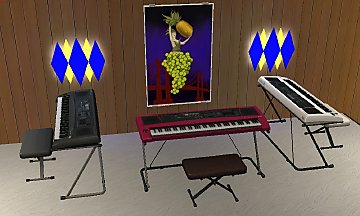
TS3_TS2 Prudence Penny Pincher's Portable Piano
by Ladysimplayer8 28th Sep 2021 at 1:28pm
At 700 Simeons, the Prudence Penny Pincher's Portable Piano lives up to it's name!:) Ideal for child Sims excited about music more...
20
9.1k
41
-


TS3_TS2 Design & High-Tech Stuff - Den
by Ladysimplayer8 updated 8th Mar 2026 at 6:54am
A conversion of 4 items from Sims3 Design & High-Tech Stuff into Sims2 objects. more...
-
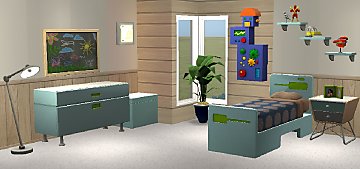
TS3_TS2 Ultra Lounge Boy's Bedroom Set
by Ladysimplayer8 11th Sep 2021 at 8:00am
The Ultra Lounge Boy's Bedroom Set is modern and futuristic for adults and teens bedrooms; and also full of fantasy more...
-
TS3_TS2 Happily Ever After Dining Kitchen
by Ladysimplayer8 19th Mar 2024 at 6:51pm
Featuring more of the Once Upon a Time Cottage Collection, I suspect Goldilocks would find these furnishings... more...
-
TS4_TS2 Courtyard Oasis Kit - Living
by Ladysimplayer8 updated 13th Feb 2026 at 5:18pm
Create your own beautiful oasis living area (inside or out!) with the Courtyard Oasis Kit - Living. Big 'Ole Vase more...
-
TS3_TS2 Olympian Physique Bedroom
by Ladysimplayer8 29th Mar 2021 at 7:50pm
This is a conversion of 7 Sims3 Store Olympian Physique items into Sims2 objects. more...
-
TS4_TS2 Tiny Living Water Closet
by Ladysimplayer8 17th Nov 2021 at 6:35am
The smallest room in the house can still be big on style - especially if you love the mid-century look!:) My more...


About Me
My conversions uploads are intended for the exclusive use of members and guests of Mod the Sims.
My conversions are not permitted on any other site; nor for use in any mod.
Sims 4 conversions should not require any recolors as there are many textures supplied with the object and I do all the textures supplied.
Sims 3 conversions have a more limited number of recolors (generally 3), so if you wish for more recolors, please contact me to do the recolors, or for my permission if you wish to do them yourself and upload them to any non payment site.
Thank you for observing my policies.