
 Sign in to Mod The Sims
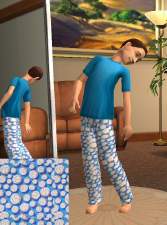
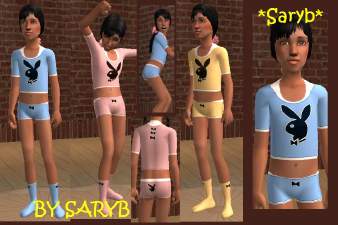
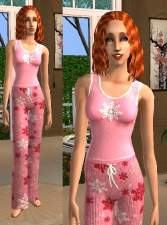
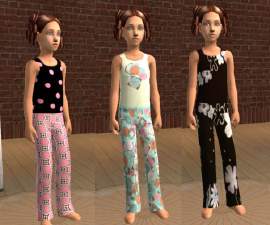
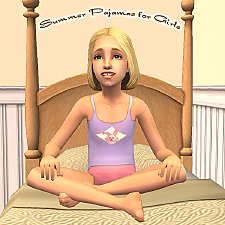
 [MESH] Pajamas Gone Baggy
 [MESH] Pajamas Gone Baggy


snapshot_9071f42c_70c9911c.jpg - width=600 height=450
snapshot_9071f42c_70c99133.jpg - width=600 height=450
snapshot_9071f42c_90c99147.jpg - width=600 height=450
<33 Kiara
edit: I think these baggy pajamas originally appear in the everyday section but I couldnt remember. Seeing as the name is Pajamas Gone Baggy I just put this in that category. But I think it appears in everday, sorry.
This is a new mesh, and means that it's a brand new self contained object that usually does not require a specific Pack (although this is possible depending on the type). It may have Recolours hosted on MTS - check below for more information.
|
BAGGYMESH.rar
Download
Uploaded: 7th Jan 2006, 291.3 KB.
1,765 downloads.
|
||||||||
| For a detailed look at individual files, see the Information tab. | ||||||||
Install Instructions
1. Download: Click the download link to save the .rar or .zip file(s) to your computer.
2. Extract the zip, rar, or 7z file.
3. Place in Downloads Folder: Cut and paste the .package file(s) into your Downloads folder:
- Origin (Ultimate Collection): Users\(Current User Account)\Documents\EA Games\The Sims™ 2 Ultimate Collection\Downloads\
- Non-Origin, Windows Vista/7/8/10: Users\(Current User Account)\Documents\EA Games\The Sims 2\Downloads\
- Non-Origin, Windows XP: Documents and Settings\(Current User Account)\My Documents\EA Games\The Sims 2\Downloads\
- Mac: Users\(Current User Account)\Documents\EA Games\The Sims 2\Downloads
- Mac x64: /Library/Containers/com.aspyr.sims2.appstore/Data/Library/Application Support/Aspyr/The Sims 2/Downloads
- For a full, complete guide to downloading complete with pictures and more information, see: Game Help: Downloading for Fracking Idiots.
- Custom content not showing up in the game? See: Game Help: Getting Custom Content to Show Up.
- If you don't have a Downloads folder, just make one. See instructions at: Game Help: No Downloads Folder.
Loading comments, please wait...

Uploaded: 7th Jan 2006 at 4:30 AM
-
-
-
-
-

-
-
-
by Kittylynn74 updated 15th Apr 2008 at 9:16am
-
by fakepeeps7 10th May 2008 at 1:30am
-
by fakepeeps7 19th May 2008 at 8:10pm

-
by KiaraRawks 5th Feb 2006 at 1:16am
Here are some Pebble Terrians in different color! ENJOY! more...
 17
9.1k
2
17
9.1k
2
-
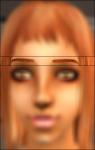
by KiaraRawks 7th Jan 2006 at 8:39pm
Here are my first eyebrows they come in light orange, dark orange, and black. more...
3
5.8k
-
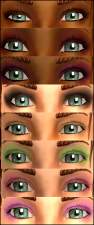
by KiaraRawks 12th Jan 2006 at 8:24am
Heres another eyeshadow set for you all. I hope you like them! more...
-
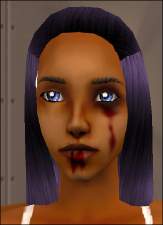
by KiaraRawks 23rd Jan 2006 at 4:59pm
Each blood mask was made on the darkskintone but could work for all. more...
20
38k
35
-
A Box of Toys ....Because not all kids have a toy chest.
by KiaraRawks 2nd Mar 2009 at 3:32pm
A simple cardboard box containing your kid's toys. more...
102
100.1k
244
-
[Just For Him] Child clothing "4"
by KiaraRawks 10th Jan 2006 at 8:11pm
Here is more clothing off my site Just For Him! more...
-
by KiaraRawks 9th Jan 2006 at 5:19pm
These are clothing from my old site Just For Him. more...
11
10.5k
5
Male » Mixed Sets » Toddler
-
by KiaraRawks 31st Jul 2006 at 3:08am
Here's more recolor of the cheap kitchen stuff that comes with the game. more...
-

by KiaraRawks 22nd Mar 2006 at 12:22am
My latest skintone only in one shade so far. Its edited for teen-elder for both sexes. more...
-
by KiaraRawks 5th Feb 2006 at 1:19am
Heres just some recolors in white of 2 windows and a door! I hope they are useful to you! more...
5
14.1k
3
About Me
You may never upload my meshes to any other site. Meshes must be linked to where they can be downloaded; Meaning please do not package my meshes with your recolored objects.
Clothing:
Meshes must be linked back MTS2 for downloaders to download, if you decide to recolor. Never include my meshes in your zips or rars unless you have permission from me.
If you want include clothing made by me or yourself on my mesh, the mesh as stated above must be linked to download here at MTS2 but the clothing recolor itself may be uploaded with your sim.