Sign in to Mod The Sims
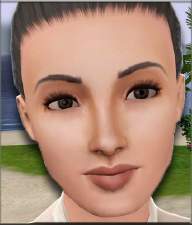
 Cate Blanchett: An Amazing Actress
 Cate Blanchett: An Amazing Actress


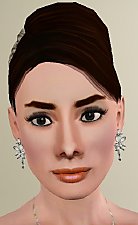
cate6.jpg - width=411 height=469
cate1.jpg - width=774 height=541
Sem título 3.jpg - width=486 height=630
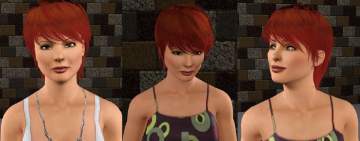
cate3.jpg - width=233 height=646

I hope you enjoy!
If you want her to look EXACTLY as she's pictured you'll need a few things:
Skin face by aikea_guinea
Skin body by Peggys
Eyes: Staring at my Soul SM by Cutthroat_Dollie
Eyebrows: Under Your Brows (Basic Brows Set) by HystericalParoxysm
Custom Eyeline by Rose
Lipsticks: Moisture Sheer Lipstick by Channy & Vivin
Dress: YF/AF Vintage Mirage Dress for Everyday and Formal by v-ware
Shoes: As-seen-on: Sarah Jessica Parker by JB&IC
NOTE: You must have some kind of slider hack installed. I use Rick & Delphy's CAS slider hack:
Thank you to creators listed above for their wonderful work.
PLEASE NOTE: to install, put her in the saved sims folder in Documents - Electronic Arts - Sims 3 - Saved Sims. She will then appear in your sim bin.
If you don't wish to download all these things, your game will replace them with whatever you have.
And a big thank to:
SnowWhiteCharming, Wicked poppies, V-ware, Zeth, Joninmobile, Simmiller and Thedivineone for time, assistance and support that maked possible make Cate!
|
Cate_Blanchett2.zip
Download
Uploaded: 30th Oct 2009, 355.3 KB.
2,700 downloads.
|
||||||||
| For a detailed look at individual files, see the Information tab. | ||||||||
Install Instructions
1. Click the filename or the download button to download the sim to your computer.
2. Extract the zip, rar, or 7z file.
2. Select the .sim file you got from extracting.
3. Cut and paste it into your Documents\Electronic Arts\The Sims 3\SavedSims folder. If you do not have this folder yet, it is recommended that you open the game, enter Create-a-Sim, and save a sim to the sim bin to create this folder, rather than doing so manually. After that you can close the game and put the .sim file in SavedSims
4. Once the .sim file is in SavedSims, you can load the game, and look for your sim in the premade sims bin in Create-a-Sim.
Extracting from RAR, ZIP, or 7z: You will need a special program for this. For Windows, we recommend 7-Zip and for Mac OSX, we recommend Keka. Both are free and safe to use.
Need more help?
If you need more info, see Game Help:Installing TS3 Simswiki for a full, detailed step-by-step guide! Special Installation Instructions
- If you get an error that says "This content requires expansion pack data that is not installed", please use Clean Installer to install this sim.
Loading comments, please wait...



Uploaded: 30th Oct 2009 at 9:20 PM







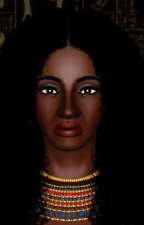
-
-
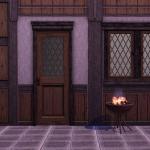
Medieval Centred Leadlight Door - Ye Olde Kingdom of Pudding
by The Merrye Makers 28th Jan 2012 at 9:31pm
A centred door and arch to match the base game leaded windows more...
 13
44.8k
119
13
44.8k
119
-
-
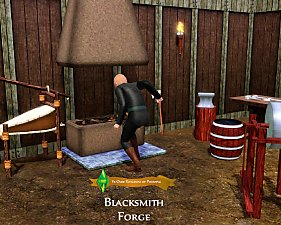
Medieval Blacksmith - Forge - Ye Olde Kingdom of Pudding
by The Merrye Makers 19th Dec 2011 at 7:49am
From swords to fish hooks for anglers, Ye Olde Kingdom of Pudding blacksmiths used this forge to make anything metal. more...
9
49.7k
103
-
Mystery & Magick Medieval Science Centres - Ye Olde Kingdom of Pudding
by The Merrye Makers 25th Oct 2012 at 6:04pm
Medieval Community Lots with Science Facility rabbithole in two versions - Base Game / World Adventures; Supernatural. Supernatural lot also has Arboretum. more...
+2 packs
4 32.8k 54 World Adventures
 Supernatural
-
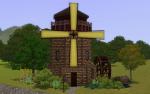
Medieval Big Water Wheel & Windmill Blades - Ye Olde Kingdom of Pudding
by The Merrye Makers 8th Dec 2011 at 1:46pm
The Quick Tick Wall Clock was used to make the Medieval Big Water Wheel and Windmill Blades actually turn. more...
19
38.2k
92
-
-
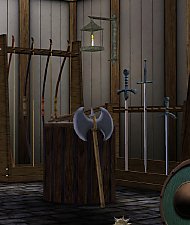
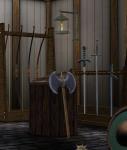
Medieval Armoury Part 1 - Ye Olde Kingdom of Pudding
by The Merrye Makers 14th Dec 2011 at 5:19am
Decorative Medieval Weapons and Storage more...
18
62.9k
148
-


-