
 Sign in to Mod The Sims
 Smoochies! -- A Couple's Pose Set
 Smoochies! -- A Couple's Pose Set


title screen.jpg - width=1024 height=768
smoochies 1, 2.jpg - width=1024 height=768
second angle 2.jpg - width=1024 height=768
smoochies 3, 4.jpg - width=1024 height=768
smoochies 5, 6.jpg - width=1024 height=768
second angle 1.jpg - width=1024 height=768
--------------------------------------------------------------------------------------------------------------------------------------------------------
*Compatible with the "Pose List" feature of the newest Pose Player!*
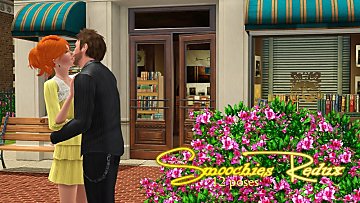
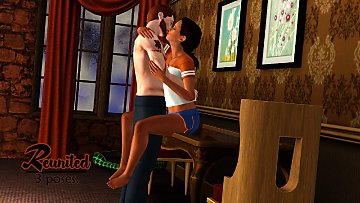
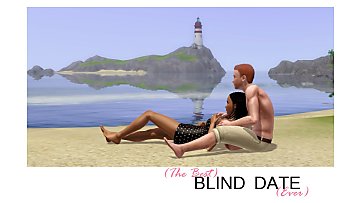
Have you been held enough, but you're not quite ready to move on the pillows? Maybe it's just time to kiss for a while! A small set of three couple's poses.
Pose tags are as follows:
a_splad_smoochies1 -- male pose, seated
a_splad_smoochies2 -- female pose, standing
a_splad_smoochies3 -- male pose, leaning into the wall
a_splad_smoochies4 -- female pose, leaning against the wall
a_splad_smoochies5 -- male pose, sitting on the ground
a_splad_smoochies6 -- female pose, sitting on the ground
You will have use "moveobjects on" to place the sims in position. Once you cancel, the sim will stand in the middle of the couch or near the wall as though it were an object. This is okay! Just direct the sim to walk away and all will be well.
Please note, "male" and "female" tags are only to denote which sim is doing what in which picture. You can switch the positions or use the poseset with same-gendered couples, it'll be fine.
Additional Credits:
Cmomoney for the incredible Pose Player
OrangeMittens for the excellent "Creating Your Own Custom Poses" tutorial
WesHowe for the AnimTool
Mesher for the AM/AF rigs
Inge Jones for S3PE and the rest of the Sims community at large for assistance and encouragement.
|
Muah!.rar
Download
Uploaded: 4th Feb 2012, 46.1 KB.
55,704 downloads.
|
||||||||
| For a detailed look at individual files, see the Information tab. | ||||||||
Install Instructions
1. Click the download button, or the filename, to download the file to your computer.
2. Extract the zip, rar, or 7z file. Now you will have either a .package or a .sims3pack file.
For Package files:
1. Cut and paste the file into your Documents\Electronic Arts\The Sims 3\Mods\Packages folder. If you do not already have this folder, you should read the full guide to Package files first: Sims 3:Installing Package Fileswiki, so you can make sure your game is fully patched and you have the correct Resource.cfg file.
2. Run the game, and find your content where the creator said it would be (build mode, buy mode, Create-a-Sim, etc.).
For Sims3Pack files:
1. Cut and paste it into your Documents\Electronic Arts\The Sims 3\Downloads folder. If you do not have this folder yet, it is recommended that you open the game and then close it again so that this folder will be automatically created. Then you can place the .sims3pack into your Downloads folder.
2. Load the game's Launcher, and click on the Downloads tab. Find the item in the list and tick the box beside it. Then press the Install button below the list.
3. Wait for the installer to load, and it will install the content to the game. You will get a message letting you know when it's done.
4. Run the game, and find your content where the creator said it would be (build mode, buy mode, Create-a-Sim, etc.).
Extracting from RAR, ZIP, or 7z: You will need a special program for this. For Windows, we recommend 7-Zip and for Mac OSX, we recommend Keka. Both are free and safe to use.
Need more help?
If you need more info, see:
- For package files: Sims 3:Installing Package Fileswiki
- For Sims3pack files: Game Help:Installing TS3 Packswiki
Loading comments, please wait...


-
-
-
-
-
by Chibikinesis 23rd Jan 2015 at 10:00am
 15
28.3k
69
15
28.3k
69
-
-

by spladoum 27th Mar 2015 at 3:08am
31
86.5k
254
-
by spladoum 30th Oct 2015 at 1:29am
14
44k
120
-
by spladoum 4th May 2018 at 3:52am
4
26.9k
25
-
by jessesue 10th Aug 2025 at 3:40pm
2
1.2k
1

-
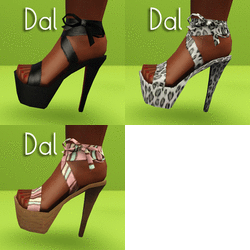
I Wanna See Some Cash: Platform Heels
by Puss 'N Heels 9th Aug 2012 at 12:06am
Skrippin' aint easy. more...
-

-
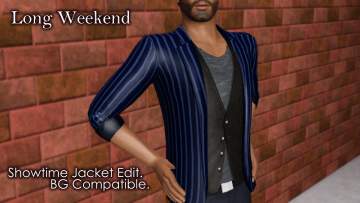

Long Weekend--Showtime Jacket Edit. Base Game Compatible!
by spladoum 21st Jul 2014 at 12:07pm
Need to go from work to play in a flash? Here's your ticket! more...
8
16.8k
66
Male » Everyday » Young Adult
-
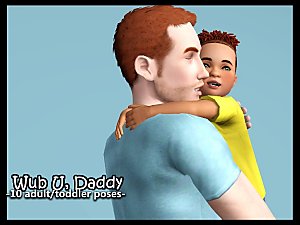
Wub U Daddy--10 adult/toddler poses
by spladoum 16th May 2016 at 12:26am
This is a set that I made based on some very cute photos I've seen of my friends and their more...
9
33.4k
64
-
Dad Shorts -- 4 embarrassing outfits! BG-compatible!
by spladoum 11th Apr 2016 at 6:40am
I haven't the first idea what inspired me to work on this bane of suburbia, the Dad Who Doesn't Know more...
9
25.2k
69
Male » Everyday » Young Adult
-


-

-
-
Patio Maternity Dress--BG-compatible!
by spladoum 20th Dec 2016 at 3:05am
Here we are with more maternity wear--this one was a happy accident. more...
11
22k
70
-

"Trade Kitchen Secrets" Enabled for all Sims
by spladoum 7th Dec 2014 at 10:41pm
When I first started playing Sims 3, I noticed a pretty cool interaction while bumbling in the park. more...
14
23.8k
144
