
 Sign in to Mod The Sims
 Butterflies Rejoice!
 Butterflies Rejoice!


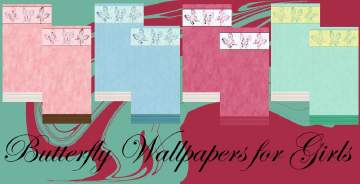
butterflies-blue.jpg - width=1024 height=600
butterflies-lavender.jpg - width=1024 height=600
butterflies-pink.jpg - width=1024 height=600
butterflies-yellow.jpg - width=1024 height=600

Found in Build/Walls/Wallpaper for §7.
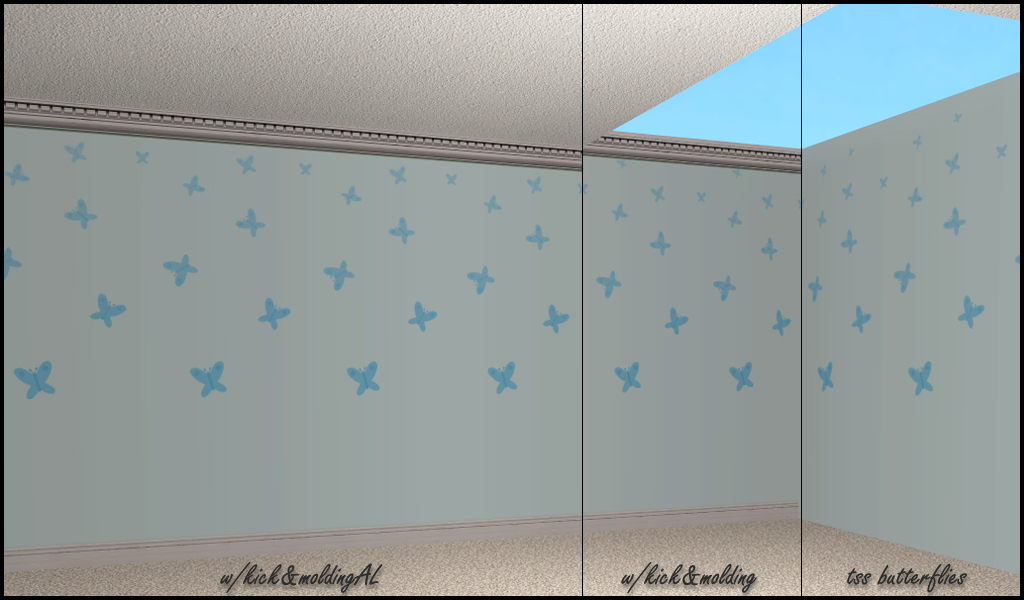
Note:
The butterflies without kick & crown molding are from Teen Style Stuff, so you need that SP for that wall. These walls however, only require base game.
|
HL_butterfliesWalls.rar
Download
Uploaded: 6th Nov 2012, 67.3 KB.
2,432 downloads.
|
||||||||
| For a detailed look at individual files, see the Information tab. | ||||||||
Install Instructions
1. Download: Click the download link to save the .rar or .zip file(s) to your computer.
2. Extract the zip, rar, or 7z file.
3. Place in Downloads Folder: Cut and paste the .package file(s) into your Downloads folder:
- Origin (Ultimate Collection): Users\(Current User Account)\Documents\EA Games\The Sims™ 2 Ultimate Collection\Downloads\
- Non-Origin, Windows Vista/7/8/10: Users\(Current User Account)\Documents\EA Games\The Sims 2\Downloads\
- Non-Origin, Windows XP: Documents and Settings\(Current User Account)\My Documents\EA Games\The Sims 2\Downloads\
- Mac: Users\(Current User Account)\Documents\EA Games\The Sims 2\Downloads
- Mac x64: /Library/Containers/com.aspyr.sims2.appstore/Data/Library/Application Support/Aspyr/The Sims 2/Downloads
- For a full, complete guide to downloading complete with pictures and more information, see: Game Help: Downloading for Fracking Idiots.
- Custom content not showing up in the game? See: Game Help: Getting Custom Content to Show Up.
- If you don't have a Downloads folder, just make one. See instructions at: Game Help: No Downloads Folder.
Loading comments, please wait...


Uploaded: 6th Nov 2012 at 9:07 PM
#butterflies, #al, #tss, #kick, #crown molding, #butterfly
-
by Meliss 27th Jul 2005 at 11:33pm
 2
4.9k
3
2
4.9k
3
-
-
by Catlover070904 18th Oct 2005 at 10:34pm
6
4.9k
-
by KalicoKat 24th Oct 2005 at 5:52pm
2
2.5k
-
by angeleyetr 17th Nov 2005 at 12:32am
3.3k
-
by ingsey 13th Jan 2006 at 10:17pm
3
5.5k
1
-
by Ani81 29th Mar 2006 at 3:47pm
3
4.4k
-
by AyameS 7th Feb 2008 at 12:05pm
8
13k
24
-
by Luraa 16th Sep 2009 at 6:21pm
7
9.2k
10
-

-
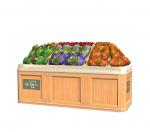
by HugeLunatic 29th Aug 2020 at 8:04pm
This started as simply replacing the produce bin's wood texture to match the freezer bin's, but then I figured why more...
5
14.6k
52
-
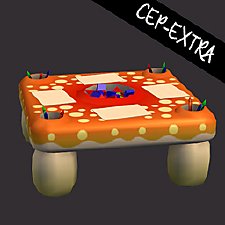
by HugeLunatic 29th Mar 2019 at 8:29pm
I made the activity table recolorable ages ago, but didn't upload since it appeared creators were recoloring a cloned one more...
+1 packs
5 12.8k 35 Free Time
-
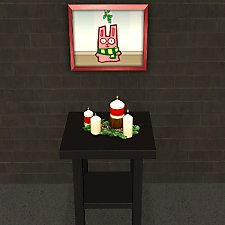
by HugeLunatic 8th May 2018 at 10:57pm
One of the very few items I like from TS4, and I really wanted for TS2. more...
8.3k
16
-
by HugeLunatic 18th Nov 2016 at 5:16pm
So round one of bribing y'all is having some positive effects. more...
10
26.9k
64
-
by HugeLunatic 26th Mar 2020 at 4:31pm
None of the doors from M&G that have glass appear to let light into a room. more...
+1 packs
4 5.7k 23 Mansion and Garden
-
Late Night - Buyable Mailbox and Trash Chute
by HugeLunatic 3rd Nov 2010 at 7:05pm
This requires Late Night! more...
 +1 packs
97 172.8k 276
+1 packs
97 172.8k 276 Late Night
-
FLATWÖUD Dining Table - One Tile
by HugeLunatic 4th Dec 2012 at 5:23am
A one tile version of the base game "FLATWÖUD Dining Table by Iseeya". more...
15
25.9k
89
-
by HugeLunatic 14th Mar 2011 at 1:40pm
The "Gone Legit" door from NL is a single tile door and has a different mesh inside/outside, so you cannot more...
12
24.8k
39
-
"Ye Olde Window" aka Colonial Windows II
by HugeLunatic 23rd Sep 2009 at 6:18pm
An extension of the first set of Colonial Windows, sorta. more...
59
163.1k
304
-
by HugeLunatic 1st Jul 2015 at 2:10am
The "1 by 1" Designer Wall Sconce is a one shade, wall version of the base game "4 by 4" Designer Chandelier. more...
12
6.6k
22


About Me
Pet Stories || Dog Agility Items? || Castaway Stories || Holy Simoly Extras
4esf Archive || Holy Simoly Archive || CEP-Extras List || Buyable Game Objects
lunie content from GoS/s2a
 Installation of CEP Extras
-the package with pfiles appended to the name will go into your cep extras folder where your game is installed (typically c drive, you do you)
-the other goes in CEP extra folder in documents.
The following locations are what I am aware of, beyond that you'll have to do some searching.
Downloads Folder:
C:\Users\<user>\Documents\EA Games\The Sims 2 Legacy
C:\Users\<user>\Documents\EA Games\The Sims 2 Ultimate Collection
With multiple launchers, the location for your game install will vary.
C:\Program Files\EA GAMES\The Sims 2 Legacy\TSData\Res\Catalog\zCEP-EXTRA
C:\Program Files\EA GAMES\The Sims 2\TSData\Res\Catalog\zCEP-EXTRA
C:\Program Files (x86)\EA GAMES\The Sims 2\TSData\Res\Catalog\zCEP-EXTRA