
 Sign in to Mod The Sims
 Logos & Sashes & Bows (Oh, My!)
 Logos & Sashes & Bows (Oh, My!)


bowtop00.jpg - width=960 height=720
bowtop02.jpg - width=960 height=720
bowtop01.jpg - width=960 height=720

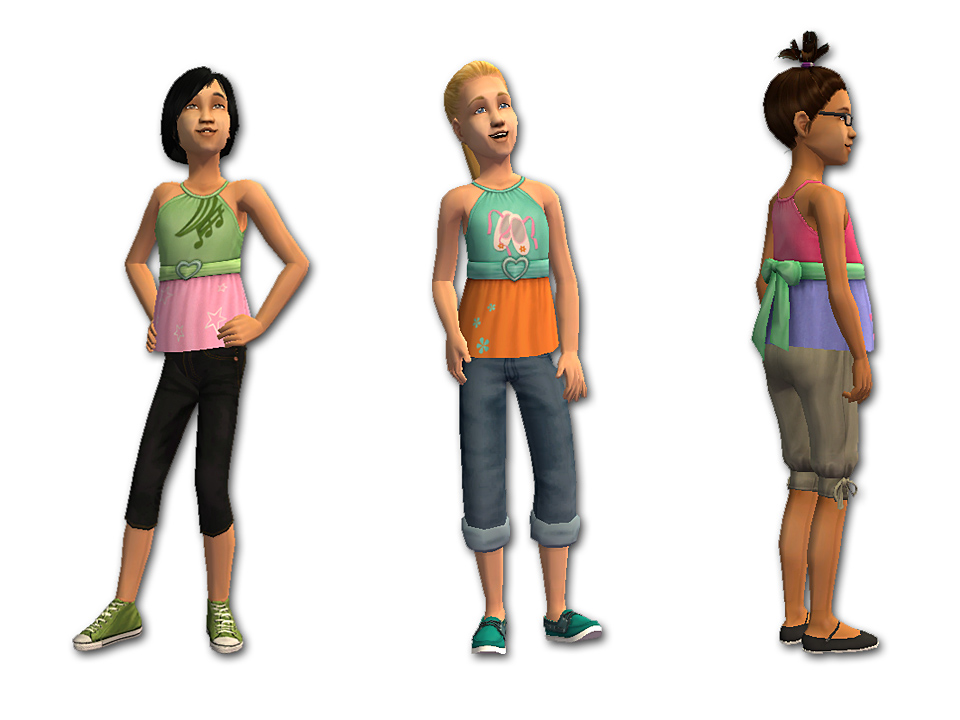
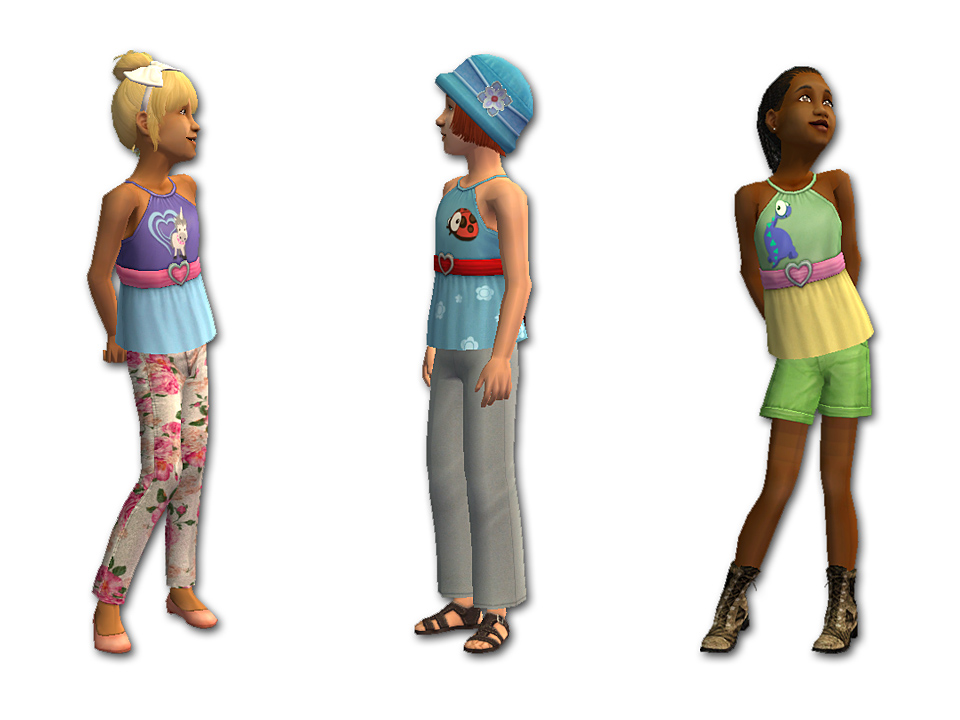
These tops use a new mesh, which is included in the zip file. It has a working fat morph (see the brown-haired girl with the black glasses and the ponytail at the top of her head). No EPs or SPs are required.
Enjoy!
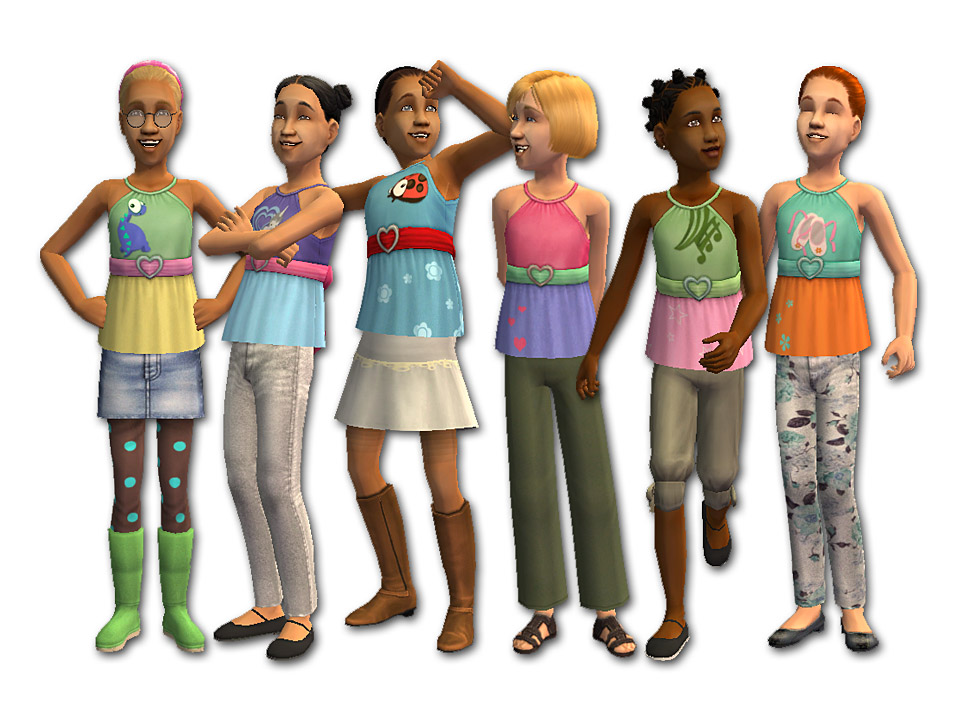
Polygon Counts:
top with bow = 1528
Additional Credits:
Thank you to the people who make such cute hairstyles! The hairdos are as follows:
Short Bob by Trapping & Remi
Ponypuff Hair by melodie9
Toddie Hair by Nouk, Adele, Remi & cheesecake_twins
Bound Up Bows by Trapping & Remi
Maxis Flower Hats for Little Girls by fakepeeps7
Braid Pack by Nouk
TSS Hairbands for Girls by fakepeeps7
All bottoms (pants, skirts, shorts, etc.) are from the fakepeeps7 collection.
This is a new mesh, and means that it's a brand new self contained object that usually does not require a specific Pack (although this is possible depending on the type). It may have Recolours hosted on MTS - check below for more information.
|
bowtop-all6colours&MESH.zip
Download
Uploaded: 26th Jan 2014, 870.0 KB.
11,695 downloads.
|
||||||||
| For a detailed look at individual files, see the Information tab. | ||||||||
Install Instructions
1. Download: Click the download link to save the .rar or .zip file(s) to your computer.
2. Extract the zip, rar, or 7z file.
3. Place in Downloads Folder: Cut and paste the .package file(s) into your Downloads folder:
- Origin (Ultimate Collection): Users\(Current User Account)\Documents\EA Games\The Sims™ 2 Ultimate Collection\Downloads\
- Non-Origin, Windows Vista/7/8/10: Users\(Current User Account)\Documents\EA Games\The Sims 2\Downloads\
- Non-Origin, Windows XP: Documents and Settings\(Current User Account)\My Documents\EA Games\The Sims 2\Downloads\
- Mac: Users\(Current User Account)\Documents\EA Games\The Sims 2\Downloads
- Mac x64: /Library/Containers/com.aspyr.sims2.appstore/Data/Library/Application Support/Aspyr/The Sims 2/Downloads
- For a full, complete guide to downloading complete with pictures and more information, see: Game Help: Downloading for Fracking Idiots.
- Custom content not showing up in the game? See: Game Help: Getting Custom Content to Show Up.
- If you don't have a Downloads folder, just make one. See instructions at: Game Help: No Downloads Folder.
Loading comments, please wait...


Uploaded: 26th Jan 2014 at 1:10 AM
-
-
-
-
-
by fakepeeps7 15th Jun 2008 at 2:56am
-
by fakepeeps7 25th Jul 2008 at 12:07am
-
by fakepeeps7 12th Nov 2008 at 12:39am
-
-
by fakepeeps7 16th Dec 2013 at 11:10pm
-
by fakepeeps7 11th Nov 2014 at 10:58pm

-
by fakepeeps7 17th Feb 2010 at 4:17am
None of my Sim kids' sleepwear was really appropriate for winter. Sure, they had pajamas... more...
 39
72.8k
118
39
72.8k
118
-
-
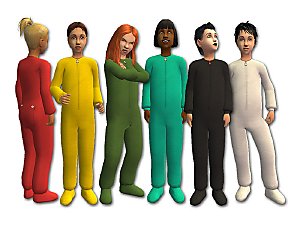
Fleece Pajamas for Kids - Recolours
by fakepeeps7 10th Sep 2008 at 9:57pm
Here are twelve new recolours of my cozy pajama mesh for kids. more...
8
25k
37
-
Nighty-Night Nightie Collection
by fakepeeps7 updated 2nd Feb 2009 at 8:21pm
Are your Sim girls tired of pajamas? Mine sure are. more...
-
-
Upper Crust Separates for Girls
by fakepeeps7 15th Dec 2014 at 1:01am
Blazers and miniskirts for Sim girls. more...
-
Basic Hoodies in Two Styles for Boys
by fakepeeps7 23rd Jun 2009 at 6:25pm
Today I bring you some tops for boys. more...
-
by fakepeeps7 1st Dec 2013 at 8:53pm
Stylish sweaters in ten colours for Sim children. more...
10
29.6k
122
-
by fakepeeps7 19th May 2010 at 4:45am
Five swimsuits for girls with ruffled shoulders. more...
-
Two-Piece Pajamas for Toddlers - *FIXED July 1, 2010*
by fakepeeps7 updated 8th Jan 2009 at 8:06pm
UPDATE: Some people were complaining that these pajamas were showing up either too bright or too dark in the more...
53
76.8k
105
About Me
Clothier of Small Sims
My focus is clothing for children, toddlers, and babies. I do not make clothes for teens, young adults, adults, or elders.
You may make recolours of my meshes, but please do not include the meshes in your uploads; link to my mesh instead. (The exception would be default replacement meshes. You may include the default replacement mesh in that case, but please give credit and a link to my original mesh.)
No paysites, please.
Sorry, but I do not take requests.
If you have any further questions, please PM me.
Happy Simming!