Sign in to Mod The Sims
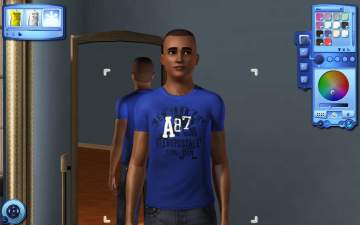
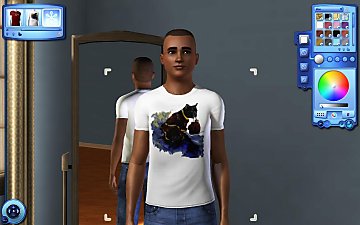
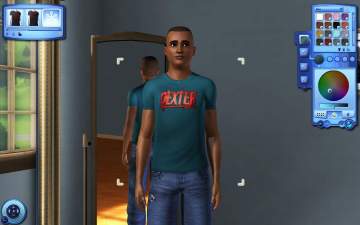
 Silver Monkey of Doom Tees (YA/A)
 Silver Monkey of Doom Tees (YA/A)
SCREENSHOTS


3.jpg - width=770 height=950
2.jpg - width=1446 height=960
1.jpg - width=1446 height=960
4.jpg - width=770 height=950
Downloaded 3,495 times
121 Thanks
29 Favourited
11,589 Views
Say Thanks!
Thanked!

Happy Birthday MTS!
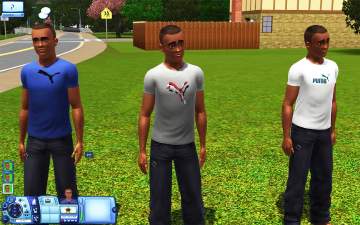
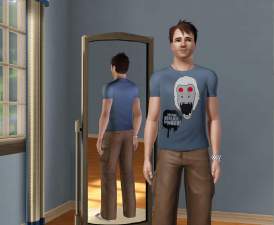
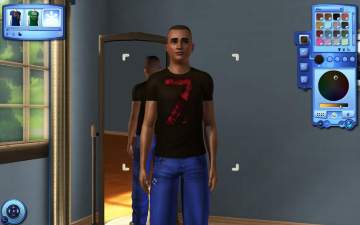
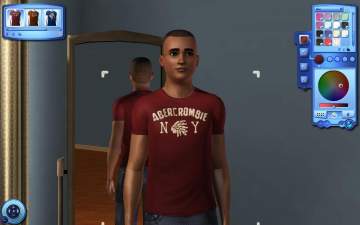
In this special event i decided to make some shirt stencils based on MTS Silver Monkey of Doom Themed set as a little gift from MTS to all members.
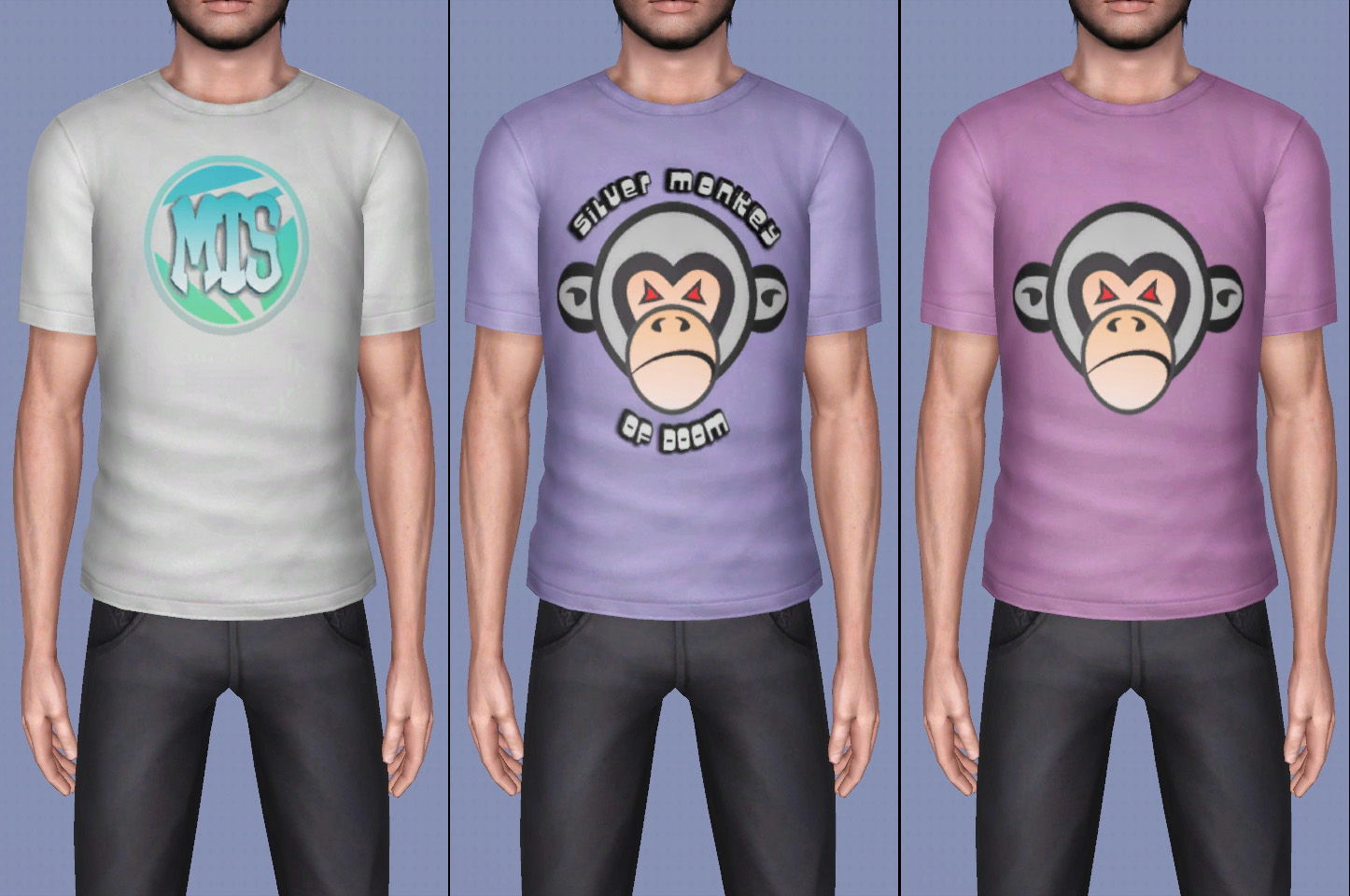
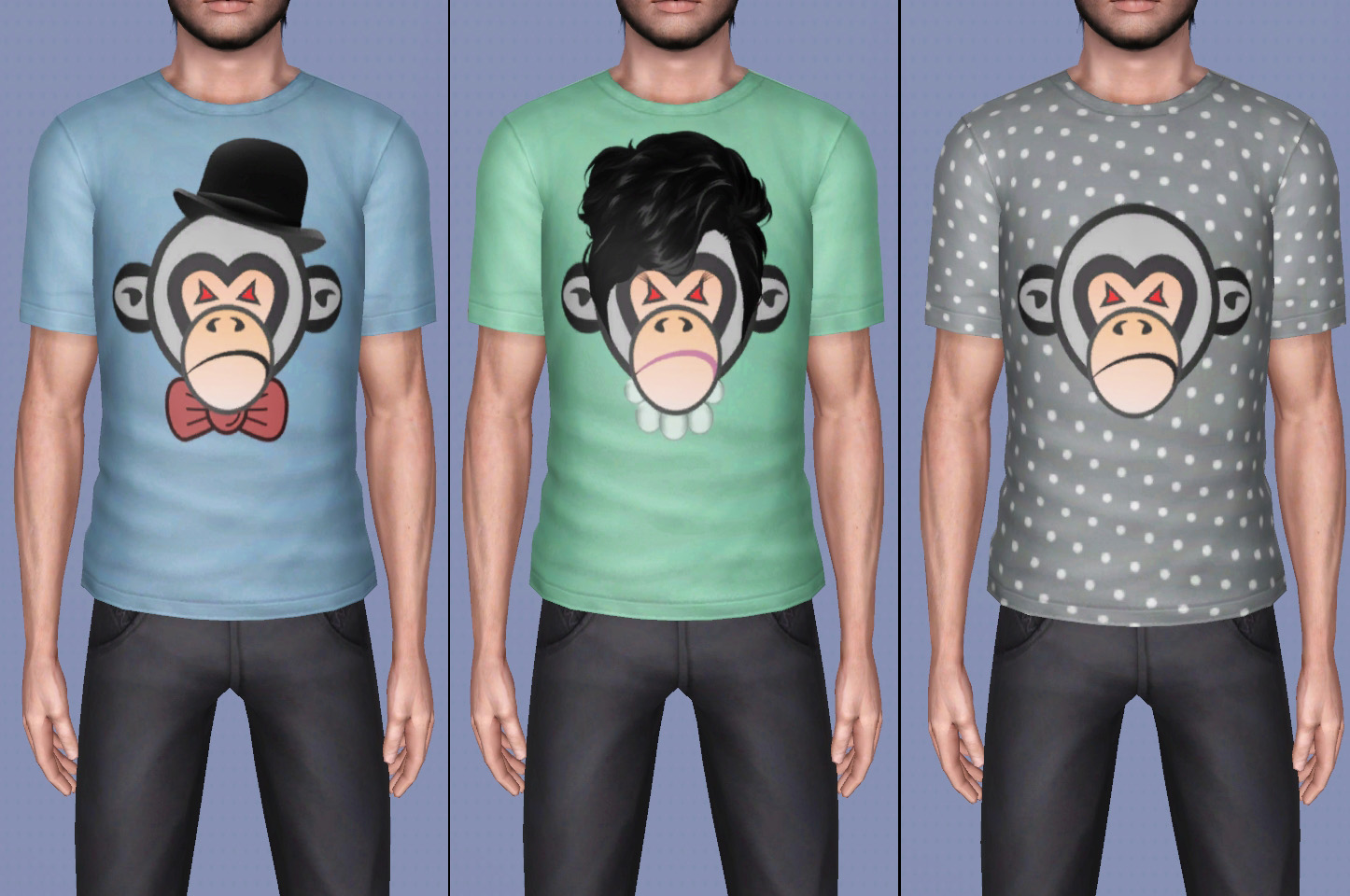
- For young adult and adult male sims
- Has 4 color channels
- Base game compatible
- Fixed pump map for T-shirts
Additional Credits:
- All logos were made by Logo creator
- The hair is made by TheStardollProps , Hat from Google
- Special thanks to mod the sims for hosting my creations since 2009 and sorry for delaying the upload.
Advertisement:
This is a Maxis Recolour which means that it is a recolour of an item that already exists in your game. Please check the Pack requirements to see which game pack it recolours.
|
Silver Monkey of Doom Tees by Lunararc.rar
Download
Uploaded: 23rd May 2014, 2.43 MB.
3,495 downloads.
|
||||||||
| For a detailed look at individual files, see the Information tab. | ||||||||
Install Instructions
Quick Guide:
1. Click the download button, or the filename, to download the file to your computer.
2. Extract the zip, rar, or 7z file. Now you will have either a .package or a .sims3pack file.
For Package files:
1. Cut and paste the file into your Documents\Electronic Arts\The Sims 3\Mods\Packages folder. If you do not already have this folder, you should read the full guide to Package files first: Sims 3:Installing Package Fileswiki, so you can make sure your game is fully patched and you have the correct Resource.cfg file.
2. Run the game, and find your content where the creator said it would be (build mode, buy mode, Create-a-Sim, etc.).
For Sims3Pack files:
1. Cut and paste it into your Documents\Electronic Arts\The Sims 3\Downloads folder. If you do not have this folder yet, it is recommended that you open the game and then close it again so that this folder will be automatically created. Then you can place the .sims3pack into your Downloads folder.
2. Load the game's Launcher, and click on the Downloads tab. Find the item in the list and tick the box beside it. Then press the Install button below the list.
3. Wait for the installer to load, and it will install the content to the game. You will get a message letting you know when it's done.
4. Run the game, and find your content where the creator said it would be (build mode, buy mode, Create-a-Sim, etc.).
Extracting from RAR, ZIP, or 7z: You will need a special program for this. For Windows, we recommend 7-Zip and for Mac OSX, we recommend Keka. Both are free and safe to use.
Need more help?
If you need more info, see:
1. Click the download button, or the filename, to download the file to your computer.
2. Extract the zip, rar, or 7z file. Now you will have either a .package or a .sims3pack file.
For Package files:
1. Cut and paste the file into your Documents\Electronic Arts\The Sims 3\Mods\Packages folder. If you do not already have this folder, you should read the full guide to Package files first: Sims 3:Installing Package Fileswiki, so you can make sure your game is fully patched and you have the correct Resource.cfg file.
2. Run the game, and find your content where the creator said it would be (build mode, buy mode, Create-a-Sim, etc.).
For Sims3Pack files:
1. Cut and paste it into your Documents\Electronic Arts\The Sims 3\Downloads folder. If you do not have this folder yet, it is recommended that you open the game and then close it again so that this folder will be automatically created. Then you can place the .sims3pack into your Downloads folder.
2. Load the game's Launcher, and click on the Downloads tab. Find the item in the list and tick the box beside it. Then press the Install button below the list.
3. Wait for the installer to load, and it will install the content to the game. You will get a message letting you know when it's done.
4. Run the game, and find your content where the creator said it would be (build mode, buy mode, Create-a-Sim, etc.).
Extracting from RAR, ZIP, or 7z: You will need a special program for this. For Windows, we recommend 7-Zip and for Mac OSX, we recommend Keka. Both are free and safe to use.
Need more help?
If you need more info, see:
- For package files: Sims 3:Installing Package Fileswiki
- For Sims3pack files: Game Help:Installing TS3 Packswiki
Advertisement:
Loading comments, please wait...
Author



Download Details
Packs:
None, this is Sims 3 base game compatible!
Uploaded: 23rd May 2014 at 2:38 PM
Uploaded: 23rd May 2014 at 2:38 PM
Age:
– Young Adult
– Adult
Gender:
– Male
Clothing Type:
– Everyday
Clothing Style:
– No Style
: None of the below styles
Other Type:
– Not Applicable
Maxis Flags:
– Not Applicable
Outfit Type:
– Top
Other Download Recommendations:
-
-
-
-
-
-
-
-
-
-
by Wojtek 20th Aug 2023 at 11:55am
 4
3.7k
14
4
3.7k
14
Male » Everyday » Young Adult

More downloads by Lunararc:
See more
-

-


-
-

-
-
-
-
"Lindisfarne Field" a fully furnished Victorian style house
by Lunararc 26th Feb 2010 at 2:46am
Hey guys, "Lindisfarne Field" is a small Victorian style,fully furnished house is arranged over two floors with eight different rooms more...
+1 packs
4 13.1k 9 World Adventures
-
-