
 Sign in to Mod The Sims
 Sleep on Community/OFB/Vacation/Apartment/Secret lots - Global Hack
 Sleep on Community/OFB/Vacation/Apartment/Secret lots - Global Hack


Screenshot.jpg - width=800 height=561

Let your sims get a "second home"!

WARNING - This is a Global Hack: it will affect all your lots in all your neighborhoods; it can be exported with your lots (always use the Clean Installer!).
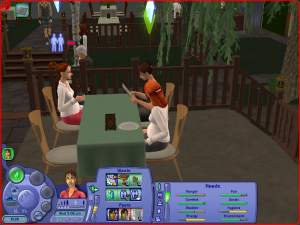
 Tested with Apartment Life: when used in an apartment lot, this hack allows your sims to sleep in your neighbor's beds and sofas (and the opposite: your neighbors can sleep in your bed
  ).
).Moreover, sleeping is allowed to anyone in Witches' secret lots.
WHY THIS HACK
Many users want to have a "second home" for their sims; a Business lot is good for that (or even a normal Community lot, if you don't have OFB), but unfortunately sims can't sleep on Community/OFB lots.
I've googled like a mad to find a hack like this, but I only found hacks that for several reasons didn't fit my tastes:
- OFB Sleep on Community Lots (by Echo @ MTS2) -> This is not compatible with Seasons and is officially discontinued.
- Community Lot Sleeping (by Squinge @ Insimenator) -> This requires OFB, is not compatible with Season and applies (purposely) only to OFB lots.
- Sleep and Napping Enabled on Community Lots (by jfade @ DJS Sims) -> Requires OFB, not comp. with SSN.
- Plus, another hack that I won't mention because it's a pay content, and I couldn't even test it; I only know that it is a bunch of hacked beds, more than a global hack.
WHY THIS HACK IS DIFFERENT
- It's fully compatible with any game configuration, from base-game up to Apartment Life; the hack will recognize your game version and will act accordingly.
- Full support for Sleep and Nap on any (Maxis or custom) bed, sofa, loveseat, recliner/long chair, coffin and hammock; none of the mentioned hack would allow napping on long chairs or coffins (one enables the sofas, though).
- Full support for Sims, Servos, Vampires and Pets.
HOW TO INSTALL AND USE IN GAME
Very simple: extract the package from the zip and put in your Downloads.
Then, whenever you go to a Community/OFB lot, you will be able to sleep and nap at will.
To uninstall, just remove the package from the Downloads.
 GAME TIPS: HOW TO CREATE A SECOND HOME
- If you have OFB
- Create a community lot on the neighborhood, enter it in build mode and create a house shaped like a residential home. Since you have OFB, you can access all the residential objects from the catalog, including beds.
Alternatively, if you have an already-made empty residential house that you would turn into a "second home", enter it in build mode, open the cheatbox and type exactly changeLotZoning community, then SAVE the lot and go back to the neighborhood. - Enter the lot where your sims live, and order to one member to call the Real Estate and purchase the "community" lot that you have built/converted.
- Call a taxi and transport the whole family to your new "second home"

Be sure to put an "Open/Close" sign on the lot, and set it to "Close", otherwise the townies will swarm in your home in a matter of seconds
- Create a community lot on the neighborhood, enter it in build mode and create a house shaped like a residential home. Since you have OFB, you can access all the residential objects from the catalog, including beds.
- If you don't have OFB.
- Create a community lot on the neighborhood, enter it in build mode and create a house shaped like a residential home. In order to access the residential objects and put them into the community lot, you might need the Residential-to-Community Collection (by Loverat) and optionally (if you have NL) the Cars at Community Lot Collection (by Morten8035).
Alternatively, if you have at least ONE EP (any one) and you have an already-made empty residential house that you would turn into a "second home", enter it in build mode, open the cheatbox and type exactly changeLotZoning community, then SAVE the lot and go back to the neighborhood. - Enter the lot where your sims live, and order to one member to call the taxi and transport the whole family to your new "second home"
Keep in mind that you can't save when on a community lot, so you have to go back home before shutting down the game.
- Create a community lot on the neighborhood, enter it in build mode and create a house shaped like a residential home. In order to access the residential objects and put them into the community lot, you might need the Residential-to-Community Collection (by Loverat) and optionally (if you have NL) the Cars at Community Lot Collection (by Morten8035).
- THINGS TO KEEP IN MIND while living in a second home
- When your family is on the "second home" lot, you are considered "on vacation": no school, no job and no earnings (but no bills, either!!!).
- I could manage to place ownable cars in the second home, but they are NOT usable.
- You can't build skills on community lots, and neither you can in your second home. You need a hack like the "Comm-Skilling" by JM Pescado (download it here: choose the versions suitable for your game).
- Unwanted (but useful) side effect: you can sleep on your own OFB shop, even if it's not built as a second home.
- Another (useful) side effect: townies that come visiting you in your "first" residential home will be able to nap on sofas and recliners (though NPCs prefer to go away, instead of sleeping/napping).
- In my tests, apart from driving cars and building skills, I could do almost everything in such a second home, but of course your tests and reports will be precious!


CREDITS and ACKNOWLEDGEMENTS
I've created this hack by myself (as anyone can verify looking at the code); nevertheless, I want to grant full credits to Echo, Squinge and jfade (and possibly others?) for the idea of enabling the sleep functions on community lots.
Many thanks as usual to Quaxi for the SimPE and to Peter & Inge Jones for the PJSE plugin for SimPE.
|
Sleep-on-comm-lot_AllGames.zip
Download
Uploaded: 27th Jul 2007, 1.1 KB.
70,096 downloads.
|
||||||||
| For a detailed look at individual files, see the Information tab. | ||||||||
Install Instructions
1. Download: Click the download link to save the .rar or .zip file(s) to your computer.
2. Extract the zip, rar, or 7z file.
3. Place in Downloads Folder: Cut and paste the .package file(s) into your Downloads folder:
- Origin (Ultimate Collection): Users\(Current User Account)\Documents\EA Games\The Sims™ 2 Ultimate Collection\Downloads\
- Non-Origin, Windows Vista/7/8/10: Users\(Current User Account)\Documents\EA Games\The Sims 2\Downloads\
- Non-Origin, Windows XP: Documents and Settings\(Current User Account)\My Documents\EA Games\The Sims 2\Downloads\
- Mac: Users\(Current User Account)\Documents\EA Games\The Sims 2\Downloads
- Mac x64: /Library/Containers/com.aspyr.sims2.appstore/Data/Library/Application Support/Aspyr/The Sims 2/Downloads
- For a full, complete guide to downloading complete with pictures and more information, see: Game Help: Downloading for Fracking Idiots.
- Custom content not showing up in the game? See: Game Help: Getting Custom Content to Show Up.
- If you don't have a Downloads folder, just make one. See instructions at: Game Help: No Downloads Folder.
Loading comments, please wait...


Uploaded: 27th Jul 2007 at 5:46 PM
Updated: 8th Oct 2008 at 10:00 PM - Tested with AL
-
by cathair2005 30th Jan 2006 at 6:11am
 49
54.9k
29
49
54.9k
29
-
-
by christianlov 17th Jun 2008 at 12:55pm
18
94.6k
86
-
by MogHughson 16th Jun 2010 at 6:03pm
+1 packs
106 244.1k 896 Pets
Pets
-
-
by xXstarcickXx 23rd Oct 2025 at 6:02pm
+1 packs
3 8.1k 19 Pets


-

Maxis "Lost & Found" #9: Waterfall & River (neighborhood effect) *UPD 30-APR*
by Numenor 29th Apr 2005 at 10:55pm
The Waterfall is a neighborhood object that Maxis (lord knows why) decided to exclude from the catalog. more...
224
257.1k
365
Miscellaneous » Neighborhoods & CAS Screens » Neighbourhood Deco
-
La Pyramide Inversée - § 45,258 - 2BDR/1BTR
by Numenor 2nd Dec 2005 at 10:04am
Type: Residential - Cost: § 45,258 - Furnished: fully - Lot: 3x2 - 2 Bedrooms, 1 Bathroom, Kitchen, Living, "Leisure" more...
76
55k
41
-
Recolours for the "Wooden Stairs" (recolourable modular stairs)
by Numenor 25th Mar 2005 at 5:23pm
IMPORTANT: in order to use these recolours, you have to download the "Recolourable Wooden Modular Stairs" from this thread . more...
88
194.1k
89
-
Cash Register Trainer (Global Mod version) - *UPD 07 NOV 2008*
by Numenor 14th Jan 2007 at 12:37am
CASH REGISTER TRAINER - *OFB REQUIRED* Compatible with any game up to Apartment Life :new: 07 Nov 2008 - more...
+1 packs
107 197.7k 273 Open for Business
-
AnyGameStarter v. 2.1.3 (for CD/DVD games) * UPD 29 Dec 2017
by Numenor updated 28th Dec 2017 at 11:27pm
This mod is NOT compatible with the Ultimate Collection If you use the Ultimate collection, please download the AGS v.2.2.0-UC more...
518
553.2k
479
-
Maxis "Lost & Found" #16: Modern Print
by Numenor 24th Jan 2006 at 1:26am
Seems that in the game files there's plenty of "lost" paintings... more...
40
47.5k
62
-
All-placement "Open/Closed" sign (CUSTOM version)
by Numenor 21st Jun 2006 at 12:27am
ALL-PLACEMENT "OPEN/CLOSED" SIGN (*CUSTOM* Version. more...
+1 packs
77 72.2k 79 Open for Business
-
Recolours for the "Wrought Iron" recolourable modular stairs
by Numenor 7th Apr 2005 at 5:50pm
IMPORTANT: in order to use these recolours, you have to download the "Recolourable Wrought Iron Modular Stairs" from this thread more...
36
95.3k
88
-
-
Tester Wanted: *UPDATE* - Recolourable and "wornable" Bunny Bear *and Teddy bear*
by Numenor 29th Mar 2005 at 11:01pm
:new: 12 Apr 2005: Added a patch to make "wornable" the Teddy Bear Again, I need your assistance to test more...
52
49.9k
42
About Me
You may contact me via personal messages here at MTS, and I will reply, but I don't grant I can help you, as a long time has gone by since I created my mods.
This following policy applies to ALL my creations, unless otherwise stated on the download thread.
It's FORBIDDEN: to repost my stuff anywhere.
It's FORBIDDEN: to clone my creations.
It's ALLOWED: to create recolours for my objects (and post them on any site, including paysites), BUT you can't include the mesh in your recolour: you must give credits to me for the mesh, and provide a link to the mesh download thread.
It's ALLOWED: to include my creations in your lots, BUT the lots must be uploaded on free sites (except the Exchange), and you must provide credits and a link to the download thread.