
 Sign in to Mod The Sims
 Samsung a777
 Samsung a777


Screenshot-256.jpg - width=900 height=720
Screenshot-257.jpg - width=900 height=720
Screenshot-258.jpg - width=900 height=720
Screenshot-259.jpg - width=900 height=720
Screenshot-260.jpg - width=900 height=720

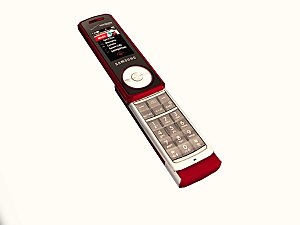
It's very simple. This Samsung phone replaces the default cellphone in the game. So it costs nothing in the game and can not be bought or found in the catalog. It is automatically there. Every sim will have the same phone. It's quite reflective, so it will have a blue tint at some angles.
Anyway, hope you enjoy this simple, yet realistic, add to the game!

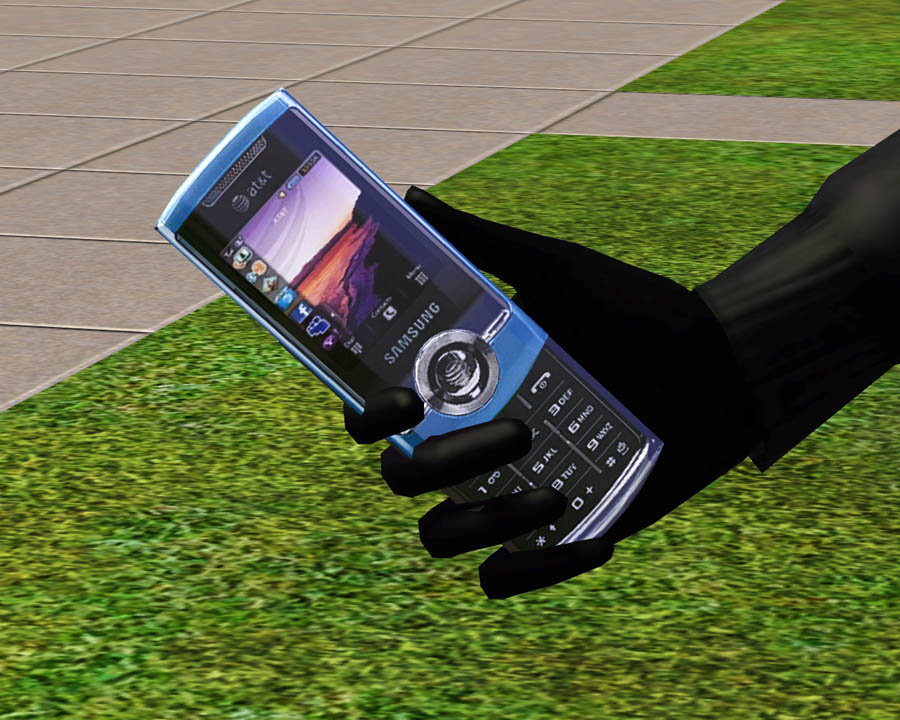
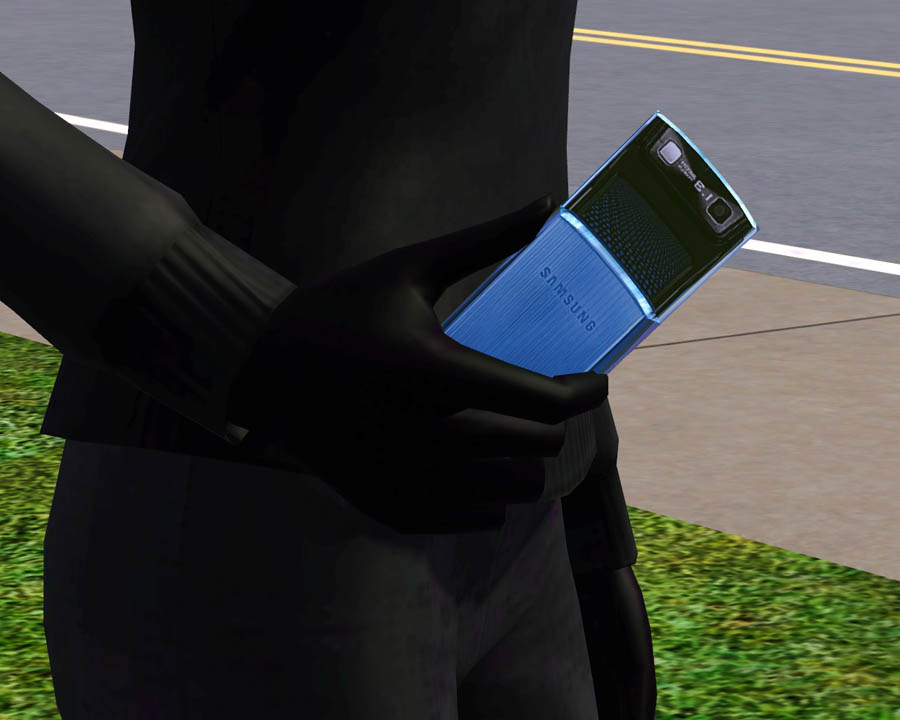
Polygon Counts:
Faces: 324, Vertices: 360
Additional Credits:
DD - I love you!
Wes, Inge, PeterJones and everyone for all of their wonderful tools and help!
This is a new mesh, and means that it's a brand new self contained object that usually does not require a specific Pack (although this is possible depending on the type). It may have Recolours hosted on MTS - check below for more information.
|
F-P Samsung a777.zip
Download
Uploaded: 8th Sep 2009, 101.1 KB.
29,503 downloads.
|
||||||||
| For a detailed look at individual files, see the Information tab. | ||||||||
Install Instructions
1. Click the download button, or the filename, to download the file to your computer.
2. Extract the zip, rar, or 7z file. Now you will have either a .package or a .sims3pack file.
For Package files:
1. Cut and paste the file into your Documents\Electronic Arts\The Sims 3\Mods\Packages folder. If you do not already have this folder, you should read the full guide to Package files first: Sims 3:Installing Package Fileswiki, so you can make sure your game is fully patched and you have the correct Resource.cfg file.
2. Run the game, and find your content where the creator said it would be (build mode, buy mode, Create-a-Sim, etc.).
For Sims3Pack files:
1. Cut and paste it into your Documents\Electronic Arts\The Sims 3\Downloads folder. If you do not have this folder yet, it is recommended that you open the game and then close it again so that this folder will be automatically created. Then you can place the .sims3pack into your Downloads folder.
2. Load the game's Launcher, and click on the Downloads tab. Find the item in the list and tick the box beside it. Then press the Install button below the list.
3. Wait for the installer to load, and it will install the content to the game. You will get a message letting you know when it's done.
4. Run the game, and find your content where the creator said it would be (build mode, buy mode, Create-a-Sim, etc.).
Extracting from RAR, ZIP, or 7z: You will need a special program for this. For Windows, we recommend 7-Zip and for Mac OSX, we recommend Keka. Both are free and safe to use.
Need more help?
If you need more info, see:
- For package files: Sims 3:Installing Package Fileswiki
- For Sims3pack files: Game Help:Installing TS3 Packswiki
Loading comments, please wait...



Uploaded: 8th Sep 2009 at 5:11 PM
-
Black Recolour of the Annoying Yellowish Alarm Clock
by damnedcitizen 18th Aug 2009 at 4:57pm
 7
11.5k
16
7
11.5k
16
-
by blakegriplingph updated 23rd Oct 2011 at 9:48am
22
36.4k
19
-
by blakegriplingph updated 23rd Oct 2011 at 9:39am
16
49.8k
30
-
by blakegriplingph 16th Jan 2012 at 9:55am
28
51.1k
49
-
by blakegriplingph 11th Apr 2012 at 2:42pm
35
52.1k
123
-
Samsung Galaxy Y - Update added for University Life
by blakegriplingph updated 13th Mar 2013 at 9:14am
+1 packs
33 51.7k 77 University Life
-
by blakegriplingph 11th Oct 2012 at 3:31pm
80
159.5k
365
-
by d_unit 18th Mar 2014 at 12:11am
38
70.7k
234
-

by TheJim07 14th Jul 2017 at 8:36pm
2
12.5k
30
-
by k2m1too 13th Feb 2022 at 3:39pm
8
9.8k
36


-
by Fresh-Prince 31st Aug 2008 at 9:46pm
Do your sims lack furniture to put in your hallways? Do they lack something that adds warmth to your entryway? more...
-
by Fresh-Prince 14th Apr 2009 at 5:28pm
Fantastic and speedy sportscar for your sims! more...
 +1 packs
33 126.9k 150
+1 packs
33 126.9k 150 Nightlife
-

-


by Fresh-Prince 23rd Aug 2015 at 8:56pm
Add a touch of style with this unique curvy bookshelf that will surely turn some heads when your sims walk in the room. more...
 24
24.1k
89
24
24.1k
89
-
by Fresh-Prince 15th Oct 2009 at 8:43pm
Due to requests of some things to put in your garage, I made this set! more...
60
151.2k
308
-

by Fresh-Prince 16th Mar 2007 at 7:55pm
This was requested like other Maxis' cars have, so I have made it. :) Not much to say about it. more...
+1 packs
29 82.8k 90 Nightlife
-
by Fresh-Prince 27th Apr 2009 at 4:48pm
Feel the power and strength of the American Muscle car! Or you could just act like Bumblebee from Transformers! more...
+1 packs
78 216.3k 287 Nightlife
-
-

by Fresh-Prince 6th Mar 2008 at 7:35pm
Awesome style sports car! All comments welcomed and appreciated! Enjoy! more...
+1 packs
32 210.6k 168 Nightlife
-
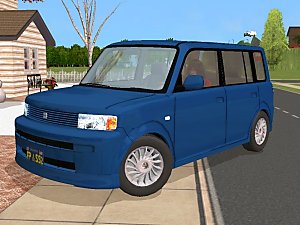

by Fresh-Prince 11th Nov 2006 at 9:42pm
I just remade the Scion xB today from the one I made yesterday :) It has lower poly and it more...
+1 packs
27 45.6k 25 Nightlife


