
 Sign in to Mod The Sims
 Dina Hair conversion
 Dina Hair conversion


Screenshot-8.jpg - width=652 height=687
ShortFemaleHair-texture.jpg - width=800 height=640
Screenshot-38.jpg - width=800 height=600
Screenshot-53.jpg - width=726 height=594
I hope you enjoy!

Please leave a comment!


Polygon Counts:
820 polygons
Additional Credits:
A big thanks to Anubis360 for the hair textures
Hysterical Paroxysm's Tutorial
Delphy's DABOOBs SimPE Wes for the Milk Shape plugins
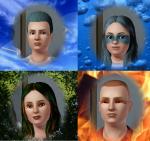
Thanks joninmobile for theEmptied Blue Screen CAS screen
Skin by LadyFrontbum
This is a new mesh, and means that it's a brand new self contained object that usually does not require a specific Pack (although this is possible depending on the type). It may have Recolours hosted on MTS - check below for more information.
|
DinaHairConversion.rar
Download
Uploaded: 30th Aug 2010, 405.4 KB.
24,798 downloads.
|
||||||||
| For a detailed look at individual files, see the Information tab. | ||||||||
Install Instructions
1. Click the download button, or the filename, to download the file to your computer.
2. Extract the zip, rar, or 7z file. Now you will have either a .package or a .sims3pack file.
For Package files:
1. Cut and paste the file into your Documents\Electronic Arts\The Sims 3\Mods\Packages folder. If you do not already have this folder, you should read the full guide to Package files first: Sims 3:Installing Package Fileswiki, so you can make sure your game is fully patched and you have the correct Resource.cfg file.
2. Run the game, and find your content where the creator said it would be (build mode, buy mode, Create-a-Sim, etc.).
For Sims3Pack files:
1. Cut and paste it into your Documents\Electronic Arts\The Sims 3\Downloads folder. If you do not have this folder yet, it is recommended that you open the game and then close it again so that this folder will be automatically created. Then you can place the .sims3pack into your Downloads folder.
2. Load the game's Launcher, and click on the Downloads tab. Find the item in the list and tick the box beside it. Then press the Install button below the list.
3. Wait for the installer to load, and it will install the content to the game. You will get a message letting you know when it's done.
4. Run the game, and find your content where the creator said it would be (build mode, buy mode, Create-a-Sim, etc.).
Extracting from RAR, ZIP, or 7z: You will need a special program for this. For Windows, we recommend 7-Zip and for Mac OSX, we recommend Keka. Both are free and safe to use.
Need more help?
If you need more info, see:
- For package files: Sims 3:Installing Package Fileswiki
- For Sims3pack files: Game Help:Installing TS3 Packswiki
Loading comments, please wait...

Uploaded: 30th Aug 2010 at 7:42 PM
#Dina, #TS2, #hair, #conversion
-
Southern Beauty ~ Myos Female Hair 15 Conversion
by Anubis360 updated 12th Jul 2010 at 5:30pm
 119
414.1k
753
119
414.1k
753
Hair » Female » Young Adult
-
Peggy female "free hair" conversion
by Lunararc 18th Feb 2010 at 10:48pm
39
116k
187
Hair » Female » Young Adult
-
-
-
-
by Kiara24 20th Aug 2010 at 5:00am
39
79.3k
147
Hair » Female » Young Adult
-
by Kiara24 6th Sep 2010 at 2:57am
39
113.2k
238
Hair » Male » Young Adult
-
-
TS2 Cassandra Goth Hair Conversion
by Kiara24 10th Feb 2011 at 10:07am
42
44.8k
73
Hair » Female » Young Adult
-
Skysims Hair 171 Retexture Teen-Elder Female
by Bubbly918 9th Jan 2014 at 6:17pm
52
92.9k
405
Hair » Female » Young Adult

-

Medieval Community Lots - Ye Olde Kingdom of Pudding
by The Merrye Makers 16th Dec 2011 at 5:13pm
Ye Olde Kingdom of Pudding Community Lots Greetings, good gentles/ladies. more...
+4 packs
25 46.1k 122 World Adventures
 Ambitions
 Late Night
 Generations
-
Medieval Armoury Part 1 - Ye Olde Kingdom of Pudding
by The Merrye Makers 14th Dec 2011 at 5:19am
Decorative Medieval Weapons and Storage more...
18
63k
149
-
-
by Kiara24 17th May 2010 at 12:27am
I received a request to make the hair of the Beatles, after many changes and many experiences I think is more...
48
163.9k
255
Hair » Male » Young Adult
-
-
-
-
-

-


About Me
Subscribe to my channel.