
 Sign in to Mod The Sims
 Basic Male Watch
 Basic Male Watch


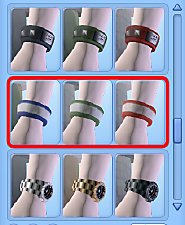
WatchCatalogue.jpg - width=322 height=395
CAS thumbnails of three default designs.
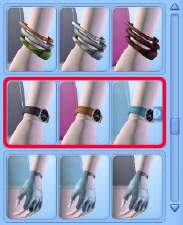
WatchCAST.jpg - width=537 height=390
Channel 1 = strap. Channel 2 = watch face surround and buckle (visible in detail picture)
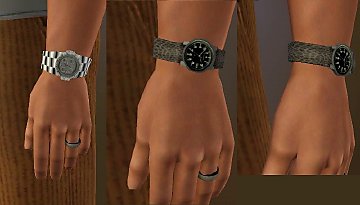
WatchDetail.jpg - width=326 height=583
Shots to show stitching, straps and buckle.
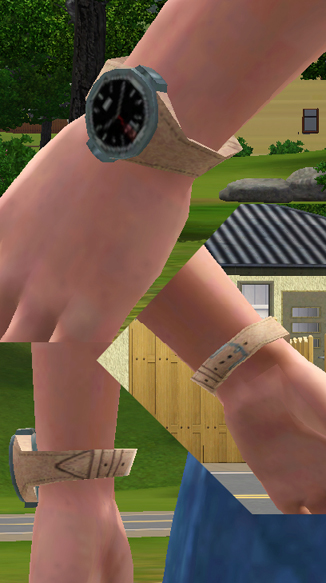
This watch is for male Sims and works for all ages from teen to elder. It is available in all clothing catagories, so that is: Everyday; Formal; Sleep; Swim; Athletic.
It DOESN'T override the original watch, comes with three default designs and has two CASTable channels. The first channel is the strap and the second channel is the face surround and buckle.
NOTE: On extremely large Sims only there is a slight clipping issue.
Install the .package file into your Mods/Packages directory, or a subfolder. If you don't know what that is then take a look at the wiki on how to install custom content for the Sims 3.
I hope your male Sims enjoy their new accessory but please don't redistribute it.
Polygon Counts:
Polygons = 158
Faces = 474
Should both be the same as the EA original.
Additional Credits:
TSR Workshop,
Milkshape,
Wes Howe,
Photoshop.
This is a new mesh, and means that it's a brand new self contained object that usually does not require a specific Pack (although this is possible depending on the type). It may have Recolours hosted on MTS - check below for more information.
|
MM_BasicMaleWatch.zip
Download
Uploaded: 4th Jan 2010, 724.1 KB.
6,465 downloads.
|
||||||||
| For a detailed look at individual files, see the Information tab. | ||||||||
Install Instructions
1. Click the download button, or the filename, to download the file to your computer.
2. Extract the zip, rar, or 7z file. Now you will have either a .package or a .sims3pack file.
For Package files:
1. Cut and paste the file into your Documents\Electronic Arts\The Sims 3\Mods\Packages folder. If you do not already have this folder, you should read the full guide to Package files first: Sims 3:Installing Package Fileswiki, so you can make sure your game is fully patched and you have the correct Resource.cfg file.
2. Run the game, and find your content where the creator said it would be (build mode, buy mode, Create-a-Sim, etc.).
For Sims3Pack files:
1. Cut and paste it into your Documents\Electronic Arts\The Sims 3\Downloads folder. If you do not have this folder yet, it is recommended that you open the game and then close it again so that this folder will be automatically created. Then you can place the .sims3pack into your Downloads folder.
2. Load the game's Launcher, and click on the Downloads tab. Find the item in the list and tick the box beside it. Then press the Install button below the list.
3. Wait for the installer to load, and it will install the content to the game. You will get a message letting you know when it's done.
4. Run the game, and find your content where the creator said it would be (build mode, buy mode, Create-a-Sim, etc.).
Extracting from RAR, ZIP, or 7z: You will need a special program for this. For Windows, we recommend 7-Zip and for Mac OSX, we recommend Keka. Both are free and safe to use.
Need more help?
If you need more info, see:
- For package files: Sims 3:Installing Package Fileswiki
- For Sims3pack files: Game Help:Installing TS3 Packswiki
Loading comments, please wait...



Uploaded: 4th Jan 2010 at 5:56 PM
Updated: 6th Jan 2010 at 7:55 PM
-
by Shep 4th Jul 2009 at 12:43pm
 37
145.5k
204
37
145.5k
204
-
by ailivina 10th Sep 2009 at 2:33pm
19
48.4k
73
-

by newone08 3rd Nov 2009 at 12:31am
33
104.5k
233
-
by newone08 5th Nov 2009 at 5:27pm
23
72.2k
120
-

by lurania 4th Jan 2010 at 5:48pm
15
66.3k
113
-
by Menaceman44 6th Jan 2010 at 12:54pm
7
20.8k
37
-
by Menaceman44 7th Jan 2010 at 10:58pm
7
17.2k
45
-
by joninmobile 9th May 2010 at 4:53am
3
43.8k
70
-
by cutsocks 28th Sep 2010 at 4:03am
19
33.1k
56
-


-

Vampires Wall Treatment Recats
by Menaceman44 27th Aug 2021 at 8:25pm
Description I've had these in my own game now for so long that I had actually forgotten about them until the more...
 +1 packs
4 9.7k 32
+1 packs
4 9.7k 32 Vampires
-
TS2>TS3 "Peace of Garbage" Can Conversion
by Menaceman44 30th Dec 2012 at 5:31am
A TS2 to TS3 conversion of the basic garbage can. more...
26
26k
102
-
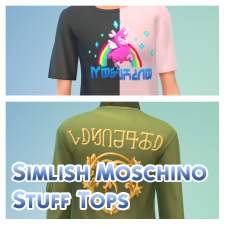
Simlish Moschino Stuff CAS Tops
by Menaceman44 30th Dec 2019 at 11:05pm
A file to replace the English text on the Moschino Stuff CAS assets. more...
-
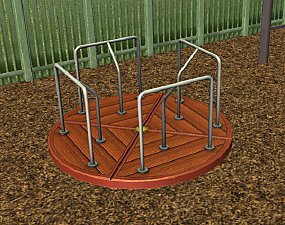
by Menaceman44 28th Sep 2008 at 10:06pm
A recolour of the Centrifun roundabout from Apartment Life in wood. more...
 +1 packs
12 28.4k 75
+1 packs
12 28.4k 75 Apartment Life
-

by Menaceman44 20th Sep 2020 at 3:38pm
This mod allows Robot Salvage Parts to be cloned on the GtW Scientist cloning machine like all other upgrade parts. more...
-
by Menaceman44 updated 2nd Mar 2026 at 9:11pm
A file to correct how Sims hold and read certain thin books. more...
28
35.8k
168
-
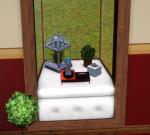
MSS Bayside Retreat Bay Window Emptied with Slots and BONUS!
by Menaceman44 19th Aug 2012 at 4:36pm
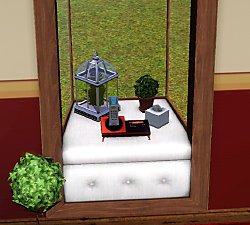
A default MSS bay window with flowers removed and 8 decorative slots added courtesy of cmomoney. more...
+1 packs
17 26.6k 94 Master Suite Stuff
-
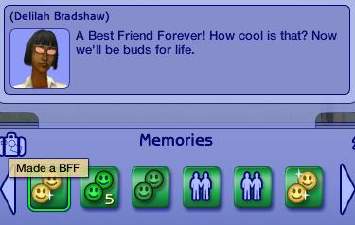
(UPDATED 17-09-08) BFF Memory Text Fix
by Menaceman44 6th Apr 2008 at 8:35pm
:new: BFFCorrection now corrects; Danish Dutch English (UK) French German Italian Polish Romanian and apparently Hungarian although I really don't more...
+1 packs
20 22.7k 31 Free Time
-


*Updated Please Redownload*Green and Grey recolours of t2suggas' Elder Skirt Mesh
by Menaceman44 26th Jan 2008 at 12:47pm
:alarm: *Update* I just noticed an error with the texture on these skirts and I've now fixed them. more...
-
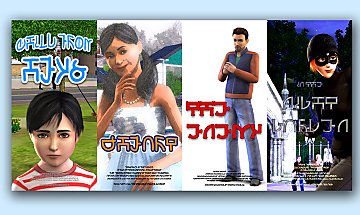

Default Replacement Theatre Posters
by Menaceman44 4th Mar 2010 at 11:54pm
Ever noticed how there are six slots for posters at the Theatre but only two designs? This really bugged me. more...
22
36.1k
52


