
 Sign in to Mod The Sims
 Cottage Kitchen
 Cottage Kitchen


cottageKitchen1.jpg - width=750 height=422
cottageKitchen2.jpg - width=750 height=419
cottageCounter.jpg - width=650 height=662
cottageIsland.jpg - width=750 height=519
cottageBuffet.jpg - width=474 height=530
cottageTallUpper.jpg - width=650 height=569
cottageShortUpper.jpg - width=650 height=411
cottageFridgeUpper.jpg - width=650 height=284
anti-quaint-arm-thumb.jpg - width=256 height=256

This set is entirely slaved to a Base Game Quaint item. There are no textures! I ripped apart several base game meshes and put them back together in different ways, remapping them to use existing textures.
The Meshes
The counter has 6 meshes insides: counter, corner, no door/drawers, no drawer, and counter only (used for appliances). The island has 4 meshes: counter, corner, west end, and east end.
As with all counters, the package has two that show in catalog. This package has one with a lower shelf and one without, but all corners have a lower shelf.
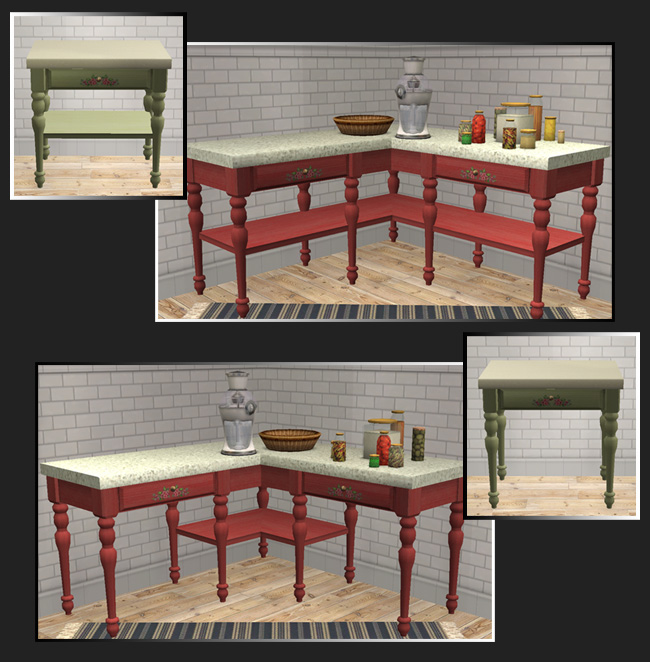
Textures
Buffet is slaved to Quaint Armoire
Counter Base is slaved to Quaint Desk
Counter Top is slaved to Counter Culture
Upper Cabinets are slaved to Quaint Armoire
The slots
Each counter that has a lower shelf has an added slot for it; the open upper cabinets have 3 slots per shelf; and the buffet has 3 slots per shelf plus 3 on the very top.
Each counter also has the corner slot as usable. Thanks to Numenor for creating the SEP which allowed me to study it and add this to my package.
Catalog Location/Price
- Buffet - Surfaces/Misc §225
- Counter - Surfaces/Counters §125
- Fridge Upper - Surfaces/Misc §105
- Short Upper - Surfaces/Misc §125
- Tall Upper - Surfaces/Misc §145
Known Issues: The lower slots on the counters are not accessible once you place an item there. I've tried adjusting everything I know how to change this but nothing worked. I even tested other similar counters that are open underneath, and they too have this issue. So the only way to recolor or remove an object from that shelf is to delete the counter. I left the slots in because they are still useful.
Polygon Counts:
Buffet - 3709
Counter - 1578
Island - 1536
Fridge Upper - 1597
Short Upper - 1597
Tall Upper - 2102
The polys are a bit higher for these than I wanted, but it is the handles that are so high. Blame Maxis, I took them from the desk and armoire!
Bonus
I have added a CEP file that makes the base game Quaint Armoire have the handles recolorable separately from the Armoire. Which means my upper cabinets and buffet will also have this option if you have this package. I recommend placing in the zCEP-EXTRA folder after installing Numenor's CEP.
Recommended
CEP- extras by hafiseasale slaved the OFB smaller armoire to the base game
Additional Credits:
Numenor for his Counter Templates
Garden Breeze for the idea for the counter design
Kitchen Clutter is by buggybooz and Cassandre at BPS
Valances are by me, textures by amythestfenix
This is a new mesh, and means that it's a brand new self contained object that usually does not require a specific Pack (although this is possible depending on the type). It may have Recolours hosted on MTS - check below for more information.
|
_HL_CEP_BaseQuaintArmoire.rar
Download
Uploaded: 7th Mar 2010, 1.3 KB.
14,412 downloads.
|
||||||||
|
HL_CottageKitchen.rar
Download
Uploaded: 7th Mar 2010, 321.5 KB.
15,837 downloads.
|
||||||||
| For a detailed look at individual files, see the Information tab. | ||||||||
Install Instructions
1. Download: Click the download link to save the .rar or .zip file(s) to your computer.
2. Extract the zip, rar, or 7z file.
3. Place in Downloads Folder: Cut and paste the .package file(s) into your Downloads folder:
- Origin (Ultimate Collection): Users\(Current User Account)\Documents\EA Games\The Sims™ 2 Ultimate Collection\Downloads\
- Non-Origin, Windows Vista/7/8/10: Users\(Current User Account)\Documents\EA Games\The Sims 2\Downloads\
- Non-Origin, Windows XP: Documents and Settings\(Current User Account)\My Documents\EA Games\The Sims 2\Downloads\
- Mac: Users\(Current User Account)\Documents\EA Games\The Sims 2\Downloads
- Mac x64: /Library/Containers/com.aspyr.sims2.appstore/Data/Library/Application Support/Aspyr/The Sims 2/Downloads
- For a full, complete guide to downloading complete with pictures and more information, see: Game Help: Downloading for Fracking Idiots.
- Custom content not showing up in the game? See: Game Help: Getting Custom Content to Show Up.
- If you don't have a Downloads folder, just make one. See instructions at: Game Help: No Downloads Folder.
Loading comments, please wait...


Uploaded: 7th Mar 2010 at 5:45 PM
Updated: 23rd Nov 2020 at 3:59 PM
-
-
-
-
-
designit : retro modern kitchen
by Nicolafred 30th Dec 2005 at 12:07pm
-
-
-
by jhobden600 1st May 2006 at 8:38pm
-
-


-
by HugeLunatic updated 6th May 2008 at 1:06am
Updated 23-Dec-09 This set is now slaved. The master mesh is the bookcase. more...
 +3 packs
14 51.2k 71
+3 packs
14 51.2k 71 University
 Pets
Pets
 Bon Voyage
-
by HugeLunatic 29th Aug 2020 at 8:04pm
This started as simply replacing the produce bin's wood texture to match the freezer bin's, but then I figured why more...
5
14.5k
52
-
by HugeLunatic 4th Sep 2007 at 12:29pm
A bedroom and small study area in a delicious cherry pattern! more...
-

by HugeLunatic 22nd Oct 2021 at 12:20pm
The arch from TS4 Romantic Garden made into a proper wedding arch. more...
6
6.6k
41
-


by Hood Building Group updated 9th Nov 2025 at 1:13pm
Bitville (aka Vincent's Story), a Sims Life Stories neighborhood recreated for TS2. more...
72
80.9k
175
Miscellaneous » Neighborhoods & CAS Screens » Neighbourhoods and Worlds
-
by HugeLunatic 7th May 2010 at 2:22pm
Williams Cottage is the summer home of Edith Williams-Simona. more...
 +1 packs
7 9.5k 8
+1 packs
7 9.5k 8 World Adventures
-
Maxis "Lost & Found" Plumbob Arch
by HugeLunatic 21st Mar 2011 at 12:16am
A little fun and whimsy for your game! A Plumbob arch! more...
37
72k
173
-
Curtains! Stop Snapping to that Wall!!
by HugeLunatic updated 17th Nov 2010 at 7:01pm
So having curtains snap onto walls is fine, sure no problem. Makes decorating easier for the most part. more...
-
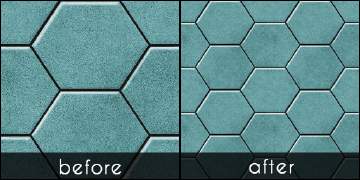
Hexa tiles from Future Waffles
by HugeLunatic 20th May 2021 at 1:54pm
The stone hex tiles from Apartment Life in a more reasonable scale. These are simple texture defaults in half the more...
+1 packs
15 4.7k 25 Apartment Life
-
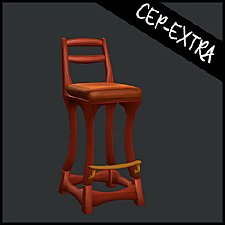
Art Nouveau Bar Stool [CEP-Extra]
by HugeLunatic 8th Oct 2021 at 7:32pm
I'm probably the only simmer who likes this bar stool. more...
7
2.3k
12


About Me
Pet Stories || Dog Agility Items? || Castaway Stories || Holy Simoly Extras
4esf Archive || Holy Simoly Archive || CEP-Extras List || Buyable Game Objects
lunie content from GoS/s2a
 Installation of CEP Extras
-the package with pfiles appended to the name will go into your cep extras folder where your game is installed (typically c drive, you do you)
-the other goes in CEP extra folder in documents.
The following locations are what I am aware of, beyond that you'll have to do some searching.
Downloads Folder:
C:\Users\<user>\Documents\EA Games\The Sims 2 Legacy
C:\Users\<user>\Documents\EA Games\The Sims 2 Ultimate Collection
With multiple launchers, the location for your game install will vary.
C:\Program Files\EA GAMES\The Sims 2 Legacy\TSData\Res\Catalog\zCEP-EXTRA
C:\Program Files\EA GAMES\The Sims 2\TSData\Res\Catalog\zCEP-EXTRA
C:\Program Files (x86)\EA GAMES\The Sims 2\TSData\Res\Catalog\zCEP-EXTRA