
 Sign in to Mod The Sims
 27 Hànzì & Kanji Tattoos + Bonus Items!
 27 Hànzì & Kanji Tattoos + Bonus Items!


Chinese 1.jpg - width=1000 height=360
Chinese 2.jpg - width=1000 height=434
Japanese 1.jpg - width=876 height=930
Japanese 2.jpg - width=890 height=930
Japanese 3.jpg - width=896 height=930
ingame 2.jpg - width=790 height=682
recolor - red.jpg - width=900 height=347
Misc.jpg - width=602 height=497

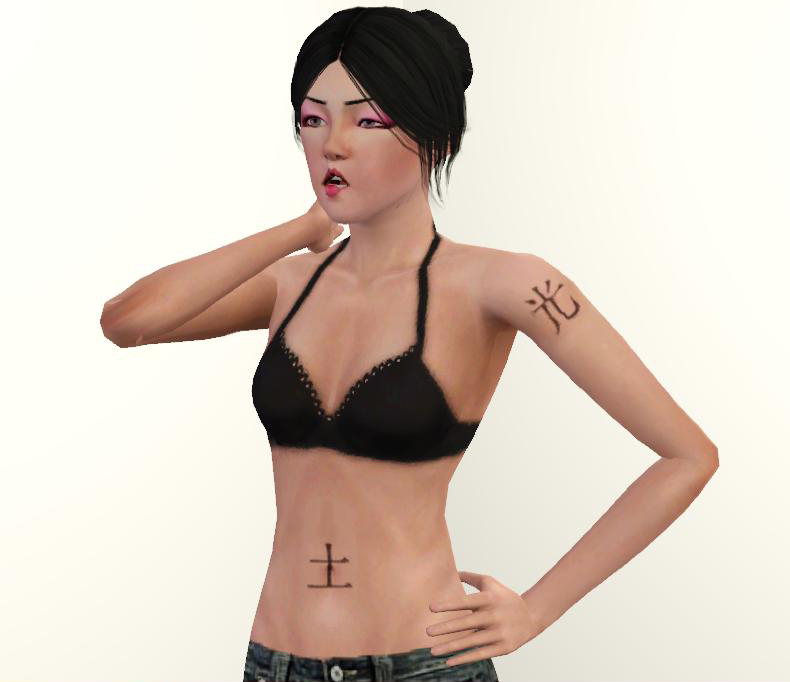
Asian symbols are always a classic tattoo choice, because they allow you to express a message in a more artistic way than words would. In fact, one of the first tattoos that I plan to get will be some sort of Han character.
There are two sets of tattoos: Chinese (Hànzì) and Japanese (Kanji)
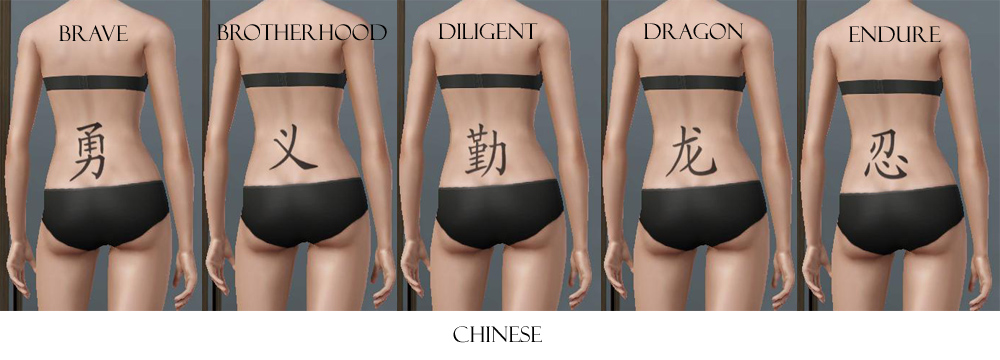
The Chinese set includes 9 different characters meaning: Brave, Brother Hood, Diligent, Dragon, Endure, Love, Loyal, Merciful and Tiger.
See additional screenshots for more symbols.
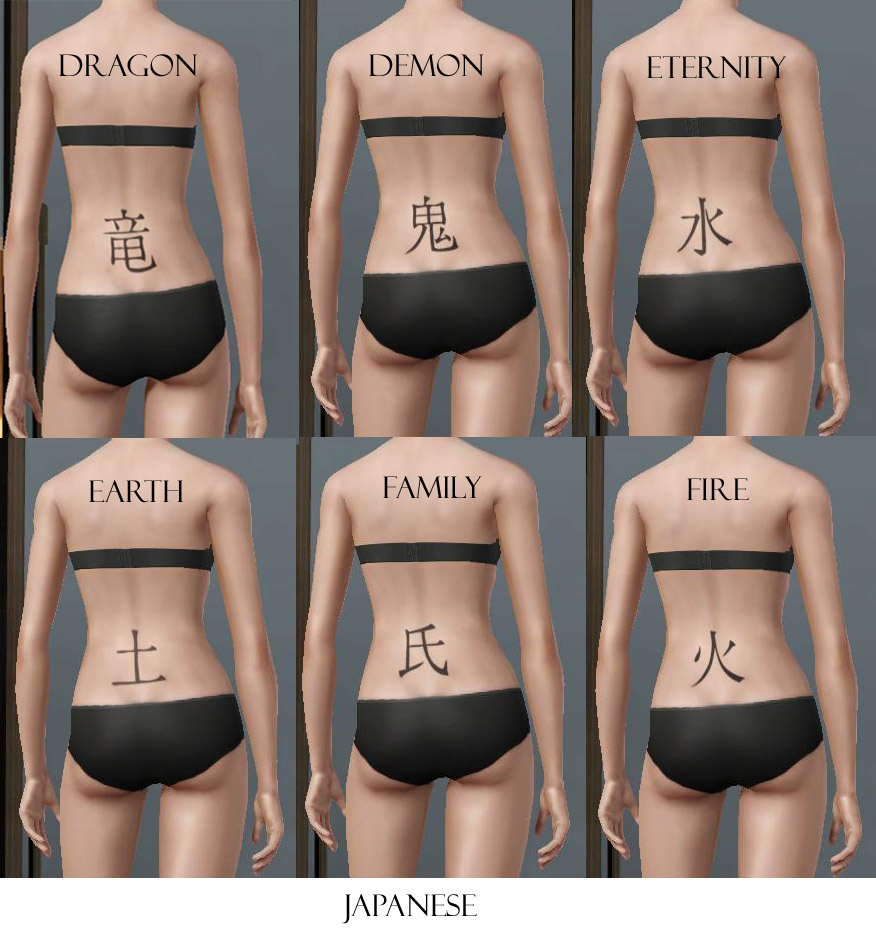
The Japanese set includes 18 different characters meaning: Demon, Dragon, Earth, Eternity, Family, Fire, Fortune, Guardian, Light, Love, Moon, Power, Sin, Sun, Talent, Water, Will and Wind.
See additional screenshots for more symbols.
Yes, there is double the amount of Japanese symbols than Chinese. No, I don't like one nationality more than the other. It's just that I found more Japanese symbols than Chinese ones.
Bonus!
As a Thank You for being such an awesome Sim Community, I've included two bonus tattoos for your enjoyment.

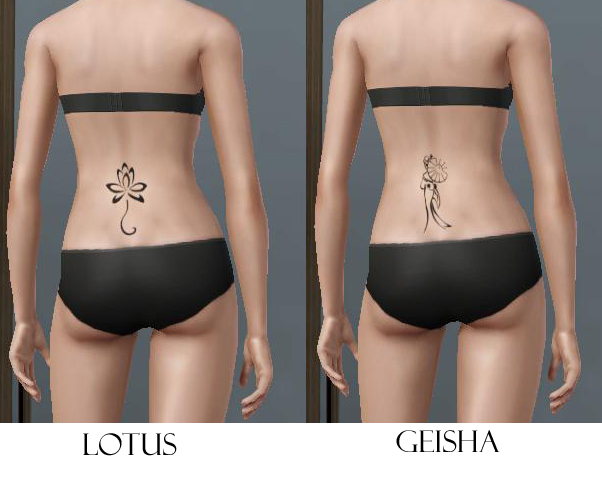
All the tattoos have just one recolorable channel because they're so simple. They are found in the tattoo section that came with Ambitions.
Please note that custom tattoos will not show up with just the 1.12 Base Game patch. You MUST have Ambitions installed.
Known Issues:
Sometimes in the tattoo selector, the tattoo thumbnail will show up as all black. My theory is that when saving the dds texture I had the alpha channel visible (which is all black). Put emphasis on the word *theory* because I'm not sure if that's the cause. However, the tattoo still shows up just fine on the sim.
Additional Credits:
Lotus and Geisha Tattoo design from Tattootribes. This site is a collection of free tattoo images, so I assumed it would be alright to use them.
Hair by EA (store) from the Ultimate Career Bundle.
Disco DaVinci Eyeshadow by LadyFrontBum
Wearable Bra by Lili Sims
|
Bonus Tattoos.rar
Download
Uploaded: 28th Jun 2010, 89.9 KB.
13,606 downloads.
|
||||||||
|
Japanese Tattoos.rar
Download
Uploaded: 28th Jun 2010, 551.0 KB.
13,810 downloads.
|
||||||||
|
Chinese Tattoos.rar
Download
Uploaded: 28th Jun 2010, 156.7 KB.
11,718 downloads.
|
||||||||
| For a detailed look at individual files, see the Information tab. | ||||||||
Install Instructions
1. Click the download button, or the filename, to download the file to your computer.
2. Extract the zip, rar, or 7z file. Now you will have either a .package or a .sims3pack file.
For Package files:
1. Cut and paste the file into your Documents\Electronic Arts\The Sims 3\Mods\Packages folder. If you do not already have this folder, you should read the full guide to Package files first: Sims 3:Installing Package Fileswiki, so you can make sure your game is fully patched and you have the correct Resource.cfg file.
2. Run the game, and find your content where the creator said it would be (build mode, buy mode, Create-a-Sim, etc.).
For Sims3Pack files:
1. Cut and paste it into your Documents\Electronic Arts\The Sims 3\Downloads folder. If you do not have this folder yet, it is recommended that you open the game and then close it again so that this folder will be automatically created. Then you can place the .sims3pack into your Downloads folder.
2. Load the game's Launcher, and click on the Downloads tab. Find the item in the list and tick the box beside it. Then press the Install button below the list.
3. Wait for the installer to load, and it will install the content to the game. You will get a message letting you know when it's done.
4. Run the game, and find your content where the creator said it would be (build mode, buy mode, Create-a-Sim, etc.).
Extracting from RAR, ZIP, or 7z: You will need a special program for this. For Windows, we recommend 7-Zip and for Mac OSX, we recommend Keka. Both are free and safe to use.
Need more help?
If you need more info, see:
- For package files: Sims 3:Installing Package Fileswiki
- For Sims3pack files: Game Help:Installing TS3 Packswiki
Loading comments, please wait...


Uploaded: 28th Jun 2010 at 8:28 PM
Updated: 5th Oct 2010 at 2:57 PM
-
-
-
Metal Bands Tattoo Set - 10 tattoos for your sims
by des-demmonia 24th Aug 2010 at 5:56pm
-
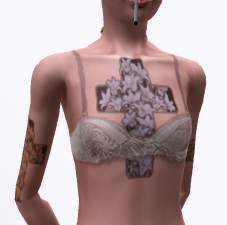
Lily Cross Tattoo - Recolourable
by megsymooks 15th May 2011 at 7:14am
-
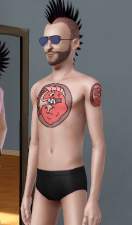
Hellfish Tattoo from The Simpsons
by dictator009 10th Jul 2011 at 12:43am
-
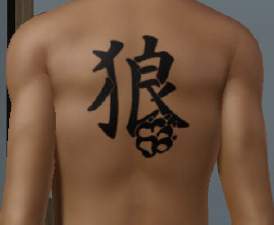
by devilishoblivion 10th Nov 2011 at 4:48pm
-
-
-
-
by PinkPlumbbob 19th Jul 2014 at 1:15pm


-
Pretty Watches for Your Pretty Fems
by daluved1 9th Jul 2009 at 7:35am
So as always, there's a background story to my uploads. Anyhoos, I just got me a fabulous new Dior watch! more...
 23
58.7k
93
23
58.7k
93
-
Medieval Blacksmith - Deco Objects - Ye Olde Kingdom of Pudding
by The Merrye Makers 20th Dec 2011 at 11:27am
Medieval blacksmith decorative objects made by Hekate999 for The Merrye Makers. more...
8
56.5k
116
-
Wee Little Hovel - Medieval Challenge
by daluved1 2nd Apr 2010 at 6:11am
A quaint little hovel :) more...
+1 packs
8 15.1k 19 World Adventures
-
Light My Fire - Ye Olde Kingdom of Pudding
by The Merrye Makers 29th Feb 2012 at 11:50am
A medieval/gothic style floor torch with non-default custom candle style lighter. more...
22
48.9k
115
-
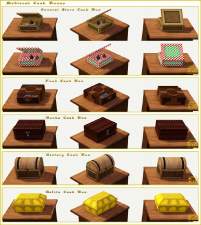
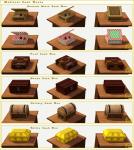
Medieval Cash Registers - Ye Olde Kingdom of Pudding
by The Merrye Makers 1st Jan 2012 at 4:23pm
Community Objects Cash Boxes/Registers made by Hekate999 for The Merrye Makers. Only the General Store register is recolourable. more...
+1 packs
11 43.9k 106 World Adventures
-
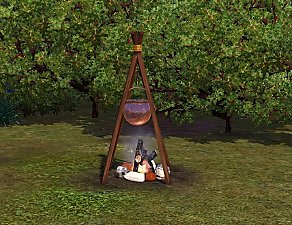
Deco Campfire Cooking Pot, Market Stalls & Chamber Pot - Ye Olde Kingdom of Pudding
by The Merrye Makers 8th Dec 2011 at 1:47pm
Miscellanous Decorative Ye Olde Kingdom of Pudding Medieval Objects Decorative Campfire Cooking Pot, Market Stalls, and Decorative Chamber Pot more...
18
51.6k
124
-
-
Just Flats! - New Shoes for Children
by daluved1 updated 11th Nov 2010 at 6:31pm
It's a shander fer de kinder to not have flats! more...
-
-

About Me
Because my policy is really inconsistent on my uploads, I've decided to make an official policy! So whatever you see here on my profile is my current policy. You may disregard any ''policy'' information you see on the actual upload itself.
-You may use my creations with sims
-You may use my objects with lots.
-You may retexture my meshes.
-You may include my meshes with retextures.
-You may NOT upload my creations with sims
-You may NOT upload my objects with lots.
-You may NOT upload my creations to paysites.
-You may NOT upload my creations to the exchange.
-Always credit me with a link
-I do NOT take requests!