
 Sign in to Mod The Sims
 Basic Standard Add-On: Trim and Tile 03 / “Digital World” specular fix
 Basic Standard Add-On: Trim and Tile 03 / “Digital World” specular fix


BasicStandard-03_01.jpg - width=1020 height=750
BasicStandard-03_02.jpg - width=1020 height=750
BasicStandard-03_03.jpg - width=1020 height=750
BasicStandard-03_04.jpg - width=1020 height=750
BasicStandard-03_05.jpg - width=1020 height=750
BasicStandard-03_06.jpg - width=1020 height=750
BasicStandard-03_07.jpg - width=1020 height=750
BasicStandard-03_08.jpg - width=1020 height=750
BasicStandard-03_09.jpg - width=1020 height=750
BasicStandard-03_10.jpg - width=1020 height=750
BasicStandard-03_Cat01.jpg - width=875 height=700
BasicStandard-03_Cat02.jpg - width=875 height=700
BasicStandard-03_Short-01.jpg - width=1240 height=1080
BasicStandard-03_Short-02.jpg - width=1240 height=1080
BasicStandard-03_Medium-01.jpg - width=1060 height=1140
BasicStandard-03_Medium-02.jpg - width=1060 height=1140
BasicStandard-03_Tall-01.jpg - width=880 height=1120
BasicStandard-03_Tall-02.jpg - width=880 height=1120
DigitalSpecularFix-1.jpg - width=1020 height=740
DigitalSpecularFix-2.jpg - width=1020 height=740


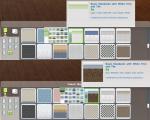
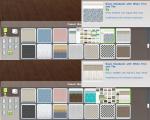


More “Basic Standard” walls with “Slippery”/“Sterilised” and “Checkmate”/“King Me” tiles are available here (white, blue, green) and here (yellow, beige, brown, light green plus one more green and aqua). Plain versions of the custom colours (white, yellow, beige and 2 x green) are also available with those uploads.
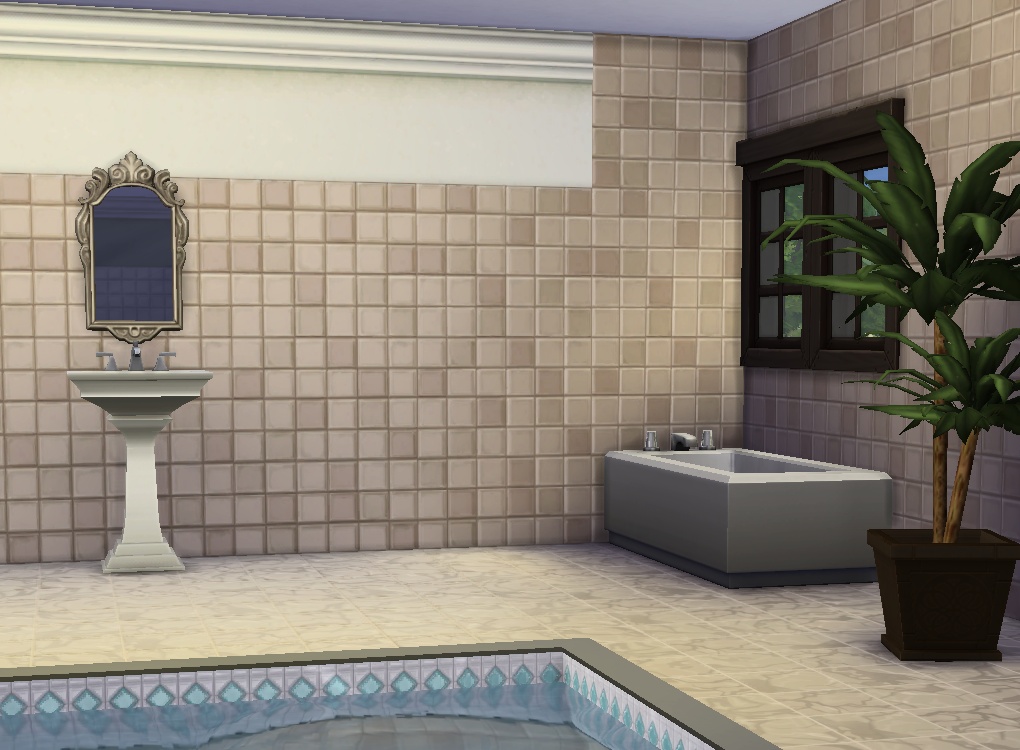
Catalogue sorting (now with proper sub-sorting, too):
TileDigital_BlueWhiteYellow:
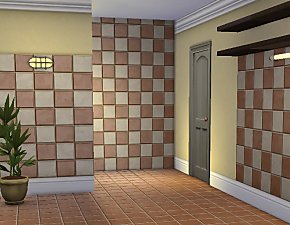
- 7 x blue with various tiles that will sort with my other blue + tile walls (or in their own thumbnail if you don't have any of those)
- 3 x white (blue grey / turquoise / white tile) and 2 x yellow (white and dark brown tile) that will sort with my other white + tile walls (or by themselves if you don't have those);
TileDigital_BeigeWhiteGreen:
- 2 x beige with white and dark brown tile that will sort with my other brown/beige + tile walls (or by itself respectively)
- 1 x white with light brown tile that will sort with the other white + tile walls (or by itself)
- 5 x green with various tile colours (mostly white) that will sort with the other green + tile walls (or by itself);
TileGlow (Paint + “Nature's Glow” tile):
- 1 x beige, 1 x brown / 3 x blue / 1 x green / 1 x white that will sort in the proper thumbs; 1 x grey which will sort with white/yellow
Override-SpecDigital – Specular Fix (same for all colours):
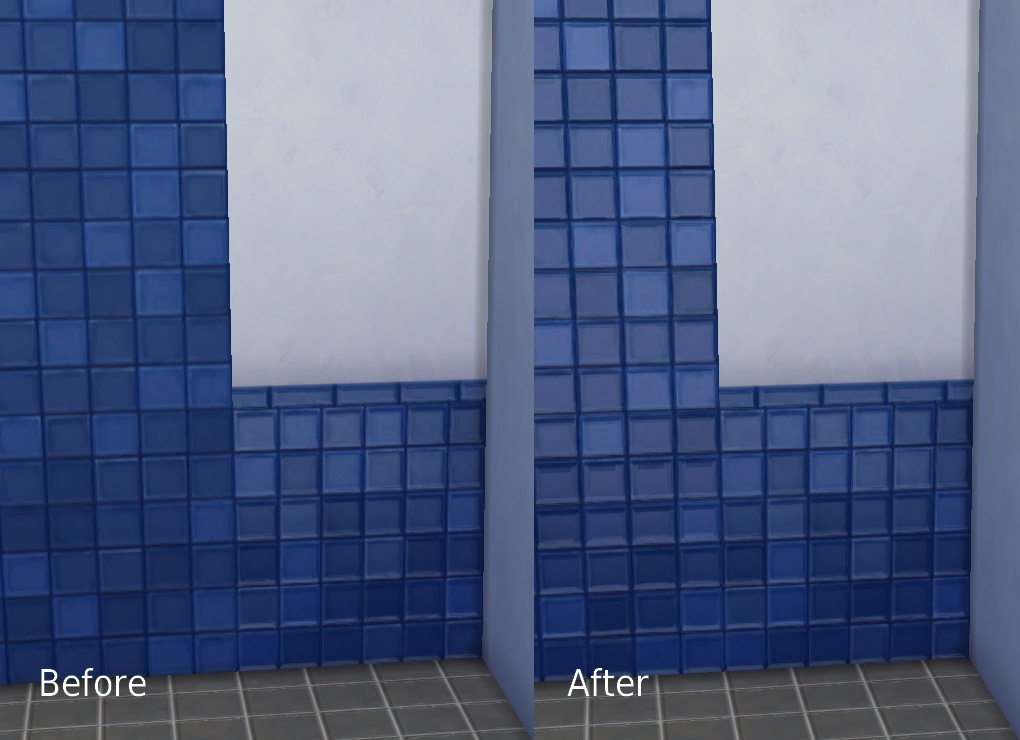
All of the catalogue screenshots are taken with this and both of the other uploads in. The beige with “Glow” tile wall is missing from the overview screenshots because I can't count to 8.
If you want to do similar stuff I've uploaded DDS/PDN of a bunch of the original “Basic Standard” walls here.
WallEz, s4pe, Paint.net/dxtbmp/Aorta, Notepad++.
|
pbox_wall_Override-SpecDigital.zip
Download
Uploaded: 30th Nov 2014, 111.8 KB.
7,303 downloads.
|
||||||||
|
pbox_wall_BasicStandard-WhiteTrim_TileDigital_BeigeWhiteGreen.zip
Download
Uploaded: 30th Nov 2014, 1.16 MB.
7,954 downloads.
|
||||||||
|
pbox_wall_BasicStandard-WhiteTrim_TileDigital_BlueWhiteYellow.zip
Download
Uploaded: 30th Nov 2014, 1.78 MB.
7,848 downloads.
|
||||||||
|
pbox_wall_BasicStandard-WhiteTrim_TileGlow.zip
Download
Uploaded: 30th Nov 2014, 1.27 MB.
8,149 downloads.
|
||||||||
| For a detailed look at individual files, see the Information tab. | ||||||||
Install Instructions
1. Download: Click the File tab to see the download link. Click the link to save the .rar or .zip file(s) to your computer.
2. Extract: Use 7zip (Windows) to extract the file(s) from the .rar or .zip file(s).
3. Cut and paste the file(s) into your Mods folder
Need more information?
- My Documents\Electronic Arts\The Sims 4\Mods\
- Anyone can use both .rar and .zip files easily! On Windows, use 7zip!
- If you don't have a Mods folder, just make one.
Loading comments, please wait...


Uploaded: 30th Nov 2014 at 1:59 AM
Updated: 30th Nov 2014 at 5:02 PM
-
-
-
by SaudadeSims 15th Nov 2014 at 10:29pm
 3
5.8k
27
3
5.8k
27
-
-
-
by cripplecreek 25th Nov 2014 at 1:21pm
2.8k
6
-
-
Simple Siding Add-On: Extra Colours/Overrides
by plasticbox updated 18th Aug 2015 at 2:16pm
9
24.9k
104
-
-
by KiyraNekochan 29th Jun 2022 at 9:09pm
5.2k
15

-
Newbie Road 05 - Starter House
by plasticbox 14th Nov 2005 at 2:34am
Title: Newbie Road 05 Category: Lots & Housing > Residential > Starter Homes Cost: 19.960 Lot size: 3x2 more...
 11
16.1k
9
11
16.1k
9
-
Newbie Road 172 -- Base Game Mini Starter, no CC
by plasticbox 3rd Nov 2008 at 3:48am
No EPs required. more...
14
37.2k
33
-
Retro Recolours - Dresser "Vroom" [Seasons]
by plasticbox 4th May 2008 at 6:16pm
This post made me realise that this dresser is actually quite a nice piece of furniture once it has more...
+1 packs
11 24.2k 60 Seasons
-
by plasticbox 31st May 2015 at 3:03pm
A two-tile version of the Maxis “Perfect Pane” door. more...
4
17.7k
74
-
by plasticbox 23rd Aug 2015 at 11:05pm
This is a simplified version of the Maxis “Mega (Basic)” column. more...
16
73.7k
130
-
Newbie Road 42b [NL] - Starter House
by plasticbox 27th Feb 2006 at 8:59pm
Title: Newbie Road 42b [NL] Category: Lots & Housing > Residential > Starter Homes Cost: 19.959 Lot size: 2x2 more...
+1 packs
4 15.1k 5 Nightlife
-
Newbie Road 119 -- Tiny Triplex
by plasticbox updated 12th Apr 2008 at 7:24pm
Requires OfB. Custom content, see below. more...
+1 packs
8 13.3k 24 Open for Business
-
Backdoor Lane 22 [NL+OfB] -- Courthouse
by plasticbox updated 1st Apr 2007 at 12:23pm
Cost: 166.838§ Lot Size: 3x2 Played: No Furnished: Yes Tested: Yes (visited in comm lot mode to check restaurant + more...
+2 packs
23 47.3k 56 Nightlife
Open for Business
-
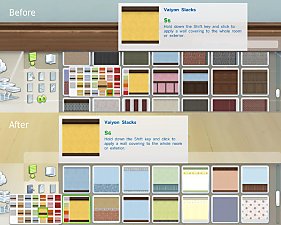
Various tag fixes (Build Mode)
by plasticbox 28th Apr 2015 at 3:59pm
Various catalogue tag edits/fixes that have accumulated here over time: Door ‒ Unbranded more...
14
17.1k
94
-
A simple dining table – Update 2014-08-27: Rigfix
by plasticbox updated 2nd Sep 2014 at 8:45pm
A simple and versatile dining table for four sims. Can be styled to fit into almost any context. more...
 31
48.2k
91
31
48.2k
91


About Me
– Feel free to recycle, you don’t need to ask.
– For the attribution, please link to the upload you’re using wherever possible (instead of my profile). This is particularly important with edits made for/with different games or game versions.
– If you use my stuff in something you make, please upload the result to a free, accessible, noncommercial site with no more restrictions than these. Code must remain open source; meshes and other material must remain re-usable.
Please do not redistribute any unmodified files – link to the upload post instead.