
 Sign in to Mod The Sims
 Cheat Shortcuts
 Cheat Shortcuts


shortcuts_00.jpg - width=540 height=400
shortcuts_04.jpg - width=800 height=225
shortcuts_02.jpg - width=800 height=225
shortcuts_03.jpg - width=800 height=225
shortcuts_pg_before.jpg - width=800 height=340
shortcuts_pg_after.jpg - width=800 height=340
- casf – testingcheats on + cas.fulleditmode
- d | t | debug [on/off] – testingcheats
- h [on/off] – headlineeffects
- m | mo | moo – bb.moveobjects (toggle)
- ssk | setskill <skill> <level> – stats.set_skill_level <skill> <level>
- u | unlock – bb.showhiddenobjects + bb.ignoregameplayunlocksentitlement
on/off can be expressed in many ways, like 0/1, on/off, true/false, y/n etc. If you just enter "t" or "h" it will list what the options are.
For a list of shortcuts, type shortcuts:
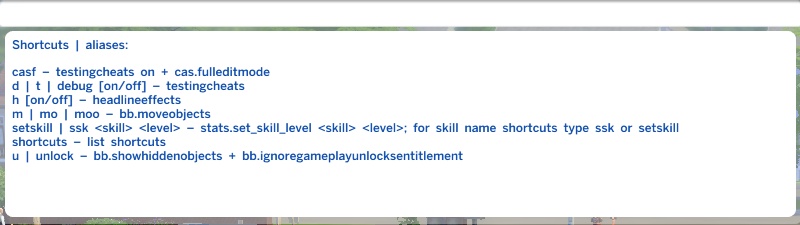
(casf was added on 2014-12-22, this is not in the original version)
For skill name shortcuts, type ssk or setskill (without any arguments):
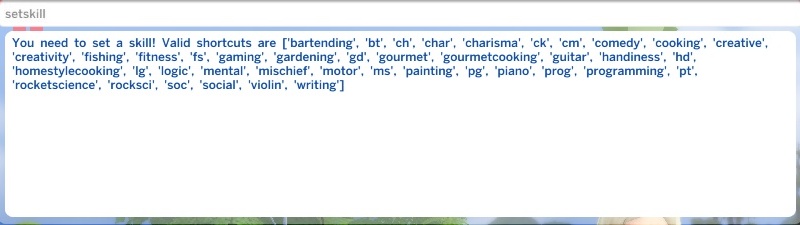
The list that gets dumped there is strictly alphabetical; here's a more logical one:
bt | bartending
ch | char | charisma
cm | comedy
ck | cooking | homestylecooking
fs | fish | fishing
ft | fitness
gd | gardening
gourmet | gourmetcooking
guitar
hd | handiness
lg | logic
ms | mischief
pt | painting
piano
pg | prog | programming
rs | rocksci | rocketscience
gaming
violin
writing
creative | creativity (Child Skill)
mental (Child Skill)
motor (Child Skill)
soc | social (Child Skill)
You can also look these up in the actual .py file (list at the bottom that goes like "[..] 'ms': 'AdultMajor_Mischief' [..]" – the game does not care when you open that file while it's running.
Compatibility:
OS X users will probably need 1.4.103 or higher for this to work (aka the patch that made it so that script mods won’t crash your game). See this announcement for more info.
How to install:
Unzip the "shortcuts" folder and put it in /Mods. Do not change the "Scripts" subdirectory, it needs to be named like that. If you want to change the name of the "shortcuts" folder, you need to edit the file name of the .py too so that they are the same. See here. You also need to have script mods enabled in Game Options > Other.
How to edit (if you want):
Open shortcuts.py (after you made a backup) in any text editor and see if you can make sense of it – if you speak any programming language at all, it shouldn't be terribly hard. If all you want is add an existing cheat to the list which does not need any arguments, you can probably copy + paste the moveobjects one, just change the name of the shorthand form/s, the name of your command, and the string it's supposed to pass on. For more "complicated" stuff see the other ones (but when in doubt, better use code by other people as a reference rather than mine). In-game commands that are defined in Python may need to have a | prepended (can't say I understand why this is, but hey, I only "know"
 Python since yesterday), and Python is very very picky about tidy whitespaces so try to not touch any of that. Save, start game, test. Rinse and repeat and keep banging on it until it does what you want. This works! Really!
The reference I used: https://docs.python.org/3.3/
Plus a bunch of existing code by Maxis and scumbumbo, mgomez' instructions from here, darkkitten's batch script from here and TheHologramMan's unpyc3.py from here. Special thanks to SGEugi for helping me getting this to work specifically in uncompiled form.
|
shortcuts.zip
Download
Uploaded: 22nd Dec 2014, 1.6 KB.
101,270 downloads.
|
||||||||
| For a detailed look at individual files, see the Information tab. | ||||||||
Install Instructions
1. Download: Click the File tab to see the download link. Click the link to save the .rar or .zip file(s) to your computer.
Read the upload description for installation instructions. If nothing else is specified, do the following:
2. Extract: Use WinRAR (Windows) to extract the .package file(s) (if included, ts4script as well) from the .rar or .zip file(s).
3. Cut and paste the .package file(s) (if included, ts4script as well) into your Mods folder
- Windows XP: Documents and Settings\(Current User Account)\My Documents\Electronic Arts\The Sims 4\Mods\
- Windows Vista/7/8/8.1: Users\(Current User Account)\Documents\Electronic Arts\The Sims 4\Mods\
Need more information?
- Anyone can use both .rar and .zip files easily! On Windows, use WinRAR.
- If you don't have a Mods folder, just make one.
- Mod still not working? Make sure you have script mods enabled

Loading comments, please wait...


Uploaded: 21st Dec 2014 at 11:49 PM
Updated: 20th Feb 2015 at 7:25 PM
-
by darkhorus updated 1st Mar 2018 at 8:08pm
 143
106.4k
373
143
106.4k
373
-
by imjakedeason updated 6th Aug 2024 at 6:12pm
39
98.3k
149
-
by Lunula Simmer updated 8th Jun 2025 at 6:41pm
+1 packs
4 9k 57 Paranormal Stuff
-

by nickyclem1 updated 9th Nov 2024 at 11:42pm
10
40.7k
42
-
by TURBODRIVER updated 12th Oct 2025 at 5:53am
19
63.1k
141
-

by nickyclem1 updated 9th Nov 2024 at 11:40pm
6
16.3k
30
-
by o19 30th Jan 2024 at 11:34am
14
10.3k
7
-
by laurelie updated 24th Apr 2024 at 12:23pm
4
14.3k
24
-
by Reve 27th Apr 2024 at 1:35pm
7
11.6k
13
-
by nickyclem1 updated 9th Nov 2024 at 11:39pm
2
5k
11



-
by plasticbox 13th Jul 2015 at 4:40pm
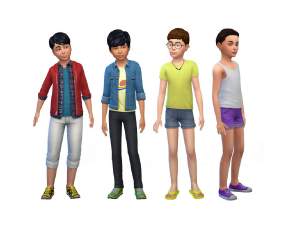
These are three Maxis girl-only (why?) jeans/shorts from the base game made available for boys. more...
-
by plasticbox 21st Nov 2014 at 3:24am
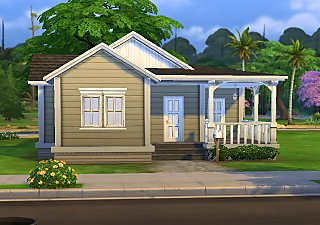
A small two-bedroom starter, furnished for 1–2 sims. more...
7
15.2k
59
-
Newbie Road 157 -- Mini Budget Starter (under 10.000), no CC
by plasticbox 20th Oct 2008 at 1:33am
Requires Seasons. Economy starter for 1–2 sims, with room for a garden. more...
 +1 packs
8 21.3k 28
+1 packs
8 21.3k 28 Seasons
-
Newbie Road 161 -- Base Game Mini Starter, no CC
by plasticbox 26th Oct 2008 at 2:59am
No EPs required. Really tiny mini starter for 1-2 sims, with fenced-in garden and room for a driveway. more...
6
14.4k
13
-
by plasticbox 15th Jul 2015 at 2:17pm
One more variant of the Maxis “Caress” Bookcase, this time a lower two-tile one. more...
5
21.8k
106
-
Single-Tile “Cordelia” Bookcases
by plasticbox 3rd Jul 2015 at 10:55am
Two single-tile bookcases that match the Maxis “Cordelia” bookcase but are a little simpler than that. more...
18
28.9k
158
-

Wee Barnoid #21 – Starter house (under 15.000§) – No CC
by plasticbox 7th Oct 2009 at 11:18pm
A small country house with a bit of a "holiday cabin" feeling, furnished for three sims, affordable for one. more...
 19
38k
46
19
38k
46
-
Newbie Road 57 [NL] - Two starters for under 15.000
by plasticbox 28th Mar 2006 at 11:17pm
Title: Newbie Road 57 [NL] - Two starters for under 15.000 Category: Lots & Housing > Residential > Starter Homes more...
+1 packs
12 11.9k 10 Nightlife
-
by plasticbox 4th Oct 2015 at 11:32am
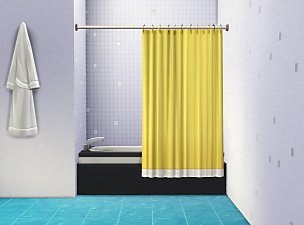
This is a stand-alone version of the curtain from the Maxis “Clawfoot” showertub that can be used with any other more...
30
82.6k
265
-
by plasticbox updated 7th Feb 2016 at 4:21am
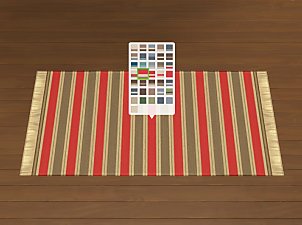
These are some striped and not-so-striped rugs in six small-ish sizes with 36 colour variants each. more...
19
27.1k
135


About Me
– Feel free to recycle, you don’t need to ask.
– For the attribution, please link to the upload you’re using wherever possible (instead of my profile). This is particularly important with edits made for/with different games or game versions.
– If you use my stuff in something you make, please upload the result to a free, accessible, noncommercial site with no more restrictions than these. Code must remain open source; meshes and other material must remain re-usable.
Please do not redistribute any unmodified files – link to the upload post instead.