Sign in to Mod The Sims
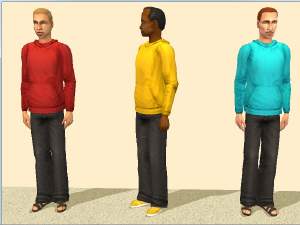
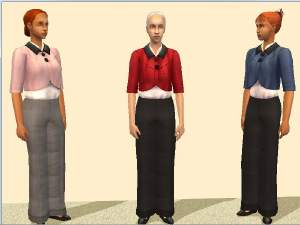
 Gincgo's "Autumn is coming" AF longsleeve shirts -- for teens and elders
 Gincgo's "Autumn is coming" AF longsleeve shirts -- for teens and elders


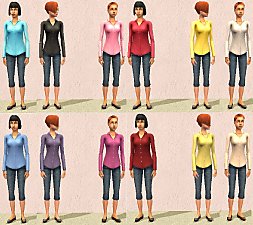
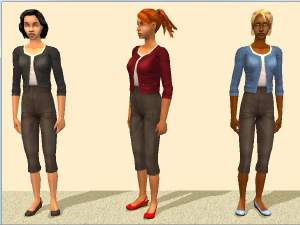
Catalog.jpg - width=555 height=540
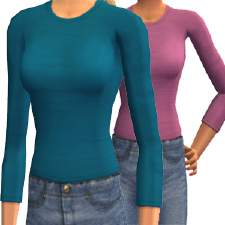
Teen1.jpg - width=800 height=600
Elder1.jpg - width=800 height=600
Elder2.jpg - width=800 height=600
Teen2.jpg - width=800 height=600
There are two rar files, one for the teen outfits and one for elders. Both sets pull their textures from Gincgo's adult shirts, so those outfits must be present for these outfits to appear properly. My filenames refer back to Gincgo's, so you can match them up. I've also included a text file with a color key for the filenames, since the filenames themselves do not include the color.
The teen outfits use the Maxis tftopmidsleevetshirt mesh, but will work with CatOfEvilGenius's edited replacement mesh, which is what I used for the teen screenshots. The elder packages require Cat's elder conversion mesh for ftopmidsleevetshirt. Per Cat's policy, that mesh is not included; if you do not have it, you will need to go to that thread to download it.
Additional Credits:
Maxis, for the teen mesh.
CatOfEvilGenius, for the elder mesh.
Gincgo for the textures
|
Gincgo_LongsleeveAFshirts-Elder.rar
| Elder version of Gincgo's longsleeve AF shirts
Download
Uploaded: 15th Aug 2016, 13.8 KB.
785 downloads.
|
||||||||
|
Gincgo_LongsleeveAFshirts-Teen.rar
| Teen version of Gincgo's longsleeve AF shirts
Download
Uploaded: 15th Aug 2016, 14.3 KB.
831 downloads.
|
||||||||
| For a detailed look at individual files, see the Information tab. | ||||||||
Install Instructions
1. Download: Click the download link to save the .rar or .zip file(s) to your computer.
2. Extract the zip, rar, or 7z file.
3. Place in Downloads Folder: Cut and paste the .package file(s) into your Downloads folder:
- Origin (Ultimate Collection): Users\(Current User Account)\Documents\EA Games\The Sims™ 2 Ultimate Collection\Downloads\
- Non-Origin, Windows Vista/7/8/10: Users\(Current User Account)\Documents\EA Games\The Sims 2\Downloads\
- Non-Origin, Windows XP: Documents and Settings\(Current User Account)\My Documents\EA Games\The Sims 2\Downloads\
- Mac: Users\(Current User Account)\Documents\EA Games\The Sims 2\Downloads
- Mac x64: /Library/Containers/com.aspyr.sims2.appstore/Data/Library/Application Support/Aspyr/The Sims 2/Downloads
- For a full, complete guide to downloading complete with pictures and more information, see: Game Help: Downloading for Fracking Idiots.
- Custom content not showing up in the game? See: Game Help: Getting Custom Content to Show Up.
- If you don't have a Downloads folder, just make one. See instructions at: Game Help: No Downloads Folder.
Loading comments, please wait...
Uploaded: 15th Aug 2016 at 8:03 PM
#longsleeve, #shirt, #teen, #elder
-
[Testers Wanted] Sundress for the elders
by mharpham 10th Feb 2005 at 3:49am
-
-
H&M Dress Conversion for Elders
by dustfinger 21st Oct 2008 at 11:33pm
-
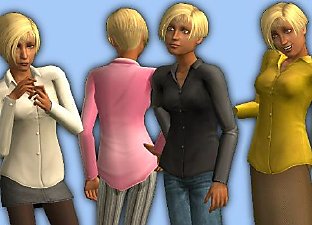
MESH + 15 untucked Oxford shirts for teen girls
by CatOfEvilGenius updated 14th Mar 2009 at 6:52am
-
-
-
-
-
-


-
Color fix - K & B Fire' Em Up Stove matches Coldinator fridge
by dharden 14th Jan 2015 at 2:46am
Michelle's TXMT tweaks for the Fire' Em Up stove as a default replacement. more...
 +1 packs
8 15.8k 43
+1 packs
8 15.8k 43 Kitchen & Bath
-
-
-
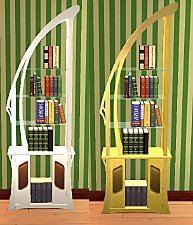
Two recolors of the BG Art Nouveau bookcase
by dharden 7th Aug 2017 at 3:03am
Recolors of the Art Nouveau bookcase from the base game. more...
1
3.7k
6
-
-
-
-
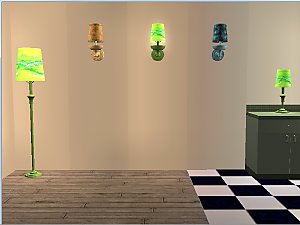
Base recolors for the La Croix "Wall Flowers" Wall Lamp
by dharden 20th Jan 2019 at 2:24am
Texture-linked base recolors for the La Croix "Wall Flowers" Wall Lamp by Deastrumquodvicis more...
2
5k
5
-
-