
 Sign in to Mod The Sims
 Sol Ranch
 Sol Ranch


Screenshot-35.jpg - width=800 height=600
Screenshot-37.jpg - width=800 height=600
Screenshot-38.jpg - width=800 height=600
Screenshot-39.jpg - width=800 height=600
Screenshot-40.jpg - width=800 height=600
Screenshot-41.jpg - width=800 height=600
Screenshot-42.jpg - width=800 height=600
Screenshot-43.jpg - width=800 height=600

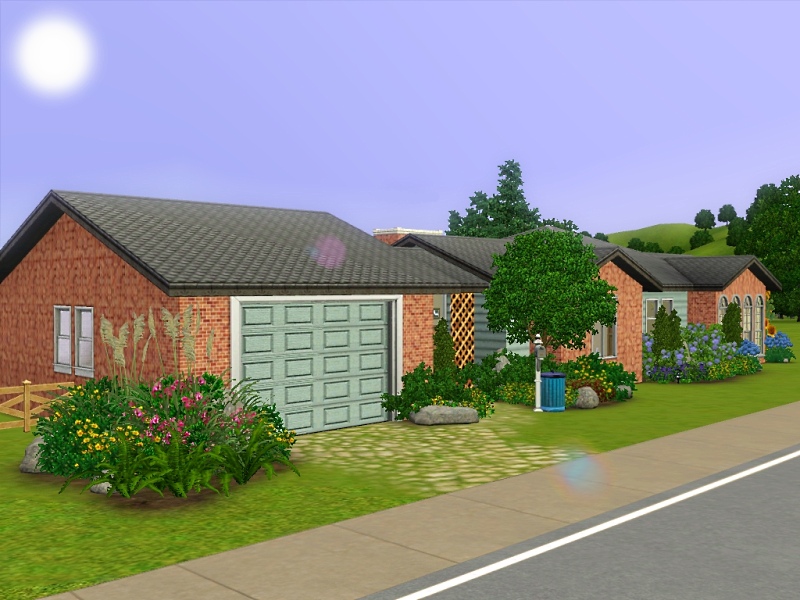
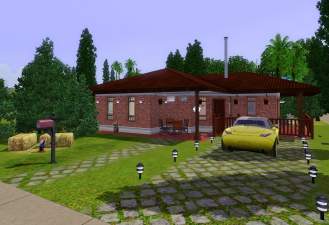
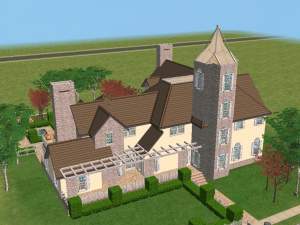
Looking back this single story house has seen it's better days. It
has been on this same plot of land for ear about sixty years now!
The worn siding, now pale in its complexion, contrasts the red
brick, starting to weather in it's old age. Sitting directly in the
sunlight, the foliage blossoms without any problems, and spreads
out like wildfire. Vivid reds, yellows, blues, and whites make the
house look just as beautiful as the days when it was first built up.
Sol Ranch, although small, is packed with a natural beauty, rustling
leaves in the cool summer breeze, a loving history, and all the
fixings. It seems the only thing it doesn't have is a couple to call
it home.
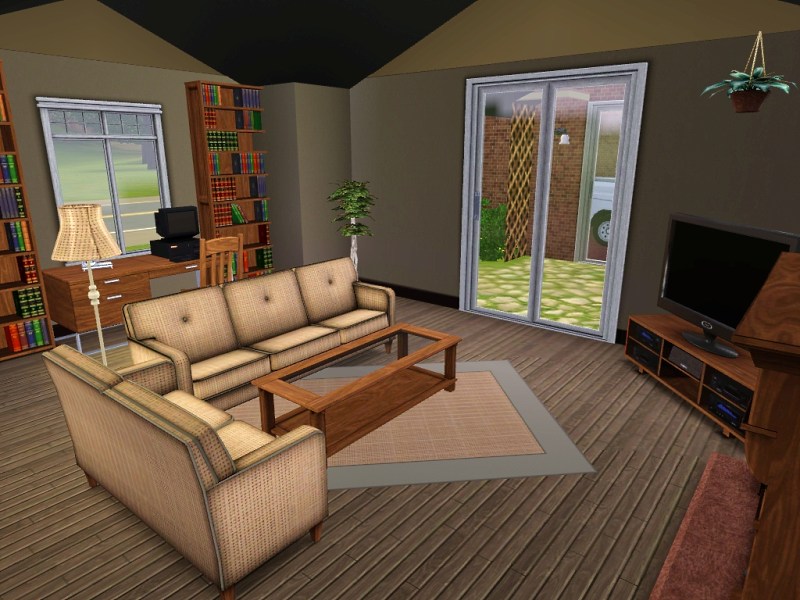
As we make our way to the inside, you will notice that the house
is fully furnished in all of the following rooms...
Bedroom
Nursery
Bathroom
Kitchen
Dining Room
Living Room
Garage
...and has some of the following extra features that make it your
own...
Breezeway
Patio
Driveway
Garden
Pond
Fenced Yard
More Specifics
Furnished: $46, 373
Unfurnished: $28, 186
Lot Size:30x20
I hope you enjoy the house. Be sure to check out the pictures and
drop a comment and thank it too. Until next time...
~Q
Lot Size: 3x2
Lot Price: $46, 373
|
Sol Ranch.zip
Download
Uploaded: 9th Jun 2009, 1.77 MB.
2,209 downloads.
|
||||||||
| For a detailed look at individual files, see the Information tab. | ||||||||
Install Instructions
1. Click the filename or the download button to download the file to your computer.
2. Extract the zip, rar, or 7z file.
2. Select the .sims3pack file you got from extracting.
3. Cut and paste it into your Documents\Electronic Arts\The Sims 3\Downloads folder. If you do not have this folder yet, it is recommended that you open the game and then close it again so that this folder will be automatically created. Then you can place the .sims3pack into your Downloads folder.
5. Load the game's Launcher, and click on the Downloads tab. Select the house icon, find the lot in the list, and tick the box next to it. Then press the Install button below the list.
6. Wait for the installer to load, and it will install the lot to the game. You will get a message letting you know when it's done.
7. Run the game, and find your lot in Edit Town, in the premade lots bin.
Extracting from RAR, ZIP, or 7z: You will need a special program for this. For Windows, we recommend 7-Zip and for Mac OSX, we recommend Keka. Both are free and safe to use.
Need more help?
If you need more info, see Game Help:Installing TS3 Packswiki for a full, detailed step-by-step guide!
Loading comments, please wait...



Uploaded: 9th Jun 2009 at 1:24 AM
Updated: 12th Jul 2010 at 8:32 AM
-
-
-
-
by HugeLunatic 18th Jun 2011 at 6:59pm
 +4 packs
6 17k 15
+4 packs
6 17k 15 World Adventures
 Ambitions
 Late Night
 Generations
-
-
-
by schafter 21st Aug 2012 at 9:54am
3
14.9k
12
-
by Johnny_Bravo 12th Mar 2013 at 9:48am
+7 packs
7 9.3k 12 World Adventures
 High-End Loft Stuff
Ambitions
Late Night
High-End Loft Stuff
Ambitions
Late Night
 Pets
Pets
 Showtime
 Seasons
-
by Asmodeuseswife 7th May 2014 at 11:54pm
+20 packs
5 6.8k 14 World Adventures
High-End Loft Stuff
Ambitions
 Fast Lane Stuff
Late Night
Fast Lane Stuff
Late Night
 Outdoor Living Stuff
Generations
Outdoor Living Stuff
Generations
 Town Life Stuff
 Master Suite Stuff
Pets
Master Suite Stuff
Pets
 Katy Perry Stuff
Showtime
Katy Perry Stuff
Showtime
 Diesel Stuff
 Supernatural
 70s, 80s and 90s Stuff
Seasons
70s, 80s and 90s Stuff
Seasons
 Movie Stuff
 University Life
 Island Paradise
 Into the Future
-
by CarlDillynson 3rd Apr 2016 at 6:14pm
11
23.9k
86







About Me
Put my content on any pay site or the exchange.
Claim my work as your own.
Send me requests (I forget to finish them.)
That's all! Happy creating!